

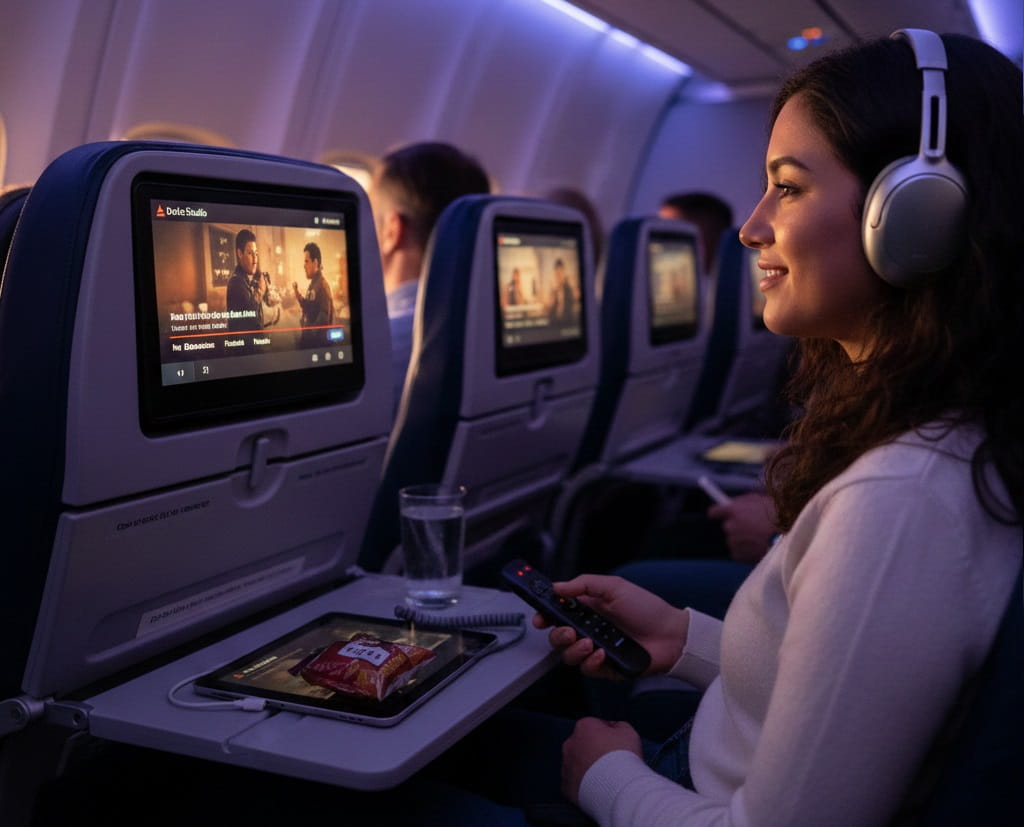
Traveling across the globe or even just across the country can be a long and tiring experience, but Delta Air Lines has consistently aimed to make the journey as enjoyable as possible through its industry-leading entertainment platform, Delta Studio. With thousands of hours of content available at your fingertips, the challenge often lies not in finding something to watch, but in choosing the very best options from an overwhelming library. This comprehensive guide provides a step-by-step approach to navigating Delta’s seatback screens and personal devices to ensure you never have a dull moment at 30,000 feet.
Delta Studio is recognized globally for offering a premium selection of movies, including the latest Hollywood blockbusters, critically acclaimed independent films, and international cinema. Unlike many other carriers that charge for premium content, Delta provides its entire library of movies and TV shows for free to all passengers in every cabin. Whether you are sitting in the luxury of Delta One or the comfort of the Main Cabin, you have access to the same high-quality entertainment suite designed to cater to diverse tastes and age groups.
Understanding the technical aspects of how to access this content is the first step toward a seamless flight. Delta operates a mixed fleet of aircraft, some equipped with high-definition seatback screens and others that rely on streaming content directly to your personal electronic devices via the onboard Wi-Fi. By preparing ahead of time, you can ensure that your devices are compatible and your viewing experience is uninterrupted by technical glitches or battery issues. This guide will walk you through the preparation, navigation, and selection process for the ultimate in-flight cinema experience.
Preparing Your Devices for Delta Studio
Before you even step onto the aircraft, it is essential to ensure that your hardware and software are ready for the Delta Studio experience. While most long-haul and many domestic Delta flights feature the latest Panasonic or Gogo-powered seatback entertainment systems, some smaller regional jets or older narrow-body aircraft may require you to use your own smartphone, tablet, or laptop. Checking your flight’s specific equipment via the Delta Fly app or website 24 hours before departure can help you decide which gear to pack in your carry-on.
If your flight relies on personal device streaming, you must have the latest version of the Fly Delta app installed on your mobile device. For laptop users, ensuring your browser is updated and capable of supporting the Delta Wi-Fi portal is crucial. Additionally, because streaming media consumes significant battery power, bringing a portable power bank or your charging cables is highly recommended. While most Delta aircraft feature USB ports and many offer universal power outlets, having a backup power source ensures you won’t be left with a dead battery halfway through a three-hour epic.
Audio quality is another vital component of the in-flight movie experience. Delta provides complimentary earbuds on many flights, but these are often basic and may not provide the best sound isolation against the roar of the engines. Investing in a pair of high-quality noise-canceling headphones can transform your viewing experience. If you use Bluetooth headphones, remember that older seatback systems require a physical 3.5mm jack. Carrying a small Bluetooth transmitter (like an AirFly) allows you to use your wireless AirPods or Bose headphones with the plane’s built-in screen effortlessly.
Navigating the Delta Studio Interface
Once you are seated and the aircraft has reached a safe altitude for electronics, the Delta Studio interface will be your portal to hundreds of titles. The system is designed with a user-friendly touch interface that categorizes content into logical groups such as New Releases, Featured, Kids, and Collections. Navigating these menus efficiently allows you to spend less time scrolling and more time watching. The search functionality is also robust, allowing you to look for specific actors, directors, or titles if you already have something in mind.
The New Releases section is typically the most popular, as it features films that have recently left the movie theaters. Delta frequently updates this section monthly, often securing titles before they are available on standard streaming services like Netflix or Disney+. If you are looking for something more curated, the Collections category often groups movies by themes, such as Academy Award winners, Marvel Cinematic Universe films, or “Date Night” favorites. This is an excellent way to find hidden gems that you might have missed during their initial theatrical runs.
For those traveling with family, the Sky Kids section is a dedicated space for age-appropriate content. Delta partners with major studios like Disney, Pixar, and DreamWorks to provide a safe and entertaining environment for younger travelers. Parents can rest easy knowing that the interface is easy for children to navigate and the content is filtered to be family-friendly. The system also includes interactive games and educational content, making it more than just a movie player for the little ones.
How to Select the Best Movies for Your Flight Length
Choosing the right movie is an art form that depends heavily on the duration of your flight. Selecting a three-hour historical drama for a two-hour flight will only lead to frustration when the “prepare for landing” announcement interrupts the climax. Conversely, finishing a short romantic comedy with four hours left in a trans-Atlantic journey leaves you searching for more content. To maximize your entertainment, you should match your movie choices to your flight schedule, accounting for the time taken for meal services and safety briefings.
- Short-Haul Flights (Under 2 Hours): Focus on fast-paced action movies or lighthearted comedies that get straight to the point. These films usually have a runtime of 90 to 100 minutes, fitting perfectly between takeoff and the final descent.
- Medium-Haul Flights (3 to 5 Hours): This is the sweet spot for watching a major blockbuster or a pair of shorter independent films. You have enough time to get deeply invested in a story without feeling rushed, with extra time for a short nap or a snack.
- Long-Haul International Flights (6+ Hours): These flights are ideal for tackling “prestige” cinema or long epics like The Godfather or Oppenheimer. You can also use this time to binge-watch a series of films, such as a full trilogy, back-to-back.
- Red-Eye Flights: If you are trying to sleep, look for “comfort films” that you have seen before. These allow you to drift off without worrying about missing key plot points, providing a soothing background for rest.
- Daytime Flights: These are best for high-energy movies or visually stunning documentaries. Since you are likely to be fully awake, you can appreciate the intricate details and complex narratives of the latest high-budget releases.
Advanced Search and Filtering Tips
To find the absolute best content, you should look beyond the main landing page of Delta Studio. Use the filtering tools to sort by genre or rating. Delta often includes Rotten Tomatoes scores or similar critics’ ratings within the movie descriptions, which can serve as a quick guide to the quality of the film. If you are a fan of international cinema, look for the “World Cinema” category, which features award-winning films from around the globe, often with subtitles, providing a great way to experience different cultures while in transit.
Another “pro tip” for frequent flyers is to check the Last Chance section. This category contains movies that are scheduled to be removed from the system at the end of the current month. If you see a film you’ve been meaning to watch in this list, prioritize it, as it might not be there on your return flight. Additionally, Delta sometimes features “Exclusive” content, including behind-the-scenes footage, interviews with creators, or early-access pilots for new television series, which are worth exploring for unique entertainment.
Don’t forget to utilize the “Favorites” or “Watchlist” feature if available on your aircraft’s system. As you browse during the initial stages of the flight, you can “heart” or save several titles. This creates a personalized queue, so when one movie ends, you can immediately jump into the next one without having to navigate back through the entire library. This is particularly useful on long-haul flights where you might want to switch between genres based on your mood as the hours pass.
Troubleshooting Common Entertainment Issues
While Delta’s systems are generally reliable, technical issues can occasionally occur. If your seatback screen freezes or the touch sensitivity seems off, the first step is to try a system reset. Usually, there is a physical power button or a sequence on the screen that allows for a soft reboot. If this doesn’t work, notify a flight attendant. While they cannot perform complex repairs mid-flight, they can often reset the entertainment server for your specific row or seat from their master control panel.
For those streaming on personal devices, connectivity issues are the most common hurdle. Ensure that you are connected to the “DeltaWiFi” network and that your device isn’t trying to switch to a cellular signal. If the video is buffering, try lowering the playback quality if the app allows it, or close other background applications that might be consuming bandwidth. Remember that in-flight Wi-Fi for entertainment is separate from the paid internet access; you do not need to purchase a Wi-Fi plan to stream Delta Studio content.
If you experience audio issues, such as sound only coming out of one ear, check the jack for debris or ensure your headphones are plugged in all the way. Sometimes, the dual-prong adapters used on older aircraft can be finicky; wiggling the connector or using a dedicated airline headphone adapter can solve the problem. If all else fails and your screen is completely inoperable, flight attendants may be able to move you to a different seat if the flight is not full, or provide you with a credit or miles as a gesture of goodwill for the inconvenience.
The Future of Delta In-Flight Entertainment
Delta is currently in the process of rolling out “Delta Sync,” a personalized platform that integrates your SkyMiles account with the entertainment system. This new technology allows the system to remember where you left off in a movie on a previous flight and offer tailored recommendations based on your viewing history. It also enables more seamless integration with your personal devices, allowing you to use your smartphone as a remote control or to see real-time flight updates without interrupting your movie.
Furthermore, Delta is investing in 4K resolution screens and Bluetooth connectivity across its newer fleet, such as the Airbus A321neo and the refreshed Boeing 737-800s. These upgrades mean that the “best movies” will look and sound better than ever before. The airline is also expanding its partnership with streaming giants to bring exclusive “at-home” style content to the sky, ensuring that the gap between your living room entertainment and your in-flight experience continues to shrink.
As satellite technology improves, the speed and reliability of in-flight streaming will only increase. This will allow for more live content, including live sports and news, to be integrated alongside the movie library. Delta’s commitment to free, high-quality entertainment remains a cornerstone of its brand identity, ensuring that passengers remain engaged and satisfied throughout their journey, regardless of the distance traveled.
Pro Tips for the Ultimate Viewing Experience
To truly master the art of in-flight entertainment, consider these expert tips that go beyond the basic operation of the screen. These strategies help you optimize your comfort and ensure you get the most out of the Delta Studio library.
- Sync with Meal Times: Start a movie right as the meal service begins. This allows you to eat while entertained and ensures you finish the film just as the trays are being cleared, giving you a natural break to stretch or use the restroom.
- Use a Screen Privacy Filter: If you are watching a movie with mature themes or just want to keep your viewing private, a magnetic privacy filter for your laptop or tablet can prevent neighbors from seeing your screen.
- Check the “Coming Soon” List: Delta often lists movies that will be added in the following month. If you have a return flight scheduled for the next calendar month, you can plan your watchlist in advance.
- Download the App Early: Always download the Fly Delta app and any offline content while you are still on home Wi-Fi. Airport Wi-Fi can be slow, and once you are in the air, you won’t be able to download the app itself.
- Adjust Screen Brightness: In a darkened cabin, a full-brightness screen can cause eye strain and annoy neighbors. Lower the brightness to a comfortable level and use the “night mode” or “blue light filter” settings if your device or the seatback screen supports them.
- Bring a Multi-Port Adapter: If you are traveling with multiple devices, a small multi-port USB hub allows you to charge your phone while your tablet is plugged into the seat’s power, ensuring everything stays powered for a movie marathon.
Frequently Asked Questions
Is Delta Studio really free?
Yes, Delta Studio is completely free for all passengers on all Delta-operated flights. This includes all movies, TV shows, and live satellite TV where available. You do not need to pay for a Wi-Fi pass to access the entertainment library.
Can I watch movies on my own laptop?
Absolutely. If the aircraft is equipped with streaming Wi-Fi, you can connect to the Delta Wi-Fi portal and watch movies directly through your web browser. Ensure your browser is up to date for the best compatibility.
Do I need my own headphones?
While Delta provides complimentary earbuds on most long-haul and many domestic flights, using your own headphones is recommended for better sound quality and comfort. Note that you may need a wired connection or a Bluetooth transmitter for seatback screens.
How often is the movie selection updated?
Delta typically refreshes its movie and TV show library on the first day of every month. New blockbusters are added regularly, and seasonal collections are updated to reflect holidays or major film events like the Oscars.
What if my seatback screen isn’t working?
If your screen is frozen or broken, try a soft reset if possible. If the issue persists, inform a flight attendant. They may be able to reset the system for you or move you to another seat if available.
Conclusion
Delta Air Lines has set a high standard for in-flight entertainment, making the “Delta Studio” experience a highlight of the journey rather than just a way to pass the time. By preparing your devices, understanding the interface, and choosing movies that align with your flight duration, you can turn a standard trip into a personal cinema experience. From the latest Hollywood hits to exclusive Delta Sync features, the platform offers something for everyone. Whether you are a frequent business traveler or a family on vacation, following these steps ensures that you stay entertained, relaxed, and informed from takeoff to touchdown. As technology continues to evolve, Delta’s commitment to providing a premium, free-of-charge entertainment suite ensures they remain a top choice for passengers who value a high-quality in-flight experience.
