

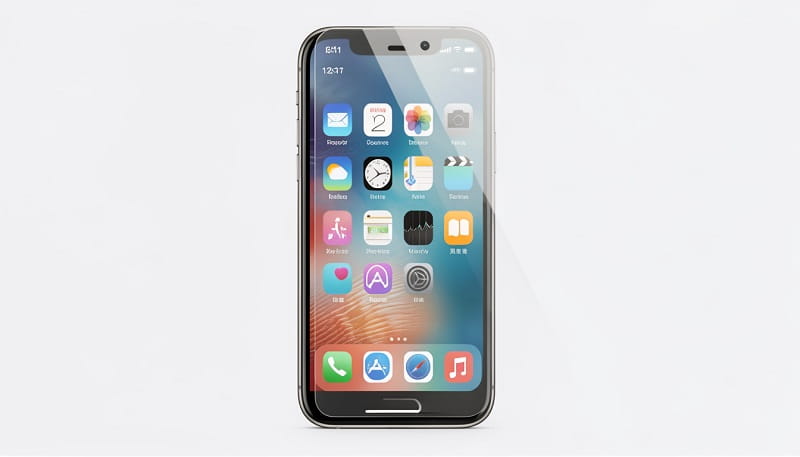
Your iPhone is a significant investment, and protecting its screen from scratches, cracks, and daily wear is essential. With the release of the iPhone 17 series and the continued popularity of older models like the iPhone 16 and 15, choosing the right screen protector has never been more important. Whether you need maximum drop protection, privacy features, or anti-glare technology, the market offers a wide range of options—each designed to keep your device looking and functioning like new.
In this comprehensive guide, we’ll break down the best iPhone screen protectors of 2026, covering everything from premium tempered glass to budget-friendly films. We’ll also explain how to choose the right protector for your model, what features to prioritize, and how to install them without bubbles or misalignment. By the end, you’ll know exactly which screen protector is right for your iPhone and lifestyle.
Why You Need a Screen Protector for Your iPhone
Even with Apple’s advanced Ceramic Shield 2 technology on the iPhone 17 series, your phone’s screen is still vulnerable to cracks, scratches, and smudges. A high-quality screen protector acts as the first line of defense, absorbing impact and preventing damage from keys, coins, and accidental drops. According to experts, a good screen protector can save you hundreds of dollars in repair costs and keep your phone’s resale value high.
Screen protectors also offer additional benefits, such as:
- Scratch resistance: Protects against everyday abrasions from pockets, bags, and surfaces. Ceramic Shield 2 is three times more scratch-resistant than previous versions, but it’s not invincible. A screen protector adds an extra layer of defense against micro-scratches from daily use.
- Impact absorption: Reduces the risk of shattered glass during falls or bumps. Tempered glass protectors are designed to crack instead of your iPhone’s screen, absorbing the force of impacts up to 9H on the hardness scale.
- Privacy and anti-glare: Shields your screen from prying eyes and reduces reflections in bright light. Privacy protectors use micro-louver technology to limit viewing angles, while anti-glare options minimize fingerprints and improve visibility outdoors.
- Oleophobic coating: Repels fingerprints and smudges, keeping your display clean and clear. This coating also makes it easier to wipe away oils and dirt, maintaining touch sensitivity.
- Case compatibility: Ensures your protector works seamlessly with your favorite iPhone case. Many protectors are designed with rounded edges to prevent peeling when used with cases.
Types of iPhone Screen Protectors
Not all screen protectors are created equal. Here’s a detailed breakdown of the most common types available in 2026:
- Tempered Glass: The gold standard for protection, tempered glass protectors are durable, scratch-resistant, and offer the best impact absorption. They’re available in various thicknesses, with 9H hardness being the most common for iPhones. Brands like Spigen, Belkin, and ESR lead the market with edge-to-edge designs and easy installation kits. Tempered glass is made by heating and rapidly cooling the glass, which increases its strength and makes it shatterproof. It’s the most popular choice for users who want maximum protection without compromising touch sensitivity.
- Privacy Screen Protectors: These use micro-louver technology to limit viewing angles, so only you can see your screen. Ideal for professionals or anyone concerned about shoulder surfing in public, privacy protectors typically reduce visibility to 30 degrees on either side. They’re available in both tempered glass and film varieties, though glass options offer better durability.
- Anti-Glare/Anti-Reflective: Reduces screen glare in sunlight and minimizes fingerprints, making them perfect for outdoor use or photography. Anti-glare protectors use a matte finish to diffuse light, while anti-reflective options reduce mirror-like reflections. Both types are great for users who spend a lot of time outside or in brightly lit environments.
- Blue Light Filters: Helps reduce eye strain by blocking harmful blue light, especially useful for nighttime use. Blue light protectors are designed to filter out wavelengths that can disrupt sleep patterns, making them ideal for evening use. Some models also include anti-glare properties for added comfort.
- Liquid Screen Protectors: A newer option that applies a nano-coating to your screen, providing scratch resistance without adding bulk. Liquid protectors are easy to apply—simply wipe the solution onto your screen and let it dry. However, they don’t offer the same level of drop protection as tempered glass and are best for users who prioritize a sleek feel over impact resistance.
- PET Film: A budget-friendly plastic option that protects against light scratches but lacks the durability of glass. PET film is thin and flexible, making it easy to install, but it’s not as effective at preventing cracks from drops. It’s a good choice for users who want basic protection without spending much.
- Hybrid Protectors: Combine the best features of glass and film, offering a balance of durability and flexibility. Hybrid protectors are often thinner than traditional tempered glass but provide better scratch resistance than PET film. They’re a great middle-ground option for users who want decent protection without the bulk of glass.
Top iPhone Screen Protectors for 2026
After testing dozens of options, here are the best iPhone screen protectors for every need and budget:
1. Best Overall: Spigen Glas.tR EZ Fit
The Spigen Glas.tR EZ Fit is our top pick for most users. It features 9H hardness tempered glass, an oleophobic coating, and an easy installation frame. Compatible with the iPhone 17, 16, and 15 series, it offers edge-to-edge protection and maintains touch sensitivity. Experts at ZDNET and SimplyMac consistently rank it as the best balance of price, durability, and clarity. The EZ Fit system ensures a bubble-free installation, and the protector is case-friendly, making it a versatile choice for any user.
2. Best Privacy: Zagg InvisibleShield Glass Elite Privacy
If privacy is a priority, the Zagg InvisibleShield Glass Elite Privacy is unbeatable. It limits side viewing angles to 30 degrees, so only you can see your screen. It also includes a 9H hardness rating and a lifetime warranty, making it a favorite among business professionals. The Glass Elite Privacy is designed to work with Face ID and Touch ID, ensuring seamless functionality while keeping your data secure.
3. Best Anti-Glare: FLOLAB NanoArmour ONETIME PRO
For outdoor enthusiasts, the FLOLAB NanoArmour ONETIME PRO reduces glare and reflections while maintaining touch responsiveness. Its anti-rainbow effect ensures a clear view in all lighting conditions, and the smudge-resistant coating keeps your screen looking clean. This protector is also case-friendly and includes a lifetime warranty, making it a great long-term investment.
4. Best Budget: Ailun 3-Pack Tempered Glass
The Ailun 3-Pack delivers premium protection at a fraction of the cost. Each pack includes three protectors, an installation frame, and sensor protection for the iPhone 17 Pro Max and other models. Users praise its clarity and ease of installation, making it a top choice for budget-conscious buyers who don’t want to sacrifice quality.
5. Best for iPhone 17 Pro: Belkin UltraGlass 2
Apple officially recommends the Belkin UltraGlass 2 for the iPhone 17 series. It’s ultra-thin, case-friendly, and designed to work with MagSafe accessories. The anti-smudge coating keeps your screen looking pristine, and the 9H hardness rating ensures durability. Belkin’s UltraGlass 2 is also one of the few protectors that maintains full compatibility with Apple’s Ceramic Shield 2 technology.
6. Best for iPhone 16: ESR 3-Pack Tempered Glass
The ESR 3-Pack is a crowd favorite for iPhone 16 users. It includes an alignment frame for bubble-free installation and maintains full compatibility with Face ID and Touch ID. ESR’s protectors are known for their clarity and durability, and this pack offers excellent value with three protectors included.
7. Best Hybrid: OtterBox Amplify Glass Glare Guard
The OtterBox Amplify Glass Glare Guard combines the strength of tempered glass with the flexibility of film. It offers anti-glare properties and 9H hardness, making it ideal for users who want both scratch and impact protection. The Glare Guard is also case-friendly and includes an easy installation kit.
8. Best for iPhone 15: LK Screen Protector
The LK Screen Protector is a popular choice for iPhone 15 users. It features a 9H hardness rating, an oleophobic coating, and edge-to-edge coverage. The LK protector is praised for its clarity and touch sensitivity, and it comes with a lifetime replacement warranty.
How to Choose the Right Screen Protector for Your iPhone
Selecting the perfect screen protector depends on your iPhone model, lifestyle, and budget. Here’s what to consider:
- Model Compatibility: Always check that the protector is designed for your exact iPhone model. Even small differences in screen size or sensor placement can cause misalignment. For example, the iPhone 17 and 17 Pro have slightly different front sensor layouts, so their protectors are not interchangeable. Use compatibility charts from brands like TVCMALL or PerfectSight to ensure a perfect fit.
- Thickness and Clarity: Thinner protectors (0.3mm) offer a more natural feel, while thicker ones (0.5mm+) provide better drop protection. Look for “HD clear” or “ultra-clear” options to avoid reduced screen brightness. Thinner protectors are less noticeable but may not offer as much impact resistance, while thicker ones provide better protection but can affect touch sensitivity.
- Case Friendliness: If you use a case, choose a protector labeled “case-friendly” to prevent edge lifting. Some protectors, like the ROXX for iPhone 16 Pro, cover the entire front and are nearly invisible. Case-friendly protectors are designed to fit snugly under your case, preventing peeling or bubbles.
- Installation Ease: Opt for protectors with alignment frames, dust-removal stickers, and squeegees. Brands like Spigen and ESR include these tools for a hassle-free experience. Installation kits make it easier to apply the protector without bubbles or misalignment, even for first-time users.
- Special Features: Decide if you need privacy, anti-glare, or blue light filtering. These features add cost but can significantly enhance your user experience. For example, privacy protectors are great for professionals, while anti-glare options are ideal for outdoor use.
- Warranty and Support: Look for protectors that come with a warranty or replacement guarantee. Brands like Zagg and Belkin offer lifetime warranties, while others provide limited-time replacements. A good warranty can save you money in the long run if the protector gets damaged.
- User Reviews: Check reviews on sites like Amazon, Best Buy, and Reddit to see what other users say about the protector’s durability, clarity, and ease of installation. Real-world feedback can help you avoid low-quality options.
Current Market Prices and Deals (February 2026)
Prices for iPhone screen protectors vary based on brand, features, and pack size. Here’s a quick overview of current market prices:
- Spigen Glas.tR EZ Fit: $29.99 (2-pack)
- Zagg InvisibleShield Glass Elite Privacy: $49.99 (1-pack)
- FLOLAB NanoArmour ONETIME PRO: $19.95 (1-pack)
- Ailun 3-Pack Tempered Glass: $9.99
- Belkin UltraGlass 2: $39.99 (1-pack)
- ESR 3-Pack Tempered Glass: $12.99
- OtterBox Amplify Glass Glare Guard: $34.99 (1-pack)
- LK Screen Protector: $14.99 (2-pack)
Pro Tip: Check Amazon, Best Buy, and official brand websites for seasonal discounts and bundle deals, especially during holiday sales. Many brands offer discounts on multi-packs or during special events like Black Friday or Prime Day.
Pros and Cons of Popular iPhone Screen Protectors
Spigen Glas.tR EZ Fit
- Pros: Easy installation, 9H hardness, oleophobic coating, edge-to-edge coverage, case-friendly.
- Cons: Slightly more expensive than budget options, limited color choices.
Zagg InvisibleShield Glass Elite Privacy
- Pros: Excellent privacy, lifetime warranty, high clarity, compatible with Face ID.
- Cons: Higher price point, limited to glossy finish, may reduce screen brightness slightly.
FLOLAB NanoArmour ONETIME PRO
- Pros: Anti-glare, anti-reflective, smudge-resistant, lifetime warranty, case-friendly.
- Cons: Not as durable as tempered glass in drop tests, slightly more expensive than basic options.
Ailun 3-Pack Tempered Glass
- Pros: Affordable, includes installation tools, good scratch resistance, three protectors included.
- Cons: Not as shatterproof as premium brands, may not fit as precisely as higher-end options.
Belkin UltraGlass 2
- Pros: Ultra-thin, case-friendly, works with MagSafe, anti-smudge coating, Apple-recommended.
- Cons: Expensive for a single protector, limited availability for older models.
OtterBox Amplify Glass Glare Guard
- Pros: Hybrid design, anti-glare, 9H hardness, case-friendly, easy installation.
- Cons: More expensive than basic tempered glass, may not be as clear as premium options.
LK Screen Protector
- Pros: 9H hardness, oleophobic coating, edge-to-edge coverage, lifetime replacement warranty.
- Cons: Slightly thicker than some competitors, may affect touch sensitivity for some users.
Pro Tips for Installing Your iPhone Screen Protector
Even the best screen protector won’t perform well if installed incorrectly. Follow these expert tips for a bubble-free, perfect fit:
- Clean Your Screen: Use the included alcohol wipe and microfiber cloth to remove dust, oils, and fingerprints. Work in a dust-free environment if possible. Avoid using paper towels or rough cloths, as they can scratch your screen.
- Use the Alignment Frame: Most premium protectors include a frame to ensure perfect placement. Align it carefully before pressing down. Take your time to position the frame correctly, as this will determine the protector’s alignment.
- Start from the Top: Gently lay the protector onto the screen from the top, then press down slowly to avoid air bubbles. Use a credit card or squeegee to smooth out any bubbles as you go.
- Use the Squeegee: After placement, use the provided squeegee to push out any bubbles toward the edges. Start from the center and work your way outward for the best results.
- Avoid Peeling: If you need to remove the protector, lift it slowly from a corner to prevent damage to your iPhone’s display. Use a piece of tape to lift the edge if it’s stuck.
- Check for Bubbles: If bubbles remain after installation, use the squeegee to push them toward the edges. Small bubbles may disappear on their own within a few hours.
- Reapply if Necessary: If the protector is misaligned or has too many bubbles, peel it off and reapply. Most protectors can be repositioned within the first few minutes of installation.
- Let It Set: Avoid using your phone for at least an hour after installation to allow the adhesive to fully bond. This will help prevent edges from lifting over time.
Frequently Asked Questions (FAQ)
1. Do iPhone screen protectors really work?
Yes! High-quality tempered glass protectors can absorb impact and prevent scratches. Many users report that their protectors crack instead of their iPhone screens during drops. Studies show that a good screen protector can reduce the risk of screen damage by up to 80% in minor drops.
2. Can I use the same screen protector on different iPhone models?
No. Even similar models (like iPhone 16 and 16 Pro) often have different screen sizes or sensor placements. Always choose a protector designed for your exact model. Using the wrong protector can lead to misalignment, lifted edges, or blocked sensors.
3. How often should I replace my screen protector?
Replace it if it cracks, peels, or develops deep scratches. Most protectors last 6–12 months with normal use. If you notice reduced touch sensitivity or visibility, it’s time for a replacement.
4. Will a screen protector affect Touch ID or Face ID?
No, as long as you choose a high-quality, properly installed protector. Avoid thick or poorly fitted options that may interfere with sensors. Most modern protectors are designed to work seamlessly with biometric features.
5. Are liquid screen protectors worth it?
Liquid protectors add minor scratch resistance but don’t offer drop protection. They’re best for maintaining a sleek feel without bulk. If you’re prone to dropping your phone, opt for a tempered glass protector instead.
6. Can I install a screen protector myself?
Absolutely! Most protectors come with detailed instructions and tools for DIY installation. If you’re unsure, many phone repair shops offer professional installation for a small fee. Watching a tutorial video before installation can also help.
7. Do screen protectors affect screen brightness or clarity?
High-quality protectors should not significantly affect brightness or clarity. Look for “HD clear” or “ultra-clear” options to minimize any impact. Some anti-glare or privacy protectors may reduce brightness slightly, but the difference is usually minimal.
8. Can I use a screen protector with a case?
Yes, but choose a “case-friendly” protector to prevent edge lifting. Some cases have raised lips that can interfere with the protector, so check compatibility before purchasing. Many brands offer protectors specifically designed to work with popular cases.
9. What’s the difference between tempered glass and PET film?
Tempered glass is thicker, more durable, and offers better impact protection, while PET film is thinner, more flexible, and less expensive. Glass protectors are ideal for users who want maximum protection, while film is better for those on a budget or who prefer a thinner feel.
10. How do I remove a screen protector?
Use a piece of tape to lift a corner, then peel the protector off slowly. Avoid using sharp objects, as they can scratch your screen. If adhesive residue remains, use a small amount of rubbing alcohol to clean it off.
11. Can screen protectors prevent all types of damage?
While screen protectors reduce the risk of scratches and cracks, they cannot prevent all types of damage. Severe impacts or drops from great heights may still damage your screen. However, a protector will significantly reduce the likelihood of minor damage.
12. Are there screen protectors for iPhone camera lenses?
Yes! Many brands offer camera lens protectors to safeguard your iPhone’s cameras from scratches and cracks. These are often sold as part of a bundle with screen protectors.
Conclusion
Investing in a high-quality iPhone screen protector is one of the smartest ways to protect your device from daily wear and costly repairs. Whether you prioritize durability, privacy, or anti-glare features, there’s a protector tailored to your needs. For most users, the Spigen Glas.tR EZ Fit and Belkin UltraGlass 2 offer the best balance of protection, clarity, and ease of use. If you’re on a budget, the Ailun 3-Pack delivers excellent value, while the Zagg InvisibleShield Glass Elite Privacy is ideal for those who need extra security.
Remember to check compatibility, follow installation instructions carefully, and replace your protector as needed. With the right screen protector, your iPhone will stay looking and functioning like new for years to come.
