

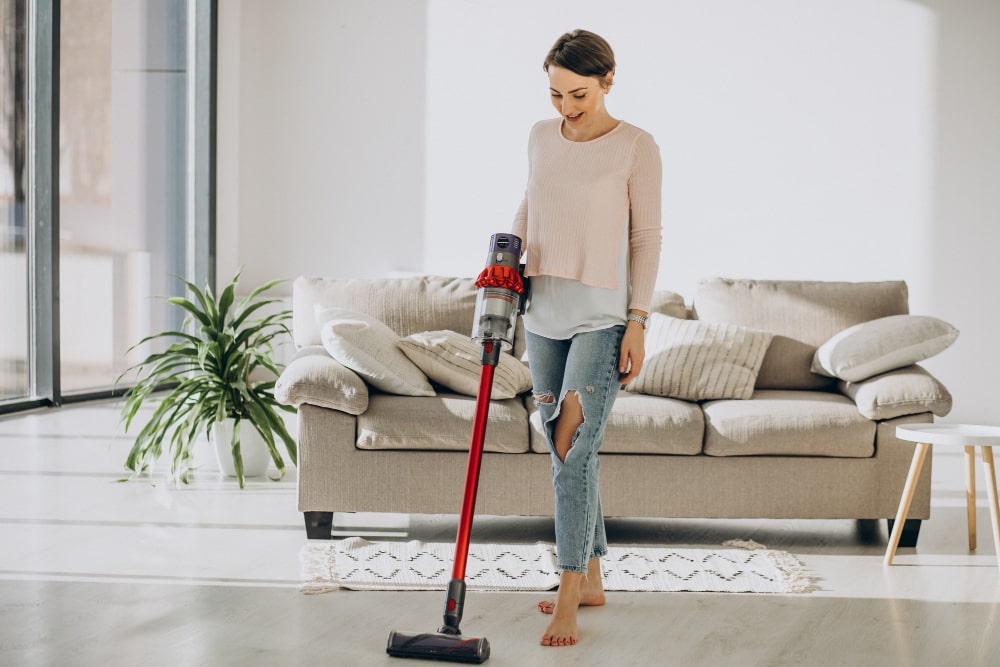
Dyson vacuum cleaners are renowned for their powerful suction, innovative technology, and versatility across all floor types. Whether you own a Dyson V15 Detect, Gen5detect, V8, or any other model, knowing how to use and maintain your vacuum ensures it performs at its best for years. This guide covers everything from daily cleaning routines to advanced maintenance, helping you get the most out of your Dyson vacuum cleaner in 2025.
Why Dyson Vacuums Stand Out in 2025
Dyson has consistently led the vacuum market with groundbreaking features like laser dust detection, automatic suction adjustment, and advanced filtration systems. The latest models, such as the Dyson V15 Detect and Gen5detect, are designed to tackle everything from fine dust to stubborn pet hair, making them ideal for homes with diverse cleaning needs. Their cordless design, long battery life, and specialized attachments set them apart from competitors, offering unmatched convenience and efficiency.
With the introduction of wet/dry cleaning capabilities in models like the Dyson V15s Detect Submarine and the WashG1, Dyson has expanded its utility beyond traditional vacuuming. These innovations allow users to seamlessly transition between vacuuming and mopping, making Dyson vacuums a comprehensive solution for whole-home cleaning.
Understanding Your Dyson Vacuum’s Features
Before diving into cleaning, it’s essential to understand the key features of your Dyson vacuum. Most models come equipped with:
- Laser Dust Detection: Illuminates hidden dust and debris, ensuring no particle is left behind. This feature is especially useful for hard floors and low-light areas.
- Automatic Suction Adjustment: Sensors detect floor type and adjust suction power accordingly, optimizing performance on carpets, hardwood, and tiles.
- Advanced Filtration: Dyson’s fully sealed filtration system captures 99.97% of microscopic dust and allergens, expelling cleaner air into your home.
- Multiple Cleaner Heads: Swap between the Fluffy Optic cleaner head for hard floors and the Motorbar cleaner head for carpets to achieve the best results.
- Long Battery Life: Modern Dyson vacuums offer up to 70 minutes of runtime, allowing you to clean larger spaces without frequent recharging.
- LCD Screens: Provide real-time feedback on battery life, cleaning mode, and maintenance alerts, making it easier to monitor your vacuum’s performance.
- Wet/Dry Cleaning: Select models, like the V15s Detect Submarine, include wet roller heads for mopping hard floors, adding versatility to your cleaning routine.
Step-by-Step Guide to Cleaning with Your Dyson Vacuum
1. Preparing Your Space
Before you start vacuuming, clear the area of small objects, toys, and loose cables. This prevents clogs and ensures smooth operation. For carpets, fluff the fibers with a broom or carpet rake to loosen embedded dirt, making it easier for the vacuum to pick up.
2. Choosing the Right Cleaner Head
Select the appropriate cleaner head for your floor type:
- Fluffy Optic Cleaner Head: Ideal for hard floors, this attachment uses soft nylon bristles and a laser to reveal hidden dust. It’s gentle on surfaces and highly effective at picking up fine particles.
- Motorbar Cleaner Head: Designed for carpets, this head uses stiff bristles to agitate and lift dirt from deep within the fibers.
- Mini Motorized Tool: Perfect for upholstery, stairs, and car interiors, this tool tackles pet hair and ground-in dirt with ease.
Attach the chosen head to your Dyson vacuum by aligning it with the wand and pressing until it clicks into place.
3. Adjusting Suction Power
Most Dyson vacuums feature multiple suction modes:
- Eco Mode: Extends battery life for light cleaning tasks.
- Auto Mode: Automatically adjusts suction based on floor type and debris level.
- Boost Mode: Provides maximum suction for tough messes, such as pet hair or deeply embedded dirt.
Use the power button or trigger to switch between modes as needed.
4. Vacuuming Hard Floors
For hard floors, attach the Fluffy Optic cleaner head. Start at the farthest corner of the room and work your way toward the exit, using slow, overlapping strokes. The laser will highlight dust and debris, allowing you to focus on high-traffic areas. Pay special attention to baseboards, under furniture, and along edges, where dust tends to accumulate.
5. Vacuuming Carpets
Switch to the Motorbar cleaner head for carpets. Move the vacuum slowly in straight lines, overlapping each pass to ensure thorough cleaning. For high-pile carpets, use the Boost mode to extract deeply embedded dirt. If your Dyson has a digital motorbar, it will automatically adjust suction to optimize performance.
6. Using Attachments for Detailed Cleaning
Dyson vacuums come with a variety of attachments to tackle specific cleaning challenges:
- Crevice Tool: Reaches into tight spaces like between couch cushions and along baseboards.
- Combination Tool: Features a brush for dusting and a nozzle for suction, making it ideal for shelves, blinds, and upholstery.
- Hair Screw Tool: Designed to remove pet hair from furniture and car seats without tangling.
Attach the tool to the wand or handheld unit and use it to clean areas that the main cleaner head can’t reach.
7. Wet Cleaning with Dyson V15s Detect Submarine
If your model supports wet cleaning, fill the water tank with clean water and attach the wet roller head. Select the wet cleaning mode and glide the vacuum over hard floors. The counter-rotating rollers will lift dirt and debris, while the water tank dispenses a controlled amount of water for mopping. After cleaning, empty the dirty water tank and rinse the rollers to prevent mold and odors.
Maintaining Your Dyson Vacuum for Longevity
1. Emptying the Dustbin
Regularly empty the dustbin to maintain suction power. Press the release button to detach the bin, hold it over a trash can, and pull the lever to open the bottom. Tap the sides to dislodge any stuck debris, and wipe the interior with a dry cloth if necessary.
2. Cleaning the Filters
Dyson vacuums feature washable filters that should be cleaned at least once a month. Rinse the filter under cold water until the water runs clear, then squeeze out excess moisture and let it air dry for at least 24 hours before reinserting. Never use the vacuum without the filter, as this can damage the motor.
3. Checking for Blockages
If your vacuum loses suction, check for blockages in the wand, hose, or cleaner head. Detach each component and use a long, flexible tool (like a coat hanger) to remove any obstructions. Reassemble the vacuum and test the suction to ensure the blockage is cleared.
4. Cleaning the Brush Roll
Hair and debris can wrap around the brush roll, reducing its effectiveness. Use scissors or a seam ripper to carefully cut away tangled hair, then pull it free. For stubborn buildup, remove the brush roll and soak it in warm, soapy water before rinsing and drying.
5. Storing Your Dyson Vacuum
Store your Dyson in a cool, dry place, ideally using the wall mount or docking station. This keeps the vacuum charged and ready for use while preventing damage to the wand or hose. Avoid wrapping the cord tightly around the vacuum, as this can cause kinks or damage over time.
Pro Tips for Optimal Performance
- Charge Regularly: Keep your Dyson vacuum plugged in when not in use to ensure the battery is always charged. Avoid letting the battery drain completely, as this can shorten its lifespan.
- Use Genuine Dyson Accessories: Third-party attachments may not fit properly or perform as well as Dyson’s original parts.
- Clean the Laser Window: Wipe the laser window on the Fluffy Optic cleaner head with a soft cloth to maintain accurate dust detection.
- Replace Worn Parts: Over time, brush rolls and filters wear out. Replace them as recommended in your user manual to keep your vacuum running smoothly.
- Check for Software Updates: Some Dyson models receive firmware updates that improve performance. Check the Dyson app or website for the latest updates.
Frequently Asked Questions
1. How Often Should I Clean My Dyson Vacuum?
Empty the dustbin after each use and clean the filters monthly. Check for blockages and clean the brush roll as needed, typically every few months depending on usage.
2. Can I Use My Dyson Vacuum on Wet Surfaces?
Only models with wet cleaning capabilities, such as the Dyson V15s Detect Submarine or WashG1, should be used on wet surfaces. Using a standard Dyson vacuum on wet floors can damage the motor and void the warranty.
3. Why Is My Dyson Vacuum Losing Suction?
Loss of suction is often caused by a full dustbin, clogged filter, or blockage in the wand or hose. Empty the bin, clean the filter, and check for obstructions to restore suction power.
4. How Do I Clean the LCD Screen?
Use a soft, dry cloth to wipe the screen. Avoid using water or cleaning solutions, as these can damage the display.
5. Can I Use My Dyson Vacuum Outdoors?
While Dyson vacuums are designed for indoor use, you can use them to clean patios, garages, and car interiors. Avoid exposing the vacuum to rain or extreme temperatures.
6. What Is the Best Dyson Vacuum for Pet Hair?
Models like the Dyson V15 Detect and Gen5detect are excellent for pet hair, thanks to their powerful suction and specialized tools like the hair screw tool. The Motorbar cleaner head is particularly effective at removing pet hair from carpets and upholstery.
7. How Long Does the Battery Last?
Battery life varies by model and usage. Most Dyson vacuums offer 40 to 70 minutes of runtime on a single charge. Using Boost mode or attachments can reduce battery life, so plan your cleaning sessions accordingly.
8. Is It Worth Investing in a Dyson Vacuum?
Dyson vacuums are a significant investment, but their durability, performance, and advanced features make them a worthwhile purchase for many households. If you prioritize deep cleaning, convenience, and long-term reliability, a Dyson vacuum is an excellent choice.
Conclusion
Your Dyson vacuum cleaner is a powerful tool designed to simplify and enhance your cleaning routine. By following this guide, you can maximize its performance, extend its lifespan, and keep your home spotless. From understanding the latest features to mastering maintenance, these tips will help you get the most out of your Dyson vacuum in 2025 and beyond. Whether you’re tackling everyday dust or deep cleaning carpets, your Dyson is equipped to handle it all—making cleaning faster, easier, and more effective.
