

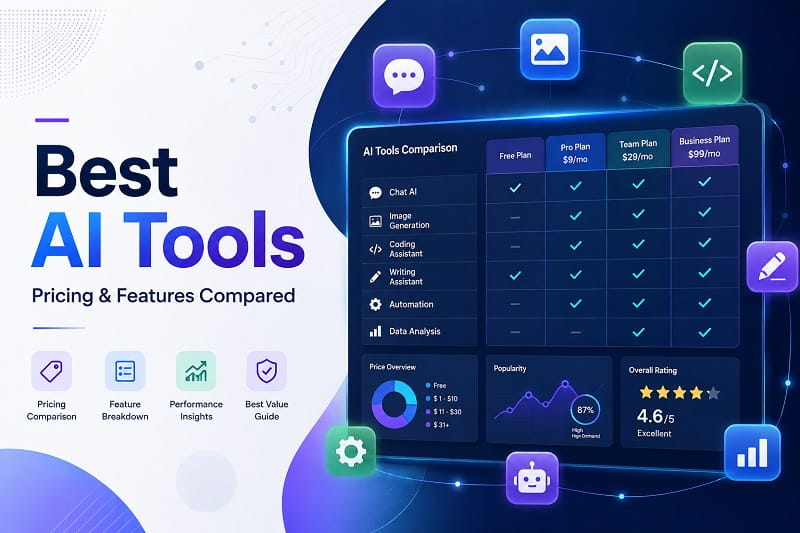
The AI tools landscape has matured dramatically in 2026, with hundreds of applications delivering real value across writing, coding, research, and creative work. Whether you’re an individual contributor or running a team, choosing the right tool depends on your workflow, budget, and specific needs rather than brand loyalty alone. This comprehensive guide compares the leading AI platforms available today, breaking down pricing, features, pros and cons to help you build your ideal AI stack without overspending.
General-Purpose AI Assistants
Three platforms dominate the general-purpose AI space in 2026: ChatGPT, Claude, and Google Gemini. Each costs roughly $20 per month for their standard tier, making them functionally equivalent in price but distinct in execution. ChatGPT excels at handling long, multi-step instructions and deep research tasks, with its free tier providing access to GPT-4o mini for unlimited queries. Claude stands out for writing clean code, fine-tuning tone, and generating polished drafts—particularly valuable for content creators and developers. Google Gemini integrates natively with Google Workspace, handles massive file sizes, and supports multimodal inputs including audio and video.
ChatGPT now offers six pricing tiers structured to fit different budgets and usage patterns. The free tier remains unlimited for GPT-4o mini. ChatGPT Go launches at $8 per month, providing faster responses and higher limits without the cost of Plus. ChatGPT Plus continues at $20 per month with access to the latest models, DALL-E 3 image generation, and advanced reasoning. ChatGPT Pro reaches $200 per month for maximum capacity and fastest processing speeds. Claude maintains a similar tiered approach with free access, Claude Pro at $20 per month, and Claude Max for enterprise-level reasoning and long-horizon tasks. Gemini’s pricing follows Google One: Basic is free, Gemini Advanced costs $19.99 per month and bundles 2TB of Google One storage, eliminating subscription fragmentation for existing Google users.
Pros: Mature feature sets, proven reliability, deep integration with existing workflows. Claude and ChatGPT have robust free tiers that remain competitive even against paid alternatives. Gemini’s storage bundle provides value beyond AI alone.
Cons: All three converge on the same price point, making differentiation challenging. Token inflation on Claude Opus (newer models emit more tokens for identical input) can inflate bills. ChatGPT and Gemini both have usage limits on their free tiers that interrupt workflow for heavy users.
Research & Real-Time Search
Perplexity has become the standout research engine in 2026, delivering sourced answers directly from the live web with visible citations. Unlike general assistants, Perplexity acts as an answer engine specifically designed for fact-checking, competitive analysis, and academic work. The Pro tier costs $16.67 per month when billed annually, making it the most affordable unlimited-use research subscription available. Students gain access to Perplexity Education Pro for just $4.99 per month with verification, a pricing advantage no competitor currently offers.
Perplexity Pro users average 150–300 searches daily without hitting rate limits, addressing a critical pain point for research-intensive workflows. Each query returns attributed sources, allowing readers to verify claims independently. The platform integrates web search, document analysis, and source aggregation into a single interface, eliminating context switching between multiple tools. Perplexity’s free tier provides limited daily queries but remains viable for casual research.
Pros: Real-time web data with source attribution. Student pricing is unmatched in the industry. Unlimited searches on Pro tier without overage fees. Clean, distraction-free research interface.
Cons: Narrower capability range than general assistants—optimized for research rather than creative or coding tasks. Web-dependent, so answers reflect current information quality rather than deep reasoning across long contexts.
AI-First Code Editing & Development
Cursor has emerged as the leading choice for developers who want deep codebase understanding and multi-file reasoning. At $20 per month, Cursor Pro offers full codebase awareness, allowing the editor to track context across entire projects and suggest features spanning multiple files—a capability that saves developers 8–12 hours per week according to early 2026 benchmarks. GitHub Copilot Pro remains competitive at $10 per month but provides solid autocomplete within existing IDEs like VS Code rather than a dedicated environment. Claude Code, included with Claude Pro, excels at complex, multi-file reasoning tasks but operates within Claude’s interface rather than as a standalone editor.
The Cursor Composer feature stands out for non-traditional developers, enabling them to implement features they wouldn’t be able to write independently. Students can claim a full year of Cursor Pro free through the education program, making it the single best AI coding tool discount available in 2026. The Hobby plan offers 2,000 free completions monthly, but daily coding depletes this limit in a week—the paid tier becomes necessary for sustained development work.
Pros: Codebase-aware suggestions dramatically accelerate development. Student free tier is unbeatable. Multi-file reasoning reduces context switching and integration errors. Cursor Composer makes complex features accessible.
Cons: Requires learning a new interface distinct from VS Code or JetBrains. Free tier’s 2,000 completions limit is insufficient for active developers. Higher price point than GitHub Copilot requires justification through measurable time savings.
AI Image Generation & Creative Design
Midjourney maintains its position as the leading AI image generator in 2026, delivering unmatched artistic quality and fine aesthetic control. Pricing follows a flexible subscription model: the Basic plan at $10 per month provides 3 hours of fast GPU processing monthly plus unlimited generations in Relax Mode. The Standard plan at $30 per month increases fast processing to 15 hours, typically producing 900–1,500 images monthly—sufficient for most creative professionals. The Professional plan at $60 per month offers 30 hours of unlimited fast processing, ideal for design studios and agencies. All tiers include commercial usage rights and privacy options, differentiating pricing primarily on processing speed rather than feature lockout.
Midjourney’s Discord-based interface maintains intuitive workflow despite unconventional platform choice. Version 8.2 shipped as the default model in July 2026, providing subtle improvements to aesthetics and personalization. However, the broader image generation category has shifted from destination tools to embedded features within Adobe Creative Cloud, Copilot, Canva, and Google products. This doesn’t diminish Midjourney’s quality—it reflects market consolidation where specialized tools compete against bundled features in platforms users already subscribe to.
Pros: Best-in-class artistic quality and style control. Commercial usage rights included at all tiers. Relax Mode unlimited generations reduce per-image cost. Discord community provides inspiration and techniques.
Cons: Discord-based interface feels outdated compared to web applications. Fast processing time limited even on Professional plan. Subscription cost adds up when used alongside general assistants and coding tools. Initial learning curve steep for users unfamiliar with Discord slash commands.
Voice Generation & Audio Production
ElevenLabs has become the industry standard for hyper-realistic AI voice generation and cloning in 2026. The Starter plan at approximately $7–10 per month provides entry-level voice generation sufficient for casual projects. The Scale plan jumps to around $449 per month for heavy voice production, making ElevenLabs the tool with the widest price range in the entire AI landscape. This extreme range reflects the tool’s dual nature: accessible for hobbyists on free/cheap tiers, yet enterprise-grade for production audio work.
Voice cloning capabilities at ElevenLabs allow custom voice creation with minimal samples, enabling personalized voiceovers at scale. The platform integrates with content platforms, e-learning tools, and podcast production workflows. API pricing allows per-character costs for programmatic voice generation, accommodating variable usage patterns better than flat subscriptions.
Pros: Voice quality is indistinguishable from human speech in most contexts. Flexible pricing through API and subscription hybrids. Cloning capability enables brand voice consistency. Wide adoption across podcasting and audiobook communities.
Cons: Entry pricing misleads users—$7 starter plan has severe limitations and prompt upgrade to $25+ plans. Scale plan cost ($449+) creates huge gap for production work. Processing speed varies with plan tier, creating quality-of-life tradeoffs.
Pricing Strategy & Total Cost of Ownership
A critical insight from 2026 pricing data: the AI tools landscape rewards tool stacking over loyalty to single platforms. According to Zylo’s AI Cost Analysis, businesses now average $100–$5,000 per month on AI tools, with startups typically allocating $50–$500 annually and enterprises investing $50–$25,000 depending on deployment scale. Most professionals benefit from combining one paid general-purpose subscription with multiple free tiers rather than subscribing to everything.
Hidden costs frequently catch users off-guard. API usage overage fees, integration requirements, and implementation time can double effective monthly costs. Microsoft’s Copilot Pro offering illustrates this: consumers see $9.99–$12.99 monthly through Microsoft 365 Personal subscriptions, yet businesses must budget for Microsoft 365 Business Standard ($12.50/user/month) plus Copilot Business ($30/user/month) totaling $42.50/user/month—2–4x more expensive than standalone ChatGPT or Claude subscriptions. Currency conversion fees matter for international users: credit card foreign transaction fees typically add 2.5%, and most AI tools bill in USD even for non-US subscribers.
Strategic recommendation: Invest deeply in one general-purpose AI (ChatGPT, Claude, or Gemini based on workflow), add specialized tools for coding or research, then layer free tiers for experimentation. This structure keeps monthly spend under $50 while maintaining access to the strongest capabilities in each category.
Free Tiers & No-Cost Options in 2026
Free tier quality has improved dramatically across the industry. GitHub Copilot Free, Google Stitch, and free plans from ChatGPT, Claude, and Gemini deliver genuine value without payment. Perplexity’s free tier limits queries but remains viable for light research. The free tier strategy serves dual purposes: user acquisition and enabling students/low-income professionals to access capabilities previously locked behind paywalls. This democratization represents one of 2026’s most significant shifts in AI accessibility.
Students specifically should prioritize leveraging education discounts: Perplexity Education Pro at $4.99/month, Cursor’s free annual Pro access, and free plans from major assistants create a formidable toolkit costing under $10 total. No other era of software development has offered equivalent capability at such low barrier to entry for student learners.
Frequently Asked Questions
Which AI tool should I pick if I’m only paying for one subscription?
Choose based on your primary workflow. For writing, analysis, and coding, Claude Pro ($20/month) offers the best all-around capability. For research with web data, Perplexity Pro ($200/year) is the most cost-effective. For development, Cursor Pro ($20/month) saves the most time if you code daily. No universal best exists—measure your current time-wasters and invest in the tool that removes the most expensive friction.
Is ChatGPT still better than Claude in 2026?
Both reached functional parity in early 2026. ChatGPT maintains broader integration (web search, code execution, file uploads), while Claude excels at long-context reasoning and coding tasks. Test both free tiers for one week tracking task completion, corrections required, and interruptions caused by limits. Buy the plan that removes the most costly friction in your workflow—don’t default to ChatGPT based on brand alone.
How much should a small business budget for AI tools annually?
A team of five professionals can operate effectively on $50–100 per month ($600–1,200 annually): one ChatGPT Plus subscription ($20/month), one Claude Pro ($20/month), one Perplexity Pro ($16.67/month), and free tiers of Cursor, Copilot, and Gemini. This stack covers writing, coding, research, and design without overpaying. Scale upward only when free tier limits interrupt daily work.
Do I need a paid image generation tool if I use Canva?
Canva’s Magic Studio includes AI generation as a bundled feature, eliminating the need for Midjourney unless you require fine artistic control or commercial rights transparency. For casual graphics and social media, Canva’s built-in generator suffices. For professional design studios, Midjourney’s quality and speed justify the $30+/month cost.
What’s the best AI voice generator for small projects?
Google Cloud’s text-to-speech free tier remains underutilized—it includes 1 million free characters monthly, covering thousands of short voiceovers. ElevenLabs Starter ($7–10/month) outperforms it in naturalness but starts paid. Test Google Cloud free tier first; upgrade to ElevenLabs only when quality gaps justify the cost.
How do I avoid surprise overage charges with AI tools?
Most subscription-based tools (ChatGPT Plus, Claude Pro, Perplexity Pro) include unlimited usage within their tier—no overages. API-based tools (OpenAI API, Google Cloud AI) charge per-query or per-token, requiring spend monitoring. Set spending alerts in your cloud provider console, track usage weekly, and switch to subscription plans if API costs exceed $50/month. Credit-based systems (Runway, some AI image tools) allow spending caps before purchase, eliminating surprise bills.
Conclusion
The AI tools landscape in 2026 rewards intentional selection over default choices. Standard tier convergence at $19.99–$20/month across general assistants means differentiation comes from specialized tools—research (Perplexity), coding (Cursor), image generation (Midjourney), and audio (ElevenLabs)—rather than competing general platforms. Free tiers are genuinely useful, particularly for students and experimentation, making paid upgrades optional rather than mandatory for basic productivity.
Start by identifying your highest-friction workflow: writing, coding, research, or design. Invest in the tool that removes the most expensive friction in that area, then layer free tiers for secondary tasks. Most professionals never need more than three paid subscriptions totaling $50–60 monthly. The intelligence to optimize your AI stack matters far more than brand loyalty or feature checklists—test both free tiers before committing, and adjust your choices quarterly as tools evolve and your workflow changes.
Building your ideal AI toolkit is not about having every tool—it’s about having the right combination for your specific work, deployed at the lowest total cost without sacrificing capability where it matters most.

Loading comments…