

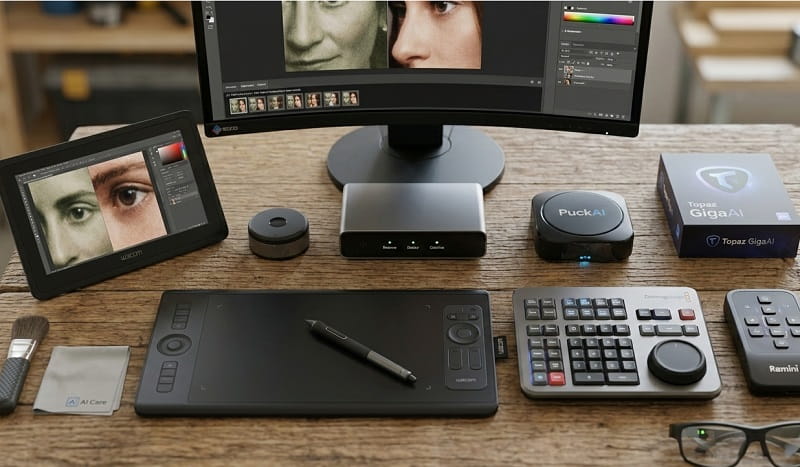
Capturing a perfect moment only to find the resulting image is marred by motion blur or soft focus is a universal frustration for photographers and casual smartphone users alike. Whether it is a candid shot of a child in motion or a low-light evening landscape, the technical limitations of hardware often clash with the split-second nature of photography. Fortunately, the emergence of generative artificial intelligence and sophisticated machine learning algorithms has transformed how we approach photo restoration. Modern tools no longer simply apply a sharpening filter; they intelligently reconstruct missing data, effectively “guessing” what a sharp edge or a detailed texture should look like based on billions of learned patterns.
The transition from traditional digital editing to AI-driven enhancement represents a paradigm shift in visual media. Previously, a blurry hand or a soft face in a photograph was considered a permanent defect that could only be slightly masked through unsharp masking or high-pass filtering. Today, tools powered by Large Language Models and specialized computer vision architectures can isolate specific subjects within a frame to apply targeted fixes. This guide explores the most effective platforms currently available to salvage your most precious memories, ranging from integrated AI assistants like Google Gemini to dedicated professional-grade software suites designed for high-end restoration.
Selecting the right tool depends largely on the specific type of blur you are encountering. Motion blur, caused by the subject or the camera moving during exposure, requires a different mathematical approach than lens blur or sensor noise. As we delve into the top-performing solutions for 2026, we will examine how each platform handles these nuances. By understanding the underlying technology and the practical application of these tools, you can ensure that your digital gallery remains crisp, clear, and professional, regardless of the conditions under which the original photo was taken.
Google Gemini: The Integrated AI Powerhouse for Image Refinement
Google Gemini has rapidly evolved into one of the most accessible and intuitive tools for quick image fixes. Unlike standalone editors that require a steep learning curve, Gemini allows users to interact with their photos using natural language. By simply uploading a photo and describing the issue—such as “fix the blurry hands in this picture”—users trigger a sophisticated backend process that leverages Google’s most advanced vision models. This integration makes it a premier choice for users who want immediate results without navigating complex toolbars or adjustment layers. The model analyzes the semantic context of the image, recognizing human anatomy and environmental depth to apply corrections that feel grounded in reality.
One of the standout features of using Gemini for image restoration is its ability to perform “in-painting” and “out-painting” with remarkable accuracy. If a hand is blurred due to fast movement, the AI does not just sharpen the blur; it references its vast database of anatomical structures to redraw the hand in a way that matches the lighting, skin tone, and texture of the rest of the subject. This results in a fix that is often indistinguishable from a perfectly timed shot. For those already within the Google ecosystem, the seamless flow between Google Photos and Gemini provides a streamlined workflow that is difficult to beat for daily use.
Gemini’s strengths lie in its contextual awareness. While a standard sharpening tool might accidentally sharpen background noise along with the subject, Gemini understands the difference between a focal point and the “bokeh” of the background. It applies its restorative power where it matters most, preserving the artistic intent of the original composition. As Google continues to refine its “Nano Banana” and “Ultra” model tiers, the precision of these edits is only expected to increase, making it a cornerstone of modern digital asset management for both personal and professional use cases.
Adobe Photoshop with Generative Fill
Adobe Photoshop remains the industry standard, and its recent integration of Firefly-powered Generative Fill has revolutionized the way professionals fix blurry elements. This tool is ideal for photographers who need granular control alongside AI automation, allowing for the selection of specific blurry areas to be reconstructed by the AI while leaving the rest of the high-quality image untouched. It is particularly effective for complex textures like hair, fabric, or intricate backgrounds that generic tools might smudge. Pricing for the Creative Cloud Photography plan starts at 19.99 USD per month as of March 2026, offering a comprehensive suite for those serious about image quality.
- Adobe Firefly generative AI engine integration
- Context-aware selection and replacement tools
- Support for high-resolution RAW file formats
- Layer-based editing for non-destructive workflows
Where to buy: Official Adobe Website
Topaz Photo AI
Topaz Photo AI is a dedicated “autopilot” for image quality, specifically engineered to tackle noise reduction, sharpening, and upscaling in one pass. It is perfect for enthusiasts and pros dealing with severe motion blur or out-of-focus shots that other tools might fail to resolve adequately. The software uses deep learning to distinguish between real detail and camera artifacts, ensuring that the final output looks natural rather than “over-processed.” The current standalone price is 199.00 USD as of the latest March 2026 update on the Topaz Labs site.
- Sharpen AI module for motion and lens blur
- Gigapixel AI for high-quality image upscaling
- DeNoise AI for low-light grain removal
- Face Recovery for low-resolution portraits
Where to buy: Topaz Labs Official Site
Luminar Neo by Skylum
Luminar Neo is an AI-centric photo editor designed to simplify complex editing tasks through a series of “Extensions.” Its Supersharp AI extension is specifically built to neutralize motion blur and correct misfocused shots with a single slider. It targets the USA and European markets with a very user-friendly interface that appeals to hobbyists who find Photoshop too daunting. The software is available for a one-time purchase of approximately 149.00 USD or a monthly subscription starting at 11.95 USD as of March 2026.
- Supersharp AI for motion and universal blur
- Magic Light AI for enhancing atmospheric lighting
- Structure AI for enhancing fine details without halos
- Relight AI for correcting exposure in specific areas
Where to buy: Skylum Official Website
Remini AI Photo Enhancer
Remini has gained viral popularity for its uncanny ability to restore old, grainy, or highly blurred faces. While it is primarily used for mobile editing, its web-based professional API is a powerful tool for restoring portraits that lack definition. It is the go-to app for social media users who need to “vamp up” a quick snapshot before posting. Remini operates on a subscription model, typically costing around 9.99 USD per week for the Pro version or various monthly tiers as verified in March 2026.
- Industry-leading face reconstruction technology
- Video enhancement capabilities for blurry clips
- Old photo restoration and colorization
- High-speed batch processing for multiple images
Where to buy: Apple App Store, Google Play, or Remini Web
Fotor AI Image Enhancer
Fotor offers a web-based suite that is highly effective for quick, one-click enhancements without the need for software installation. It is best for casual users who need to fix a blurry photo for a presentation, blog post, or personal gallery. The AI Enlarger tool helps in increasing resolution while simultaneously smoothing out blur and noise. Fotor Pro is priced at 8.99 USD per month or 39.99 USD annually as of March 2026, providing a very affordable entry point for AI editing.
- One-tap AI unblur and sharpen functionality
- Advanced background remover and replacer
- Extensive library of filters and design elements
- Cross-platform sync between mobile and desktop
Where to buy: Fotor Official Website
VanceAI Image Sharpener
VanceAI provides a specialized set of tools that focus on specific image problems, including a dedicated Image Sharpener that uses Deep Convolutional Neural Networks. This tool is excellent for e-commerce owners who need to sharpen product images or for technical shots where clarity is paramount. It allows for a “credits-based” payment system, which is ideal for those who only have a few images to fix occasionally. As of March 2026, 100 credits start at 4.95 USD.
- Specific modes for Motion Blur and Out of Focus
- Workflow automation for batch sharpening
- Secure data processing with 24-hour auto-delete
- AI Portrait Enhancer for skin texture refinement
Where to buy: VanceAI Official Site
PicWish AI Photo Editor
PicWish is an efficient, lightweight tool that excels at removing blur and upscaling images for web use. It is widely used by digital marketers in Europe and the USA for its speed and reliability in cleaning up stock photos or user-generated content. Its unblur feature is remarkably effective at restoring text clarity in blurry documents or screenshots. Pricing is competitive, with a pro subscription costing about 9.99 USD monthly as of March 2026.
- AI Portrait Enhancer for clear facial details
- Text unblurring for document restoration
- Bulk image brightening and color correction
- API integration for developers and businesses
Where to buy: PicWish Official Website
Let’s Enhance
Let’s Enhance is a powerful AI upscaler that focuses on increasing image size while maintaining—and often improving—clarity. It is a favorite for designers who need to turn small, blurry thumbnails into high-resolution assets for print or web. Their “Smart Enhance” algorithm is designed to clean up artifacts and blur caused by heavy compression. Subscription plans start at 9.00 USD per month for 100 credits as of March 2026.
- Smart Enhance for JPEG artifact removal
- Upscaling up to 16x without quality loss
- Color and lighting boost using neural networks
- Presets tailored for e-commerce and real estate
Where to buy: LetsEnhance.io Official Site
Pixelied AI Image Sharpener
Pixelied is an all-in-one cloud-based design suite that includes a robust AI image sharpener. It is geared towards content creators who need to edit and design in the same space. The sharpener works well for correcting slight focus issues in social media graphics and marketing materials. It offers a lifetime deal and monthly subscriptions starting at 10.00 USD as of the latest March 2026 data.
- Integrated design workspace with AI tools
- One-click image sharpening and clarity boost
- Large library of templates and icons
- Support for high-quality SVG and PNG exports
Where to buy: Pixelied Official Website
Media.io AI Image Sharpener
Media.io, developed by Wondershare, provides a simple yet effective online tool for sharpening images and removing blur. It is particularly adept at handling motion blur in photos taken from moving vehicles or during sporting events. The interface is clean and requires no prior editing knowledge, making it highly accessible. Pricing is generally tied to the Wondershare ecosystem, with monthly plans around 19.99 USD as of March 2026.
- Advanced AI algorithms for sharpening edges
- Dynamic noise reduction for low-light photos
- Support for a wide variety of image formats
- Cloud-based processing for fast results
Where to buy: Media.io Official Site
Comparing the Cost and Value of AI Editing Solutions
When analyzing the current market for AI image restoration, consumers face a choice between subscription models, one-time purchases, and credit-based systems. Adobe Photoshop and Luminar Neo represent the higher end of the spectrum, offering comprehensive editing environments where AI is just one part of the toolkit. For professionals, the monthly cost of an Adobe subscription is often justified by the sheer breadth of features and industry integration. However, for users who only need to fix a specific batch of photos, a one-time purchase like Topaz Photo AI or a credit-based system like VanceAI provides better long-term value without recurring fees.
The mid-range market is dominated by browser-based tools like Fotor and PicWish. These platforms provide a balance of affordability and capability, making them ideal for small business owners and social media managers. Their pricing is structured to be accessible, often costing less than a single meal per month. Meanwhile, free options like the basic tier of Google Gemini offer surprising power, though they may lack the batch processing or high-resolution export options found in paid alternatives. The value proposition for each tool depends on the volume of images processed and the required level of output precision.
Ultimately, the “cheapest” tool isn’t always the best value if it requires multiple attempts or fails to produce a natural-looking result. Tools like Topaz Photo AI, despite the higher upfront cost, are frequently cited as the most cost-effective for serious restoration because they consistently deliver “usable” images from seemingly unsalvageable files. In the European and American markets, where time is a valuable commodity, the automation provided by these high-end AI engines often pays for itself by reducing the hours spent on manual retouching.
How to Choose the Right Image Restoration Tool
Selecting the ideal software starts with an honest assessment of your technical skill level and your specific needs. If you are a professional photographer already familiar with layers and masks, adding a plugin like Topaz or using Adobe’s Generative Fill is the most logical step. These tools integrate into your existing workflow and provide the level of control necessary for high-end client work. Conversely, if you are a parent looking to fix a blurry photo of your child, a user-friendly app like Remini or an AI assistant like Gemini is much more appropriate, as they handle the complexities of reconstruction behind the scenes.
The severity and type of blur in your images should also dictate your choice. Not all AI is created equal; some models are trained specifically on human faces, while others are better at sharpening architectural lines or natural textures. If your primary goal is to fix “selfies” or portraits, prioritize tools known for facial reconstruction. If you are a real estate photographer or hobbyist capturing landscapes, look for tools that emphasize edge contrast and detail preservation without introducing artifacts in the sky or smooth gradients.
Platform availability is another critical factor. Users who prefer working on their smartphones will find Remini or Fotor more convenient, while those requiring the maximum processing power for large RAW files will need a desktop-based solution like Topaz or Photoshop. Consider whether you need an offline solution for privacy and speed or if a cloud-based tool is acceptable. Finally, always check for a trial version. Most reputable AI software companies offer a free trial or a watermarked preview, allowing you to test the engine on your specific “problem” photos before committing financially.
Current Market Prices and Deals
As of March 2026, the market for AI tools is highly competitive, leading to frequent promotions and seasonal discounts. Adobe currently offers bundle deals for students and teachers that can reduce the cost of the Creative Cloud by up to 60 percent. Topaz Labs often runs “Utility Bundle” sales where users can get Photo AI alongside their video enhancement tools at a significant discount. It is common to find these deals during major shopping events like Black Friday or during “Spring Cleaning” photography promotions in April.
Many web-based services like Fotor and PicWish offer substantial discounts for annual commitments compared to month-to-month billing. For example, an annual plan might cost 40 percent less than the cumulative monthly price. Furthermore, new users can often find “first-month” promo codes through affiliate tech blogs or YouTube photography channels. For those using Google Gemini, the most advanced image restoration features are often bundled with Google One AI Premium subscriptions, which sometimes include a two-month free trial for new subscribers.
Pro Tips for Professional Image Restoration
Before applying AI sharpening, always ensure your original file is as high-quality as possible. If you have the RAW file, use that instead of a compressed JPEG. AI algorithms perform much better when they have more underlying data to work with, even if that data is currently blurry. Starting with a high-bitrate file reduces the chances of the AI creating “blocky” artifacts or strange color shifts during the reconstruction process.
Use a “less is more” approach with the intensity sliders. It is tempting to crank the sharpening to 100%, but this often results in a “plastic” look or harsh halos around edges. Start at 30% and increase incrementally until the image looks clear but still natural. For portraits, pay close attention to the eyes; if the AI makes them look overly sharp or “uncanny,” back off the settings or use a mask to apply the fix only to the blurry limbs or clothing.
If you are using a tool like Gemini or Photoshop’s Generative Fill, your prompt matters. Instead of a generic “fix this,” try specific instructions like “reconstruct the blurry hand with natural skin texture” or “remove motion blur from the moving subject while keeping the background soft.” Providing context helps the AI understand which parts of the image are supposed to be sharp and which are intended to be out of focus.
Batch processing can save hours of time, but it should be used cautiously. If you have a series of photos from the same event with similar blur, test your settings on one image first. Once you have a “recipe” that works, apply it to the rest. However, always do a final manual check on each photo, as minor changes in lighting or subject distance can cause the AI to react differently from one frame to the next.
Finally, remember that AI is a tool, not a miracle worker. While it can fix significant blur, an image that is completely unrecognizable will likely remain so. The best use of AI is to take a “good” photo that was ruined by a technical glitch and turn it back into a “great” one. Keeping your expectations realistic will help you get the most out of these powerful technologies without feeling frustrated by their current limitations.
What is the best free AI tool to fix blurry photos?
Google Gemini is currently one of the most powerful free options available, especially for users who need contextual fixes like reconstructing blurry hands or faces. While there are usage limits on the free tier, its ability to understand natural language prompts makes it incredibly accessible. Other tools like Fotor and PicWish offer free trials or limited free versions that are excellent for occasional use, though they often require a subscription for high-resolution, watermark-free downloads.
Can AI fix a photo that is completely out of focus?
AI has made massive strides in “deblurring,” but there is a limit. If a photo is so out of focus that no structural information remains, the AI will essentially have to “hallucinate” or recreate the entire subject from scratch. While tools like Topaz Photo AI and Remini are remarkably good at this, the result might not look exactly like the original person. AI is most effective at fixing motion blur or slight “soft” focus rather than total camera failure.
Is it safe to upload my private photos to AI editing websites?
Security varies by platform. Established companies like Adobe, Google, and Topaz Labs have robust privacy policies and secure servers. However, always read the terms of service for smaller or “free” online tools, as some may use your uploaded images to further train their AI models. If privacy is a primary concern, using a desktop-based solution like Topaz Photo AI or Photoshop allows you to process images locally on your own hardware without necessarily uploading them to the cloud.
Do these AI tools work on old, scanned physical photographs?
Yes, AI tools are exceptionally good at restoring scanned photos. They can remove grain, fix cracks, and sharpen details that have faded over time. Remini and Let’s Enhance are particularly famous for their ability to bring old family portraits back to life. For the best results, ensure your scan is at a high resolution (at least 600 DPI) before processing it with AI to provide the algorithm with enough digital information to work with.
Will using AI to fix my photos make them look fake?
If overused, AI can definitely result in an “uncanny valley” effect where skin looks too smooth or eyes look too sharp. To avoid this, use the “strength” or “opacity” sliders to blend the AI fix with the original image. The goal is to restore the missing detail while keeping the natural noise and texture of the original photograph. Most professional tools now include “Face Recovery” or “Texture Preservation” settings specifically designed to prevent that artificial, plastic look.
Can I fix blurry videos using the same tools?
While this guide focuses on still images, several of the mentioned brands offer video-specific versions. Topaz Video AI is widely considered the gold standard for upscaling and deblurring video footage. Remini also offers a mobile video enhancement feature. Because video involves moving frames, the processing is much more intensive and usually requires a dedicated desktop computer with a strong graphics card to achieve professional results.
The Future of Image Clarity
The ability to fix blurry images has moved from the realm of science fiction to a standard feature in our digital pockets. As AI models continue to grow in complexity and efficiency, the “perfect shot” is no longer defined solely by the moment the shutter clicks, but by the creative possibilities available during the editing process. Tools like Gemini are leading the way in making these complex reconstructions available to everyone, regardless of their technical background. By leveraging the power of neural networks, we can now rescue documented history that was once thought lost to technical error.
Looking forward, we can expect even tighter integration between camera hardware and AI software. Future smartphones may apply these restorative fixes in real-time, effectively eliminating motion blur before the user even sees the preview. Until then, the suite of tools highlighted in this guide provides a robust safety net for photographers of all levels. Whether you choose the professional depth of Adobe or the streamlined simplicity of Gemini, the power to sharpen your vision is more accessible than ever before.
As you experiment with these tools, remember that the most important element of any photograph is the story it tells. AI is simply a means to ensure that story is told with the clarity and detail it deserves. By mastering these technologies, you ensure that your visual legacy is preserved in the highest possible quality, turning every accidental blur into a crisp, clear masterpiece.

Loading comments…