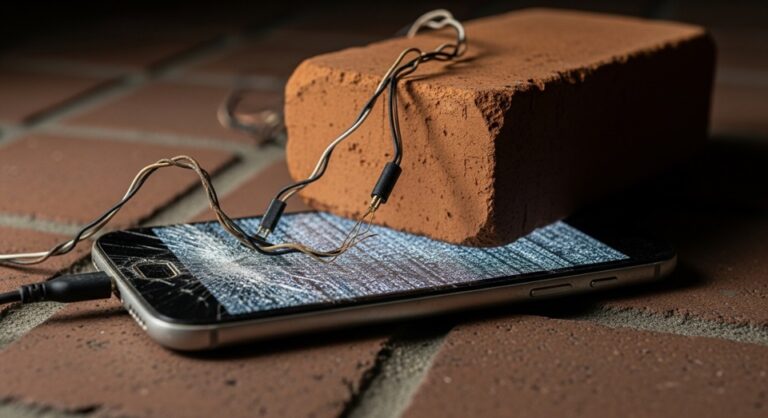
Understanding Device Bricking: The Complete Guide to Causes, Prevention, and Recovery
In the world of technology and electronics, few terms strike as much fear into the hearts of device owners as “bricking.” This ominous-sounding phenomenon can transform your perfectly functional smartphone, router, gaming console, or any electronic device into nothing more than an expensive paperweight. Understanding what device bricking means, how it occurs, and most importantly, how to prevent and potentially recover from it, is crucial knowledge for anyone who works with electronic devices or enjoys customizing their tech.
What Does “Bricking” a Device Actually Mean?
The term “bricking” refers to the process of rendering an electronic device completely unusable or inoperable, effectively turning it into a “brick” – a useless object that serves no functional purpose. When a device becomes bricked, it typically fails to power on properly, gets stuck in boot loops, displays error messages continuously, or simply shows no signs of life whatsoever.
This catastrophic failure usually occurs when the device’s firmware or critical system software becomes corrupted, improperly updated, or completely overwritten with incompatible code. The severity of bricking can vary significantly, leading tech experts to classify different types of bricking scenarios based on the potential for recovery.
Types of Device Bricking: Soft Brick vs Hard Brick
Soft Bricking: The Recoverable Scenario
A soft brick represents a less severe form of device failure where the hardware remains intact, but the software prevents normal operation. Devices experiencing soft bricking typically show some signs of life – they may power on, display logos, or respond to certain button combinations, but fail to complete the boot process or function normally.
Common symptoms of soft bricking include:
- Device stuck in endless boot loops
- Freezing at manufacturer logo screens
- Displaying error messages repeatedly
- Responding to power buttons but failing to load the operating system
- Entering recovery mode but experiencing functionality issues
The silver lining with soft bricking is that recovery remains possible through various methods, including firmware reflashing, factory resets, or specialized recovery tools designed for specific device types.
Hard Bricking: The Nightmare Scenario
A hard brick represents the most severe form of device failure, where the device appears completely lifeless and unresponsive to any input or recovery attempts. Hard bricked devices typically show no signs of power, display no lights or indicators, and fail to respond to any button combinations or charging attempts.
Hard bricking usually occurs when:
- Critical bootloader files become corrupted or deleted
- Hardware components suffer physical damage during modification attempts
- Incompatible firmware overwrites essential system partitions
- Power failures occur during critical firmware update processes
- Voltage irregularities damage internal components
Common Causes of Device Bricking
Understanding the root causes of device bricking helps users avoid these dangerous scenarios. The most frequent culprits behind bricked devices include:
Firmware Update Failures
Failed firmware updates represent one of the leading causes of device bricking. When firmware updates get interrupted by power outages, network disconnections, or user interference, the device’s core software can become corrupted or incomplete, preventing proper startup sequences.
Modern devices typically include safeguards against update failures, such as dual boot partitions or recovery mechanisms, but older devices or improperly designed update processes can still result in bricking when updates go wrong.
Custom Firmware Installation
Installing custom firmware, rooting Android devices, jailbreaking iPhones, or flashing custom router firmware introduces significant bricking risks. These modifications bypass manufacturer safeguards and can easily corrupt essential system files if performed incorrectly or with incompatible firmware versions.
Hardware Modifications Gone Wrong
Physical hardware modifications, such as chip replacements, soldering attempts, or voltage modifications, can cause permanent damage leading to hard bricking. Even experienced technicians can accidentally damage sensitive components during modification procedures.
Devices Most Susceptible to Bricking
Smartphones & Tablets
Android and iOS devices during rooting/jailbreaking
Gaming Consoles
PlayStation, Xbox, Nintendo systems with custom firmware
Network Equipment
Routers, modems, access points during firmware updates
Smart Home Devices
IoT devices, smart TVs, streaming boxes
Prevention Strategies: Avoiding the Brick
Implementing comprehensive prevention strategies can save users from the frustration and expense of dealing with bricked devices:
Research Before Modification
Before attempting any firmware modifications, thoroughly research your specific device model, firmware version, and modification procedures. Join relevant online communities and read user experiences to understand potential risks and successful procedures.
Backup Everything
Create complete backups of original firmware, bootloaders, and system partitions before making any modifications. These backups serve as insurance policies for recovery attempts if something goes wrong during the modification process.
Use Reliable Power Sources
Ensure stable power supply during firmware updates or modifications. Use uninterruptible power supplies (UPS) for desktop computers and ensure mobile devices have adequate battery charge before beginning modification procedures.
Follow Instructions Precisely
Deviation from established procedures increases bricking risks exponentially. Follow trusted tutorials step-by-step and avoid taking shortcuts or improvising during critical modification steps.
Recovery Methods and Tools
When prevention fails and devices become bricked, several recovery options may restore functionality:
Manufacturer Recovery Tools
Many manufacturers provide official recovery tools designed to restore devices from soft bricking scenarios. These tools often require specific driver installations and may only work with certain device states.
Third-Party Recovery Software
Specialized recovery software exists for various device types, offering more advanced recovery capabilities than manufacturer tools. However, these tools require technical expertise and may void warranties.
Professional Repair Services
For hard bricked devices or complex recovery scenarios, professional repair services with specialized equipment and expertise may offer the only viable recovery option, though costs can be substantial.
The Financial Impact of Bricking
Device bricking can result in significant financial consequences beyond the obvious loss of device functionality. Warranty voidance, professional recovery service costs, and potential replacement expenses can quickly accumulate into substantial financial burdens.
Insurance policies typically exclude damage from unauthorized modifications, leaving users responsible for full replacement costs. Additionally, data loss from bricked devices can have intangible but significant value, particularly for business users or those with irreplaceable personal content.
Future Trends in Device Protection
Modern device manufacturers increasingly implement sophisticated anti-bricking measures, including dual boot partitions, automatic rollback mechanisms, and improved verified boot processes. These advances make bricking less common but don’t eliminate the risks entirely, particularly for users who bypass built-in safety mechanisms.
As devices become more complex and interconnected, understanding bricking risks and prevention strategies becomes increasingly important for maintaining device functionality and protecting valuable investments in technology. Whether you’re a casual user performing routine updates or an enthusiast exploring custom firmware options, respecting the potential for bricking and taking appropriate precautions remains essential for successful device ownership and modification.
Remember: the most successful approach to device bricking is simply avoiding it through careful planning, thorough research, and conservative modification practices that prioritize device stability over experimental features.