

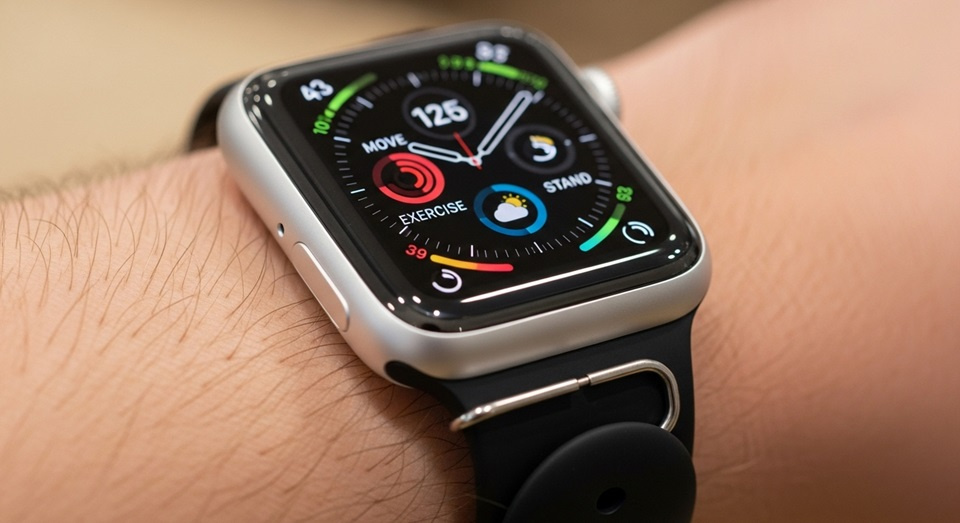
For individuals deeply invested in the Apple ecosystem, the Activity rings on their Watch serve as a daily measure of personal wellness. Central to this visual metric is the Move ring, a vibrant red circle that tracks active calorie expenditure. While its concept is straightforward—encourage users to burn a personalized number of calories each day—mastering its nuances can transform a user’s approach to fitness. Understanding precisely what the Move ring measures, how it differs from total calorie burn, and strategies for consistently closing it empowers users to leverage this tool for sustainable health improvements rather than viewing it as a daily chore. This guide delves into the mechanics, configuration, and advanced tactics for maximizing the potential of the Apple Watch’s Move goal.
Decoding the Move Ring: More Than Just Calories
The iconic red Move ring is arguably the most prominent feature on the Apple Watch Activity face. Its primary function is to track the active calories you burn throughout the day. It is crucial to distinguish this from total calories. Total calories include your basal metabolic rate (BMR)—the energy your body expends at complete rest to maintain vital functions like breathing and circulation—plus any additional energy used through physical activity. The Move ring, however, focuses exclusively on the calories burned through conscious movement, from a dedicated workout to walking up a flight of stairs or even pacing while on a phone call.
The Science Behind Active vs. Total Calories
Your body is constantly burning calories. Your BMR accounts for the majority of your daily energy expenditure. The Apple Watch uses your personal health data—including age, weight, height, and sex—to establish a baseline for your total calorie burn. When you engage in any activity that raises your heart rate above its resting state, the Watch’s advanced sensors, including the optical heart rate monitor and accelerometer, detect this increased exertion. The calories attributed to this elevated activity level are what fill your Move ring. This separation provides a much clearer picture of your deliberate physical efforts, making it a more accurate and motivating fitness metric than total calories alone.
Personalizing Your Move Goal for Sustainable Success
Upon setting up an Apple Watch, the device suggests a default Move goal. However, this one-size-fits-all approach is rarely optimal for long-term adherence. A goal set too high can lead to frustration and burnout, while a goal set too low may not provide enough challenge to drive improvement. The key is to calibrate a target that is ambitious yet achievable, fostering a sense of accomplishment without requiring unsustainable effort.
To adjust your Move goal, open the Activity app on your iPhone. Tap on the circle representing your Move ring in the upper-left corner, then select “Change Move Goal.” You can increase or decrease your daily calorie target based on your recent performance and current fitness level.
Strategies for setting an effective goal include:
- Start Conservative: If you are new to consistent exercise, set a goal that you can hit on most days of the week without extreme effort. Consistency is more important than a high number in the beginning.
- Analyze Your Trends: Use the weekly summary feature. Every Monday, your Apple Watch will suggest a new Move goal based on your previous week’s performance. Pay attention to these suggestions, as they are dynamically tailored to your activity patterns.
- Consider Your Lifestyle: Adjust your goal for particularly sedentary or active periods. A lower goal on a rest day or during a busy work week is perfectly acceptable, while you might aim higher on days dedicated to training.
- Prioritize Progressive Overload: The principle of progressive overload—gradually increasing the demands on your musculoskeletal system—applies to your Move goal. Small, incremental increases over weeks and months can lead to significant fitness gains.
Advanced Strategies for Closing Your Rings Consistently
Closing the Move ring becomes a satisfying daily ritual for many users. However, there will be days when it feels just out of reach. Beyond simply “moving more,” several strategic approaches can help you consistently meet your target. Integrating these methods into your daily routine can make a substantial difference in your overall activity levels.
Leveraging Non-Exercise Activity Thermogenesis (NEAT)
NEAT refers to the calories you burn through all physical activities other than voluntary exercise like sports, running, or gym sessions. This includes walking to your car, gardening, cooking, and even fidgeting. For individuals with desk-bound jobs, intentionally increasing NEAT is one of the most effective ways to boost daily calorie expenditure. Simple habits can have a cumulative effect on your Move ring.
- Take the Stairs: Consistently opting for stairs over elevators adds short bursts of high-intensity activity to your day.
- Implement Walking Meetings: If possible, convert sit-down meetings into walking discussions, either in person or via phone.
- Set Movement Alerts: Use the Apple Watch’s “Stand” reminders as a prompt to take a brief two-minute walk every hour.
- Park Farther Away: Intentionally parking at the far end of a lot adds valuable steps to errands and commutes.
Optimizing Workout Selection and Tracking
While NEAT is crucial, structured workouts are the most efficient way to burn a large number of active calories in a condensed period. The Apple Watch offers a wide array of workout types, and your choice can impact your Move ring progress.
- High-Intensity Interval Training (HIIT): Workouts like HIIT are exceptionally effective for burning calories both during and after the session due to the “afterburn effect” (Excess Post-exercise Oxygen Consumption).
- Strength Training: While not always the highest calorie-burner during the workout itself, building muscle mass increases your BMR, meaning you burn more calories at rest, which indirectly helps your Move goal every day.
- Outdoor vs. Indoor Walk/Run: Using the specific workout mode (e.g., “Outdoor Run”) rather than relying on general movement tracking provides more accurate heart rate and GPS data, leading to a more precise calculation of active calories burned.
Navigating Common Challenges and Misconceptions
As users become more familiar with the Move ring, several common questions and challenges arise. Addressing these head-on can prevent frustration and ensure a positive experience with the technology.
Accuracy and Calibration
A frequent concern is the accuracy of the calorie burn reported by the Apple Watch. It is important to remember that any wearable device provides an estimate, not a medical-grade measurement. The accuracy is highly dependent on the device being worn correctly—snug on the top of the wrist—and having up-to-date personal information in the Health app. For improved accuracy, users can calibrate their Watch by performing a outdoor walk or run for at least 20 minutes in a flat, open area with good GPS reception. This allows the Watch to learn your personal stride length and heart rate response to exertion.
The “Rest Day” Dilemma
Is it necessary to close your Move ring every single day? Fitness experts generally agree that rest and recovery are as critical as activity. Continuously pushing to meet a high Move goal without breaks can lead to overtraining, injury, and mental fatigue. It is physiologically beneficial and psychologically healthy to periodically lower your goal or allow the ring to remain open on a designated rest day. The focus should be on the weekly trend and overall consistency, not perfection on a daily basis.
Understanding Major Calorie Burns
On days with significant exercise, you may notice your Move ring shows calories burned far exceeding your goal. This “extra” burn is tracked by the Apple Watch and can be viewed in the Fitness app on iPhone. While this can be motivating, it does not mean you have “credit” to be sedentary the following day. The system is designed to encourage daily habit formation. However, this data is invaluable for understanding the impact of different workout intensities and durations on your personal metabolism.
Integrating the Move Ring into a Holistic Fitness Philosophy
The ultimate value of the Move ring is not in the daily notification of a closed circle, but in the behavioral change it can inspire. When used correctly, it shifts the focus from isolated workouts to an “all-day activity” mindset. This holistic approach to movement is more aligned with long-term health outcomes than sporadic, intense exercise. The red ring serves as a constant, gentle reminder to incorporate more motion into the fabric of your daily life. It encourages taking the stairs, walking during phone calls, and playing with children or pets—all activities that contribute to a healthier, more active lifestyle beyond the gym walls. By viewing the Move goal as a flexible guide rather than a rigid mandate, users can cultivate a sustainable and positive relationship with fitness and their Apple Watch.
Conclusion
The Apple Watch’s Move ring is a sophisticated tool designed to quantify and encourage daily physical activity through the metric of active calorie burn. Its effectiveness hinges on a user’s understanding of its core mechanics, including the critical distinction between active and total calories. Success with this system is further dependent on personalizing the Move goal to align with one’s current fitness level and lifestyle, ensuring it remains a source of motivation rather than anxiety. By strategically incorporating both structured workouts and non-exercise activity thermogenesis (NEAT) into daily routines, users can consistently meet their targets. Ultimately, the greatest benefit of the Move ring is its ability to foster a holistic and sustainable fitness philosophy, where movement becomes an integrated and essential part of everyday life, leading to lasting health and wellness improvements.
