

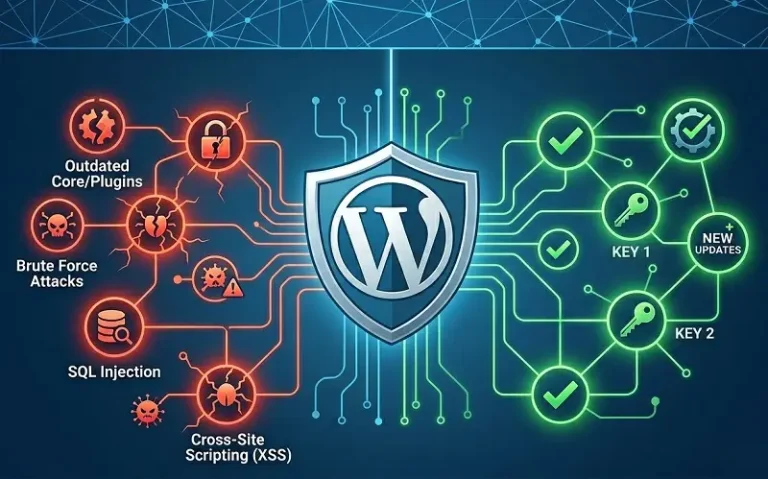
WordPress security vulnerabilities are weaknesses in the WordPress core, plugins, or themes that allow attackers to compromise websites, steal data, inject malicious code, or take over administrative access. In 2024, researchers discovered 7,966 new vulnerabilities in the WordPress ecosystem — a 34% increase over the previous year, according to Patchstack’s State of WordPress Security report. With WordPress powering over 43% of all websites on the internet, it remains the most targeted content management system on the planet, and understanding where these vulnerabilities come from is the first step in defending against them.
This guide covers every major WordPress vulnerability type, how attackers exploit them, which parts of the ecosystem are most at risk, and the specific security practices that eliminate the majority of real-world attack surface.
Where WordPress Vulnerabilities Come From
The distribution of WordPress vulnerabilities is heavily skewed toward third-party components rather than the core platform itself. Approximately 90% of vulnerabilities originate from plugins, around 6% from themes, and only 4% from WordPress core. This means that a fully updated WordPress core installation with poorly maintained plugins is significantly more dangerous than a slightly outdated core running carefully selected, well-maintained plugins.
WordPress core benefits from a dedicated security team, a transparent disclosure process, and rapid patch deployment that reaches most sites automatically. Plugins and themes, by contrast, are developed by individual developers and small teams with widely varying security practices. More than half of plugin developers to whom Patchstack reported a vulnerability in 2024 did not patch the issue before official public disclosure — leaving sites exposed to known, documented attacks without any available fix. Open source software security risks extend beyond WordPress specifically, but the plugin ecosystem concentrates those risks at a scale few other platforms match.
The unauthenticated exploitation rate is particularly concerning. In 2024, 43% of WordPress security defects could be exploited without any login credentials. Patchstack’s mid-year 2025 report found that 57% of first-half vulnerabilities were exploitable by any site visitor with no account required. This means attackers do not need to obtain stolen credentials or brute-force their way into an admin panel — they can trigger the vulnerability directly from a public URL.
The Most Common WordPress Vulnerability Types
Cross-Site Scripting (XSS)
Cross-site scripting is the single most prevalent vulnerability type in the WordPress ecosystem, accounting for approximately 34.7% to 47.7% of all reported vulnerabilities depending on the reporting period. XSS vulnerabilities allow attackers to inject malicious JavaScript or HTML into web pages that other users then load in their browsers. The injected script executes with the same trust level as legitimate site code — enabling session cookie theft, credential harvesting, unauthorized actions on behalf of logged-in users, and defacement of page content.
Three distinct XSS variants appear in WordPress vulnerabilities. Stored XSS persists in the database and executes for every user who loads the affected page — making it the most damaging variant since a single successful injection affects all visitors indefinitely. Reflected XSS executes only when a user clicks a specially crafted malicious link that includes the payload in the URL. DOM-based XSS manipulates the Document Object Model on the client side without server interaction, bypassing server-side input validation entirely.
A real-world example: a vulnerability tracked as CVE-2025-12450 in the LiteSpeed Cache plugin — one of the most widely installed WordPress optimization tools with over 7 million active installations — stemmed from insufficient input sanitization in URL handling. Attackers could inject malicious scripts by crafting links that caused arbitrary JavaScript to execute in visitors’ browsers. The root cause was a failure to properly escape user-supplied data before displaying it — the same pattern that underlies the vast majority of XSS vulnerabilities across the ecosystem.
SQL Injection
SQL injection vulnerabilities allow attackers to manipulate database queries by inserting crafted SQL statements into input fields, URL parameters, or form submissions that the application passes to the database without proper sanitization. In a WordPress context, a successful SQL injection attack can expose every record in the database — usernames, password hashes, email addresses, private post content, plugin configuration data, and any other information stored in MySQL tables.
The Ally plugin vulnerability (CVE-2026-2413, CVSS score 7.5) illustrates how SQL injection manifests in practice. The plugin built a SQL JOIN query using a page URL parameter without using WordPress’s wpdb->prepare() function, which normally parameterizes queries and prevents injection. Although the code used esc_url_raw() for URL handling, this function does not prevent SQL injection — only proper query parameterization does. Attackers could use time-based blind SQL injection techniques with CASE statements and SLEEP() delays to gradually extract database contents including password hashes. The vulnerability affected roughly 246,600 installations that had not updated when the patch was released.
Proper WordPress database security requires using $wpdb->prepare() for all custom queries, validating and sanitizing all user input before it reaches database calls, and avoiding direct concatenation of user-supplied values into SQL strings regardless of what preprocessing has been applied.
Broken Access Control
Broken access control vulnerabilities occur when WordPress plugins or themes fail to properly verify that a user has permission to perform a requested action. These flaws account for approximately 10.9% to 14% of WordPress vulnerabilities and enable attackers with low-privilege accounts — or sometimes no account at all — to access functionality or data reserved for administrators.
WordPress has a well-defined capability and role system: subscribers, contributors, authors, editors, and administrators each have distinct permission sets enforced through capability checks. Broken access control typically occurs when a plugin developer forgets to verify capabilities before performing a sensitive action, or when capability checks are implemented incorrectly — checking the wrong capability, checking capabilities after performing the action, or using nonces as a substitute for capability verification (which they are not designed to do).
The AJAX authorization bypass class of vulnerabilities is a common manifestation. WordPress AJAX handlers registered without proper capability checks are reachable by any authenticated user, regardless of their role. A plugin that registers an AJAX action to export user data or modify settings without checking current_user_can() before executing the action creates a broken access control vulnerability exploitable by any subscriber-level account on the site.
Cross-Site Request Forgery (CSRF)
Cross-site request forgery vulnerabilities trick authenticated users into performing actions they did not intend by loading a malicious page or resource that sends a forged request to a WordPress site where the victim is logged in. CSRF accounted for approximately 11% to 19% of WordPress vulnerabilities across recent reporting periods. Since exploiting CSRF requires the target to be authenticated and for an admin to visit a malicious page, these attacks are often chained with social engineering tactics — phishing emails that link to a page designed to trigger the forged request when loaded.
WordPress provides nonce-based CSRF protection for forms and AJAX actions. Plugins that fail to verify nonces before processing form submissions or AJAX requests are vulnerable. A CSRF attack against an unprotected plugin settings page could allow an attacker to change security configurations, create administrator accounts, or install malicious redirects without the site owner ever knowing — as long as the site owner visits any page that loads the attacker’s forged request.
PHP Object Injection
PHP object injection vulnerabilities occur when user-supplied data is passed to PHP’s unserialize() function without proper validation. Deserialization of untrusted data can trigger arbitrary PHP code execution if the application contains gadget chains — sequences of existing PHP class methods that can be chained to produce dangerous operations when their objects are instantiated through deserialization. A critical PHP object injection vulnerability (CVE-2026-3328) in the Kali Forms plugin with a high severity score demonstrated that this vulnerability class remains active in the ecosystem, with the potential for full remote code execution as the end result of a successful exploit.
Remote Code Execution
Remote code execution vulnerabilities represent the most severe category — allowing attackers to execute arbitrary code directly on the web server. RCE can result from PHP object injection exploits with suitable gadget chains, insecure file upload handling that allows PHP files to be uploaded and executed, server-side template injection vulnerabilities, and command injection flaws. A critical RCE vulnerability (CVE-2026-3584, CVSS Critical) was identified in the King Addons for Elementor plugin, which had over 10,000 installations. Remote code execution grants attackers full control over the server environment, enabling credential theft, lateral movement to other sites on shared hosting, and persistent backdoor installation.
Local File Inclusion
Local file inclusion vulnerabilities allow attackers to force the web server to read and return the contents of arbitrary files on the filesystem — including sensitive configuration files that contain database credentials, secret keys, and API tokens. LFI accounted for 12.6% of vulnerabilities in Patchstack’s mid-year 2025 report. The Smart Slider 3 vulnerability (CVE-2026-3098) in its export functionality allowed any authenticated user, including subscribers, to download configuration files directly from the server. With over 800,000 installations, the exposure scope was substantial before the patch was released.
Insecure Direct Object References
Insecure direct object references occur when a plugin or theme exposes internal implementation objects — database record IDs, file paths, user identifiers — and fails to verify that the requesting user has permission to access that specific object. An authenticated attacker can modify these identifiers in requests to access or modify records belonging to other users. This vulnerability type is particularly damaging in plugins that handle user-generated content, membership data, or form submissions, where the attacker can access other users’ private submissions by simply incrementing an ID parameter.
High-Risk Plugin Categories
Certain categories of WordPress plugins carry disproportionate risk due to the complexity of their functionality, the breadth of their permissions, and the frequency with which their codebases contain security weaknesses.
Page builders and Elementor add-ons have been among the highest-vulnerability plugin categories in recent years. These plugins process complex user-supplied data to render dynamic content, and their large codebases developed rapidly by multiple contributors create significant attack surface. Contact form plugins handle user-supplied input and database storage — two conditions that frequently produce XSS and SQL injection vulnerabilities when input handling is implemented carelessly. SEO plugins access and modify site metadata, often with AJAX endpoints that require careful access control implementation. E-commerce add-ons handle payment data and order records, making access control and data exposure vulnerabilities particularly consequential.
Abandoned plugins — those no longer receiving updates from their developers — represent a distinct category of persistent risk. A plugin that has not received a security update in two years almost certainly contains vulnerabilities that have been discovered and documented publicly but will never receive an official patch. Keeping abandoned plugins installed is equivalent to leaving a documented vulnerability permanently open. Security monitoring tools that track plugin abandonment status alongside vulnerability disclosures provide early warning before attackers begin active exploitation.
WordPress Core Vulnerabilities
While plugins account for the overwhelming majority of WordPress vulnerabilities, the core platform itself is not immune. In March 2026, WordPress released three rapid security patches — versions 6.9.2, 6.9.3, and 6.9.4 — addressing ten vulnerabilities including critical path traversal flaws (CVE-2026-3907, CVE-2026-3908), server-side request forgery, stored XSS, and AJAX authorization bypasses. The speed of the patch cycle reflects how seriously the WordPress security team takes core vulnerabilities, but it also underscores why automatic core updates should never be disabled — the window between vulnerability disclosure and exploitation attempts can be measured in hours.
Path traversal vulnerabilities in core allow attackers to write files outside their intended directories, potentially overwriting sensitive configuration files or creating new executable files in locations the server trusts. SSRF vulnerabilities enable the WordPress server to make requests to internal network resources on the attacker’s behalf — dangerous in cloud environments where metadata endpoints can expose credentials.
How Attackers Exploit WordPress Vulnerabilities
Understanding attacker methodology helps prioritize defensive measures. The most common exploitation pattern involves automated scanning at scale — tools that probe thousands of sites per minute for known vulnerabilities, testing specific URL patterns and payloads that are documented in public CVE databases. An attacker does not need to individually identify vulnerable sites; they run automated scanners against entire IP ranges and collect the results. A site running a vulnerable plugin version will be found regardless of its size, traffic, or perceived importance.
Once initial access is established — through XSS, SQL injection, or a broken access control vulnerability — attackers typically pursue one of several objectives: installing a web shell for persistent backdoor access, harvesting database credentials to access the MySQL database directly, injecting spam links or malicious redirects to monetize traffic, or enrolling the compromised server in a botnet for use in subsequent attacks against other targets. Stored XSS vulnerabilities are frequently used to create rogue administrator accounts by injecting scripts that execute in an admin’s browser and use the admin’s authenticated session to add new admin users via WordPress AJAX endpoints.
AI-powered attack tools have introduced a new dimension to WordPress threats. Generative AI enables attackers to produce more convincing phishing lures targeting WordPress administrators, to analyze plugin code for vulnerability patterns faster than manual review, and to automate the creation of exploit payloads customized for specific plugin versions. The Patchstack 2025 report identified AI-generated plugin code as an emerging vulnerability source — developers relying on AI code generation without adequate security review are introducing flaws that reflect the same insecure patterns the AI was trained on from existing vulnerable codebases.
WordPress Security Best Practices
Keep Everything Updated
The most effective single security measure for WordPress sites is maintaining current versions of core, all active plugins, and all active themes. Automatic core updates should be enabled for security releases. Plugin updates should be reviewed and applied within 24 to 48 hours of release when a security patch is noted in the changelog — vulnerability exploitation attempts typically begin within hours of public CVE disclosure. Plugins that have not received updates in more than 12 months should be evaluated for replacement with actively maintained alternatives, regardless of whether a known vulnerability currently exists.
Enforce Strong Authentication
Brute force attacks against WordPress login pages remain a persistent threat — automated tools test thousands of credential combinations per minute against /wp-login.php and XML-RPC endpoints. Strong password requirements for all accounts, two-factor authentication for administrator and editor accounts, and login attempt rate limiting eliminate the vast majority of credential-based attack vectors. Limiting login access to known IP ranges via firewall rules provides an additional layer for admin accounts where geographically constrained access is feasible.
XML-RPC, a legacy WordPress remote API, is a frequent brute force target and should be disabled unless required by a specific integration. Most modern WordPress functionality that previously required XML-RPC uses the REST API instead, making XML-RPC safe to block at the server level for the majority of installations. Applying zero trust principles to WordPress authentication means treating every access request as potentially hostile — verifying credentials, enforcing MFA, and logging all administrative actions regardless of the apparent source.
Remove Inactive Plugins and Themes
Every installed plugin and theme — even deactivated ones — represents a file on the server that can be scanned for vulnerabilities and potentially executed if the deactivation is bypassed. Inactive plugins that are not deleted remain exploitable through direct file access vulnerabilities. The correct practice is to delete unused plugins and themes completely rather than simply deactivating them. Only install plugins that are actively maintained, have a substantial user base, and have received recent security reviews. Audit the plugin list quarterly to remove anything that no longer serves a clear purpose.
Implement a Web Application Firewall
A web application firewall inspects incoming requests and blocks those matching known attack patterns before they reach WordPress application code. For the period between vulnerability disclosure and patch availability — which can range from days to months for plugins with slow development cycles — a WAF with virtual patching capability provides protection against actively exploited vulnerabilities without requiring a code update. Wordfence and Patchstack both provide WordPress-specific WAF solutions that apply virtual patches for disclosed vulnerabilities in near real time, substantially reducing exposure windows for unpatched plugin flaws. Security bots and monitoring software complement WAF protection by providing continuous scanning and alerting rather than passive blocking alone.
Harden File and Directory Permissions
Correct file permissions prevent unauthorized file modifications even when an attacker gains partial access through a vulnerability. WordPress files should be set to 644 (owner write, world read) and directories to 755. The wp-config.php file should be set to 600 or moved above the web root entirely to prevent direct download. The wp-admin and wp-includes directories should have PHP execution disabled for files that are not part of WordPress core, preventing attackers from executing uploaded malicious PHP files in locations where execution should never occur. Always maintain valid SSL certificates to ensure all data transmitted between visitors and the server is encrypted, closing the credential interception vector that operates entirely outside WordPress vulnerability classes.
Implement Regular Backups
Backups are the recovery mechanism of last resort for sites that have been compromised despite preventive measures. Backups should be stored off-server — not in the web root where an attacker who has compromised the site can access or delete them. Daily automated backups with at least 30 days of retention provide a clean restore point for the majority of compromise scenarios. Backup restoration procedures should be tested regularly — a backup that has never been restored successfully is not a backup that can be relied upon in an emergency. WordPress error logs provide forensic evidence after an incident, helping identify how an attacker gained access and which files were modified — information that prevents reinfection after restoration.
Monitoring and Vulnerability Tracking
Proactive vulnerability monitoring closes the gap between when a vulnerability is disclosed and when a site owner becomes aware of it. The Wordfence vulnerability database, Patchstack’s advisory feed, and WPScan all publish WordPress vulnerability disclosures as they occur, with severity scores, affected versions, and patch availability status. Subscribing to alerts from these services ensures that critical vulnerability disclosures trigger immediate action rather than being discovered during a routine update cycle days or weeks later.
Site-level monitoring tools that scan file integrity, log authentication attempts, and flag unexpected admin account creation provide detection capability for compromises that bypass preventive controls. A file integrity monitor that alerts when core WordPress files are modified detects many compromise techniques — web shell installation, backdoor injection into plugin files, and configuration manipulation — before they enable subsequent attacker activity that would be significantly harder to detect and reverse.
FAQ
What percentage of WordPress vulnerabilities come from plugins?
Approximately 90% of WordPress vulnerabilities originate from plugins. Themes account for roughly 6% and WordPress core itself around 4%. This distribution reflects the scale and diversity of the plugin ecosystem rather than inherent core insecurity — the WordPress security team maintains a rigorous patching process that third-party plugin developers frequently do not replicate.
Can a WordPress site be hacked even with the latest updates installed?
Yes. Zero-day vulnerabilities — flaws that are known to attackers before a patch exists — can affect fully updated sites. However, keeping everything updated eliminates the largest category of risk: known, patched vulnerabilities that remain exploitable on sites that have not applied available fixes. Updated sites are targeted far less frequently because automated scanners prioritize known vulnerable version signatures.
What is the most common WordPress vulnerability type?
Cross-site scripting (XSS) consistently ranks as the most common WordPress vulnerability type, accounting for between 34.7% and 47.7% of all reported vulnerabilities depending on the period. XSS is both the most frequently found vulnerability in security research and one of the most consistently exploited in active attacks, particularly the stored and unauthenticated variants that affect all site visitors.
Should XML-RPC be disabled on WordPress?
For most WordPress sites, yes. XML-RPC is a legacy remote API that is a frequent target for brute force attacks and amplification-based DDoS attempts. Modern integrations that previously relied on XML-RPC use the WordPress REST API instead. Unless a specific plugin or external service requires XML-RPC functionality, blocking it at the server or firewall level reduces attack surface without affecting site functionality.
How quickly should WordPress plugin updates be applied?
Security updates should be applied within 24 to 48 hours of release. Exploitation attempts for publicly disclosed WordPress plugin vulnerabilities routinely begin within hours of CVE publication, as automated scanners immediately test all reachable sites for the newly documented vulnerability pattern. Feature updates carry less urgency and can be applied on a regular weekly or bi-weekly schedule after testing.
Conclusion
WordPress security vulnerabilities are not a reason to avoid the platform — they are a reality of operating any widely-deployed software ecosystem at scale, and WordPress’s rapid patch cycle for core vulnerabilities compares favorably with many alternatives. The practical risk for site owners concentrates in a predictable and manageable area: the plugin ecosystem, where developer security practices are uneven, patch timelines are often slow, and the sheer volume of new vulnerabilities demands systematic monitoring rather than reactive awareness.
The sites that get compromised are not primarily those running the latest core with outdated plugins, though that is a significant risk category. They are predominantly sites where routine maintenance has lapsed — plugins that have not been updated in months, inactive themes left installed, admin accounts without MFA, and no alerting in place when a plugin vulnerability is publicly disclosed. The defensive measures that address the overwhelming majority of WordPress compromise scenarios are not technically complex — they require discipline, consistency, and awareness of where the actual risk concentrates.
Treat every installed plugin as part of the site’s security perimeter. Monitor vulnerability feeds for the plugins in use. Apply security updates on the same schedule that attackers probe for unpatched versions. The gap between attack and patch is where breaches happen — and that gap is something site owners can actively manage.

