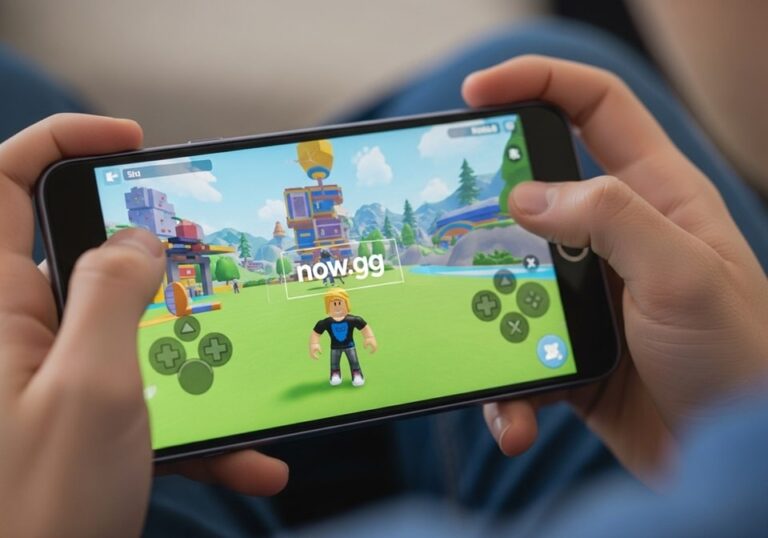
now.gg is a cloud gaming platform that lets you play Roblox directly in your browser — no download, no installation, no high-end hardware required. I’ve tested it across multiple devices including a budget Android phone and a school-spec Chromebook, and it genuinely works as advertised when your connection is stable. This guide covers exactly how to get into Roblox on now.gg, what’s changed with the free tier in 2026, and what to do when it’s blocked or not working.
What Is now.gg?
now.gg streams Android games from powerful cloud servers to your browser. Instead of your device running the game locally, now.gg’s servers handle all the processing — graphics, physics, storage — and send a live video feed to your screen. Your inputs (taps, clicks, keyboard) go back to the server in real time. The result is that even a low-end device can run games that would normally lag or crash on it.
| Feature | Detail |
|---|---|
| Cost | Free tier available — some features require account or waiting in queue |
| Download required | None |
| Works on | Any device with a browser — PC, Mac, Chromebook, Android, iPhone |
| Internet speed needed | Minimum 5 Mbps, recommended 15+ Mbps |
| Controller support | Xbox One, PlayStation 4 DualShock, Logitech gamepads |
| Progress saved | Saved to your Roblox account — accessible on any device |
Does now.gg Still Have Roblox in 2026?
Yes — but with changes worth knowing about. The official Roblox listing was removed from now.gg in 2025. A third-party version is available in its place and runs identically in terms of gameplay. Search for “Roblox” on now.gg and use the result that appears — it connects to the same Roblox servers and your account loads normally.
The bigger change is queue times. now.gg introduced session limits on the free tier, meaning during peak hours you may wait in a queue before a server slot opens. Users who create a free now.gg account get priority access over unregistered visitors, so creating an account before you try to play makes a practical difference.
How to Play Roblox on now.gg — Step by Step
- Open your browser and go to now.gg
- Click the search bar at the top of the page
- Type Roblox and press Enter
- Click on the Roblox result that appears
- Click the Play in Browser button
- A short ad plays — wait for it to finish
- The game loads in your browser — click Log In and enter your Roblox username and password
- If you have two-factor authentication enabled, enter the verification code when prompted
- Once logged in, your full Roblox account loads — browse and play any experience as normal
Creating a free now.gg account before starting saves your Roblox login session so you don’t have to re-enter credentials every visit. It also reduces queue wait times during busy periods.
How to Create a now.gg Account
- Go to now.gg
- Click the profile icon in the top right corner
- Click Sign In
- Enter your email and click Continue
- Enter a password and click Create account
With a now.gg account your Roblox session is remembered between visits. You also get access to trophies, leaderboards, and live streaming features on the platform. The account is free and takes under two minutes to set up.
How to Play Roblox on now.gg on a Chromebook
This is one of the most common reasons people use now.gg — school-issued Chromebooks that can’t install the Roblox app. now.gg works on any Chromebook through the browser, which means no installation is needed and no admin permissions are required.
Open Chrome on your Chromebook, go to now.gg, search for Roblox, and follow the same steps above. If you can browse the internet on your Chromebook, you can use now.gg. The one exception is school-managed Chromebooks with strict content filtering — if now.gg itself is blocked by your school’s network, see the troubleshooting section below.
If you’re exploring what Chrome can do on your Chromebook, knowing whether you can use other browsers on a Chromebook is also worth understanding — some browsers handle cloud gaming streams differently.
Why Play Roblox on now.gg?
| Reason | Detail |
|---|---|
| Play on any device | Works on school Chromebooks, low-end PCs, and old Android phones that cannot run Roblox natively |
| No storage used | Nothing is installed on your device |
| Better performance on budget devices | Cloud servers handle all processing — smoother frame rates than running locally |
| Battery savings | Your device only streams video — CPU and GPU stay idle, battery lasts longer |
| Play at school | Works on Chromebooks where Roblox cannot be installed |
| No overheating | Device stays cool since local hardware is not used for rendering |
now.gg vs Other Cloud Gaming Platforms
now.gg is the only major free cloud platform built specifically for Android mobile titles like Roblox. The other well-known platforms focus on PC and console games and don’t support Roblox at all.
| Platform | Focus | Price | Roblox Available |
|---|---|---|---|
| now.gg | Mobile Android games | Free (queue limits apply) | Yes |
| NVIDIA GeForce NOW | PC games (Steam, Epic) | Free tier + paid | No |
| Xbox Cloud Gaming | Console games | Game Pass Ultimate required | No |
| BlueStacks X | Android games in browser | Free | Yes |
BlueStacks X is the closest alternative if now.gg queues are too long. It runs Android games in the browser similarly to now.gg and also supports Roblox. If you enjoy mobile gaming beyond Roblox, there are also strong crafting games for Android worth exploring once you have cloud gaming set up.
now.gg Troubleshooting — Common Problems and Fixes
| Problem | Fix |
|---|---|
| now.gg blocked at school or work | Use a VPN browser extension (ZenMate, TunnelBear) set to United States or Canada. Reload after connecting |
| White screen when game loads | Clear browser cache (Ctrl+Shift+Delete), disable ad blocker, try Incognito mode |
| Play button not showing | Disable your ad blocker — now.gg requires ads enabled for the free service to work |
| Laggy or choppy gameplay | Close other browser tabs, switch to 5GHz Wi-Fi or wired connection, lower resolution in now.gg settings |
| Cannot find Roblox on now.gg | Official listing removed in 2025 — search “Roblox” and use the third-party version which works identically |
| Long queue wait times | Create a free now.gg account for priority access. Try off-peak hours (early morning or late night) |
| Kicked out of session repeatedly | Create a free now.gg account — saves your session and prevents repeated login prompts |
| Controller not detected | Connect controller before opening now.gg. Supported: Xbox One, PS4 DualShock, Logitech gamepad |
| Game loads but controls not working | Click directly on the game screen to give it focus. On mobile tap the screen once before playing |
If white screen issues persist after disabling your ad blocker, clearing your app cache on Android or browser cache on desktop resolves most loading failures caused by stored corrupted data.
Is now.gg Safe?
Yes — now.gg is a legitimate cloud gaming platform backed by major investors and officially partnered with game developers. It is safe to use for these specific reasons.
- No game files are downloaded to your device — everything runs on now.gg’s servers
- Your Roblox credentials are entered directly into the Roblox login screen, not stored by now.gg
- Two-factor authentication on your Roblox account works normally through now.gg
- No malware risk since nothing is installed locally
The only precaution worth taking is to always access now.gg through the official URL — now.gg — and not through third-party links or search results claiming to be now.gg mirrors. Fake mirror sites exist that look identical but harvest login credentials.
What Internet Speed Do You Need for now.gg?
now.gg recommends a minimum of 5 Mbps with ping below 40ms for acceptable performance. For smooth, high-quality gameplay 15 Mbps or faster is the practical target. A wired connection or 5GHz Wi-Fi gives noticeably better results than 2.4GHz Wi-Fi for cloud gaming because latency is more consistent.
If gameplay feels laggy even on a fast connection, the issue is often ping rather than download speed — a connection with 100 Mbps but 80ms ping performs worse on now.gg than a 20 Mbps connection at 15ms. Running an internet speed test that shows both speed and ping gives you a clearer picture of whether your connection is suitable for cloud gaming.
Frequently Asked Questions
Does now.gg still have Roblox?
Yes — the official Roblox listing was removed from now.gg in 2025 but a third-party version works identically. Search for “Roblox” on now.gg, click the result, and your account loads and plays normally. All progress, Robux balance, and game data remain tied to your Roblox account.
Is now.gg Roblox legit?
Yes — now.gg is a legitimate cloud gaming service. Your Roblox credentials are entered directly into Roblox’s own login screen, not stored by now.gg. Two-factor authentication works normally. Always access it through the official now.gg URL to avoid fake mirror sites. The platform has been operating since 2021 and is backed by known investors in the gaming industry.
Is now.gg free?
now.gg has a free tier but introduced session queue limits that affect free users during peak hours. Creating a free now.gg account gives priority access and reduces wait times. There is no mandatory paid subscription to play Roblox — the free tier is sufficient for most users outside of peak hours.
Can I play Roblox on now.gg without downloading anything?
Yes — that is the core purpose of now.gg. Open your browser, go to now.gg, search for Roblox, and click Play in Browser. Nothing is downloaded or installed on your device at any point. This is what makes it useful on Chromebooks and low-storage devices.
Does now.gg work on Chromebooks?
Yes — now.gg works on any Chromebook with a browser, including school-issued devices. Since nothing is installed, no admin permissions are needed. The only exception is school networks that block now.gg’s domain entirely at the network level.
Why is now.gg showing a white screen?
A white screen is almost always caused by an active ad blocker. Disable your ad blocker for now.gg, clear your browser cache with Ctrl+Shift+Delete, and reload. If the problem continues, open now.gg in Incognito or Private mode which disables most extensions automatically.
Does now.gg save my Roblox progress?
Yes — all progress is saved to your Roblox account, not to now.gg. now.gg only streams the game. Your avatar, inventory, Robux balance, and game progress are accessible from any device you log into Roblox on, whether through now.gg or the native app.
Can I use a controller on now.gg?
Yes — now.gg supports Xbox One, PlayStation 4 DualShock, and Logitech gamepads. Connect your controller to your device before opening now.gg and it will be detected automatically. If the controller is not detected, disconnect and reconnect it, then refresh the page.
now.gg Login — How to Sign In to Roblox
Signing into Roblox on now.gg works the same as signing in on any other device. After the game loads in your browser, click the Log In button on the Roblox start screen and enter your Roblox username and password. If two-factor authentication is enabled on your account, you will receive a code by email or authenticator app — enter it when prompted and your account loads fully.
If you are repeatedly being asked to log in every session, create a now.gg account and sign into it before launching Roblox. This stores your session so you stay logged in between visits without re-entering credentials each time.