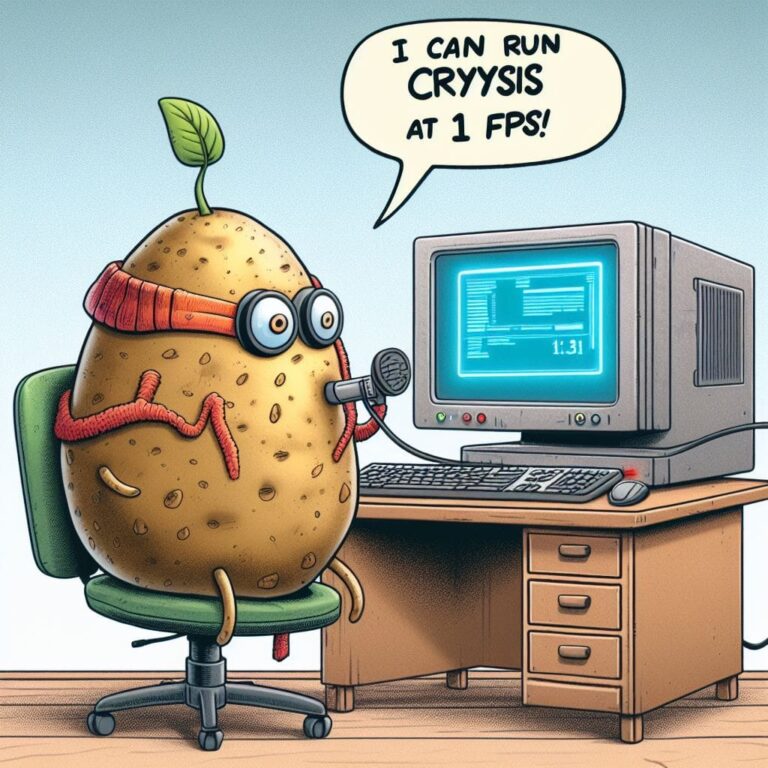
Understanding the Modern Potato PC
In the ever-evolving landscape of personal computing, a distinct category of machines exists at the opposite end of the spectrum from high-performance gaming rigs and professional workstations. Known colloquially as a “Potato PC,” this term has become a staple in tech communities to describe a computer system with severely limited processing power, outdated components, and overall sluggish performance. The name itself is a humorous, self-deprecating nod to the idea that the computer might be so underpowered it could be run by a potato. While often a source of comedy, understanding what constitutes a potato PC, its typical use cases, and the strategies for getting the most out of such a machine is a practical necessity for many users worldwide, whether they are dealing with an old machine, a budget constraint, or simply a secondary device.
The concept isn’t about brand-new, entry-level hardware sold in stores today. Instead, it almost exclusively refers to older systems that have been surpassed by several generations of technological advancement. These are the computers that struggle with modern web browsers, choke on high-definition video playback, and make even basic multitasking an exercise in patience. For their users, however, these machines are not always a source of frustration; they can be a project, a challenge, or a perfectly adequate tool for specific, limited tasks. The ecosystem surrounding potato PCs is rich with community-driven advice, specialized software, and clever workarounds designed to breathe new life into aging hardware.
Defining the Characteristics of a Low-End Computer
A potato PC isn’t defined by a single component but by a combination of hardware limitations that create a bottleneck for overall system performance. The experience of using one is characterized by consistent delays, stutters, and an inability to handle contemporary software demands. The term is relative, shifting as technology progresses; a mid-range computer from a decade ago might be considered a potato by today’s standards. However, several common traits are almost universally present in these systems, creating a recognizable profile for this class of machine.
The most significant bottleneck is typically the central processing unit (CPU). These are often older dual-core or even single-core processors with low clock speeds and inefficient architectures. They lack the core count and instructions per cycle (IPC) to manage modern operating systems and applications smoothly. Paired with this is a minimal amount of Random Access Memory (RAM). While 8 GB is considered the bare minimum for a comfortable Windows 10 or 11 experience in the modern day, a true potato PC might stagger along with 2 GB or 4 GB, causing constant hard drive swapping as the system runs out of physical memory.
The graphics processing unit (GPU) is another key differentiator. Many potato PCs rely on integrated graphics solutions that are built into the CPU, such as older Intel HD Graphics or AMD Radeon R-series graphics. These are not designed for gaming or video editing; they struggle with rendering complex web pages and playing 1080p video smoothly. Finally, the storage is almost always a traditional Hard Disk Drive (HDD). The slow read and write speeds of a mechanical HDD, especially a 5400 RPM laptop drive, contribute massively to interminable boot times, slow application launches, and general system lethargy. When combined, these components create a perfect storm of performance poverty.
Common Origins and Typical Use Cases
Potato PCs are rarely purchased as such. They usually enter a user’s life through one of several common pathways. The most frequent source is simply an old computer that was once a capable machine but has been left behind by software bloat and advancing requirements. A laptop purchased for college a decade ago or a family desktop computer from the Windows 7 era are prime examples. Another source is the hand-me-down or donated computer, passed on to a younger family member or acquired for free from a business upgrading its equipment.
Despite their limitations, these machines serve important roles. Their typical use cases are defined by their constraints:
- Basic Web Browsing and Email: A potato PC can often handle lightweight web browsing and email management, provided the user employs a browser that is not a resource hog and avoids keeping dozens of tabs open simultaneously. This makes it suitable for a parent or grandparent who primarily needs internet access for communication and information.
- Word Processing and Spreadsheets: For tasks like writing documents in LibreOffice Writer or creating simple spreadsheets in Calc, a potato PC is more than adequate. These applications are not particularly demanding, and the system can function as a dedicated writing or homework station.
- Media Consumption Client: When connected to a television or monitor, an old PC can be repurposed as a media center for playing local video files using a lightweight player like VLC or for streaming music. It may struggle with high-bitrate 4K streams, but standard definition and 720p content are often manageable.
- Retro Gaming and Emulation: One of the most popular uses for a low-power machine is playing games from the 1990s and early 2000s, or emulating consoles like the Super Nintendo, Sega Genesis, and PlayStation 1. These games have minimal system requirements and can run flawlessly on hardware that would balk at a modern indie title.
- Educational Tool for Children: A potato PC is a low-risk way to introduce a child to computing. They can learn basic skills, play educational games, and explore the digital world without the worry of damaging an expensive family computer.
- Dedicated Server for Lightweight Applications: For the more technically inclined, an always-on potato PC can run a lightweight Linux distribution and act as a server for a Minecraft world, a file storage server, or a host for a personal wiki or blog.
Optimizing a Low-Performance Computer for Maximum Usability
Owning a potato PC does not have to mean enduring a painful user experience. With a systematic approach to software and settings, it is possible to significantly improve responsiveness and functionality. The goal of optimization is to reduce the system’s overhead, freeing up precious resources for the tasks you actually want to perform. This process involves everything from the choice of operating system to the configuration of individual applications, and it can transform a nearly unusable machine into a snappy and productive tool.
The first and most impactful step is often to replace the traditional hard disk drive (HDD) with a solid-state drive (SSD). This single upgrade provides the most dramatic day-to-day performance improvement possible. An SSD has no moving parts and can read and write data orders of magnitude faster than an HDD. The result is a boot time that drops from several minutes to under a minute, applications that launch almost instantly, and a significant reduction in the system “hangs” caused by slow disk access. For many potato PCs, especially those with a capable-enough CPU and sufficient RAM, an SSD is the miracle cure that grants them a new lease on life.
Another critical area is managing the software environment. A clean installation of the operating system, free from the bloatware that often comes pre-installed on older machines, is a great starting point. Furthermore, being ruthless about which programs run at startup is essential. Many applications configure themselves to launch in the background when Windows starts, consuming RAM and CPU cycles before you even open your first program. Using the Task Manager’s Startup tab to disable non-essential items can drastically improve boot time and overall system responsiveness.
Choosing the Right Operating System and Software
For potato PCs, the choice of operating system is perhaps the most important software decision. While Windows 10 and 11 can be stripped down, they still carry a significant resource footprint. This has led many users to explore lightweight Linux distributions, which are often free, secure, and designed specifically for older hardware. Distributions like Lubuntu, Xubuntu, or Linux Mint Xfce Edition provide a full-featured desktop experience with a modern look and feel, but with a fraction of the memory and CPU usage of Windows.
The benefits of a lightweight Linux distro for a potato PC are substantial:
- Reduced Memory Footprint: A typical lightweight Linux desktop can run comfortably on 1-2 GB of RAM, leaving more memory available for applications like web browsers.
- Faster Performance: The streamlined nature of these distributions means the CPU is not bogged down by background processes and visual effects, resulting in a noticeably faster and more responsive interface.
- Enhanced Security: Linux is inherently less targeted by malware than Windows, which is a significant advantage for an older system that may no longer receive security updates from its original manufacturer.
- Modern Software Access: Through package managers and software repositories, users have easy access to thousands of free and open-source applications for productivity, creativity, and entertainment.
If sticking with Windows is necessary, software choices still matter. Opt for lightweight alternatives to common resource-heavy applications. Instead of Microsoft Office, consider using LibreOffice or even online office suites like Google Docs. For web browsing, avoid Chrome and instead use a more efficient browser like Mozilla Firefox with its memory usage optimized or a minimalist browser like Pale Moon. For playing media, VLC Media Player is renowned for its ability to play virtually any file format efficiently, without the overhead of applications like Windows Media Player or iTunes.
Advanced Tweaks and Hardware Considerations
Beyond the basic software changes, there are more advanced tweaks that can eke out additional performance. Within Windows, adjusting the visual effects for best performance can free up GPU and CPU resources. This involves disabling animations, transparent glass effects, and fading menus. While it makes the interface less visually appealing, the gain in snappiness is often worth it on a struggling system. Similarly, ensuring that all drivers, particularly for the chipset and graphics, are up to date can resolve performance issues and improve stability.
On the hardware side, while an SSD is the king of upgrades, adding more RAM is a close second. If a system has empty RAM slots, installing additional memory is a relatively inexpensive way to eliminate the stuttering and freezing caused by the system using the hard drive as virtual memory. For desktop PCs, another potential upgrade is a cheap, used dedicated graphics card from a previous generation. Even a low-end card from several years ago will vastly outperform integrated graphics from the same era, making video playback smoother and even enabling very light gaming.
It is crucial, however, to approach hardware upgrades for very old systems with realistic expectations. The cost of a new SSD and RAM should not exceed the value of the computer itself, and there may be hardware limitations, such as an older SATA II interface that will bottleneck a modern SSD, or a motherboard that only supports a maximum of 4 GB of RAM. Researching the specific model of your computer is essential before purchasing any new components.
The Cultural and Practical Niche of Low-Power Computing
The phenomenon of the potato PC extends beyond mere technical limitations; it occupies a unique cultural and practical niche. Online communities on platforms like Reddit and dedicated forums are filled with users who take pride in maximizing the potential of their low-end machines. This “low-spec gaming” community, for instance, shares intricate guides on how to modify configuration files, use third-party tools to strip down games, and get titles like “Skyrim” or “GTA V” running on hardware that is far below the official minimum requirements. This is seen as a form of digital craftsmanship.
From a practical standpoint, the persistence of potato PCs speaks to issues of sustainability and digital access. Not everyone can afford a new computer, and the constant cycle of hardware upgrades contributes significantly to electronic waste. Keeping an old machine functional through optimization and light upgrades is an environmentally conscious choice. It also provides a bridge across the digital divide, offering a means of internet access and computing power to individuals and communities for whom a new device is financially out of reach. In this light, the potato PC is not just a joke, but a tool of practicality and inclusion.
Furthermore, working with a limited system can be a valuable learning experience. It forces users to understand how computers work at a fundamental level. They learn about resource management, the function of different components, and the impact of software on hardware performance. This knowledge is often more deeply ingrained than that gained from using a high-end computer where inefficiencies are masked by raw processing power. For aspiring IT professionals and hobbyists, a potato PC can be the perfect sandbox for experimentation and learning.
Conclusion
The world of the potato PC is a testament to the ingenuity and adaptability of computer users. While these machines are defined by their hardware constraints—outdated CPUs, minimal RAM, slow HDDs, and weak integrated graphics—they are far from useless. Through a combination of strategic hardware upgrades, most notably the adoption of a solid-state drive, and careful software optimization, including the use of lightweight operating systems and applications, these systems can be transformed into capable tools for specific tasks. They serve vital roles in basic computing, education, media consumption, and retro gaming, all while promoting sustainability and providing a low-cost entry point into the digital world. The potato PC, therefore, is not merely an object of ridicule but a functional, valuable, and enduring segment of the computing landscape, demonstrating that with the right knowledge and approach, even the most humble hardware can yield significant utility.