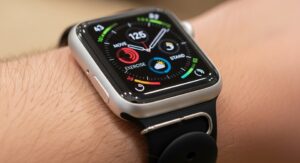
The Apple Watch has transitioned from being a mere accessory to an indispensable tool for modern living. With the release of the Series 10 and the continued dominance of the Apple Watch Ultra 2, the ecosystem of third-party applications has reached an unprecedented level of maturity. These apps are no longer just extensions of their iPhone counterparts; they are standalone powerhouses designed to leverage the advanced sensors, vibrant always-on displays, and powerful processors of the latest wearable hardware. Whether you are a dedicated athlete, a busy professional, or someone looking to better manage their daily wellness, the right selection of apps can transform your smartwatch into a personal coach, an efficient secretary, and a navigation expert.
The strength of the Apple Watch lies in its ability to provide glanceable information and quick interactions. In 2025, developers have shifted their focus toward creating more intuitive complications and leveraging the Double Tap gesture to make app interaction more seamless than ever. Navigating the App Store can be overwhelming given the thousands of options available, but identifying the true gems requires looking at how well an app integrates with Apple Health, its performance on cellular-enabled models, and its ability to provide meaningful data without draining the battery. This guide explores the most effective applications currently available, ensuring you get the most out of your investment.
As we move deeper into the current year, the definition of a “must-have” app has evolved to include sophisticated artificial intelligence integration and cross-device synchronization. Users now expect their watch to predict their needs, whether that means suggesting a recovery day after a hard workout or providing a timely reminder for an upcoming meeting based on real-time traffic data. The following sections break down the best applications across various categories, providing a detailed look at their features, benefits, and why they deserve a spot on your wrist in 2025.
Essential Health and Fitness Applications
Fitness remains the primary reason many users purchase an Apple Watch, and the third-party ecosystem offers tools that go far beyond the native Activity app. Strava continues to be a top choice for runners and cyclists who crave community and deep data analysis. The 2025 version of Strava on Apple Watch provides a refined interface that makes it easy to track complex intervals and monitor heart rate zones in real time. Its “Live Segments” feature is a game-changer for competitive athletes, offering a sense of gamification by showing how you are performing against your previous records or local legends as you move through your route.
For those who find the standard Apple Activity rings a bit too demanding during periods of illness or high stress, Gentler Streak offers a more human-centric approach to fitness. Instead of pushing you to close your rings every single day, Gentler Streak analyzes your recent activity levels and heart rate variability to suggest when you should push harder and, more importantly, when you need to rest. It provides a visual “Activity Path” that keeps your fitness within a healthy range, helping to prevent burnout and injury. This app is particularly praised for its inclusive approach, recognizing that recovery is a vital part of any long-term health journey.
Sleep tracking has also seen significant advancements. While Apple’s native Sleep app is functional, AutoSleep provides a much more granular look at the quality of your rest. It works automatically, requiring no manual intervention once set up. In the morning, you are greeted with a detailed report on your sleep stages, heart rate, and “Readiness” score. The app uses the sensors in the Apple Watch to determine exactly when you fell asleep, even if you forgot to put the watch into Sleep Mode. Its deep integration with Apple Health ensures that all your data is securely stored and contributes to your overall wellness picture.
Hydration is another critical component of health that is often overlooked. WaterMinder makes tracking your fluid intake incredibly simple with its customizable complications and quick-entry buttons. You can set daily goals based on your weight, activity level, and local weather conditions. The app sends gentle nudges throughout the day to remind you to drink, and its Apple Watch interface allows you to log various types of beverages, from plain water to herbal tea, with just a single tap. Staying hydrated is one of the simplest ways to improve cognitive function and physical performance, and WaterMinder is the perfect companion for this task.
For gym enthusiasts, Hevy has established itself as the premier weightlifting tracker for the Apple Watch. It allows users to create custom routines on their iPhone and then execute them entirely from their wrist. The app handles set tracking, rest timers, and weight adjustments seamlessly. One of its standout features in 2025 is the ability to view your previous performance for a specific exercise while you are in the middle of a set, providing immediate motivation to beat your personal best. The interface is clean, minimizing distractions so you can focus on your form and intensity.
Finally, for those who require advanced cardiovascular monitoring, Heart Analyzer offers a level of detail that is usually reserved for professional medical software. It takes the data collected by the Apple Watch’s heart rate sensor and creates beautiful, easy-to-read charts and reports. You can view your resting heart rate trends over months, analyze your heart rate recovery after a workout, and even see how your heart behaves during specific activities. It serves as an early warning system for potential health issues and provides peace of mind for those managing chronic conditions or simply wanting to keep a close eye on their ticker.
Productivity and Organization Tools
Transforming your Apple Watch into a productivity hub is all about reducing the time you spend looking at your phone. Things 3 is widely considered the gold standard for task management on the wrist. Its design is a masterclass in minimalism, presenting your to-do list for the day in a way that is glanceable and actionable. You can add new tasks using Siri or the on-screen keyboard, and checking off completed items provides a satisfying haptic feedback that keeps you motivated. Its ability to sync flawlessly across the iPhone, iPad, and Mac makes it an essential tool for anyone juggling multiple projects.
Calendar management is equally important, and Fantastical remains the top choice for power users. What sets Fantastical apart is its natural language processing; you can dictate an event like “Lunch with Sarah at 1 PM on Friday,” and the app will accurately schedule it. The Apple Watch complications for Fantastical are highly customizable, showing you not just your next appointment, but also a mini-calendar view or your current weather. This level of utility ensures that you are always prepared for what comes next in your busy schedule without ever needing to pull your phone out of your pocket.
For capturing quick thoughts and reminders, Just Press Record is an invaluable utility. It places a large red recording button right on your watch face via a complication. With one tap, you can start recording a voice memo, which is then automatically synced to your iPhone and transcribed into text. This is perfect for capturing ideas while driving, walking, or in meetings where using a phone would be inappropriate. The transcription is surprisingly accurate and supports multiple languages, making it a favorite for journalists, students, and creative professionals who need to document their thoughts on the fly.
Managing your time effectively often requires a dedicated focus tool, and Focus – Pomodoro Timer is the best implementation of the Pomodoro technique for the Apple Watch. It allows you to set work intervals followed by short breaks, helping you maintain a high level of concentration throughout the day. The watch app provides a clear countdown and uses haptic alerts to signal when it is time to switch tasks. By keeping the timer on your wrist, you avoid the distractions of checking your phone, which often leads to “doom scrolling” during what should be a productive work session.
Another unique productivity app is Tiimo, which is specifically designed for individuals who benefit from visual planning, including those with ADHD or neurodivergent traits. Tiimo uses color-coded blocks and visual icons to represent the day’s activities, making a chaotic schedule feel much more manageable. The Apple Watch app provides “nudges” to keep you on track and visual progress bars that show how much time is left in your current activity. It is a compassionate and effective way to manage time blindness and reduce the anxiety often associated with busy schedules.
For those who frequently handle sensitive information, Cheatsheet is a clever utility that allows you to store small “nuggets” of information—like Wi-Fi passwords, luggage locker codes, or frequent flyer numbers—for quick access on your wrist. The app uses a simple icon-based system that makes it easy to find what you need at a glance. While it is not meant for high-security passwords (for which you should use a dedicated manager like 1Password), it is perfect for the non-critical data you need to recall quickly throughout the day. Its simplicity is its greatest strength, embodying the “glance and go” philosophy of the Apple Watch.
Navigation and Travel Essentials
Navigation on the Apple Watch has become a primary use case, especially for city dwellers and outdoor adventurers. Citymapper is the undisputed king of urban transit. It provides step-by-step directions for buses, trains, and subways, including real-time departure times and service alerts. On the Apple Watch, Citymapper will vibrate your wrist when your stop is approaching, ensuring you never miss your exit while reading or listening to music. It also provides “Get Off” alerts and detailed instructions on which exit to take at complex transit hubs, making it a lifesaver in unfamiliar cities.
For those who prefer to explore the great outdoors, WorkOutDoors is a power user’s dream. Unlike standard fitness apps, WorkOutDoors features fully functional vector maps that can be downloaded to the watch for offline use. This is essential for hikers, trail runners, and cyclists who often find themselves in areas with poor cellular reception. The app allows for a staggering level of customization, with over 300 different metrics available to display on the screen. You can create your own map styles, follow breadcrumb trails, and receive alerts if you veer off your planned route, making it the ultimate tool for navigation in the wild.
Travelers will also find Flighty to be an indispensable companion. Flighty provides the most comprehensive and fastest flight tracking available, often alerting you to delays or gate changes before the airline’s own app does. The Apple Watch integration is superb, showing your flight status, gate number, and seat information right on your wrist. In 2025, the app’s “Live Activities” support ensures that your flight details are always available on the Smart Stack, providing a stress-free experience from the moment you leave for the airport until you reach your destination.
Entertainment and Utility Apps
The Apple Watch is increasingly becoming a standalone device for entertainment, particularly for those with cellular models or who download content for offline use. Overcast remains the best third-party podcast player for the platform. It offers a clean interface and the ability to sync episodes directly to the watch, allowing you to go for a run or a walk without your iPhone while still enjoying your favorite shows. Features like “Smart Speed,” which removes silences, and “Voice Boost” ensure that your listening experience is optimized for the small speakers or connected Bluetooth headphones.
For music lovers, Spotify on the Apple Watch has improved significantly, now offering full support for offline downloads and direct streaming over cellular or Wi-Fi. While the native Apple Music app is well-integrated, many users prefer Spotify’s discovery algorithms and social features. The watch app allows you to browse your library, control playback on other devices via Spotify Connect, and download playlists for phone-free listening. It is a seamless experience that highlights the watch’s role as a versatile media controller and standalone player.
In the utility category, Carrot Weather is a perennial favorite for its combination of hyper-accurate data and a snarky, customizable personality. Carrot Weather allows you to choose from various data sources (like Apple Weather, AccuWeather, or Foreca) and offers a level of complication customization that is unmatched by any other weather app. You can see everything from the UV index and humidity to cloud cover and visibility right on your watch face. Its ability to provide detailed rain forecasts and lightning alerts makes it a practical tool for anyone whose day depends on the weather.
Shazam is another essential utility that most people forget they have until they need it. Owned by Apple, the app is deeply integrated into the watchOS experience. With a simple tap or a Siri command, you can identify any song playing in your environment. The identified track is then automatically added to a “My Shazam Tracks” playlist in Apple Music or Spotify. It is a classic example of an app that does one thing perfectly, providing a touch of magic to your daily life by ensuring you never miss a great new song.
Current Market Price and Deals
Investing in the Apple Watch ecosystem often starts with choosing the right hardware. As of late 2024 and early 2025, the market features three primary models tailored to different needs and budgets. The Apple Watch Series 10 is the mainstream choice, starting at approximately $399 for the 42mm aluminum model. It features a thinner design, a larger display than its predecessors, and faster charging capabilities. Frequent sales on platforms like Amazon and Best Buy often see this price drop to $349 during holiday periods or promotional events.
The Apple Watch Ultra 2 remains the premium choice for outdoor enthusiasts and those who prioritize battery life. It carries a retail price of $799, though it is frequently discounted to $729 or $749. For those on a tighter budget, the Apple Watch SE (2nd Generation) continues to be an excellent entry-level option, typically priced at $249, but often found for as low as $189 during major sales. When looking for deals, it is advisable to check for “Open Box” options at major retailers or official “Refurbished” units from Apple, which offer significant savings while maintaining full warranty coverage.
Pros and Cons of the Apple Watch App Ecosystem
Using third-party apps on the Apple Watch offers a wealth of benefits, but there are also some trade-offs to consider. Understanding these can help you better manage your device’s performance and your overall user experience.
- Pros: Customization and Specialization. Third-party apps allow you to tailor your watch to your specific hobbies and needs, whether it is high-end golf tracking with Golfshot or specialized heart monitoring with Heart Analyzer. These apps often provide more depth than Apple’s “one-size-fits-all” native solutions.
- Pros: Standalone Functionality. With the advent of cellular watches, many apps now work independently of the iPhone. This allows for a “digital detox” where you can remain connected and productive without the distractions of a smartphone screen.
- Pros: Innovative Complications. Developers use complications to bring vital data directly to your watch face. This turns your watch into a dashboard of your life, showing everything from your next flight to your current hydration levels at a glance.
- Cons: Battery Consumption. Some high-performance apps, especially those that use GPS or constant heart rate monitoring, can significantly drain the battery. Users of smaller Series 10 models may find they need to charge more frequently when using intensive third-party fitness trackers.
- Cons: Subscription Fatigue. Many of the best Apple Watch apps have moved to a subscription-based model. While this supports ongoing development, the monthly or yearly costs can add up if you use multiple premium services.
- Cons: Occasional Syncing Issues. While rare in 2025, some third-party apps may occasionally experience delays in syncing data between the watch and the iPhone. This is usually resolved with a quick restart or an app update, but it remains a minor friction point.
Pro Tips for Maximizing Your Apple Watch Experience
To truly get the most out of your Apple Watch and its applications, consider the following expert advice:
- Optimize Your Smart Stack: With watchOS 11 and later, the Smart Stack is your best friend. Instead of cluttering your watch face with complications, put your most-used widgets (like weather, calendar, and activity) in the stack, accessible with a simple scroll of the Digital Crown.
- Use the Action Button Wisely: If you have an Apple Watch Ultra, program the Action Button to launch your most critical app, such as WorkOutDoors or a specific workout. This saves you from fumbling with the screen during high-intensity activities.
- Manage Background App Refresh: To save battery life, go into the Watch app on your iPhone and disable “Background App Refresh” for apps that you don’t need real-time data from. Keep it enabled only for essential tools like your calendar or heart rate monitors.
- Leverage Siri Shortcuts: Many apps, like Just Press Record or Streaks, support Siri Shortcuts. You can create custom voice commands to perform complex tasks, such as “Start my evening routine,” which can trigger multiple app actions simultaneously.
- Customize Your Haptics: If you find you are missing important notifications from apps like Citymapper or Flighty, go to Settings > Sounds & Haptics and turn on “Prominent Haptics.” This provides an extra-strong vibration that is harder to ignore.
Frequently Asked Questions
Do all Apple Watch apps require a subscription?
No, there are many excellent free apps, such as Nike Run Club and Shazam. However, many specialized productivity and fitness apps offer a “freemium” model where the basic features are free, but advanced analytics or customization options require a one-time purchase or a subscription.
Can I use these apps without my iPhone nearby?
Yes, if you have a GPS + Cellular model, most apps can stream data or sync updates over the cellular network. Even on GPS-only models, apps like WorkOutDoors and Spotify allow you to download content or maps for offline use, making the watch fully functional during your workout or commute.
Will these apps work on older Apple Watch models?
Most apps are compatible with Apple Watch Series 4 and newer, provided they can run the latest version of watchOS. However, some newer features, like the Double Tap gesture or advanced heart sensing, may be limited to Series 9, Series 10, and Ultra models.
Is the Apple Watch Ultra worth the extra cost for apps?
If you use navigation apps like WorkOutDoors or intensive fitness trackers, the Ultra’s larger screen, longer battery life, and physical Action Button provide a significantly better experience. For general productivity and casual health tracking, the Series 10 is more than sufficient.
How do I install apps on my Apple Watch?
You can install apps directly via the App Store on the watch itself or through the “Watch” app on your iPhone. When you download a compatible app on your iPhone, it will often automatically install the watch version if “Automatic App Install” is enabled in your settings.
Are third-party heart rate apps more accurate than Apple’s?
The hardware sensor is the same regardless of the app you use. However, third-party apps like Heart Analyzer and Athlytic provide different ways to interpret that data, offering deeper insights into trends, recovery, and cardiovascular health that the native app might overlook.
Can I customize the watch face complications for all apps?
Most high-quality third-party apps provide several complication options. You can customize these by long-pressing your watch face, tapping “Edit,” and selecting the complication slot you wish to change. This is the best way to keep your most important data visible at all times.
Conclusion
The Apple Watch ecosystem in 2025 is a testament to how far wearable technology has come. By carefully selecting a suite of applications that cater to your specific lifestyle, you can move beyond the basics of step counting and notification checking. From the deep athletic insights of Strava and Gentler Streak to the streamlined productivity of Things 3 and Fantastical, these tools empower you to be more informed, more efficient, and more mindful of your health. The key to a successful experience is not downloading every app available, but rather curating a collection that integrates seamlessly into your daily routines. As hardware continues to evolve, these applications will only become more capable, further cementing the Apple Watch’s position as the ultimate personal companion on your wrist.
Recommended For You