

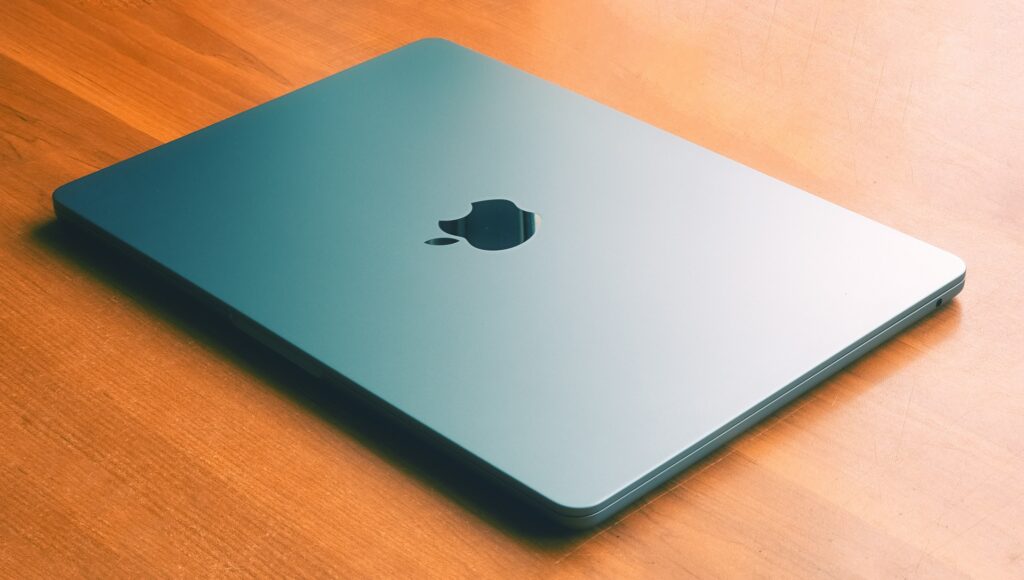
The pursuit of a new MacBook Pro or MacBook Air often begins with an acceptance of Apple’s premium pricing. Unlike many competing laptop manufacturers, Apple maintains a high level of pricing stability, particularly for devices utilizing its custom Apple Silicon (M-series) chips. This pricing strategy is built on the performance efficiency, build quality, and superior longevity of these machines, traits that contribute to industry-leading resale values. Consequently, finding a true “deal” requires moving beyond superficial promotional browsing and adopting a sophisticated, strategic approach focused on timing, channel selection, and meticulous component evaluation. This guide provides a detailed breakdown of current market dynamics and verified purchasing strategies to help consumers achieve the maximum possible value when acquiring a new or nearly new MacBook Pro or MacBook Air.
Maximizing value does not necessarily mean finding the lowest absolute price; it means ensuring the chosen model, whether it is the latest M4 Air or a previous-generation M2 Pro, provides the optimal performance-to-cost ratio for the buyer’s specific workload. The fundamental shift to Apple Silicon has blurred the traditional lines between the Pro and Air product lines, making performance nearly comparable in many everyday and burst-performance scenarios. Therefore, understanding where true value resides often depends on identifying which features—like a ProMotion display or active cooling—are genuinely necessary for the user’s workflow versus which components, such as a slightly older generation M-series chip, offer substantial savings with minimal performance degradation.
The strategies outlined below are based on observable market patterns, official retailer policies, and verified performance data, establishing a comprehensive framework for smart purchasing in the premium laptop market.
Understanding Current Market Dynamics and Pricing Cycles
The MacBook market is governed by predictable cycles tied directly to Apple’s annual product launch calendar and major retail events. Successful purchasing relies on aligning consumer demand with periods of promotional overstock or generational transitions. Recent data indicates a mix of price stability for the newest M4 models and significant, targeted discounts on older configurations, particularly the highly successful M1 and M3 generations.
M-Series Generational Pricing and Core Discounts
While the newest generations of the MacBook Pro and MacBook Air typically debut at or near full MSRP, third-party retailers are the most aggressive source of markdowns, often serving as the true engine of value discovery for savvy consumers. The market consistently shows an immediate discount availability for previous-generation models, a trend that is especially pronounced in the highly competitive Air segment, which sustains strong consumer interest due to its blend of portability and power efficiency.
Specific examples of recent competitive pricing illustrate the potential savings available when monitoring authorized channels:
- MacBook Air 13-inch (M1/256GB): This older, but still highly capable, configuration has been observed with steep reductions, dropping from its original price to as low as $599 at major retailers like Walmart. This price point represents maximum value for students and general users prioritizing cost and portability.
- MacBook Air 13-inch (M4): Even the newest standard Air models see promotional pricing shortly after launch. This model, with a starting price of approximately $999, has been discounted to around $899 at large online retailers such as Amazon. This 10% reduction provides immediate savings on current technology.
- MacBook Pro 14-inch (M4): Discounts on the professional line are generally less steep but still significant. The base M4 MacBook Pro, starting around $1,599, has been available for as low as $1,399 at authorized dealers, offering a substantial $200 saving on a premium machine.
- MacBook Pro 14-inch (M4 Pro/512GB): Even specialized configurations designed for professional users are included in these price drops. The higher-tier M4 Pro model, which originally listed for $1,999, has been marketed for $1,799, typically via major online retailers like Amazon.
These temporary price adjustments are critical indicators that, while Apple maintains MSRP on its own website, authorized retailers provide dynamic pricing that savvy buyers can leverage for immediate savings of 10% to over 40%, depending on the age and channel of the specific model being targeted.
Seasonal Timing and Search Volume Trends
The search interest for Apple laptops is not constant; it follows distinct seasonal and promotional fluctuations that smart buyers must capitalize on. Data extracted from recent Google Trends analyses highlights two major periods of peak consumer interest and, subsequently, the greatest concentration of competitive pricing:
- November (Black Friday/Cyber Monday): Search volume for both MacBook Air and MacBook Pro consistently peaks around the period leading up to Black Friday and Cyber Monday. In November 2024, the normalized search volume for the MacBook Pro surged to 85, while the MacBook Air also reached a peak of 83. This high level of focused consumer demand pushes retailers to offer their most aggressive markdowns to secure sales volume.
- July/August (Back-to-School Season): The summer months, specifically July, align with the back-to-school purchasing cycle. Search volume for the MacBook Air, which remains the preferred model for students due to its affordability and portability, typically peaks high during this time.
These two windows—the holiday shopping season and the summer back-to-school period—should be the primary targets for any consumer aiming to purchase a MacBook with the steepest possible retail discount. Outside of these times, discounts are generally smaller, more sporadic, and often limited to specific colors or less popular configurations. By strategically timing their purchase to these cycles, consumers maximize the probability of securing one of the substantial, but short-lived, price reductions offered by third-party vendors.
Primary Channels for Securing Verified Discounts
Acquiring maximum value often means looking beyond the official Apple Store. While Apple maintains strict pricing control, several authorized channels offer significant and reliable savings that do not compromise warranty or quality. These channels fall into three primary categories: authorized retail markdown events, official certified refurbishment programs, and exclusive affinity discounts.
Authorized Third-Party Retailers
Retailers such as Amazon, Best Buy, and other official Apple partners are the most aggressive sources of short-term, substantial discounts. These outlets frequently use MacBooks as a loss leader or markdown item during major sale events to drive traffic and compete with one another. Historical patterns confirm that major markdowns typically follow the release of a new generation:
- Initial Price Drop: When new MacBook Pro models are launched, the previous generation often sees an initial price drop of approximately 10–15% at major retailers.
- Deepening Discounts: Within two to three months following a major product release, these discounts often deepen to 20–25% off the original MSRP. This period is the optimal time to secure significant savings on a perfectly capable, but slightly older, M-series chip model, such as the M2 Pro or M3 Air.
- Retailer Warranties: A significant advantage of purchasing from major retailers like Best Buy is the option to secure a Geek Squad Protection plan. This can extend the warranty coverage beyond the original manufacturer’s plan and cover accidental damage, which is a necessary consideration for high-value portable electronics. For instance, Best Buy’s membership programs often include product protection plans, simplifying the process of obtaining coverage for accidental damage like screen or enclosure damage for a fixed fee.
The Apple Certified Refurbished Program
For buyers prioritizing quality assurance and a full warranty over absolute bottom-dollar pricing, the Apple Certified Refurbished store is arguably the best-value channel. Unlike purchasing used MacBooks from individual sellers or general online marketplaces, Apple’s program guarantees a product that is nearly indistinguishable from new, but at a reduced cost.
Key advantages of the Apple Certified Refurbished program:
- Verified Savings: Products purchased through the official refurbished store typically include guaranteed savings of up to 15% off the original MSRP. This is a consistent and reliable discount, although it rarely matches the deeper, short-term sales from third-party retailers.
- Full Functional Testing: Every refurbished product undergoes comprehensive functional testing, ensuring that any defective modules are replaced with genuine Apple parts.
- One-Year Warranty: Critically, all Apple Certified Refurbished products come with a full one-year limited warranty. This warranty coverage is identical to that offered on brand-new Apple devices, providing buyers with complete peace of mind and protection against manufacturing defects.
- New Outer Shell: Refurbished MacBooks usually receive a new outer shell and a new battery, ensuring the device looks and functions like a new unit, thereby eliminating cosmetic concerns common to other used markets.
While the selection can be unpredictable—the latest models only appear after they are returned by other customers—the Certified Refurbished channel offers a premium, low-risk way to acquire an M-series MacBook at a predictable, significant discount.
Education and Affinity Discounts
Apple extends permanent, year-round savings to specific consumer groups, which, while smaller than retail holiday sales, are consistently available and highly valuable when combined with other offers. The official Apple Education Store provides special pricing for eligible students, parents buying for students, and educators.
The primary benefit of the Education Store is not solely the marginal discount on the hardware itself, but the associated savings on extended protection. Students and educators are eligible to save up to 10% on the cost of AppleCare+ protection for a new Mac or iPad. Given the high cost of out-of-warranty repairs for M-series MacBooks, securing this discounted protection adds substantial long-term value and peace of mind to the overall purchase.
Advanced Value Assessment: Older Pro vs. Newer Air
The introduction of Apple Silicon has forced buyers to fundamentally rethink the traditional hierarchy where the MacBook Pro was always superior to the MacBook Air. Today, an assessment of value requires a direct comparison of a highly discounted, previous-generation Pro model (e.g., M1 Pro) against a current, discounted Air model (e.g., M4 Air). The results of verified performance comparisons often show that the newer, lower-tier chip holds its own—or even surpasses—the older professional chip in most common tasks, shifting the focus to specialized, professional-grade features.
M4 MacBook Air vs. M1 Pro MacBook Pro Performance Showdown
For the vast majority of users who engage in general computing, office applications, and even moderate creative work (e.g., photo editing, light 4K video editing), the performance of the latest MacBook Air is now almost indistinguishable from, or even superior to, the original M1 Pro MacBook Pro. Verified real-world testing provides concrete evidence of this convergence:
- App Responsiveness: Across everyday applications such as Safari, Microsoft Word, and even professional programs like Final Cut Pro, the M4 Air opened apps faster than the M1 Pro in almost every instance. While the gains were small, they contributed to a noticeably snappier overall multitasking experience.
- 4K Video Export Test: In a demanding 15-minute 4K video timeline export test, the M4 Air demonstrated superior burst performance. The M4 Air completed the task in a swift 6 minutes and 14 seconds, slightly outpacing the M1 Pro MacBook Pro, which finished the identical export in 6 minutes and 33 seconds.
- General Usability: For tasks like scrubbing the timeline in Final Cut Pro or real-time playback with effects applied, both chips provided a lag-free, smooth, and snappy experience.
This verified data confirms that a buyer seeking maximum value for everyday efficiency and occasional heavy-duty tasks would find the highly discounted M4 MacBook Air to be a better performance investment than a moderately discounted M1 Pro MacBook Pro, due to the efficiency and architectural improvements of the newer generation chip.
The Case for the MacBook Pro: Sustained Performance and Professional Features
Despite the Air’s astonishing gains in burst performance, the MacBook Pro line retains its premium status and greater value for true professional workflows that demand sustained, long-duration processing. The difference lies not in the chip’s raw power but in the physical architecture designed to manage that power over time. When a discount on a MacBook Pro is available, a buyer must evaluate if the following specialized features justify the remaining cost differential:
- Active Cooling System: The 14-inch and 16-inch MacBook Pro models include an active cooling system with physical fans. When performing very intensive, sustained workloads—such as color grading 8K ProRes video, encoding large files, or running complex 3D rendering applications—the system can activate “High Power Mode.” This allows the fans to run at higher speeds, providing the additional cooling capacity necessary for the system to deliver high, sustained performance without thermal throttling. The passively cooled MacBook Air, while powerful in short bursts, will inevitably reduce performance much faster under identical, long-duration stress.
- ProMotion Display (120Hz Refresh Rate): The MacBook Pro features a Liquid Retina XDR display with ProMotion technology, offering an adaptive refresh rate up to 120Hz. For general users, this means smoother scrolling and animations. For creative professionals, this is a non-negotiable feature. It allows the user to set the display’s refresh rate to align precisely with the frame rate of the video being edited (e.g., selecting the 48 Hertz refresh rate for 24 frames-per-second content). This professional capability ensures accurate viewing and editing of motion-based media.
- Superior I/O and Battery Life: Pro models typically offer a better variety of ports (HDMI, SD card slot), which are essential for professional workflows, and larger chassis for superior thermal management and battery capacity, leading to better longevity during heavy mobile usage.
A buyer should choose a discounted MacBook Pro only if their workflow requires sustained performance for multi-hour processing tasks or demands the precise visual fidelity and smoothness provided by the ProMotion display. Otherwise, the discounted MacBook Air offers superior value for its burst power and portability.
Maximizing Value Through Trade-In and Total Cost of Ownership (TCO)
The true value of a MacBook is best measured by its total cost of ownership (TCO) over several years, factoring in the initial purchase price against the eventual resale or trade-in value. MacBooks have a significant advantage over many Windows counterparts due to their historically high resale values, a factor that can often negate the higher initial price tag. To capitalize on this, the buyer must adopt a strategic approach to trade-in timing and device preparation.
The Resale Value Advantage
MacBooks are noted by consumer surveys and industry analysts for their long-lasting battery life, consistent build quality, and superior longevity. These qualities contribute to significantly higher resale values compared to many competing ultrabooks, especially those in the Windows market. This means the final TCO for a MacBook can be substantially lower than that of a cheaper laptop that depreciates rapidly. This is particularly important when contrasted against product categories like electric vehicles, which have seen rapid and unpredictable depreciation due to battery lifespan uncertainties, a factor that is less pronounced in the highly structured, certified refurbishment ecosystem of Apple’s laptops.
To ensure maximum retention of this intrinsic value, buyers should monitor the device’s condition meticulously, as the cosmetic and functional state directly impacts the final trade-in valuation.
Timing the Trade-In for Peak Value
The trade-in market is ruthlessly sensitive to new product announcements. The single most important factor in maximizing value is timing the sale of the old device correctly. Verified data shows that values drop significantly the moment a new model is announced, even before it hits retail shelves.
Key timing guidelines for sellers:
- Sell Before Launch: The optimal time to sell or trade in a MacBook is typically four to six weeks before Apple’s expected new model announcements (often aligning with spring or fall events). This preemptive sale captures the peak market price before demand shifts and discounts begin.
- Avoid Market Saturation: Sellers should explicitly avoid attempting to sell during periods of high market saturation, such as August, which often sees an influx of older MacBooks being offloaded by students upgrading before the academic year begins.
- Compare Channels: While the official Apple Trade In program offers the fastest and simplest payout, comparison shopping with authorized resellers (like Best Buy) or online marketplaces (like Swappa) is essential. Platforms like Swappa, for example, often yield higher profit margins for high-value M-series Pro models (M1 Max, M2, M3), while Apple Trade-In might be faster for M1/M2 Air models during new model launches.
Pre-Trade Checklist: Maximizing Valuation
Regardless of the channel chosen, sellers must follow a detailed, step-by-step preparation process to ensure the highest possible valuation and protect their privacy. The trade-in value can be significantly reduced by errors in preparation or poor device condition. Common deductions include a 30–50% value loss for a cracked screen or dents, and a 10–20% reduction if the battery health falls below 80% capacity.
The critical steps for preparing a MacBook for trade-in:
- Data Backup: Use Time Machine or iCloud to create a complete and verified backup of all personal data, ensuring no critical files are lost during the erasure process.
- Security and Privacy: Sign out of all Apple services, including iCloud, iMessage, and iTunes. Failure to sign out of iCloud can prevent the new owner from using the device, resulting in a zero-dollar valuation.
- Device Erasure: The hard drive must be completely erased and the MacBook reset to factory default settings using macOS Recovery. This step is non-negotiable for data security.
- Cosmetic Condition: Clean the device thoroughly and remove any non-traded accessories. Sellers who include the original box, charger, and documentation often see an increase in value, as the unit is more marketable.
- Monitor Promotions: Monitor limited-time trade-in promotions offered by Apple or third-party retailers, which can occasionally add a bonus value to the initial estimate, making them the most profitable temporary channel.
Strategic Integration of Refurbishment and Third-Party Options
Beyond the official channels, value maximization strategies must include an informed approach to third-party refurbished sellers, particularly for buyers willing to accept minor cosmetic flaws for substantial discounts. This channel requires meticulous vetting of the seller to mitigate risk, but the reward can be acquiring a high-spec machine at a drastically reduced price.
Third-Party Refurbishment: Risks and Rewards
Third-party retailers—ranging from major electronics stores to specialized online vendors—offer a massive, often less-expensive, selection of refurbished MacBooks. The quality and warranty, however, vary significantly. Buyers must differentiate between certified refurbishment programs and standard used sales:
- Best Buy Geek Squad Certified: Best Buy offers refurbished MacBook Pro laptops through its Geek Squad certified refurbishment program. The primary advantage here is the ability to handle returns or exchanges easily at any physical store, along with the option to purchase extended Geek Squad Protection. However, the selection may be more limited than online-only retailers.
- Amazon and eBay Marketplaces: These platforms offer the widest selection and the most competitive pricing from diverse third-party sellers. The major risk is the variability in product quality, as these sites host multiple sellers. Buyers must meticulously check seller ratings, reviews, and understand the specific return and dispute resolution policies before committing to a purchase. Furthermore, the lack of actual product photos on many listings means the buyer must trust the written condition description, increasing risk.
- Specialized Resale Platforms: These sites often cater to buyers and sellers of premium electronics, providing specific platform protections and often facilitating higher realized prices for sellers, though they require a more active participation in the buying/selling process.
For buyers pursuing maximum value from third-party channels, a full understanding of the retailer’s warranty is essential. While Apple’s official program offers a full one-year warranty, many third-party programs offer shorter, 90-day warranties, making the purchase of extended protection critical for long-term TCO management.
The Final Value Synthesis
Ultimately, finding the maximum value on a MacBook Pro or MacBook Air is a dynamic process that demands ongoing vigilance and a willingness to commit at the peak of a sales cycle. The M-series generation has changed the equation, granting the newer, more affordable MacBook Air the burst performance to compete with older Pro models in most consumer use cases. This shift means that the true value now resides in the discounted M4 Air for most users, reserving the discounted Pro models only for professionals who absolutely require the benefits of active cooling, ProMotion, and expanded I/O for sustained, intensive creative workflows.
Conclusion
Maximizing value when purchasing a MacBook Pro or MacBook Air requires a disciplined and informed strategy centered on precise timing and channel selection. The initial high cost of these premium laptops is justified by their superior performance efficiency, build quality, and industry-leading resale value, which contribute to a favorable total cost of ownership over time. Buyers should strategically time purchases to coincide with peak retail periods—specifically the November holiday sales and the July/August back-to-school season—where authorized third-party retailers offer the steepest markdowns, often reaching 20–25% off MSRP on previous-generation models.
For high-assurance purchases, the Apple Certified Refurbished store provides a reliable pathway to savings of up to 15%, complete with a full one-year warranty and new outer casing, while education discounts offer consistent savings, particularly on critical AppleCare+ protection. When choosing the model, value seekers must weigh the astonishing burst performance of a discounted, current-generation MacBook Air against the specialized, sustained performance capabilities of a discounted MacBook Pro. Only professional users requiring the active cooling system for long-duration processing (e.g., 8K video editing) or the ProMotion display for color-accurate work should select the Pro. Finally, to maximize the total cost of ownership, sellers must treat their old device as a high-value asset, timing the trade-in precisely to the 4–6 week window before new model announcements and meticulously preparing the device by backing up data, signing out of all Apple services, and erasing the hard drive to secure the highest possible trade-in valuation and protect personal security.
