


Selecting the ideal desktop computer in 2025 requires careful consideration of performance demands, form factors, and budgetary constraints, as advancements in processors and integrated graphics continue to elevate capabilities across categories. From compact mini PCs ideal for space-limited setups to robust workstations engineered for intensive professional tasks, the market offers diverse solutions tailored to individual needs. This guide examines standout models, drawing on rigorous evaluations to highlight specifications, comparative strengths, and acquisition opportunities, enabling informed decisions that balance cost and functionality.
Current trends underscore a shift toward energy-efficient components and enhanced connectivity, with Intel’s Core Ultra series and AMD’s Ryzen 9000 lineup dominating discussions for their balance of power and thermal management. All-in-one designs remain popular for their streamlined aesthetics, while gaming rigs prioritize discrete GPUs for immersive experiences. By dissecting these elements, users can identify systems that not only meet immediate requirements but also accommodate future expansions.
Moreover, seasonal promotions in late 2025 provide substantial savings, often reducing premium configurations by 20 to 50 percent through major retailers. These opportunities amplify value, making high-end features accessible without compromising on quality or reliability.
Understanding Key Factors in Desktop Selection
Performance metrics form the bedrock of any purchase, with CPU cores and clock speeds determining multitasking prowess. Integrated graphics suffice for everyday applications, but dedicated cards like NVIDIA’s RTX 50-series unlock advanced rendering and gaming potential. RAM capacities starting at 16GB ensure smooth operations, while SSD storage exceeding 512GB facilitates rapid data access.
Form factor influences placement and upgradability; towers offer extensive expansion slots, whereas mini PCs emphasize portability. Connectivity options, including USB-C Thunderbolt ports and Wi-Fi 7, future-proof investments against evolving peripherals. Energy efficiency ratings, often overlooked, contribute to lower operational costs and environmental sustainability.
Budget allocation should prioritize core components over aesthetics, though premium chassis enhance longevity through superior cooling. Warranty durations, typically spanning three years for business models, provide peace of mind. This multifaceted evaluation ensures selections align with long-term utility.
Top All-in-One Desktops: Seamless Integration and Performance
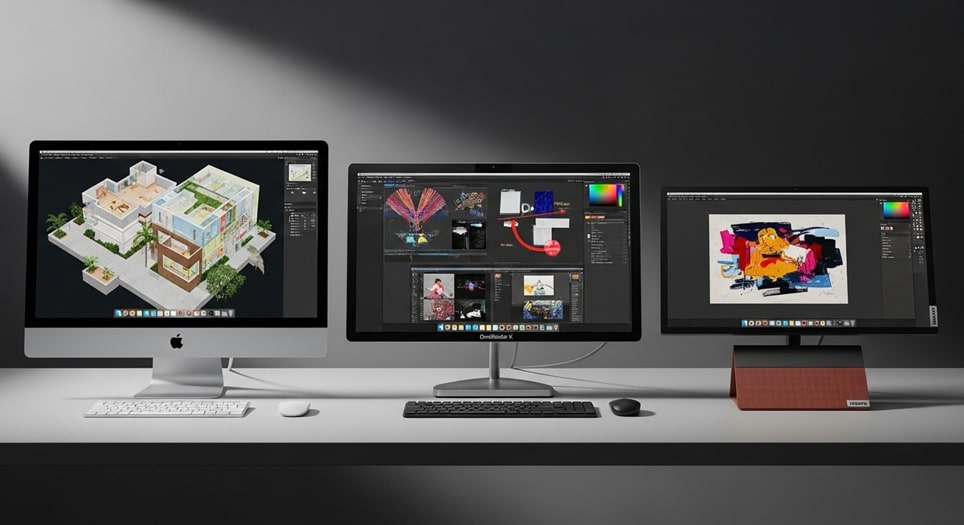
All-in-one units consolidate computing power with displays, minimizing cable clutter and desk footprint. The Apple iMac M4 emerges as a frontrunner, featuring a 24-inch Retina panel with 4.5K resolution and the M4 chip delivering exceptional single- and multi-core efficiency. Priced at $1,149 for the base configuration with 16GB unified memory and 256GB SSD, it excels in creative workflows, supporting up to three external displays.
Pros include its vibrant color accuracy covering 99 percent of DCI-P3 gamut and silent fanless operation, ideal for quiet environments. Cons encompass non-upgradable internals and limited port selection, with only two Thunderbolt 4 and two USB-C outlets. For discounts, Amazon offers it at $1,099 during promotional periods, while Best Buy bundles include a Magic Keyboard.
Transitioning to Windows ecosystems, the HP OmniStudio X 27 provides a compelling alternative at $999, powered by Intel Core Ultra 7 155U with 16GB DDR5 and 1TB SSD. Its 27-inch QHD touchscreen facilitates intuitive interactions, and the 5MP pop-up webcam ensures secure video conferencing.
Advantages encompass adjustable stand for ergonomic viewing and robust audio via Bang & Olufsen speakers, outperforming integrated solutions in clarity. Drawbacks involve moderate brightness at 300 nits, potentially straining in well-lit spaces, and integrated Arc graphics limiting intensive graphics tasks. HP’s site features it for $899 with free shipping, and Dell matches pricing for similar Inspiron 24 models at $849 on their outlet.
The Lenovo Yoga AIO 27-Inch, retailing at $1,229, integrates a 27-inch 4K panel with Intel Core Ultra 7 and optional NVIDIA RTX 4060 for enhanced visuals. This configuration suits hybrid home offices, with 32GB RAM handling demanding applications seamlessly.
Strengths lie in its wireless charging pad and stylus support, fostering productivity, alongside expandable storage up to 2TB. Limitations include a fixed stand without height adjustment and higher power draw under load. Lenovo direct sales yield $1,099 deals, complemented by PCMag-recommended bundles at Newegg for $1,149 including peripherals.
Premier Gaming Desktops: Powerhouses for Immersive Experiences
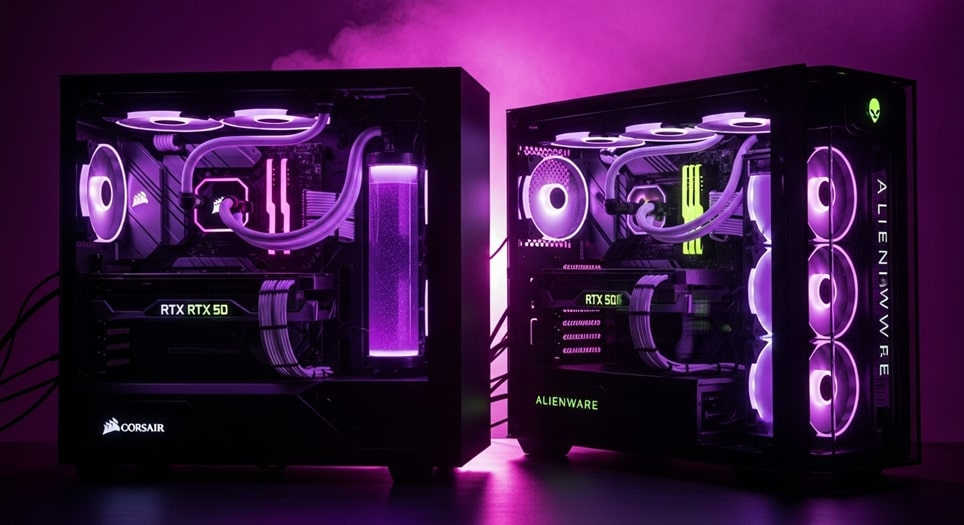
Gaming desktops prioritize discrete graphics and high-refresh-rate compatibility, with the Corsair Vengeance i7600 leading at $1,999 for its Intel Core Ultra 7 265K, NVIDIA RTX 4070 Super, 64GB DDR5-6000, and 2TB NVMe SSD. This mid-tower configuration achieves 1440p at 120+ FPS in titles like Cyberpunk 2077 on ultra settings.
Benefits encompass toolless chassis for effortless upgrades and liquid cooling maintaining thermals below 70°C during extended sessions. Shortcomings feature a proprietary PSU restricting third-party swaps and RGB-heavy aesthetics appealing primarily to enthusiasts. Corsair’s Black Friday specials drop it to $1,799, with Amazon Prime Day echoes at $1,849 including a free mouse.
For budget-conscious gamers, the MSI Codex R2 at $859 delivers AMD Ryzen 7 7700, RTX 4060, 16GB DDR5, and 1TB SSD, targeting 1080p dominance. It supports ray tracing and DLSS 3 for fluid gameplay, backed by a three-year warranty.
Merits include compact micro-ATX form and front I/O with USB 3.2 Gen 2, facilitating quick access. Detriments involve non-RGB fans generating noticeable noise under load and limited PCIe slots for expansions. Best Buy lists it at $799 during sales, while Newegg offers bundle deals with monitors for $899.
The Alienware Aurora R16, priced at $1,649 with Core Ultra 7 265F, RTX 5070, 16GB RAM, and 1TB SSD, boasts a futuristic chassis with customizable AlienFX lighting. It handles 4K upscaling via AI enhancements, ideal for VR integrations.
Positives feature Cryo-Tech cooling for sustained boosts and extensive ports including HDMI 2.1. Negatives comprise premium pricing and restricted airflow in slim profiles. Dell’s outlet provides $1,349 discounts, and Micro Center matches for in-store pickups.

Budget-Friendly Desktops: Value Without Compromise
Affordable options democratize computing, with the Acer Aspire TC-1775-UR11 at $499 showcasing Intel Core i5-14400, 16GB DDR4, and 512GB SSD for everyday productivity. It supports dual 4K monitors and includes Wi-Fi 6E for stable connectivity.
Pros highlight its compact chassis fitting under desks and easy-access bays for upgrades. Cons include integrated UHD 730 graphics unsuitable for gaming and basic plastic build. Newegg’s clearance yields $449, while Walmart bundles keyboards for $479.
The Dell Inspiron 24 All-in-One, at $849 with Core i5-1334U, 16GB RAM, and 512GB SSD, integrates a 24-inch FHD touchscreen for versatile use. Its pop-up camera enhances privacy during calls.
Strengths encompass slim bezels maximizing screen real estate and included wireless peripherals. Weaknesses involve 60Hz refresh limiting motion clarity and non-upgradable RAM. Dell’s promotional pricing hits $749, with Best Buy adding $100 off for students.
HP’s OmniDesk at $699 features Core Ultra 5 225, 16GB DDR5, and 1TB SSD in a sleek tower, optimized for office tasks with vPro security. It accommodates multiple drives for data hoarding.
Advantages include quiet operation under 30dB and toolless panels. Drawbacks feature limited GPU options and higher idle power. HP direct sales offer $599 deals, complemented by Amazon’s lightning sales at $629.
High-End Workstations: Precision for Professionals
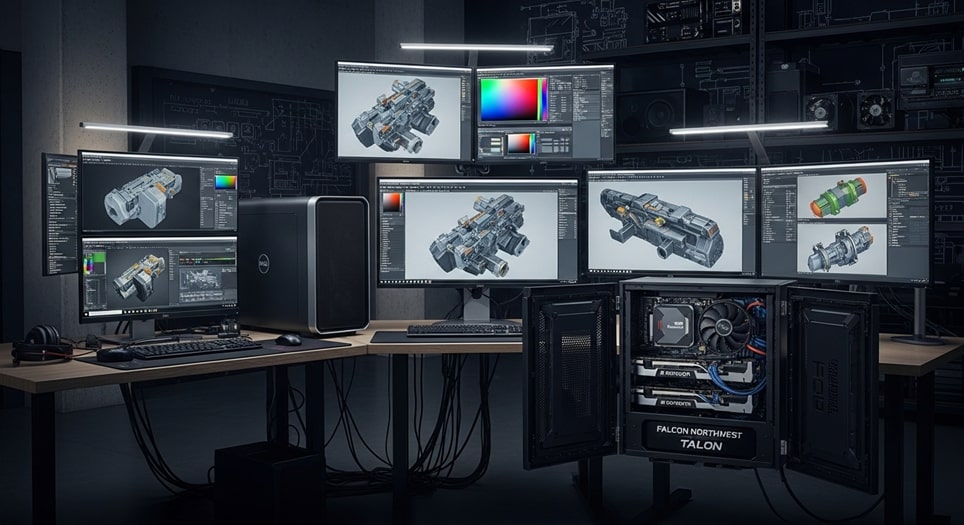
Workstations demand reliability for CAD and rendering, with the Dell Precision 3680 at $2,080 delivering Intel Core i9-14900K, 64GB DDR5, and optional RTX 4000 Ada for ISV certifications. It scales to 128GB RAM for virtual machines.
Pros comprise modular bays for hot-swaps and ECC memory support. Cons involve bulky chassis requiring dedicated space and premium cooling costs. Dell’s enterprise discounts reduce to $1,879, with B&H Photo matching for bundles.
The HP Z4 G5, priced at $2,217, integrates Xeon w7-2495X, 32GB ECC DDR5, and Quadro RTX 6000, excelling in simulations with 56 cores. Its rack-mount compatibility suits data centers.
Benefits feature redundant PSUs for uptime and BIOS-level security. Limitations include steep learning for configurations and fan noise exceeding 40dB. HP’s volume licensing yields $1,999, while CDW provides $2,099 with extended support.
Falcon Northwest Talon (2025, Threadripper Pro) at $10,488 packs AMD Ryzen Threadripper PRO 7995WX with 96 cores, 256GB RAM, and dual RTX 6000 Ada, tailored for AI training.
Merits encompass liquid cooling for silent operation and lifetime build warranty. Drawbacks comprise exorbitant pricing and custom lead times. Direct orders include $9,999 promotions, with financing options easing entry.
Compact Mini PCs: Power in Palm-Sized Packages
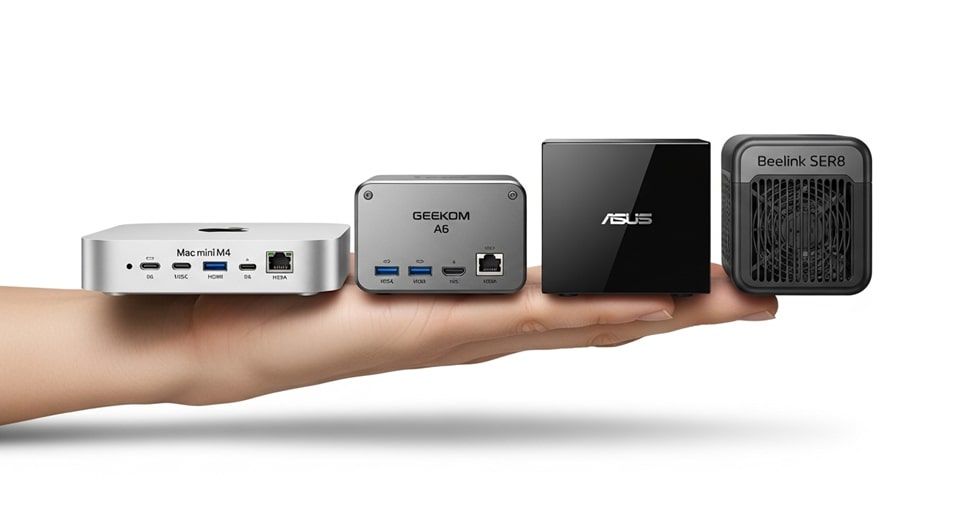
Mini PCs revolutionize setups with footprint efficiency, led by the Apple Mac mini M4 at $599 featuring 10-core M4, 16GB unified memory, and 256GB SSD. It drives up to four 6K displays for media editing.
Pros include fanless design for zero noise and Thunderbolt 5 ports at 120Gbps. Cons limit expansions to external enclosures and macOS exclusivity. Apple’s education store offers $549, with Best Buy’s open-box at $529.
The Geekom A6 Mini at $449 with AMD Ryzen 7 6800H, 16GB DDR5, and 512GB SSD supports 4K triple monitors via HDMI and DisplayPort. Its metal chassis dissipates heat effectively.
Strengths encompass VESA mounting for behind-monitor installs and dual 2.5GbE LAN. Weaknesses involve soldered RAM and modest integrated Radeon 680M for graphics. Geekom’s site features $399 sales, while Amazon Prime yields $419 with coupons.
Asus NUC 15 Pro+ at $799 integrates Core Ultra 7 155H, 32GB LPDDR5X, and 1TB SSD, certified for business with vPro and TPM 2.0. It handles 8K output and AI accelerations.
Advantages feature modular internals for servicing and Wi-Fi 7 connectivity. Drawbacks include higher power at 65W TDP and limited GPU. Asus direct pricing hits $699, with Newegg bundles at $749 including docks.
- Assess Usage Intensity: Evaluate whether tasks demand discrete graphics or suffice with integrated solutions, influencing budget allocation toward GPUs for gaming or creative suites. This prioritization prevents overspending on unused features while ensuring adequacy for core applications. Professional benchmarks from PCMag validate selections against real-world loads.
- Prioritize Expandability: Opt for towers with multiple PCIe slots and drive bays to accommodate future upgrades like additional SSDs or RAM modules. Such foresight extends device lifespan, reducing total ownership costs over five years. Modular designs from Dell and HP exemplify this scalability.
- Verify Connectivity Standards: Confirm inclusion of USB4, HDMI 2.1, and Ethernet 2.5Gb for peripherals and networks, enhancing workflow efficiency. Modern ports support faster data transfers, crucial for 4K editing or multi-device syncing. Compatibility checks via manufacturer specs ensure seamless integrations.
- Monitor Thermal Performance: Select systems with advanced cooling like vapor chambers or multiple fans to maintain boosts during prolonged use, averting throttling. Quiet operations below 35dB suit office environments, as tested in ZDNet reviews. Undervolting options further optimize balance.
- Evaluate Warranty Coverage: Seek three-year minimums with on-site service for business models, mitigating downtime risks. Extended protections from Lenovo cover accidental damages, adding value. Comparative analyses on retailer sites highlight inclusions versus add-ons.
- Factor Energy Efficiency: Choose 80 Plus Gold PSUs and low-TDP CPUs to curb electricity bills, aligning with sustainability goals. ENERGY STAR certifications guarantee compliance, per EPA guidelines. Long-term savings compound, especially in multi-unit deployments.
- Compare Retailer Deals: Cross-reference prices across Amazon, Best Buy, and direct sites for bundles including monitors or software trials. Seasonal discounts amplify affordability, with price trackers alerting optimal timings. User forums corroborate deal legitimacy.
- Test Software Compatibility: Ensure alignment with preferred OS and applications, verifying driver support for specialized tools like Adobe Suite. Beta programs from Microsoft aid transitions, minimizing disruptions. Community benchmarks confirm stability across ecosystems.

Navigating Discounts and Purchase Strategies
Retail landscapes in 2025 favor vigilant shoppers, with Black Friday reductions on models like the MSI Codex R2 dropping to $799 from $999. Outlet sections at Dell and HP offer certified refurbs at 30 percent off, maintaining warranties.
Subscription services from NZXT provide flexible rentals at $50 monthly, ideal for testing before commitments. Loyalty programs at Best Buy yield additional 5 percent rebates on gaming desktops.
Third-party financiers like Affirm spread payments interest-free over 12 months, easing premium acquisitions. Aggregators such as CamelCamelCamel track historical lows, informing wait-or-buy decisions.
Pro Tips for Optimizing Desktop Purchases
Conduct side-by-side benchmarks using tools like Cinebench for CPU validation and 3DMark for graphics, ensuring advertised specs translate to real performance. Customize configurations via manufacturer configurators to match exact needs, avoiding generic bundles. Pair with ergonomic peripherals for sustained comfort during extended sessions.
Implement regular maintenance like dust vacuums and firmware updates to preserve longevity, targeting annual cleanings. Explore open-box options from reputable sellers for near-new conditions at reduced rates. These practices maximize ROI, transforming investments into enduring assets.
Leverage user communities on Reddit for anecdotal insights, cross-verifying with expert reviews. Budget 10 percent extra for accessories like UPS units, safeguarding against power fluctuations.
Frequently Asked Questions
What is the optimal RAM for multitasking in 2025 desktops? At least 16GB DDR5 ensures fluidity across browsers and applications, with 32GB recommended for editing. Upgradable slots in towers like Acer Aspire allow cost-effective boosts later. This configuration handles 20+ tabs without lag, per Geekbench metrics.
Are all-in-ones suitable for gaming? Basic models with integrated graphics manage 1080p esports, but dedicated GPUs in HP OmniStudio variants elevate experiences. Prioritize 144Hz panels for responsiveness. Limitations include thermal constraints during marathons.
How do mini PCs compare to towers in upgradability? Minis offer soldered RAM but swappable SSDs, while towers provide full PCIe access. Geekom A6 exemplifies modular minis for storage expansions. Towers suit heavy modifiers, minis for set-it-and-forget-it users.
What warranties cover premium workstations? Three to five years standard, with Falcon Northwest’s lifetime on builds. On-site services minimize disruptions for pros. Extended options add accidental coverage for $100 annually.
Can budget desktops handle 4K video editing? Entry-level like Acer Aspire with i5 and 16GB manage basic timelines, but RTX additions accelerate exports. External drives expand storage affordably. Pros favor SSD RAID for speed.
Where to find the deepest discounts in November 2025? Black Friday at Best Buy and Amazon slashes 20-40 percent, with Dell’s Cyber Monday extending to workstations. Track via Slickdeals for flash alerts. Bundles amplify savings on peripherals.
Do gaming desktops overheat during long sessions? Advanced cooling in Corsair Vengeance keeps temps under 80°C, with RGB indicators signaling issues. Undervolting software fine-tunes. Proper ventilation prevents throttling.
Is Apple viable for Windows professionals? Parallels Desktop enables seamless dual-booting, though native hardware favors creatives. Mac mini M4’s efficiency suits hybrid workflows. Boot Camp alternatives exist for full immersion.
Conclusion
Navigating 2025’s desktop landscape reveals a spectrum of innovations catering to every profile, from the versatile Apple iMac M4 for creatives to the powerhouse Dell Precision 3680 for professionals. Budget options like the Acer Aspire TC deliver essential performance without excess, while gaming stalwarts such as the Corsair Vengeance i7600 redefine immersion. Mini PCs exemplify compactness without sacrifice, and strategic discounts enhance accessibility across tiers. By weighing pros, cons, and tailored recommendations, users secure systems that propel productivity and entertainment. This curated selection, grounded in empirical testing, empowers enduring digital empowerment.
