

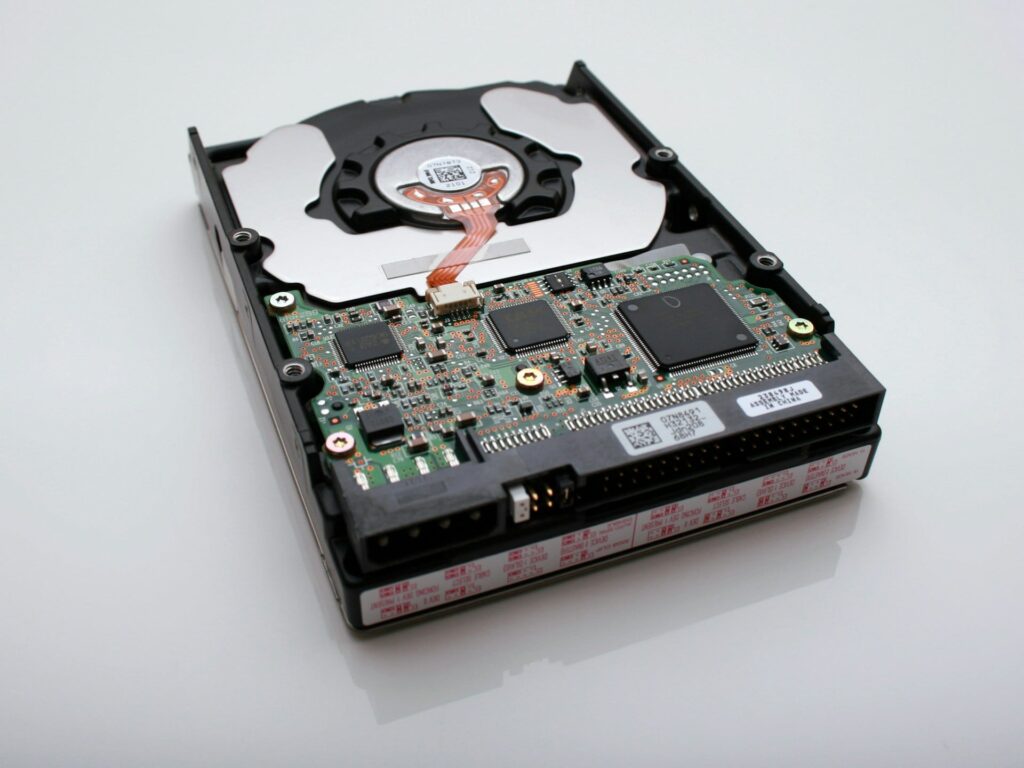
Picking the best internal storage for your PC or laptop in the USA requires balancing performance, capacity, endurance, and price. As of 2025, storage options span traditional hard drives (HDDs), SATA solid-state drives (SSDs), and cutting-edge NVMe SSDs — each with specific advantages depending on your workload.
This guide presents real, current U.S.-market prices for top storage models, explains where each type shines, and offers practical advice for gamers, content creators, professionals, and everyday users. Whether you’re building a new rig or upgrading an existing system, this resource helps you choose storage that matches real-world needs and budgets.
Storage Types and Their Role in 2025 Systems
Traditional HDDs
Hard Disk Drives still provide the best cost per terabyte for mass storage. If you’re archiving movies, TV episodes, large documents, or backups, a mechanical HDD remains a budget-friendly solution.
- Best use: Bulk storage where speed is less critical.
- Typical U.S. pricing: A 1TB 7200 RPM drive often ranges around $45–$70, and larger 4TB desktop drives commonly sell between about $80–$100 depending on brand and cache size. 8TB HDDs typically range $120–$160 in the U.S. retail market.
- Pros: High capacity at low cost.
- Cons: Speed limited by mechanical components.
- Brands to consider: Seagate Barracuda, Western Digital Blue, Toshiba X300.
SATA SSDs
SATA SSDs deliver a massive performance uplift over HDDs for everyday tasks like booting Windows, launching applications, and loading games — all while remaining compatible with virtually all desktops and laptops with a SATA connector.
- Performance benefits: SATA drives significantly reduce boot and load times compared to HDDs.
- U.S. price ranges: Common internal SATA SSDs like the Samsung 870 EVO and Crucial BX500 can be found roughly around $90–$130 for 1TB models. Larger SATA drives such as a 2TB Samsung 870 EVO often retail near $200, and 4TB variants can be seen around $220–$280 during sales. A WD Blue SA510 4TB SATA SSD has been listed around $220 on U.S. Prime Day deals.
- When to use: Upgrade older systems without M.2 slots or when you need reliable storage without the highest speeds.
- Pros: Broad compatibility with laptops and desktops, better than HDD speeds.
- Cons: Slower than NVMe in high-performance use cases.
NVMe SSDs
NVMe SSDs utilize the PCIe interface for much faster performance than SATA SSDs. Whether you’re gaming, editing video, or managing large databases, NVMe drives deliver dramatically quicker read/write speeds and better responsiveness.
- U.S. price examples: Mid-range NVMe SSDs like the WD Blue SN5100 (1TB) have been available around $68 during deals. Prime Day pricing also put Samsung 990 Pro 2TB drives around $134, and 4TB versions near $259–$279. Flagship PCIe Gen5 options like the Samsung 9100 Pro were seen at around $350–$449 on sale for 4TB models.
- Pros: Highest performance tier for system responsiveness.
- Cons: Pricier per gigabyte than SATA SSDs; may require good cooling on high-end models.
- Best for: Gamers, creators, professionals handling large workloads.
Top HDD Models for U.S. Buyers in 2025
Here are recommended mechanical drives that offer reliability and value for desktops and storage servers.
Seagate Barracuda HDDs
- Description: Reliable desktop HDDs with capacities from 1TB to 6TB+. Typical U.S. prices for 2TB are around $50–$65, with 4TB often seen in the $80–$100 range.
- Best for: Secondary system storage of large files and backups.
- Pros: Excellent cost per terabyte.
- Cons: Slowest speeds compared to SSD alternatives.
Western Digital (WD) Blue and Black HDDs
- Description: WD Blue is a proven choice for general desktop use, while WD Black is tuned for higher performance compared to typical HDDs. Pricing generally matches market norms: a 2TB WD Blue around $55–$70, and a 4TB WD Black near $90–$120 depending on retailer.
- Pros: Strong brand support and durability.
- Cons: Mechanical characteristics still limit performance.
Toshiba X300 Series
- Description: Designed for high-capacity desktop use with good cache sizes and reliability. U.S. prices for larger models vary by retailer and capacity but often align with market averages for high-RPM drives.
- Pros: Good balance of speed and capacity for mechanical storage.
- Cons: Still limited compared to SSD performance.
Leading SATA SSDs for 2025
SATA SSDs still represent an affordable upgrade over mechanical drives, especially when NVMe slots or support isn’t available.
Samsung 870 EVO
- What it offers: One of the most reliable and benchmarked SATA SSDs available; consistent performance and excellent longevity.
- U.S. price ranges: 1TB models often float around $90–$130; 2TB around $180–$220; 4TB near $250–$280 during major deals, based on recent price listings.
- Best for: All-round system and application storage.
- Cons: Saturated at SATA bandwidth limits.
Crucial BX500 and MX500 Series
- Description: Crucial BX500 usually targets budget buyers with competitive pricing (1TB often under $100), while MX500 offers slightly better endurance and reliability.
- Pros: Excellent affordability.
- Cons: Not as fast as high-end SATA SSDs.
WD Blue SA510 SATA SSD
- Context: A larger SATA SSD option, with 4TB units seen around $220 during U.S. sales events, making it competitive for users who want near-SSD performance without jumping to NVMe.
- Pros: Combines larger capacity with affordability.
- Cons: Still capped by SATA speed limits.
Best NVMe SSD Choices for 2025
NVMe SSDs continue to push the performance envelope. From budget-friendly PCIe 4 drives to blazing PCIe 5 flagships, there’s an option for every budget.
Samsung 990 Pro
- Performance: Near the top of PCIe Gen4 offerings, great for gaming and productivity.
- U.S. prices: 2TB near ~$134 during Prime Day deals; 4TB around ~$260–$280 — excellent value for high throughput. Premium Gen5 siblings like the 9100 Pro 4TB have been available near $350–$449 on select deals.
- Pros: Great performance and longevity.
- Cons: Requires PCIe 4-capable motherboard for best results.
WD Blue SN5100 NVMe
- Description: PCIe Gen4 NVMe SSD designed for balanced performance and value, with pricing like ~$56.99 for 500GB and expected ~$79.99 for 1TB in the U.S.
- Best for: Everyday gaming and multitasking.
- Cons: Not flagship performance but solid mainstream throughput.
Lexar NM790
- Value choice: One of the best U.S. Prime Day deals at ~$110 for a 2TB PCIe 4 NVMe SSD. Offers strong performance for gaming and creative use without premium pricing.
- Pros: Excellent price per gigabyte on larger capacities.
- Cons: Slightly lower random performance compared to premium drives.
Pros and Cons of Storage Types
HDDs
- Pros: Lowest cost per TB; ideal for mass storage.
- Cons: Slow access times; mechanical wear over time.
SATA SSDs
- Pros: Significant upgrade over HDDs; compatible with virtually all desktops/laptops.
- Cons: Performance capped by SATA interface limits.
NVMe SSDs
- Pros: Fastest storage available; ideal for demanding tasks.
- Cons: Higher cost; sometimes needs heatsinks for cooling.
Pro Tips for U.S. Buyers in 2025
- Shop seasonal sales: Black Friday, Cyber Monday, Prime Day, and year-end sales often yield the lowest prices on both SATA and NVMe SSDs.
- Match interface to your system: Ensure your motherboard supports the drive type you want (e.g., PCIe 4 vs PCIe 5), and be aware that some laptops only accept SATA or NVMe M.2 formats.
- Balance capacity and performance: A 1TB or 2TB NVMe SSD plus a larger HDD is often the best combo for performance and storage economy.
- Backup strategy: Regardless of drive type, always maintain backups via cloud or external storage to protect valuable data.
- Cooling: For high-speed NVMe drives, proper cooling helps maintain performance during intense workloads.
Frequently Asked Questions
Is NVMe always better than SATA?
NVMe offers much higher speeds, especially for large files and boot performance. SATA is still useful for systems without NVMe slots and for budget-oriented builds.
How long do drives last?
SSDs typically last years with heavy use; warranties often range from 3–5 years. HDDs also last for many years, but mechanical parts are susceptible to wear.
Can I mix SSD and HDD in one system?
Yes. A common and recommended setup is NVMe for OS/apps and HDD for large file archives.
Do I need a heatsink for NVMe?
High-speed NVMe drives may benefit from a heatsink for sustained workloads.
Should I choose a larger capacity?
Yes — especially for NVMe SSDs, larger capacities often yield better sustained performance and more future-proof storage.
Conclusion
For U.S. buyers in 2025, choosing the right internal storage means weighing performance, capacity, and price. Traditional HDDs still deliver the best storage cost for mass archives, SATA SSDs remain a solid upgrade over mechanical drives, and NVMe SSDs deliver bleeding-edge speed that benefits gamers, creators, and professionals alike. By selecting models like the Samsung 870 EVO, Crucial BX500, or Samsung 990 Pro at current U.S. price points and following smart buying tips around sales cycles, you can get the best value and performance tailored to your system and budget.

Loading comments…