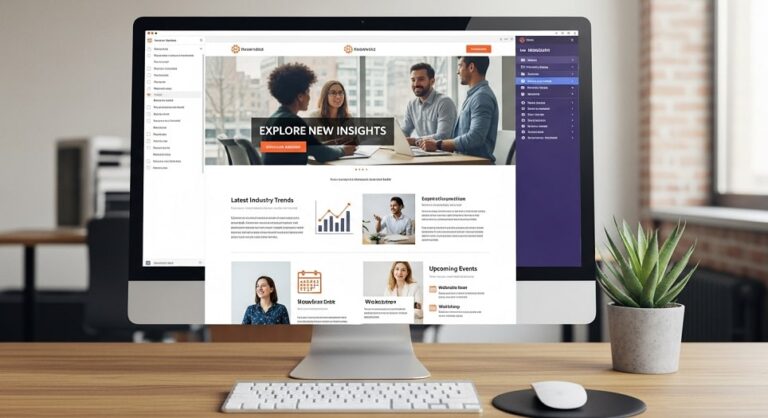
In the fast-paced world of digital marketing, email newsletters remain a powerful tool for connecting with audiences, driving traffic, and boosting conversions. With inboxes more crowded than ever, standing out requires more than just compelling content; it demands thoughtful design that captures attention and encourages interaction. As we move into 2026, incorporating the latest trends like mobile optimization and AI-driven personalization can make all the difference in open rates and engagement.
Effective email newsletter design starts with understanding that every element, from the header to the footer, plays a role in the user experience. A well-designed newsletter not only reflects your brand’s identity but also guides subscribers seamlessly toward your desired actions. Whether you’re promoting products, sharing insights, or building community, these best practices ensure your emails are visually appealing, accessible, and results-oriented.
This guide walks you through a step-by-step process to create high-performing email newsletters. By focusing on simplicity, relevance, and innovation, you’ll learn how to craft designs that resonate with subscribers and adapt to evolving preferences. Let’s dive into the foundational steps to elevate your email strategy.
The first step in designing an impactful email newsletter is to clearly define your audience and set specific goals. Without this foundation, even the most beautiful design can fall flat. Begin by researching your subscribers’ demographics, behaviors, and preferences through data from past campaigns or surveys. For instance, if your audience consists mainly of busy professionals, prioritize concise, scannable content over lengthy narratives.
Step 1: Define Your Audience and Goals
Once you have audience insights, align them with your objectives. Are you aiming to increase sales, educate readers, or foster loyalty? Goals should be measurable, such as achieving a 20% click-through rate or growing your subscriber list by 15%. This clarity influences every design choice, from color schemes to call-to-action placement.
Consider segmenting your list to tailor designs further. For example, create variations for new subscribers versus long-term ones, ensuring relevance that boosts engagement. Remember, a goal-oriented approach keeps your newsletter focused and effective.
With your audience and goals in mind, select tools that streamline the design process. Popular platforms offer drag-and-drop builders, making it easy to create professional newsletters without coding expertise. Look for features like responsive templates, automation, and analytics integration to save time and track results.
Step 2: Choose the Right Tools and Platforms
Evaluate options based on your needs. If you’re a small business, opt for user-friendly interfaces with affordable plans. For larger teams, prioritize collaboration tools and advanced segmentation. Always test a few platforms to ensure they align with your workflow.
Incorporate design software for custom elements, such as creating unique graphics or editing images. These tools help maintain brand consistency while allowing creativity. By choosing wisely, you’ll build newsletters that are both efficient to produce and visually stunning.
The layout forms the skeleton of your newsletter, determining how information flows and captures attention. Start with a single-column structure for simplicity, especially on mobile devices, or use multi-column for more complex content like product showcases.
Step 3: Craft the Layout and Structure
Apply visual hierarchy by placing the most important elements at the top. Use headings to break up sections, guiding readers through the content. Incorporate white space generously to prevent clutter and improve readability.
Experiment with patterns like the Z-layout, where elements draw the eye in a zigzag path, ideal for promotional emails. Ensure balance between text and visuals to keep subscribers engaged without overwhelming them.
Visuals are crucial for making your newsletter memorable and shareable. Select high-quality images, icons, or GIFs that complement your message and align with your brand. Avoid overloading with graphics; aim for a 60:40 text-to-image ratio to maintain fast loading times.
Step 4: Incorporate Visual Elements
Use color psychology to evoke emotions—blues for trust, reds for urgency. Add subtle animations like micro-interactions for interactivity, but ensure they don’t distract. For example, a fading-in CTA can draw attention without being intrusive.
Always optimize images for web use, compressing them to reduce file sizes. This step enhances the aesthetic appeal while supporting your content’s narrative.
Mobile users account for over half of email opens, so design with small screens in mind from the start. Use responsive templates that adapt layouts automatically, ensuring buttons are large enough to tap and text is legible without zooming.
Step 5: Optimize for Mobile and Accessibility
Enhance accessibility by adding descriptive alt text to images, using high-contrast colors, and structuring content with proper headings for screen readers. Test on various devices to catch issues early.
Incorporate inclusive practices like avoiding flashing elements that could trigger sensitivities. These efforts not only broaden your reach but also build trust with diverse audiences.
Personalization turns generic newsletters into tailored experiences, increasing open rates significantly. Use subscriber data to customize greetings, content recommendations, or offers based on past interactions.
Step 6: Implement Personalization Techniques
Leverage dynamic content blocks that change based on user segments, such as location or purchase history. This makes emails feel relevant and valued, fostering stronger connections.
Start small with name merges in subject lines, then expand to behavioral triggers. Monitor responses to refine your approach, ensuring personalization enhances rather than invades privacy.
Compelling content is the heart of your newsletter. Write concise, benefit-focused copy that addresses subscriber pain points or interests. Use active voice and short sentences for clarity.
Step 7: Write Compelling Content
Structure text with subheadings, bullet points, and bold key phrases to facilitate skimming. Infuse storytelling to make information relatable and engaging.
Avoid jargon unless your audience is specialized, and always proofread for errors. Strong content paired with great design drives the desired outcomes.
CTAs are your newsletter’s action drivers. Design them to stand out with contrasting colors, bold text, and ample spacing. Use action-oriented language like “Get Started Now” to prompt immediate response.
Step 8: Design Effective Calls to Action
Place CTAs strategically—once at the top for quick wins and again at the bottom for thorough readers. Limit to one primary per section to avoid confusion.
Test variations in wording, size, and placement to optimize conversions. Effective CTAs bridge the gap between interest and action seamlessly.
Before sending, rigorously test your newsletter. Preview on multiple email clients and devices, checking for rendering issues or broken links.
Step 9: Test and Iterate
Conduct A/B tests on elements like subject lines, layouts, or visuals to gather data on what resonates. Analyze results to make informed adjustments.
Iterate based on feedback, refining designs over time. This ongoing process ensures your newsletters evolve with audience preferences.
After launch, track key metrics like open rates, click-throughs, and unsubscribes. Use platform analytics to identify strengths and weaknesses.
Step 10: Monitor Performance and Refine
Set benchmarks and compare against industry standards. Adjust future designs based on insights, such as tweaking visuals if engagement is low.
Regular monitoring keeps your strategy agile, maximizing ROI from your email efforts.
To elevate your designs further, consider these expert insights:
Pro Tips
- Maintain a consistent sending schedule to build anticipation among subscribers. Consistency reinforces brand reliability and can improve deliverability over time. For example, weekly newsletters help establish a routine, while monthly ones allow for deeper content dives.
- Integrate social proof elements like testimonials or user-generated content. This builds credibility and encourages shares, expanding your reach organically. Place them strategically near CTAs to boost conversion confidence.
- Experiment with interactive elements such as polls or quizzes. These increase engagement by making emails participatory, providing valuable data on preferences. Ensure they load quickly to avoid frustration.
- Focus on sustainability by minimizing heavy attachments and optimizing code. Lighter emails reduce energy consumption in data centers, appealing to eco-conscious audiences. Use tools that compress assets automatically.
- Leverage AI for content suggestions and layout optimizations. Tools can analyze past performance to recommend improvements, saving time while enhancing relevance. Start with simple integrations for subject line generation.
- Incorporate urgency without overdoing it, like limited-time offers. This motivates quick actions but use sparingly to maintain trust. Pair with clear benefits to justify the haste.
- Collaborate with team members for fresh perspectives. Cross-department input can uncover innovative ideas, ensuring designs appeal broadly. Schedule regular reviews to refine collectively.
Address common queries to help subscribers implement these practices effectively.
Frequently Asked Questions
What is the ideal length for an email newsletter?
The optimal length varies by goal, but aim for brevity—around 200-500 words for most newsletters. Focus on value-packed content that subscribers can read in under five minutes. Longer formats work for educational pieces, but use sections to make them navigable.
How often should I send email newsletters?
Frequency depends on your audience and content type. Weekly sends suit timely updates, while monthly works for in-depth insights. Monitor engagement; if opens drop, reduce frequency to avoid fatigue. Always prioritize quality over quantity.
Why is mobile optimization crucial?
With most emails opened on mobiles, non-optimized designs lead to high bounce rates. Responsive layouts ensure usability, improving satisfaction and metrics. Test regularly to catch device-specific issues early.
How can I improve open rates?
Craft intriguing subject lines that promise value or spark curiosity. Personalize them and send at peak times based on audience data. Consistent branding in previews also builds recognition, encouraging opens.
What tools are best for beginners?
Start with intuitive platforms offering free tiers and templates. These provide drag-and-drop ease without steep learning curves. As you grow, add advanced features for analytics and automation.
How do I handle unsubscribe rates?
High unsubscribes signal irrelevance or overload. Refine targeting, offer frequency options, and include easy preference centers. Analyze exit reasons to adjust content and design accordingly.
Can I use videos in newsletters?
Yes, embedded videos or thumbnails linking to hosts enhance engagement. Ensure they autoplay minimally and include captions for accessibility. Balance with text for users with data limits.
What role does color play in design?
Colors influence emotions and actions—use brand palettes consistently. High-contrast improves readability, while accents highlight CTAs. Test combinations to ensure they align with cultural perceptions.
How to measure design success?
Track metrics beyond opens, like click-throughs and conversions. Heatmaps show interaction hotspots, guiding refinements. Compare against benchmarks to gauge effectiveness.
Should I include social sharing buttons?
Absolutely, as they amplify reach. Place them in footers or near shareable content. Encourage with incentives, turning subscribers into advocates.
Mastering email newsletter design requires blending creativity with data-driven decisions. By following these steps—from defining goals to monitoring performance—you’ll create newsletters that not only captivate but also deliver measurable results. Embrace trends like personalization and mobile-first approaches to stay ahead in 2026.
Conclusion
Remember, the key is iteration: test, learn, and refine. With consistent effort, your emails will foster lasting subscriber relationships, driving growth for your brand. Implement these strategies today for tomorrow’s success.