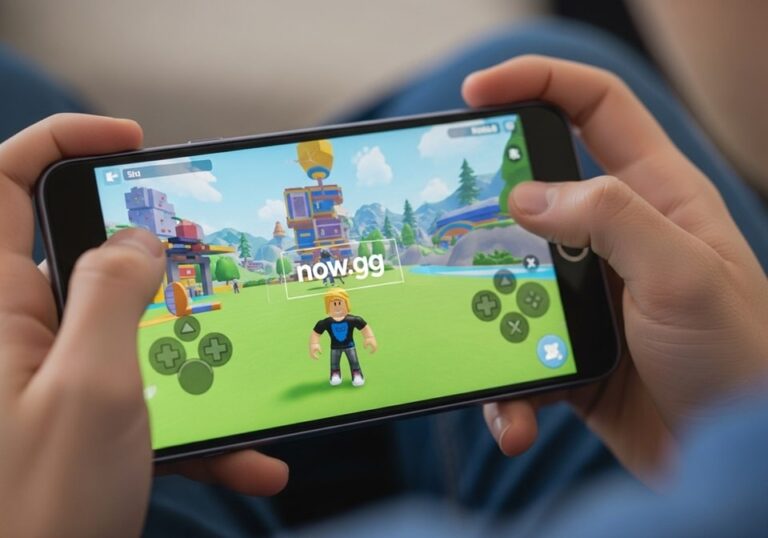
Roblox has transformed the gaming landscape by empowering millions of users to create, share, and play in immersive virtual worlds. This comprehensive guide is designed for beginners and aspiring developers who want to harness the platform’s tools to build their own games and master the basics of coding with Lua. From navigating Roblox Studio to designing engaging environments and scripting interactive gameplay, this step-by-step tutorial covers everything you need to start creating on one of the world’s largest user-generated gaming platforms.
Getting Started with Roblox and Roblox Studio
To begin your journey as a Roblox creator, you need to set up your account and familiarize yourself with the platform’s core tools. Start by creating a free Roblox account on the official website. Choose a username that reflects your creative identity, as it will be visible to players in your games. Once registered, download Roblox Studio, the free development environment where all game creation happens. This powerful tool allows you to design 3D worlds, customize assets, and script gameplay mechanics.
After installing Roblox Studio, log in with your account credentials and explore the interface. The main workspace includes a viewport for 3D modeling, a toolbar for common actions, and panels for managing properties, scripts, and assets. Spend time navigating the menus and experimenting with basic functions, such as moving objects or adjusting the camera. Understanding the layout early on will make the development process smoother.
Creating Your First Roblox World
Building a world in Roblox Studio starts with designing the environment. When you open a new project, you’ll see a default baseplate—a flat surface where your game begins. To create a unique setting, use the terrain editor to sculpt landscapes, add water, or generate hills. For example, you can craft a forested area for an adventure game or a futuristic city for a role-playing experience.
To add objects, use the “Part” tool to insert basic shapes like blocks, spheres, or cylinders. Customize their size, color, and material (e.g., wood, metal, or glass) through the Properties panel. Group related objects, such as a house’s walls and roof, to keep your project organized. For more complex designs, import free models from the Roblox Toolbox, but ensure they’re safe and optimized to avoid performance issues.
Lighting and atmosphere are crucial for immersion. Adjust the time of day or add fog effects in the Lighting settings to set the mood. For instance, a horror game might use dim lighting and heavy fog, while a racing game could feature bright, clear skies. Test your world frequently by pressing the “Play” button to ensure the environment feels cohesive and navigable.
Introduction to Scripting with Lua
Scripting brings your Roblox world to life by adding interactivity. Roblox uses Lua, a lightweight programming language that’s beginner-friendly yet powerful. To start, insert a Script object into your game from the Explorer panel. Double-click the script to open the coding editor, where you’ll write Lua code to control game mechanics.
Here’s a simple example to make an object disappear when clicked:
local part = script.Parent
part.Touched:Connect(function(hit)
    part.Transparency = 1
    part.CanCollide = false
end)
In this code, the script listens for a “Touched” event on a part (e.g., a block). When triggered, the part becomes invisible and non-collidable. Experiment with basic scripts like this to understand how Lua manipulates objects. Roblox’s official Developer Hub offers extensive documentation and tutorials for learning Lua, including how to create loops, variables, and functions.
Designing Engaging Gameplay Mechanics
A great Roblox game needs compelling mechanics to keep players engaged. Start by defining your game’s objective, such as collecting items, completing quests, or competing in races. Use scripts to implement these mechanics. For example, in a treasure hunt game, you could script a system where players earn points for finding hidden objects.
To enhance gameplay, incorporate these elements:
- Interactive Objects: Add buttons, levers, or doors that trigger events when activated. For instance, a button could open a secret passage when pressed.
- Scoring System: Track player progress with a leaderboard or points system. Use Lua to update scores when players complete tasks.
- Multiplayer Features: Enable teamwork or competition by adding team-based mechanics or versus modes. Ensure scripts handle multiple players smoothly.
- Quests or Missions: Create objectives with clear goals, such as defeating enemies or solving puzzles. Reward players with in-game currency or items.
- Dynamic Environments: Use scripts to change the world in real-time, like shifting platforms or spawning obstacles, to keep gameplay fresh.
Test each mechanic thoroughly to ensure it works as intended. Invite friends to playtest your game and provide feedback on what feels fun or needs improvement.
Customizing Avatars and Assets
Roblox’s avatar system allows players to personalize their characters, which enhances engagement. As a developer, you can create custom clothing, accessories, or animations for your game. Use Roblox Studio’s built-in tools or external software like Blender to design 3D models, then import them as assets. Ensure your creations comply with Roblox’s community standards to avoid moderation issues.
For clothing, design shirts or pants using templates from the Roblox Developer Hub. Upload your designs to the marketplace, where players can purchase them with Robux, the platform’s virtual currency. You can also script custom avatar behaviors, such as unique animations for specific actions like waving or dancing, to make your game stand out.
Publishing and Monetizing Your Game
Once your game is polished, it’s time to share it with the Roblox community. In Roblox Studio, click “File” and select “Publish to Roblox.” Fill out the game’s details, including a title, description, and thumbnail image. Choose whether your game is public or private, and set an age rating based on its content. After publishing, your game will be accessible to players worldwide.
Monetization is a key incentive for many developers. You can earn Robux through:
- Game Passes: Offer special perks, like exclusive items or abilities, for a one-time Robux purchase. For example, a game pass could grant a faster vehicle in a racing game.
- Developer Products: Sell consumable items, such as health potions or extra lives, that players can buy multiple times.
- Premium Payouts: Earn Robux based on how long Premium subscribers play your game. Focus on creating engaging content to maximize this revenue.
- Developer Exchange (DevEx): Convert earned Robux into real money through Roblox’s DevEx program, available to developers who meet specific criteria, such as earning a minimum amount of Robux.
Promote your game by sharing it on social media, Roblox groups, or YouTube. Engage with players through updates and respond to feedback to build a loyal community.
Optimizing Performance and Troubleshooting
A smooth game experience is critical for player retention. Optimize your game by reducing lag and ensuring compatibility across devices. Use the “Model” tab to check your game’s performance metrics, such as memory usage and frame rate. Simplify complex models, limit particle effects, and avoid overloading scripts to maintain performance.
Common issues and their fixes include:
- Script Errors: Check the Output panel in Roblox Studio for error messages. Debug by testing small sections of code to isolate problems.
- Collision Issues: Ensure objects have correct “CanCollide” settings to prevent players from passing through walls or falling through floors.
- Lighting Glitches: Adjust shadow settings or remove unnecessary light sources to fix visual bugs.
- Slow Loading: Optimize textures and models to reduce file sizes, ensuring faster load times for players.
Regularly update your game to fix bugs and introduce new features based on player feedback.
Pro Tips for Roblox Developers
Elevate your game creation skills with these expert tips:
- Plan Before Building: Sketch your game’s concept, including its theme, mechanics, and target audience, to stay focused during development. A clear plan reduces wasted time and ensures a cohesive experience.
- Leverage Community Resources: Explore the Roblox Developer Forum and YouTube tutorials for advanced techniques and inspiration. Engaging with other developers can spark new ideas.
- Focus on User Experience: Design intuitive controls and clear instructions to make your game accessible to new players. A welcoming experience encourages longer playtime.
- Experiment with Genres: Try blending genres, like combining adventure and puzzle elements, to create unique games that stand out in the crowded Roblox marketplace.
- Backup Your Work: Save your project frequently and use Roblox’s cloud-saving feature to avoid losing progress due to crashes or errors.
Frequently Asked Questions
Do I need coding experience to create a Roblox game?
No, you can start with basic world-building in Roblox Studio without coding. However, learning Lua will allow you to add interactive features and complex mechanics, enhancing your game’s appeal.
How long does it take to make a Roblox game?
The timeline varies based on complexity. A simple game with basic mechanics might take a few weeks, while a detailed multiplayer game could require months of work, especially for solo developers.
Can I make money from my Roblox game?
Yes, through game passes, developer products, and Premium payouts. Successful developers can also join the Developer Exchange program to convert Robux into real currency.
What are the best resources for learning Roblox development?
The Roblox Developer Hub, YouTube tutorials, and the Developer Forum are excellent starting points. They offer guides, code samples, and community support for all skill levels.
How do I make my game popular?
Focus on creating engaging gameplay, polish your game’s visuals, and promote it through social media and Roblox groups. Regular updates and community engagement also help build a player base.
Conclusion
Creating a Roblox game is an exciting journey that combines creativity, technical skills, and community engagement. By mastering Roblox Studio, learning Lua scripting, and designing engaging gameplay, you can build immersive worlds that captivate players worldwide. This guide has walked you through the essential steps, from setting up your first project to publishing and monetizing your game. With practice, optimization, and a focus on player experience, your Roblox creations can stand out in a competitive marketplace. Whether you’re aiming to entertain friends or build a career in game development, the tools and knowledge provided here will set you on the path to success. Start building today, and let your imagination shape the next big Roblox hit.