

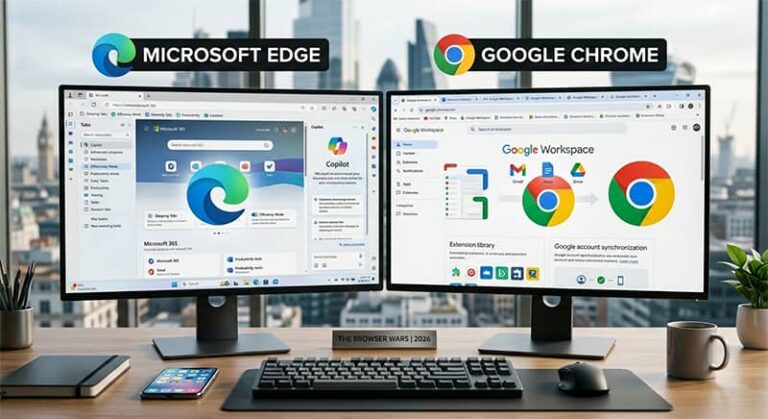
The landscape of web browsing has shifted dramatically over the last few years as the underlying Chromium engine leveled the playing field between industry giants. For a long time, the choice was simple: use Google Chrome for speed and extensions, or use anything else if you valued niche features. However, Microsoft has aggressively transformed Edge from a forced Windows default into a legitimate powerhouse that often outpaces Chrome in memory management and native productivity tools. Choosing between these two platforms now requires a granular look at how each handles system resources, privacy, and the burgeoning integration of artificial intelligence within the browsing experience.
While both browsers share the same foundational DNA, their philosophies on user interface and ecosystem integration have diverged. Google continues to lean into a minimalist, “less is more” aesthetic that tethers users tightly to the Google Workspace and Android synchronization. Conversely, Microsoft has embraced a “Swiss Army Knife” approach, layering Edge with vertical tabs, built-in shopping tools, and a robust sidebar that aims to keep users from ever needing to open a second window. This competition has been a win for consumers, as both companies are forced to innovate rapidly to maintain their respective market shares in the United States and European markets.
For professionals and casual users alike, the decision often comes down to which ecosystem feels less intrusive. Chrome is the reliable veteran that stays out of your way, while Edge is the ambitious newcomer that offers more functionality out of the box at the cost of a slightly more cluttered interface. As we move further into 2026, the integration of Large Language Models—Gemini in Chrome and Copilot in Edge—has become the new frontline. These tools are no longer just chatbots; they are deeply embedded assistants capable of summarizing PDFs, generating emails, and organizing your digital life directly from the URL bar.
Top Browsers and Productivity Alternatives in 2026
To understand where Edge and Chrome sit in the current market, we must evaluate them alongside the specialized tools that have emerged to challenge their dominance. The following platforms represent the best of modern web navigation, ranging from the mainstream leaders to privacy-focused specialists and high-end productivity workstations.
Google Chrome
Google Chrome remains the most popular web browser globally, favored for its unmatched simplicity and the seamless way it syncs history and passwords across billions of devices. It is the ideal choice for users who are already deep within the Google ecosystem, offering the best integration with Google Docs, Drive, and Gmail. Chrome’s primary strength lies in its massive Chrome Web Store, which hosts the largest library of extensions available for any browser. As of March 2026, Google Chrome is free to download and use on all major operating systems.
- Vast extension library via Chrome Web Store
- Seamless Google account and Workspace integration
- Clean, minimalist user interface design
- Industry-leading V8 JavaScript engine performance
Where to buy: Official Google Chrome website.
Microsoft Edge
Microsoft Edge has evolved into a sophisticated productivity tool that excels at managing large volumes of open tabs through its innovative Vertical Tabs and Tab Groups features. It is specifically designed for Windows users, offering deep integration with Microsoft 365 and the Windows 11/12 taskbar. Edge is notably more conservative with system resources than Chrome, thanks to its “Sleeping Tabs” technology which freezes inactive background processes to save RAM. Microsoft Edge is available for free as a built-in feature of Windows or a separate download for macOS and Linux (Retrieved March 2026).
- Efficient Sleeping Tabs for reduced RAM usage
- Native Vertical Tabs for better screen real estate
- Integrated Microsoft Copilot AI assistant
- Built-in PDF editor and web capture tools
Where to buy: Official Microsoft website or Microsoft Store.
Brave Browser
Brave is the premier choice for users who prioritize privacy and speed without sacrificing the familiarity of the Chromium engine. It automatically blocks all third-party ads and trackers by default, which significantly reduces page load times and mobile data consumption. Brave also features a unique rewards system where users can earn Basic Attention Tokens (BAT) for viewing privacy-respecting ads. The browser is free to download, though its internal VPN service requires a monthly subscription (Verified March 2026).
- Aggressive native ad and tracker blocking
- Brave Rewards system for earning BAT
- Integrated Tor connectivity for private windows
- Enhanced protection against browser fingerprinting
Where to buy: Official Brave Software website.
Mozilla Firefox
As the only major browser not based on Chromium, Firefox uses the Quantum engine to provide a completely independent browsing experience that champions open-web standards. It is the gold standard for customization, allowing users to modify almost every aspect of the UI through the “about:config” menu. Firefox is particularly popular in Europe due to its strong stance on data sovereignty and its non-profit backing from the Mozilla Foundation. Mozilla Firefox is free for all users on desktop and mobile platforms as of 2026.
- Independent Gecko/Quantum rendering engine
- Extensive privacy containers for tab isolation
- Highly customizable user interface and themes
- Strong commitment to open-source transparency
Where to buy: Official Mozilla website.
Opera One
Opera One has rebranded itself as an “AI-centric” browser, featuring a modular design and “Tab Islands” that automatically group related browsing sessions together. It includes a free built-in VPN and an integrated sidebar for messaging apps like WhatsApp and Telegram, making it a favorite for social media managers. While its market share is smaller, it often pioneers features that eventually make their way to Chrome and Edge. Opera One is available as a free download, with an optional “Pro” VPN tier for $3.99 per month (Retrieved March 2026).
- Tab Islands for intuitive tab management
- Native free VPN and ad blocker
- Aria browser AI integrated into the UI
- Modular design with integrated social sidebars
Where to buy: Official Opera website.
Vivaldi Browser
Vivaldi is built specifically for “power users” who want absolute control over their browser’s behavior and appearance without needing external extensions. It offers unique features like tab stacking (two levels of tabs), a built-in mail client, and a notes tool that syncs across devices. Vivaldi does not track its users and provides one of the most robust privacy settings dashboards in the industry. The browser is free to download and remains a top choice for researchers and developers (Verified March 2026).
- Two-level tab stacking for extreme organization
- Built-in email, calendar, and RSS reader
- End-to-end encrypted sync for all data
- Comprehensive UI customization without extensions
Where to buy: Official Vivaldi Technologies website.
Arc Browser by The Browser Company
Arc has reimagined the browser as a “web operating system,” moving away from the traditional tab bar in favor of a sidebar-driven organizational system called “Spaces.” It is designed to help users stay focused by archiving old tabs automatically and allowing for “Split View” within a single window. Arc is highly popular among designers and tech professionals in the USA for its sleek, modern aesthetic and fluid animations. While originally macOS exclusive, the Windows version is now fully available for free (Retrieved March 2026).
- Spaces and Folders for project-based browsing
- Automatic archiving of inactive tabs
- Boosts feature for customizing website CSS/JS
- Seamless Split View for multitasking
Where to buy: Official Arc.net website.
Safari (Apple)
For users within the Apple ecosystem, Safari remains the most power-efficient browser due to its deep integration with macOS and iOS hardware. It is famous for its “Privacy Report,” which shows exactly how many trackers it has blocked on each site, and its seamless handoff between iPhone and Mac. Safari is the only browser that supports iCloud Keychain for system-wide password management on Apple devices. It is free and comes pre-installed on all Apple hardware (Verified March 2026).
- Unmatched battery efficiency on MacBook devices
- Intelligent Tracking Prevention (ITP) technology
- iCloud+ Private Relay integration
- Apple Pay support for secure web transactions
Where to buy: Pre-installed on Apple devices.
DuckDuckGo Browser
The DuckDuckGo browser focuses on “privacy by design,” stripping away the complexities of modern browsers to provide a clean, tracker-free experience. Its standout feature is the “Fire Button,” which clears all tabs and browsing data with a single click and a satisfying animation. It also includes an email protection service that strips trackers from your incoming mail before it reaches your inbox. The desktop browser is free and serves as an excellent secondary browser for sensitive searches (Retrieved March 2026).
- One-click Fire Button for instant data clearing
- Global Privacy Control (GPC) enabled by default
- Automatic cookie pop-up protection
- Built-in YouTube Ad-free player (Duck Player)
Where to buy: Official DuckDuckGo website.
Sidekick Browser
Sidekick is a premium browser built on Chromium that is specifically engineered for professional productivity and high-performance work. It functions more like a desktop environment, grouping web apps into a sidebar and utilizing an AI-based memory manager to keep the system fast even with dozens of apps open. While it offers a free tier, the “Pro” version costs $8.00 per month and includes advanced features like multiple account support and built-in task management (Verified March 2026).
- Advanced memory management for high-speed performance
- App-centric sidebar for Slack, Notion, and Gmail
- Built-in focus mode and task manager
- Global search across all web apps and documents
Where to buy: Official Sidekick website.
Pricing Comparison and Value Analysis
When evaluating the cost of web browsers in 2026, the traditional “free” model remains dominant, but the definition of value has shifted toward privacy and resource management. Most mainstream browsers like **Google Chrome**, **Microsoft Edge**, and **Mozilla Firefox** remain entirely free to download and use. These companies monetize primarily through search engine partnerships, advertising data, or ecosystem lock-in. For the average user in the USA or Europe, there is no direct financial cost to using the world’s most powerful browsers, though the “hidden cost” often involves the collection of browsing data for targeted advertising.
Premium tiers have begun to emerge for browsers that offer specialized utility or enhanced privacy. **Sidekick**, for example, charges a monthly subscription fee of $8.00 for its Pro features, targeting corporate users who need to manage multiple accounts and high-intensity workflows. Similarly, **Opera One** offers a Pro VPN for roughly $3.99 per month. These paid models are designed for power users who view their browser as a professional workstation rather than just a window to the internet. The value proposition here is simple: if the browser saves you 15 minutes of productivity a day through better organization, the subscription pays for itself.
Privacy-centric browsers like **Brave** offer a different economic model entirely. Instead of charging the user, Brave allows users to earn cryptocurrency (BAT) for their attention, which can then be used to tip content creators. This creates a value-added experience where the user is financially incentivized to browse. Meanwhile, **Safari** provides immense value through hardware optimization; by using Safari on a MacBook, users effectively extend their battery life by 1-2 hours compared to Chrome, providing a tangible “free” benefit derived from hardware-software synergy.
How to Choose the Right Browser for Your Workflow
Selecting the ideal browser requires an honest assessment of your daily digital habits and your hardware limitations. The first and most critical criterion is ecosystem compatibility. If your entire professional life exists within Google Workspace, the friction of using anything other than Chrome may not be worth the marginal gains offered by competitors. Chrome’s ability to sync every extension, password, and history item across your Android phone and desktop remains its strongest selling point for the majority of users.
Performance on your specific hardware is the second major factor to consider. Users with limited RAM, such as those on entry-level laptops, will find that Microsoft Edge or Brave performs significantly better than Chrome under heavy loads. Edge’s “Sleeping Tabs” feature is particularly effective at preventing a browser from hijacking your CPU resources. If you are a Mac user, the choice often leans toward Safari for its unparalleled energy efficiency, though professionals often keep a Chromium-based browser like Edge or Arc as a secondary option for web apps that are specifically optimized for that engine.
Privacy needs vary wildly between users, and this should dictate your choice if you deal with sensitive data. For those who want “set it and forget it” privacy, Brave or DuckDuckGo are the clear winners, as they block trackers out of the box without requiring manual configuration. However, if you are a power user who wants to audit every connection, the granular settings in Firefox or Vivaldi provide a level of transparency that mainstream browsers simply do not offer. You must decide whether you want a browser that protects you automatically or one that gives you the tools to protect yourself.
The final consideration is the user interface and organizational style. Traditionalists will prefer the top-tab layout of Chrome and Firefox. However, if you find yourself constantly overwhelmed by “tab clutter,” the modern vertical layouts of Edge or the “Spaces” system in Arc can fundamentally change how you interact with information. These browsers treat the web as a collection of projects rather than a series of disconnected pages. Choosing a browser that matches your mental model for organization can reduce digital fatigue and improve your overall focus during the workday.
Current Market Prices and Deals
As of early 2026, the “price” of top-tier browsing remains focused on service add-ons rather than the software itself. Google Chrome and Microsoft Edge are free and frequently updated with new AI features at no additional cost. Microsoft has been particularly aggressive with promotions, often offering Microsoft 365 subscribers extra cloud storage or advanced Copilot features that integrate directly with the Edge sidebar. These “deals” are usually found within the Microsoft account dashboard and are available to users in both the USA and the UK.
For those looking at paid productivity browsers, **Sidekick** frequently offers a “refer-a-friend” program where users can get several months of Pro access for free by inviting colleagues. **Brave** continues to offer its Basic Attention Token rewards, which, while subject to crypto market volatility, effectively “pays” the user a small amount for their browsing time. **Opera** often bundles its VPN Pro with other gaming or security subscriptions, so it is worth checking their official site for seasonal discounts that can drop the monthly price by 50% for the first year of service.
Pro Tips for Browser Optimization
To get the most out of Microsoft Edge, you should immediately enable the Efficiency Mode found in the System and Performance settings. This feature allows the browser to intelligently manage power usage by putting background tabs to sleep more aggressively when your device is unplugged. This is a game-changer for laptop users who need to squeeze every minute out of their battery during travel or long meetings. Furthermore, take the time to set up “Work” and “Personal” profiles to keep your browsing data completely separate and organized.
In Google Chrome, the most underutilized power feature is the “Search Tabs” arrow located at the top right of the window. If you are someone who keeps 30+ tabs open, you can simply type the name of the site you’re looking for to jump directly to it, saving you from clicking through dozens of tiny icons. Additionally, utilizing the “Memory Saver” mode in the Performance tab will ensure that Chrome doesn’t slow down your other desktop applications, such as Photoshop or Excel, while you browse.
For any Chromium-based browser, mastering keyboard shortcuts is the fastest way to increase your efficiency. Commands like Ctrl+Shift+T (Cmd+Shift+T on Mac) to reopen the last closed tab or Ctrl+L to immediately highlight the address bar can save hours of cumulative mouse movement over a month. Many users also don’t realize they can “Pin” tabs by right-clicking them, which shrinks them to a small icon and prevents them from being accidentally closed—perfect for permanent apps like Slack or Spotify.
Privacy can be significantly enhanced in any browser by regularly auditing your extensions. Every extension you install has the potential to read your data or slow down your page load times. A “pro” habit is to uninstall any extension you haven’t used in the last 30 days. Furthermore, always check the “Site Permissions” menu in your settings to see which websites have access to your camera, microphone, or location, and revoke anything that isn’t strictly necessary for the site to function.
Finally, leverage the built-in AI tools like Copilot or Gemini for document analysis. Instead of reading a 50-page PDF manually, you can open it in Edge and ask the sidebar to “Summarize the key financial takeaways into five bullet points.” This use of integrated AI transforms the browser from a viewing tool into an active research assistant, allowing you to process information at a speed that was impossible just two years ago.
Which browser uses less RAM, Chrome or Edge?
In most head-to-head tests conducted in 2026, Microsoft Edge uses significantly less RAM than Google Chrome, thanks to its “Sleeping Tabs” and “Efficiency Mode” features. These technologies allow Edge to freeze background processes for inactive tabs, freeing up system memory for other tasks. While Chrome has introduced its own Memory Saver mode, Edge remains slightly more optimized for Windows environments, making it the better choice for hardware with limited memory resources.
Is Microsoft Edge safer than Google Chrome?
Both browsers offer high levels of security as they are built on the same Chromium foundation, which receives frequent security patches. However, Microsoft Edge includes a unique “Microsoft Defender SmartScreen” which is deeply integrated with the Windows operating system to protect against phishing and malware. Chrome relies on Google Safe Browsing, which is equally effective but operates more at the web-service level. Ultimately, your safety depends more on your browsing habits and the use of multi-factor authentication than the specific browser choice.
Can I use Chrome extensions on Microsoft Edge?
Yes, because Microsoft Edge is built on the Chromium engine, it is fully compatible with almost all extensions found in the Chrome Web Store. To use them, you simply need to go to the Edge “Extensions” menu and toggle the switch that says “Allow extensions from other stores.” This gives Edge users the best of both worlds: the advanced features of the Edge interface combined with the massive library of tools developed for Chrome.
Does Google Chrome drain laptop battery faster than other browsers?
Historically, Chrome has been known for being a “resource hog” that can drain laptop batteries quickly, especially on macOS. While Google has made massive strides in power efficiency with recent updates, Safari remains the clear winner for battery life on MacBooks, and Edge typically outperforms Chrome on Windows laptops. If battery longevity is your primary concern while traveling, using the native browser for your OS is generally the most efficient path.
What is the most private browser available in 2026?
Among mainstream options, Brave and Firefox are considered the most private. Brave blocks all trackers and ads by default, whereas Firefox offers “Total Cookie Protection” and is backed by a non-profit dedicated to internet privacy. For extreme privacy, the Tor Browser remains the gold standard, though it is significantly slower than standard browsers. DuckDuckGo’s desktop browser is also a top contender for users who want a simple, “zero-tracking” experience without needing to configure complex settings.
Is the Arc browser available for Windows users?
As of 2026, the Arc browser is fully available for Windows 10 and 11, moving past its initial macOS-only phase. The Windows version includes the same core features as the Mac version, such as Spaces, Folders, and the command-bar-driven interface. It has become a popular alternative for Windows users who are tired of the traditional browser layout and are looking for a more modern, aesthetic way to organize their professional web workflows.
Conclusion: The Future of Your Digital Gateway
The competition between Microsoft Edge and Google Chrome has moved beyond mere speed tests and into the realm of integrated utility and user empowerment. Chrome remains the king of convenience, offering a frictionless experience for those who want their browser to be a transparent window into the Google ecosystem. Its stability and vast extension support make it a safe, reliable choice for the vast majority of internet users. However, for those who feel the “tab fatigue” of modern work, Edge’s superior organization and resource management provide a compelling reason to switch, especially for those already utilizing Windows and Microsoft 365.
Ultimately, the “best” browser in 2026 is the one that best aligns with your specific hardware and professional needs. If you value privacy above all else, Brave or Firefox are your best bets. If you are a creative professional looking for a new way to visualize your projects, Arc may be the breath of fresh air you need. The beauty of the current market is that because most of these tools are built on Chromium, switching is easier than ever—your passwords, bookmarks, and even extensions can follow you from one browser to the next in just a few clicks.
As AI continues to become the primary interface for how we search and synthesize information, the browser will only grow in importance. Whether you choose the minimalist path of Chrome or the feature-rich environment of Edge, the goal remains the same: to find a tool that assists your workflow rather than hindering it. Take the time to experiment with the optimization tips mentioned above, and don’t be afraid to keep two browsers installed—one for deep, focused work and another for casual, everyday browsing.

Full-stack developer at Scylla Technologies (USA), working remotely from Bangladesh. Adobe Certified Magento Developer.