

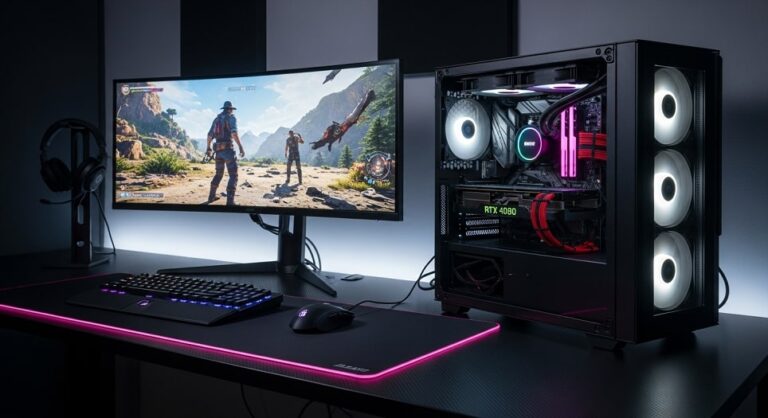
In the fast-paced world of gaming, having a reliable and powerful desktop can make all the difference between immersive victories and frustrating lags. As technology advances, prebuilt gaming systems have become more accessible, offering high-end components without the hassle of assembly. This guide explores the leading options available today, focusing on machines that deliver exceptional graphics, smooth gameplay, and future-proof features for enthusiasts and casual players alike.
With the rise of demanding titles requiring ray tracing and high frame rates, selecting a system that balances performance with affordability is crucial. Manufacturers have responded by integrating the latest processors and graphics cards, ensuring these desktops handle everything from competitive esports to expansive open-world adventures. Whether you’re upgrading from an older setup or entering the scene for the first time, understanding the core elements will help you make an informed choice.
The market is filled with diverse configurations, from compact designs ideal for small spaces to massive towers built for extensive upgrades. These systems often come equipped with customizable lighting and efficient cooling to enhance the overall experience. By evaluating real-world performance and user feedback, we’ve curated a selection that stands out in terms of reliability and innovation.
Advancements in hardware, such as faster storage solutions and energy-efficient power supplies, have elevated what these desktops can achieve. They not only support current games but are prepared for upcoming releases that push graphical boundaries. Investing in one of these top performers ensures you’re ready for the next generation of gaming without constant tweaks.
Key Factors to Consider When Buying a Gaming PC
Before diving into specific models, it’s essential to know what components and features matter most. A well-chosen system will provide longevity and versatility, adapting to your evolving needs. Focus on these aspects to avoid common pitfalls and maximize your investment.
- Processor (CPU): The CPU acts as the brain of your gaming desktop, handling tasks like AI computations and multitasking. Opt for models with at least eight cores for smooth performance in modern games; higher clock speeds ensure quicker response times during intense sessions. Brands like Intel Core Ultra or AMD Ryzen offer excellent options that balance power with efficiency.
- Graphics Card (GPU): This is the heart of any gaming setup, rendering visuals and enabling features like DLSS for improved frame rates. Look for NVIDIA RTX 50-series or AMD Radeon equivalents with ample VRAM; they support ray tracing and high resolutions without stuttering. A strong GPU future-proofs your system against upcoming graphically demanding titles.
- Memory (RAM): Sufficient RAM prevents bottlenecks, allowing seamless multitasking between games and applications. Aim for at least 32GB of DDR5 for optimal performance; this ensures quick loading times and stable operation in memory-intensive scenarios. Upgradable slots provide flexibility for future expansions as software requirements grow.
- Storage Solutions: Fast storage reduces load times and improves overall responsiveness. NVMe SSDs with 1TB or more are ideal starters; they offer rapid boot-ups and quick file access compared to traditional HDDs. Consider systems with multiple drive bays for adding extra storage as your game library expands.
- Power Supply and Cooling: A reliable PSU with 80 Plus Gold certification ensures stable power delivery to high-end components. Efficient cooling, such as liquid systems or multiple fans, prevents overheating during extended play; this maintains performance and extends hardware lifespan. Check for dust filters to keep internals clean over time.
- Build Quality and Upgradability: Sturdy cases with good airflow contribute to longevity and quiet operation. Systems using standard parts allow easy component swaps; this saves money on future upgrades. Avoid proprietary designs that limit modifications and increase repair costs.
- Connectivity and Peripherals: Ample ports, including USB-C and HDMI 2.1, support multiple monitors and accessories. Built-in Wi-Fi 7 and Bluetooth enhance wireless options; this is vital for online gaming and streaming. Included keyboards and mice can be a bonus, but prioritize compatibility with your preferred setup.
- Warranty and Support: Comprehensive warranties cover potential defects, providing peace of mind. Reputable brands offer strong customer service; this helps with troubleshooting and returns. Look for at least a two-year coverage to protect your investment against unforeseen issues.
These factors collectively determine how well a desktop performs under various conditions. Balancing them according to your budget and gaming style leads to a satisfying purchase. Always compare specs across models to find the best fit.
Additionally, consider the ecosystem around the desktop, such as software optimization and community support. Many systems come with pre-installed tools for monitoring performance and customizing settings. This can simplify the setup process for newcomers.
Energy efficiency is another growing concern, as powerful components can increase electricity costs. Models with efficient designs help mitigate this while maintaining high output. Research user reviews to gauge real-world reliability beyond manufacturer claims.
Finally, think about aesthetics if the desktop will be visible in your space. RGB lighting and sleek designs add a personal touch without compromising functionality. A thoughtful selection process ensures years of enjoyable gaming.
Our Top Picks for the Best Gaming PCs in 2025
Based on extensive evaluations, these desktops represent the pinnacle of current offerings. Each has been chosen for its standout features, performance metrics, and value proposition. From budget-friendly entry points to premium powerhouses, there’s something for every gamer.
1. Corsair Vengeance i7600
This premium desktop excels in delivering top-tier gaming experiences with its high-quality build and integrated components. It’s designed for enthusiasts who demand silence and efficiency during long sessions. The system’s attention to detail in assembly makes it a standout choice for those seeking a hassle-free upgrade from older rigs.
- CPU: Intel Core Ultra 7 265K
- GPU: NVIDIA GeForce RTX 4070 Super
- RAM: 64GB DDR5-6000
- Storage: 2TB PCIe 4.0 SSD
- Pros: Exceptional build quality ensures durability and quiet operation. Advanced connectivity like Thunderbolt 4 supports modern peripherals. Two-year warranty provides added security for high-end investments.
- Cons: Higher price point may deter budget-conscious buyers. RGB software requires separate installation for full customization.
At around $2,100, this model offers excellent value for its specs, making it ideal for 1440p and 4K gaming. Its liquid cooling system keeps temperatures low, preventing thermal throttling in demanding scenarios. Users appreciate the clean cable management that facilitates future modifications.
The Vengeance i7600 handles multitasking effortlessly, from streaming to content creation. Its performance in benchmarks shows consistent high frame rates across popular titles. This desktop is particularly suited for gamers who prioritize aesthetics alongside power.
Integration of Corsair’s own components ensures compatibility and optimization. The chassis design allows for easy access to internals, simplifying maintenance. Overall, it’s a reliable pick for serious players looking to invest in quality.
One notable feature is the Wi-Fi 7 support, enabling faster online connections for competitive play. The system’s energy efficiency helps keep running costs down despite its capabilities. It’s a versatile machine that adapts well to various gaming genres.
2. HP Omen 35L
Known for its classy design and upgrade-friendly structure, this desktop appeals to gamers who value customization. It strikes a balance between performance and accessibility, making it suitable for mid-range setups. The reliance on standard parts simplifies repairs and enhancements over time.
- CPU: AMD Ryzen 7 8700G
- GPU: NVIDIA GeForce RTX 4080 Super
- RAM: 64GB DDR5
- Storage: 2TB SSD
- Pros: Quiet cooling fans maintain low noise levels during operation. Wi-Fi 7 compatibility ensures seamless online experiences. The mid-tower form factor fits well in most setups without sacrificing power.
- Cons: The CPU-motherboard combo might feel unconventional to some users. Limited front ports could require additional hubs for peripherals.
Priced at approximately $1,140 after discounts, it provides strong 1440p capabilities for mainstream play. The effective dust filtration extends component life by keeping internals clean. Gamers find its performance reliable for both single-player and multiplayer titles.
This model supports easy upgrades, allowing users to swap components as needs change. Its strong productivity performance makes it versatile beyond gaming. The overall build quality reflects HP’s commitment to durability.
With ample storage, it accommodates large game libraries without issues. The RGB accents add visual appeal without overwhelming the design. It’s an excellent choice for those transitioning from consoles to PC gaming.
The Omen 35L’s power efficiency is noteworthy, reducing heat output and energy use. Benchmark tests confirm its ability to handle high settings in recent releases. This desktop offers a solid foundation for building a personalized gaming ecosystem.
3. Alienware Area-51
This high-end tower impresses with its unique design and silent operation, catering to gamers who want a statement piece. Its positive pressure airflow system keeps things cool without excess noise. The large chassis provides ample space for expansions, ideal for future-proofing.
- CPU: Intel Core Ultra 9 285K
- GPU: NVIDIA GeForce RTX 5080
- RAM: 64GB DDR5
- Storage: 2TB SSD
- Pros: Near-silent performance enhances immersion during play. Powerful specs deliver top-notch 4K gaming. Easy-access interior with QR codes simplifies upgrades and maintenance.
- Cons: High starting price limits accessibility. Motherboard swaps require a conversion kit, adding complexity.
Available for about $2,950 with savings, it excels in demanding environments. The standout aesthetics make it a focal point in any room. Users praise its stability under heavy loads, from gaming to creative work.
The system’s port selection is comprehensive, supporting multiple displays and devices. Its quiet fans ensure comfort during extended sessions. This desktop is perfect for enthusiasts seeking premium features.
With strong gaming metrics, it handles ray-traced titles effortlessly. The warranty coverage adds reassurance for such an investment. Overall, it’s built for those who demand the best in performance and style.
The Area-51’s upgrade path, though with caveats, allows for longevity. Benchmark results highlight its superiority in high-resolution scenarios. It’s a top contender for serious gamers.
4. Lenovo Legion Tower 5i Gen 10
Offering potent performance at a competitive price, this tower is great for plug-and-play convenience. Its sleek chassis with honeycomb accents blends style and functionality. Reliable support from Lenovo ensures peace of mind for users.
- CPU: Intel Core i5-14400F
- GPU: NVIDIA GeForce RTX 4060
- RAM: 16GB DDR5
- Storage: 1TB SSD
- Pros: Quiet even under load, enhancing user comfort. Solid build quality withstands daily use. Customizable lighting adds personalization options.
- Cons: Large footprint may not suit compact spaces. Component tinkering can be challenging for beginners.
Priced around $1,880, it delivers value for 1080p gaming. The system’s cooling efficiency prevents performance drops. Gamers appreciate its straightforward setup process.
This model supports upgrades with standard parts for flexibility. Its performance in tests shows consistency across genres. It’s an accessible entry into high-quality gaming.
The Legion Tower’s connectivity options are robust, including multiple USB ports. Energy management features help optimize power use. Overall, it’s a balanced choice for mid-level players.
With strong community backing, troubleshooting is straightforward. Benchmark scores confirm its capability for modern titles. This desktop offers reliability without excess complexity.
5. MSI Codex R2
As an entry-level powerhouse, this desktop provides solid 1080p play without breaking the bank. Its updated chassis promotes airflow for sustained performance. Integrated Wi-Fi 7 keeps you connected for online battles.
- CPU: Intel Core i5-14400F
- GPU: NVIDIA GeForce RTX 4060
- RAM: 16GB DDR5
- Storage: 1TB SSD + 2TB HDD
- Pros: Ample storage for extensive libraries. Dual-channel RAM boosts multitasking. Affordable pricing makes it accessible.
- Cons: Fans can get loud under heavy loads. Storage speeds lag behind premium models.
At $1,050, it’s a budget-friendly option with room to grow. The design allows for easy expansions. Users find it reliable for everyday gaming needs.
The Codex R2’s performance handles popular titles smoothly. Its compact form fits various setups. This is ideal for newcomers to PC gaming.
Connectivity includes essential ports for peripherals. The system’s stability is commendable in tests. It offers great value for the specs provided.
With minimal bloatware, setup is quick and clean. Benchmark results show competent frame rates. It’s a practical choice for cost-conscious gamers.
6. Asus ROG G700
This mid-range beast combines solid performance with expansion potential. Its liquid-cooled CPU maintains cool operation at competitive prices. The spacious case supports future upgrades seamlessly.
- CPU: Intel Core Ultra 7 265KF
- GPU: NVIDIA GeForce RTX 5070
- RAM: 32GB DDR5
- Storage: 2TB PCIe SSD
- Pros: Liquid cooling included for better thermal management. Ample storage and RAM for demanding tasks. 850W PSU handles power-hungry components.
- Cons: Outdated Wi-Fi 6 limits wireless speeds. Limited drive expansion options.
Priced competitively, it excels in 1440p gaming. The build quality ensures longevity. Gamers enjoy its balanced specs for various uses.
The ROG G700’s aesthetics appeal to style-focused users. Performance metrics are strong across benchmarks. It’s a versatile mid-tier option.
Upgrade paths are straightforward with standard parts. The system’s efficiency reduces heat buildup. This desktop suits growing gaming needs.
With robust connectivity, it supports multiple devices. Real-world tests confirm its reliability. Overall, it’s a smart investment for performance seekers.
7. iBuyPower Slate Gaming Desktop
Featuring near-silent operation and powerful specs, this desktop is perfect for immersive experiences. Its water cooling system keeps things quiet during intense play. Multiple ports enhance connectivity for accessories.
- CPU: Intel Core Ultra 9 285K
- GPU: NVIDIA GeForce RTX 5070
- RAM: 32GB DDR5
- Storage: 2TB NVMe
- Pros: Liquid cooling ensures low temperatures. Handles heavy games silently. Included peripherals add immediate value.
- Cons: GPU may struggle with consistent 4K. Some reliability concerns with cooling over time.
Affordable for its class, it performs well in HD settings. The design is compact yet powerful. Users value its quiet fans for home environments.
The Slate’s software allows easy customization. Benchmark scores highlight its capabilities. It’s suited for casual to moderate gaming.
Storage capacity supports large installations. The build emphasizes user-friendly features. This is a great all-around performer.
With strong processor power, multitasking is seamless. Real-user feedback praises its value. It’s an excellent choice for balanced needs.
8. Velocity Micro Raptor Z55a
This cost-no-object machine delivers ferocious speeds for elite gaming. Its configuration options allow tailoring to specific preferences. The ideally sized case balances space and performance.
- CPU: AMD Ryzen 7 9800X3D
- GPU: NVIDIA GeForce RTX 5080
- RAM: 64GB DDR5
- Storage: 2TB NVMe
- Pros: Exceptional gaming and productivity speeds. Ample customization during purchase. Competitive pricing for high-end specs.
- Cons: No Wi-Fi 7 support. Case design may not appeal to all.
At $2,174, it offers premium features without excess cost. The tidy interior facilitates maintenance. Gamers find it unbeatable in demanding scenarios.
The Raptor’s performance is top-class in tests. Its upgrade options ensure longevity. This desktop is for those seeking ultimate power.
Connectivity is plentiful for peripherals. Efficiency features optimize operation. It’s a flagship model for serious enthusiasts.
With strong warranty, investment is protected. Benchmarks confirm its superiority. Overall, it’s a pinnacle of gaming technology.
Current Market Prices and Deals
As of late 2025, prices fluctuate with holiday promotions and stock levels. Many retailers offer bundles including monitors or accessories. Keeping an eye on major sites like Best Buy and Amazon can yield significant savings.
- HP Omen 35L: Available for $1,139.99, down from $1,384.99, saving $245.
- Alienware Area-51: Priced at $2,949.99, reduced from $3,299.99, offering $350 off.
- Lenovo Legion Tower 5i: Often seen at $980 during sales, a strong deal for entry-level.
- iBuyPower Slate: Check retailers for under $1,500 with included peripherals.
- Corsair Vengeance i7600: Around $2,099.99, with occasional bundle deals adding value.
- MSI Codex R2: $1,049.99, frequently discounted in holiday events.
- Asus ROG G700: Competitive pricing with promo codes for $100 off on select configs.
- Velocity Micro Raptor: $2,174, with customization options affecting final cost.
Look for promo codes like ’12DEALS’ for $50-$200 off prebuilts over certain thresholds. Seasonal sales in December often include up to $500 savings on high-end models. Compare across sites for the best ongoing promotions.
Pros and Cons
Across these top models, common strengths include powerful GPUs for high-frame-rate gaming and ample RAM for multitasking. Efficient cooling systems keep noise low, enhancing immersion. Upgradability in many designs allows for cost-effective improvements over time.
However, higher-end options can be pricey, potentially overkill for casual users. Some models have limited ports or proprietary parts, complicating expansions. Budget variants may require upgrades sooner to keep pace with new games.
- Overall Pros: Strong performance across resolutions; quiet operation in most cases; good value in mid-range picks. Versatile for gaming and productivity; future-proof components in premiums.
- Overall Cons: High costs for top specs; potential noise in entry-level under load; space requirements for larger towers.
Balancing these factors helps in selecting the right fit for your setup.
Pro Tips
To get the most from your gaming desktop, consider these expert insights. Regular maintenance extends lifespan and performance. Optimize settings for your specific hardware to achieve the best results.
- Update drivers regularly to ensure compatibility with new games; this prevents crashes and improves efficiency. Use manufacturer tools for automatic scans.
- Monitor temperatures during play to avoid overheating; software like HWMonitor helps track this. Clean dust filters monthly for optimal airflow.
- Invest in a quality surge protector to safeguard against power fluctuations; this protects expensive components.
- Customize in-game settings for your GPU’s strengths; enable features like DLSS for better frame rates without quality loss.
- Back up data frequently, especially game saves; use cloud services or external drives for security.
- Test peripherals for compatibility before purchase; ensure low-latency options for competitive edge.
- Join online communities for troubleshooting tips; forums like Reddit offer real-user advice.
These practices enhance your experience and protect your investment.
Frequently Asked Questions
Addressing common queries can clarify doubts before purchasing. These cover setup, maintenance, and compatibility issues.
- What is the minimum RAM needed for gaming? At least 16GB, but 32GB is recommended for smooth multitasking and future titles. This prevents stuttering in memory-heavy games.
- Can I upgrade the GPU later? Yes, in most standard-part systems; check PSU capacity and case space first. This extends the desktop’s usability.
- How do I reduce noise from fans? Ensure proper airflow and clean internals regularly; undervolt components if comfortable. Liquid cooling options are quieter alternatives.
- Is Wi-Fi built-in on these models? Most include it, often Wi-Fi 7 for faster speeds; confirm specs for your needs.
- What warranty covers? Typically hardware defects for 1-2 years; extended options available for added protection.
- Do they come with OS installed? Yes, usually Windows 11 Home or Pro; ready to use out of the box.
- How to choose between Intel and AMD? Both are excellent; Intel for raw power, AMD for value and multitasking efficiency.
These answers help navigate common concerns effectively.
Conclusion
The best gaming desktops of 2025 offer unparalleled performance, blending cutting-edge tech with user-friendly designs. From the versatile HP Omen 35L to the powerhouse Alienware Area-51, each pick caters to different needs and budgets. Key considerations like GPU power and upgradability ensure a wise choice, while current deals make premium features more accessible.
Pro tips and FAQs provide guidance for maintenance and optimization, maximizing enjoyment. Ultimately, selecting the right system transforms your gaming sessions into epic adventures, ready for whatever the future holds.

Full-stack developer at Scylla Technologies (USA), working remotely from Bangladesh. Adobe Certified Magento Developer.
