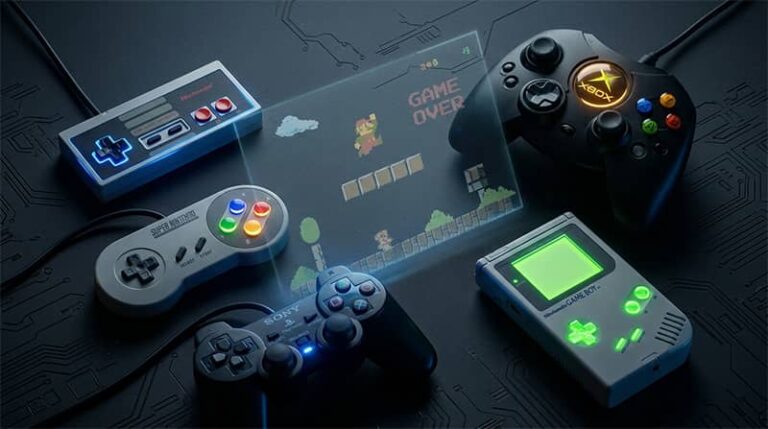
Console emulation in 2026 has reached a level of maturity that would have seemed extraordinary just a few years ago. Demanding systems once considered nearly impossible to replicate — the PlayStation 3, the Nintendo Switch — now run games with striking accuracy on mid-range consumer hardware. Whether you want to revisit Super Nintendo classics, experience PlayStation 2 titles at 4K resolution, or carry an entire retro library on your phone, the best console emulators of 2026 deliver experiences that frequently surpass the original hardware in image quality, performance, and convenience.
The legal landscape has also shifted notably. Nintendo’s aggressive enforcement actions in 2024 reshaped the Switch emulation scene, and 2025 brought further legal pressure across several projects. Yet the broader emulation community has proven resilient — established emulators for older systems continue to receive consistent updates, new forks have emerged from discontinued projects, and mobile emulation entered a new era following Apple’s 2024 decision to allow emulators on the App Store. The current ecosystem rewards players who understand where things stand and how to navigate it intelligently.
What Separates a Great Emulator from a Mediocre One
Accuracy is the foundational metric — how faithfully the software reproduces the timing, audio chips, graphical rendering, and hardware quirks of the original system. High accuracy translates directly into better game compatibility and fewer glitches. Performance measures how efficiently the emulator runs on modern hardware, which matters most for demanding sixth- and seventh-generation systems. A great emulator balances both without forcing users to choose one over the other.
Beyond the technical baseline, quality-of-life features define the day-to-day experience. Save states, rewind functionality, resolution upscaling, visual shader support, controller remapping, and per-game configuration profiles are standard in the best tools. Active development is equally important — an emulator that receives regular updates adapts to new operating system changes, expands compatibility, and stays ahead of hardware driver updates. Projects that have gone dormant often break silently when Windows, macOS, or Android receives a major update.
The Best Console Emulators Available in 2026
RetroArch
RetroArch remains the most versatile emulation platform available, functioning as a unified frontend that runs modular cores — each one responsible for a specific console or family of systems. Through its Libretro API, a single installation handles everything from the Atari 2600 to the PlayStation Portable, using the most accurate available core for each platform. Its 2025 and early 2026 updates brought meaningful improvements to the mobile interface, making it significantly more navigable on touchscreen devices without compromising its desktop experience. RetroArch’s cross-platform reach is unmatched — it runs on Windows, macOS, Linux, Android, iOS, and even gaming consoles themselves.
- Supports hundreds of systems through continuously updated modular cores
- Advanced shader and filter library for CRT effects, pixel smoothing, and upscaling
- Built-in netplay for online multiplayer across supported systems
- Cloud sync support for save files across devices
The XMB-style menu rewards controller navigation and works best on a couch setup; desktop users may prefer third-party launchers like Playnite to front-end RetroArch more comfortably. Price: Free and open-source. Available at retroarch.com.
PCSX2
PlayStation 2 emulation has been a solved problem for years, and PCSX2 continues to be the definitive solution heading into 2026. Its compatibility rate across the PS2’s library of over 10,000 games is exceptional, and the modern Qt-based interface introduced in recent versions is far more approachable than the legacy UI it replaced. The Vulkan and Direct3D12 rendering backends deliver performance headroom that makes 4K and even 8K upscaling feasible on current mid- to high-end GPUs, turning titles like Shadow of the Colossus and God of War II into genuinely stunning experiences.
- Per-game hardware and software rendering configuration
- Resolution upscaling up to 8K with texture filtering options
- Widescreen and 60fps patch support for compatible titles
- Comprehensive game database with community-sourced compatibility ratings
A 2025 update introduced improved texture cache accuracy that resolved long-standing graphical artifacts in several hundred titles — the compatibility list has never been cleaner. Price: Free and open-source. Available at pcsx2.net.
Dolphin
Dolphin’s position as the premier GameCube and Wii emulator has never been seriously challenged, and 2026 finds it in exceptionally strong shape. Recent development cycles focused on improving accuracy for the small percentage of games that previously had issues, bringing overall compatibility closer to comprehensive than ever before. Its Android release has matured to the point where high-end phones — particularly those running Snapdragon 8 Elite or equivalent chipsets — can handle many GameCube and Wii titles at full speed.
- Near-comprehensive GameCube and Wii library compatibility
- Full Wii Remote emulation including motion controls via Bluetooth
- Robust netplay with rollback netcode support for select titles
- Texture replacement packs and widescreen hacks for visual enhancement
The Steam release continues to keep Dolphin accessible to users less comfortable with manual installation, and Valve’s Proton compatibility layer means it runs cleanly on Steam Deck out of the box. Price: Free and open-source. Available at dolphin-emu.org.
Lime3DS / Citra Successors
Nintendo 3DS emulation entered a new chapter after Citra — once the definitive 3DS emulator — was shut down in early 2024 as part of the same legal pressure that claimed Yuzu. Community forks, most notably Lime3DS and PabloMK7’s maintained Citra fork, have kept 3DS emulation alive and well into 2026. Compatibility across the 3DS library remains high, with popular titles like Pokémon X/Y, Fire Emblem Awakening, and The Legend of Zelda: A Link Between Worlds running accurately and at enhanced resolutions unavailable on the original hardware.
- High compatibility with the broad Nintendo 3DS library
- Resolution upscaling beyond native 3DS screen limitations
- Stereoscopic 3D rendering support on compatible displays
- Active community maintenance with ongoing bug fixes
Users should verify they are downloading from trusted community repositories, as the post-Citra landscape has produced several low-quality clones. Price: Free and open-source. Available through community repositories — verify sources carefully.
RPCS3
PlayStation 3 emulation was once considered an unsolvable puzzle due to the PS3’s unusual Cell processor architecture. RPCS3 has comprehensively disproven that assumption. In 2026, it runs thousands of PS3 games including major exclusives like The Last of Us, Demon’s Souls, Uncharted 2, and Killzone 2 — none of which received official PC ports — with accuracy and performance that continue to improve with each release cycle. On current-generation hardware, most titles run at or above their original frame rate targets.
- Vulkan and OpenGL rendering with per-game resolution scaling
- SPU and PPU recompiler options for performance tuning
- Comprehensive game compatibility database maintained by the community
- Support for PlayStation Store downloadable content where legally obtained
RPCS3 is particularly significant for preservation: it provides the only practical way to play a large number of PS3-exclusive titles on modern hardware. For players who missed the PS3 era, its library represents one of the last great untapped classic gaming archives. Price: Free and open-source. Available at rpcs3.net.
Cemu
Cemu focuses exclusively on Wii U emulation, and its narrow scope has allowed it to achieve near-perfect compatibility with the platform’s library. Since going open-source in 2022, development velocity has increased and Linux support has become genuinely robust — Steam Deck users in particular have embraced Cemu as an excellent way to play Wii U titles through the handheld’s desktop mode. The Legend of Zelda: Breath of the Wild running through Cemu with community HD texture packs and a 60fps mod remains one of the most visually impressive ways to experience that game in 2026.
- Near-complete Wii U library compatibility
- Vulkan backend with strong Linux and Steam Deck support
- Wii U GamePad touchscreen emulation via mouse or secondary display
- Shader cache support to eliminate first-session stuttering
The Wii U library is compact but contains essential Nintendo titles — Xenoblade Chronicles X, Super Mario 3D World, and Pikmin 3 among them — that remain exclusive to the platform in their original form. Price: Free and open-source. Available at cemu.info.
DuckStation
DuckStation has firmly displaced older PS1 emulators like ePSXe in the recommendation of virtually every emulation community, and for good reason. Its PGXP geometry correction feature eliminates the polygon wobble that defined PlayStation 1 graphics in the original era, producing dramatically smoother 3D rendering without altering the artistic intent of the games. Combined with resolution upscaling and community texture replacement packs, titles like Final Fantasy VII, Silent Hill, and Metal Gear Solid can look genuinely impressive on modern displays.
- PGXP sub-pixel precision correction for smoother 3D geometry
- Resolution upscaling up to 16x native with multiple rendering backends
- Community texture replacement pack support
- Full DualShock analog and vibration support
DuckStation’s development pace has remained strong through 2025 and into 2026, with continued improvements to accuracy and a clean interface that makes setup straightforward even for emulation newcomers. Price: Free and open-source. Available at duckstation.org.
Snes9x
The Super Nintendo library is one of gaming’s most enduring, and Snes9x has served as its most reliable gateway since 1997. Nearly three decades of development have produced an emulator of extraordinary accuracy that runs comfortably on everything from a high-end gaming rig to a Raspberry Pi. Its footprint is minimal, its compatibility is comprehensive, and its support for SNES enhancement chips — the Super FX powering Star Fox, the SA-1 enabling faster processing in games like Kirby Super Star — is essentially flawless.
- Complete SNES library compatibility including all enhancement chips
- Lightweight enough to run on low-powered hardware and single-board computers
- Netplay support for online co-op and competitive play
- Available across virtually every platform including mobile
For casual players who want to revisit Chrono Trigger, Super Metroid, or EarthBound, Snes9x requires essentially no configuration — install, load a ROM, and play. Price: Free and open-source. Available at snes9x.com.
mGBA
Game Boy Advance emulation has a handful of capable options, but mGBA leads the field through its combination of cycle-accurate hardware emulation and continued active development. It handles the original Game Boy, Game Boy Color, and Game Boy Advance libraries comprehensively, catching obscure hardware behaviors that trip up less thorough emulators. Its consistent accuracy makes it the preferred choice in speedrunning communities where timing must match original hardware precisely.
- Cycle-accurate GBA, GBC, and original Game Boy emulation
- Cheat code support, save states, and configurable fast-forward
- Libretro core available for use within RetroArch
- Available on Windows, macOS, Linux, Nintendo 3DS, Wii, and mobile
A 2025 update improved link cable emulation for multiplayer games — Pokémon trading and battling between emulated instances now works reliably, which had been a longstanding gap in the experience. Price: Free and open-source. Available at mgba.io.
MAME
MAME occupies a singular position in the emulation ecosystem — its mission is documentation and preservation rather than gaming convenience, and it pursues that mission with a thoroughness no other project matches. Its database covers thousands of arcade systems, home consoles, and early computing platforms, emulating each with hardware-level accuracy. MAME’s scope makes it an irreplaceable resource for gaming history, encompassing rare regional arcade releases, prototype hardware, and systems with no other emulation support whatsoever.
- Covers thousands of arcade systems, consoles, and computing platforms
- Hardware-level accuracy prioritized above all else
- Continuously updated with new hardware documentation and support
- Comprehensive preservation-focused community and documentation
MAME’s interface rewards patience and technical curiosity rather than casual plug-and-play use. For anyone interested in gaming’s full history — not just the mainstream — it is without peer. Price: Free and open-source. Available at mamedev.org.
Pricing Comparison Across Emulators
One of emulation’s most remarkable qualities is that its best tools are entirely free. RetroArch, PCSX2, Dolphin, RPCS3, Cemu, DuckStation, Snes9x, mGBA, and MAME are all open-source projects funded by community donations rather than commercial sales. Patreon campaigns for projects like RPCS3 and Dolphin allow dedicated users to support development financially without any paywall on features.
Mobile emulation in 2026 follows the same free model. Delta on iOS — covering NES, SNES, N64, GBA, NDS, and Genesis — remains free on the Apple App Store, supported by the developer’s Patreon. RetroArch’s iOS version distributes through AltStore and the App Store at no cost. On Android, virtually every major emulator is available free through Google Play or direct APK download. The distinction between platforms has narrowed considerably since Apple dropped its prohibition on emulators.
The real financial consideration is hardware. Running PlayStation 3 and Wii U emulation at full speed requires a capable gaming PC — a system with a modern Ryzen 5 or Core i5 processor and a mid-range discrete GPU handles most emulators comfortably. Budget roughly $500–$900 for a new build if your current hardware is more than five years old. The Steam Deck, retailing at $399–$649, has also emerged as a compelling dedicated emulation device, running Dolphin, PCSX2, Cemu, and DuckStation natively through its Linux-based SteamOS.
How to Choose the Right Emulator for Your Setup
The most important factor is simply which system you want to emulate — and for most platforms, there is one clear community recommendation. PS2 players use PCSX2. GameCube and Wii players use Dolphin. PS1 players use DuckStation. PS3 players use RPCS3. Wii U players use Cemu. GBA players use mGBA. SNES players use Snes9x or the bsnes-hd core in RetroArch. If you want everything under one roof with a single interface, RetroArch handles the configuration overhead in exchange for flexibility.
Your operating system shapes your options in meaningful ways. Windows remains the primary development target for most emulators and typically receives new features and optimizations first. macOS support has improved significantly with Apple Silicon builds — native ARM versions of Dolphin, DuckStation, and PCSX2 run without Rosetta translation and perform noticeably better than their Intel counterparts. Linux is well-supported across the board, and Steam Deck users benefit from a growing community of tested configurations.
Accuracy versus performance is a real trade-off for casual versus enthusiast users. Players who want to run games and enjoy them will be well-served by any of the major emulators at default settings. Speedrunners, ROM hackers, and preservation advocates who need hardware-accurate behavior should look specifically at emulators with documented accuracy commitments — the bsnes core in RetroArch for SNES, for example, prioritizes cycle accuracy over raw performance in ways that matter for competitive and archival use cases.
Legal considerations deserve attention before acquiring games. Emulator software is legal in most jurisdictions across the US and Europe — this has been consistently upheld. The games themselves are a separate question: ROM and disc image files sourced from unauthorized distribution sites infringe on copyright. The legally sound approach is dumping your own physical media using hardware like the Retrode 2 for cartridges or USB disc loaders for optical formats. Some publishers have also made classic libraries available through legitimate digital storefronts at reasonable prices.
Current Market Prices and Notable Deals in 2026
While emulators themselves carry no price tag, acquiring games legally has become increasingly accessible. Steam’s retro catalog continues to expand — Sega, Capcom, Konami, and Atari regularly discount classic compilations to $1–$5 during seasonal sales. Nintendo Switch Online, at $3.99–$7.99 per month depending on tier, provides legal streaming access to NES, SNES, N64, and Game Boy libraries, though these streams cannot feed directly into third-party emulators.
The physical retro game market has stabilized somewhat after years of price volatility. PS2 games average $10–$40 depending on title, with common sports and action games remaining affordable. GameCube titles carry a premium — sought-after games like Metroid Prime and Pikmin regularly sell for $40–$80 in complete condition. Disc-dumping hardware remains a worthwhile one-time investment: the Retrode 2 runs approximately $80, while USB GameCube and Wii disc loaders are available for $25–$50. These tools enable you to create personal backups of games you legally own.
Pro Tips for Getting the Most from Console Emulators in 2026
Use a wired controller when precision matters. Even modern Bluetooth implementations introduce small amounts of latency that become perceptible in games requiring tight timing. A USB-connected Xbox controller is recognized natively by Windows, macOS, and Linux without any configuration and works with virtually every major emulator immediately. For couch gaming at a distance, a quality wireless controller with a USB receiver — rather than Bluetooth — strikes the best balance.
Build your shader preference library early. CRT scanline filters, phosphor bloom effects, and pixel-smoothing algorithms fundamentally change how older games look and feel. Some players find that well-configured CRT shaders make SNES and PS1 games look exactly as they did on period televisions; others prefer the crisp clarity of unfiltered upscaling. RetroArch’s shader library is the most extensive available — investing an hour in experimentation will shape years of enjoyment.
Always check the emulator’s compatibility database before starting a long game. PCSX2, RPCS3, and Dolphin all maintain community-sourced databases rating every game from perfect to unplayable on the current build. A game listed as “ingame” may crash at a specific story moment or have a broken mechanic that makes completion impossible. Knowing this before investing hours into a playthrough saves considerable frustration.
Pre-build shader caches for demanding emulators. Cemu and RPCS3 in particular undergo heavy shader compilation during first play sessions, causing stuttering as the GPU encounters new rendering states. Playing through the opening sections of a game, quitting, and relaunching allows the cache to populate — subsequent sessions run dramatically more smoothly. Community-sourced shader cache packs are also available for popular titles and eliminate most first-run stuttering entirely.
Keep emulators updated, but check changelogs before updating on long playthroughs. Most updates improve compatibility and performance, but occasionally a change affects a specific game’s behavior. Checking the release notes before updating mid-playthrough takes thirty seconds and prevents the rare but frustrating experience of a previously working game behaving differently partway through.
Dedicate separate storage for emulation libraries. PS2 and GameCube ISOs average 3–8GB each; PS3 game folders regularly reach 20–50GB. A dedicated external drive or NAS keeps your main system storage uncluttered. Naming conventions matter at scale — a library of several hundred games becomes unmanageable without consistent folder structures and accurate file names that emulator scrapers can identify for artwork and metadata.
For mobile emulation on iOS, use a MFi-certified or officially supported Bluetooth controller rather than relying on touchscreen controls for anything that requires precision. The Apple App Store’s current emulator selection — Delta, RetroArch, and several dedicated system emulators — all support external controllers, and the experience difference compared to touchscreen play is dramatic for action and platformer games.
Frequently Asked Questions About Console Emulators
Are console emulators legal to use in 2026?
Emulator software itself remains legal in the United States, across the European Union, and in most other jurisdictions. Courts have consistently held that creating software to replicate hardware functionality does not constitute copyright infringement. What is not legal in most jurisdictions is downloading ROM or disc image files from unauthorized distribution websites — that infringes on the copyright held by game publishers. The legally sound approach is to dump your own physical game media using compatible hardware, creating personal backups of games you already own.
What happened to Yuzu and other Nintendo Switch emulators?
Yuzu was shut down in March 2024 following legal action by Nintendo, resulting in a $2.4 million settlement and the discontinuation of the project. Ryujinx followed later in 2024 under separate circumstances. As of 2026, community forks and successor projects have continued Switch emulation development, but the legal environment remains sensitive. Users interested in Switch emulation should research current community repositories carefully and stay informed about the evolving legal situation before proceeding.
Can the Steam Deck run emulators well?
Yes — the Steam Deck has become one of the most popular dedicated emulation devices available. Its Linux-based SteamOS supports Dolphin, PCSX2, DuckStation, Cemu, mGBA, and RetroArch natively, and community tools like EmuDeck simplify multi-emulator setup into a streamlined installation process. Performance is strong for PS2, GameCube, Wii, and older systems at the Deck’s native resolution. PS3 emulation is possible for less demanding titles but remains inconsistent. The Steam Deck retails at $399–$649 depending on storage tier.
Which emulator is best for complete beginners?
DuckStation for PlayStation 1 and Dolphin for GameCube and Wii offer the best combination of clean interfaces, sensible default settings, and easy setup for beginners. Both have extensive documentation and active community support. RetroArch is the most powerful multi-system option but requires more initial configuration. Starting with a single dedicated emulator for the system you care about most — rather than jumping straight to RetroArch — is the approach that most community guides recommend for new users.
Can I play multiplayer games online through emulators?
Several major emulators include built-in netplay. Dolphin’s netplay implementation is well-established and supports rollback netcode for select titles, enabling competitive online play with low-latency connections. RetroArch’s netplay works across many of its supported cores. RPCS3 supports PlayStation Network connectivity for certain PS3 titles, though the scope of working online features varies by game. Dedicated community servers exist for popular competitive titles across multiple platforms, often with active player bases.
Do emulators work well on Apple Silicon Macs?
Performance on Apple Silicon Macs has improved substantially. Native ARM builds of Dolphin, DuckStation, PCSX2, and mGBA run without Rosetta translation overhead, delivering meaningfully better performance than their Intel counterparts on M-series chips. The M3 and M4 chips handle PS2 and GameCube emulation comfortably. PS3 emulation through RPCS3 remains more demanding and benefits from the higher-end M-series variants. Overall, a current Apple Silicon Mac is a capable emulation machine for most systems through the sixth generation.
What is the best emulator for mobile in 2026?
On iOS, Delta remains the most polished and widely used option for NES, SNES, N64, GBA, NDS, and Genesis emulation following its official App Store availability. RetroArch covers a broader system range but requires more setup. On Android, Lemuroid offers a streamlined RetroArch-based experience optimized for mobile, while standalone emulators like Pizza Boy GBA and ClassicBoy cover individual systems with dedicated feature sets. For any serious mobile emulation, pairing your phone with a clip-mounted Bluetooth controller transforms the experience entirely.
Conclusion
The emulation landscape heading into 2026 is defined by maturity, accessibility, and resilience. Decades of open-source development have produced tools that run the world’s most beloved game libraries at resolutions and frame rates original hardware never managed. Legal headwinds have reshaped specific corners of the scene without undermining the broader ecosystem — older system emulation continues to advance, mobile emulation has entered a new era of legitimacy, and the Steam Deck has created a mainstream audience for portable emulation that would have seemed improbable just five years ago.
Choosing where to start is the only real barrier. Pick the dedicated emulator for the system you care about most, consult its documentation, and the path forward is straightforward. For players who want everything under one interface, RetroArch rewards configuration effort with unmatched flexibility. The technology is refined, the communities are active, and the libraries are vast — the only question is which classic to play first.