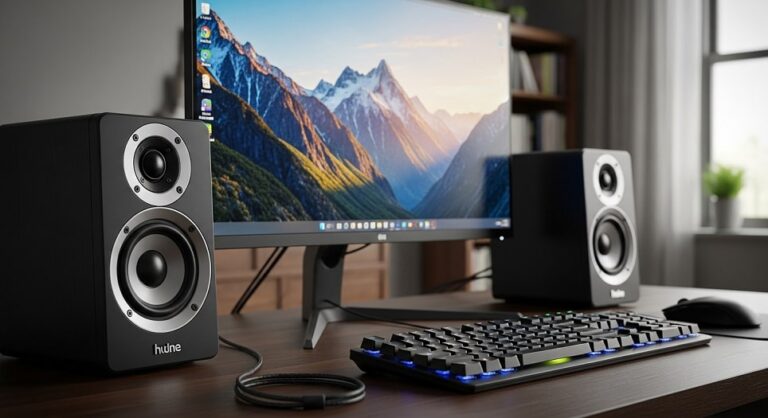
Understanding Computer Speakers in the Modern Desktop Era
Computer speakers have evolved dramatically over the past few years, transforming from basic audio accessories into sophisticated sound systems that rival traditional home audio setups. In 2025, the market offers an impressive range of options designed to enhance every aspect of desktop computing, from professional work environments to immersive gaming sessions. Whether you’re streaming music, attending virtual meetings, gaming for hours, or simply enjoying multimedia content, the right speaker system can fundamentally change your desktop experience by delivering rich, room-filling sound that built-in laptop or monitor speakers simply cannot match.
The contemporary computer speaker market has matured significantly, with manufacturers incorporating advanced audio technologies previously reserved for high-end home theater systems. Modern desktop speakers feature sophisticated digital signal processing, enhanced connectivity options including Bluetooth and USB-C, customizable RGB lighting effects, and compact designs that maximize sound quality while minimizing desk space consumption. This evolution reflects the changing nature of how people use their computers, with remote work arrangements and home entertainment setups driving demand for higher-quality audio solutions that perform well across multiple use cases.
Types of Computer Speaker Systems
Understanding the different types of computer speaker configurations is essential for making an informed purchasing decision. The designation system used for speakers indicates the number of channels and presence of subwoofers, which directly impacts the audio experience you can expect from your system.
2.0 Speaker Systems Explained
A 2.0 speaker system consists of two channels with left and right stereo speakers and no dedicated subwoofer. These systems typically house the amplifier inside one of the speakers and deliver audio across the entire frequency spectrum through their built-in drivers. The primary advantages of 2.0 systems include their compact footprint, simplified setup with fewer cables, and balanced sound signature that works well for music appreciation and general desktop use. Quality 2.0 speakers with larger drivers can produce surprisingly robust bass response without requiring additional components, making them ideal for users with limited desk space or those who prioritize a clean, minimalist aesthetic.
Professional studio monitors fall into the 2.0 category and represent the premium end of this speaker type. These speakers emphasize accuracy and clarity over flashy features, delivering neutral sound reproduction that allows users to hear audio exactly as it was intended. While studio monitors tend to be larger and more expensive than typical desktop speakers, they offer unmatched audio fidelity for serious music listeners, content creators, and audio professionals who require precise sound reproduction for their work.
2.1 Speaker Systems and Subwoofers
The 2.1 configuration adds a dedicated subwoofer to the two-channel setup, with the point-one designation indicating the presence of this low-frequency specialist. In these systems, the subwoofer handles bass frequencies below a certain threshold, typically around 80-120 Hz, allowing the satellite speakers to focus on mid-range and high frequencies. This division of labor results in clearer overall sound with more impactful bass response, particularly beneficial for gaming, movies, and bass-heavy music genres. The subwoofer usually sits on the floor beneath the desk, where its omnidirectional low-frequency output can fill the room without requiring precise positioning.
Most 2.1 systems designed for desktop use feature compact satellite speakers paired with a relatively small subwoofer that balances performance with space efficiency. The subwoofer typically contains the system’s amplifier and connectivity options, with the satellites connecting via speaker wire. This configuration has become the sweet spot for many computer users, offering enhanced bass performance and immersive sound without the complexity or expense of surround sound systems. Popular 2.1 systems in the current market deliver between 40-80 watts of total power, providing more than adequate volume for typical desktop listening environments.
Soundbars for Desktop Computing
Computer soundbars represent an increasingly popular alternative to traditional speaker pairs, offering a space-saving single-unit solution that sits directly beneath or in front of your monitor. These elongated speakers contain multiple drivers arranged horizontally to create stereo separation and, in more advanced models, simulated surround sound effects through clever audio processing. Modern soundbars often include features like virtual surround sound, customizable EQ settings, and RGB lighting synchronized with gameplay or music, appealing particularly to gamers who want immersive audio without cluttering their desk with multiple speaker units.
The primary advantage of soundbars lies in their convenience and desk space efficiency. Rather than positioning two separate speakers and potentially a subwoofer, you simply place one streamlined unit in front of your monitor and connect it to your computer. Many soundbars include built-in subwoofers or come with separate wireless subwoofer units, combining the space-saving benefits of a soundbar with the enhanced bass of a 2.1 system. Some premium gaming soundbars even incorporate head-tracking technology and beamforming to create personalized spatial audio that follows the listener’s position.
Essential Features to Consider When Buying Computer Speakers
Audio Quality and Frequency Response
Sound quality remains the most critical factor when evaluating computer speakers, yet it proves difficult to assess without hearing them in person. Frequency response specifications indicate the range of sounds a speaker can reproduce, measured in hertz. Quality speakers should cover a wide frequency range from approximately 20 Hz at the low end to 20,000 Hz at the high end, matching the range of human hearing. However, specifications alone don’t tell the complete story, as the accuracy of sound reproduction and absence of distortion matter equally. Reviews from trusted sources and user feedback provide valuable insights into how speakers perform with different types of content, from dialogue-heavy video conferences to bass-intensive gaming soundtracks.
The quality of individual components significantly impacts overall sound quality. Larger drivers generally produce better bass response and can move more air to fill a room with sound, though clever engineering and acoustic design can help smaller speakers punch above their weight. Digital signal processing has become increasingly sophisticated, allowing manufacturers to tune speaker output for specific use cases like enhanced dialogue clarity or emphasized bass response. When evaluating audio quality, consider your primary use cases and listen to speakers with the type of content you’ll most frequently enjoy.
Connectivity Options and Compatibility
Modern computer speakers offer diverse connectivity options to accommodate different devices and use scenarios. Traditional wired connections include the universal 3.5mm auxiliary input, USB connections for digital audio with built-in digital-to-analog conversion, and optical inputs for high-quality digital audio transmission. USB connectivity has evolved significantly, with many contemporary speakers featuring USB-C inputs that can simultaneously carry audio signals and provide power to the speakers, eliminating the need for separate power adapters and reducing cable clutter on your desk.
Wireless connectivity through Bluetooth has become nearly ubiquitous in computer speakers, allowing seamless pairing with smartphones, tablets, and computers without physical cables. Bluetooth 5.0 and newer versions offer improved range, stability, and audio quality compared to earlier iterations, though some audio latency may still occur with certain codecs. The most versatile speakers provide multiple connectivity options simultaneously, allowing you to connect your computer via USB or auxiliary cable while maintaining the ability to stream audio wirelessly from mobile devices. This flexibility proves particularly valuable in home office environments where you might need to quickly switch between work computer audio and personal device content.
Power Output and Volume Capabilities
Speaker power output, measured in watts RMS (Root Mean Square), indicates the continuous power the speakers can handle and generally correlates with maximum volume and dynamic range. For typical desktop listening in a home or office environment, speakers with 10-40 watts RMS total power prove more than adequate, while 40-80 watts suits larger rooms or users who prefer very loud audio. Peak power ratings, often prominently displayed in marketing materials, represent short-term maximum output and matter less than RMS ratings for practical purposes.
Consider both your room size and typical listening volume when evaluating power specifications. Speakers with insufficient power may distort when pushed to higher volumes, while overly powerful speakers might lack fine volume control at lower levels. Many modern speakers include gain switches or USB Power Delivery support that allows them to scale their output based on available power, providing flexibility for different environments and preferences. The efficiency of speaker design also affects perceived loudness, with well-designed speakers producing impressive volume from modest power ratings.
Top Computer Speaker Models in 2025
Budget-Friendly Options Under Fifty Dollars
The budget segment of the computer speaker market has improved dramatically, with several manufacturers delivering surprisingly capable audio at accessible price points. Creative’s Pebble series exemplifies this trend, with the basic Pebble model available for approximately twenty-five to thirty dollars yet providing sound quality that exceeds expectations for its price category. These compact, spherical speakers feature 45-degree upward-angled drivers that project sound toward the listener, USB power for simple connectivity, and passive radiators that enhance bass response beyond what their diminutive size would suggest.
The Creative Pebble V3 builds on the original design with USB-C connectivity, Bluetooth 5.0 wireless streaming, and Clear Dialog audio processing that emphasizes spoken words over background sounds, making it excellent for video calls and content with important dialogue. Priced around thirty-five to forty dollars, this model delivers 8 watts RMS with 16 watts peak power, sufficient for personal desktop listening. The space-saving design occupies minimal desk real estate, while the simple plug-and-play setup requires no software installation or complicated configuration. For users seeking the most affordable meaningful upgrade from built-in laptop or monitor speakers, these ultra-budget options provide remarkable value.
Mid-Range Speakers Between Fifty and One Hundred Fifty Dollars
The mid-range price bracket offers the best balance of features, build quality, and sound performance for most users. Creative’s T100 speakers, typically available for approximately eighty dollars, deliver exceptional value with their glossy design, multiple connectivity options including Bluetooth 5.0 and optical input, and impressive volume output that reaches over 90 decibels. The included wireless remote control provides convenient access to volume adjustment, input selection, and EQ presets, while the speakers themselves feature top-mounted controls for quick adjustments. Despite their affordable pricing, the T100 speakers can fill medium-sized rooms with clear, detailed sound.
For those seeking enhanced bass without stepping up to a full 2.1 system, the Creative Pebble Pro represents an excellent middle ground at approximately sixty dollars. This premium Pebble variant features larger 2.25-inch drivers, BassFlex technology for extended low-frequency response, and customizable RGB lighting around the speaker bases. When connected to a 30-watt USB Power Delivery adapter, the Pebble Pro delivers up to 30 watts RMS and 60 watts peak power, providing surprisingly robust audio from speakers barely larger than the budget Pebble models. The inclusion of Clear Dialog processing and both wired and wireless connectivity options makes these speakers versatile enough for work, entertainment, and gaming applications.
The Logitech Z407 stands out as perhaps the best value in computer audio, offering a complete 2.1 system with satellite speakers and subwoofer for approximately eighty to one hundred twenty dollars. This system delivers 40 watts RMS and 80 watts peak power, with the 20-watt subwoofer providing deep, room-filling bass that transforms gaming and movie experiences. The unique wireless control dial lets users adjust volume and bass levels from up to 20 meters away, while the dual-position satellite speakers can be oriented horizontally or vertically to suit different desk configurations. Connectivity options include Bluetooth 5.0, USB, and 3.5mm inputs, allowing simultaneous connection of multiple devices with easy switching between sources.
Premium Desktop Audio Systems
At the premium end of the market, speakers like the Audioengine HD3 deliver audiophile-grade performance for users who prioritize sound quality above all else. These powered bookshelf speakers feature a built-in 24-bit digital-to-analog converter, 60 watts peak power, and multiple input options including USB, optical, RCA, and Bluetooth aptX for high-quality wireless streaming. The HD3 speakers produce remarkably balanced sound with detailed highs, present mids, and satisfying bass response despite their relatively compact size. While priced significantly higher than budget options at approximately two hundred fifty to three hundred fifty dollars, these speakers deliver sound quality that justifies their cost for discerning listeners.
Studio monitor options like the Edifier R1280DB provide professional-grade sound reproduction for approximately one hundred thirty dollars, positioning them as an affordable entry point into reference-quality audio. These larger bookshelf-style speakers emphasize accuracy and clarity, making them ideal for music production, critical listening, and users who want to hear audio exactly as the creator intended. The R1280DB includes both analog and digital inputs plus Bluetooth connectivity, while the included remote control provides convenient access to volume, input selection, and tone adjustments. The speakers’ neutral sound signature might seem less exciting than bass-boosted consumer speakers initially, but reveals greater detail and nuance with extended listening.
Gaming-Focused Computer Speakers
RGB Lighting and Aesthetic Considerations
Gaming speakers have evolved into statement pieces that complement RGB-illuminated gaming setups, with customizable lighting effects synchronized to gameplay or music. Brands like Creative, Razer, and Redragon offer speakers with millions of color options and various lighting patterns, from subtle single-color glows to dynamic effects that pulse with audio beats. The Creative Pebble X exemplifies this trend with its customizable RGB lighting, compact spherical design, and gaming-appropriate features like low-latency Bluetooth connectivity and punchy bass response. When connected to appropriate power sources, the RGB lighting intensity increases, creating a more dramatic visual effect.
While RGB lighting might seem purely cosmetic, it contributes to the immersive gaming experience many users seek. The lighting can indicate speaker status, provide visual feedback for volume levels, or simply enhance the aesthetic cohesion of a carefully curated gaming space. Some advanced gaming speakers offer software control over lighting effects, allowing synchronization with other RGB peripherals through ecosystems like Razer Chroma or integration with game-specific lighting profiles. For gamers who invest significant effort into their setup’s visual presentation, RGB-equipped speakers serve both functional and aesthetic purposes.
Spatial Audio and Positional Sound
Positional audio capabilities help gamers identify the direction of in-game sounds, providing competitive advantages in multiplayer titles where hearing enemy footsteps or gunfire location matters. While true surround sound requires multiple speaker placement, modern 2.0 and 2.1 systems increasingly incorporate virtual surround sound processing that simulates multi-channel audio through clever digital signal processing. These systems analyze stereo audio signals and apply psychoacoustic effects to create the illusion of sound coming from multiple directions, enhancing immersion in single-player games and providing tactical information in competitive scenarios.
Premium gaming speakers like the Razer Nommo series feature THX Spatial Audio technology that creates convincing 360-degree soundscapes from a stereo speaker setup. The directional drivers and custom-tuned acoustic chambers work together to project sound in ways that enhance spatial awareness, allowing gamers to perceive audio cues more accurately. While these technologies can’t fully replicate the precision of competitive gaming headsets designed specifically for positional audio, they provide impressive immersion and spatial information for players who prefer speakers over headphones during extended gaming sessions.
Computer Speakers for Professional Use
Video Conferencing and Communication Quality
The explosion of remote work has elevated the importance of clear audio for video conferences and virtual meetings. Many modern computer speakers incorporate features specifically designed to enhance communication quality, with Clear Dialog technology processing audio to emphasize human voices over background noise and ambient sounds. This processing proves invaluable during lengthy video calls, reducing listener fatigue by making speech more intelligible without requiring increased volume levels. Some speakers include dedicated microphone and headset ports, allowing seamless switching between speaker audio for casual listening and private headset audio for confidential calls.
Speaker placement significantly affects video conferencing quality, with positioning near the monitor creating more natural-seeming audio during virtual meetings. Speakers with wide dispersion patterns ensure consistent audio quality regardless of where participants sit relative to the desk, while systems with good midrange clarity reproduce voices with greater fidelity than bass-heavy consumer speakers. For professionals who spend hours daily in virtual meetings, investing in speakers optimized for speech reproduction pays dividends in reduced strain and improved communication effectiveness.
Music Production and Content Creation
Content creators, musicians, and audio professionals require speakers that accurately reproduce sound without coloration or enhancement, allowing them to hear exactly what their audience will experience. Studio monitor speakers fulfill this need with flat frequency responses that neither emphasize nor de-emphasize any particular frequency range, revealing audio in its purest form. While this neutral sound signature might seem less exciting for entertainment purposes, it proves essential when making critical decisions about audio editing, mixing, or mastering where accuracy trumps subjective enjoyment.
Budget studio monitors like the Mackie CR series and PreSonus Eris line bring professional-grade monitoring capabilities to home studios without requiring thousand-dollar investments. These speakers feature precision-engineered acoustic designs with optimized port tuning and waveguides that minimize resonances and distortions. The front-mounted volume controls and multiple input options accommodate professional audio interfaces commonly used in content creation workflows. For creators who occasionally need enhanced entertainment sound, many modern studio monitors include tone controls or EQ switches that add character when desired while maintaining the option to return to flat reference sound for critical work.
Setup and Placement Optimization
Ideal Speaker Positioning
Proper speaker placement dramatically affects audio quality, with positioning rules derived from professional studio practices applicable to desktop setups. The equilateral triangle configuration, where speakers and listener form three equal-distance points, creates optimal stereo imaging and soundstage width. For typical desktop arrangements, this means positioning speakers approximately three to four feet apart, angled slightly inward to aim at the listener’s head, with the listener sitting roughly the same distance from each speaker. This arrangement allows the left and right channels to blend properly while maintaining distinct stereo separation.
Speaker height significantly impacts sound quality, particularly for frequencies above the bass range. Ideally, tweeters or high-frequency drivers should align with ear height when seated, which is why many desktop speakers feature upward-angled drivers or include elevation stands. If speakers must sit lower than ideal, angling them upward helps direct sound toward the listener rather than toward the desk surface. Maintaining some distance between speakers and walls prevents bass frequencies from building up excessively, though small desktop speakers generally create less problematic room interaction than larger bookshelf models.
Acoustic Treatment Considerations
While professional acoustic treatment might seem excessive for computer speaker setups, simple modifications can meaningfully improve sound quality. Hard, reflective surfaces like bare walls and glass windows cause sound reflections that muddy audio and reduce clarity, particularly noticeable with higher-quality speakers that reveal these acoustic issues. Soft furnishings like curtains, bookshelves filled with books, and even strategically placed acoustic foam panels absorb reflections and create a more controlled listening environment. For users serious about audio quality, investing in basic acoustic treatment provides benefits across all content types.
Desk surfaces also affect speaker performance, with vibrations from speaker cabinets transmitting through desks and potentially causing resonances or rattles. Isolation pads or speaker stands decouple speakers from desk surfaces, reducing these vibrations and cleaning up bass response. Some speakers include rubber feet or bottom padding to minimize direct contact with desks, though dedicated isolation solutions provide greater effectiveness. The improvement might seem subtle but becomes apparent during bass-heavy content, where isolated speakers maintain tighter, more controlled low-frequency output compared to speakers firmly coupled to resonant desk surfaces.
Current Market Price Ranges and Deals
Budget Category Pricing
Entry-level computer speakers deliver genuine value in late 2025, with quality options available from twenty-five to seventy-five dollars. The Creative Pebble maintains its position as the best ultra-budget choice at approximately twenty-five to thirty dollars, offering sound quality previously unavailable at this price point. Moving up slightly, the Creative Pebble V3 and Pebble SE with USB-C connectivity and Bluetooth streaming typically retail for thirty-five to forty-five dollars. These speakers provide all the features most casual users need for general desktop audio, making them ideal choices for students, first-time speaker buyers, or anyone seeking simple audio upgrades without significant investment.
In the fifty to seventy-five dollar range, options expand to include more powerful speakers with additional features. The AmazonBasics USB-powered speakers offer basic functionality at rock-bottom prices around twenty dollars, though sound quality reflects the minimal investment. Brand-name alternatives from Logitech, Creative, and Redragon in this price range typically include Bluetooth connectivity, enhanced power output, and RGB lighting effects that appeal to younger users or those building gaming setups on tight budgets. Sales events frequently reduce prices further, with speakers in this category often seeing 20-30 percent discounts during major shopping periods.
Mid-Range and Premium Pricing
The highly competitive seventy-five to one hundred fifty dollar segment contains numerous excellent options representing the sweet spot for most buyers. The Creative T100 fluctuates between seventy-five and ninety-five dollars depending on retailer and promotions, while the Logitech Z407 2.1 system ranges from eighty dollars during sales to one hundred twenty dollars at regular retail price. The Creative Pebble Pro typically sells for fifty-five to seventy dollars, and the newer Pebble X commands eighty to one hundred dollars with its enhanced features and RGB lighting. These mid-range speakers balance performance, features, and affordability effectively, providing substantial audio quality improvements over budget options without requiring premium-tier investments.
Premium computer speakers start around one hundred fifty dollars and extend beyond five hundred dollars for top-tier systems. The Audioengine HD3 typically retails for approximately three hundred dollars, while studio monitors like the Edifier R1280DB offer professional-grade sound for one hundred twenty to one hundred fifty dollars. Gaming-focused premium options like the Razer Nommo V2 Pro command higher prices due to advanced features including THX Spatial Audio, while audiophile-grade options from brands like KEF and Acoustic Energy easily exceed five hundred dollars. These premium speakers justify their costs through superior build quality, advanced acoustic engineering, and sound quality that approaches or matches traditional bookshelf speakers costing similar amounts.
Pros and Cons of Popular Models
Creative Pebble Series
Pros: The Creative Pebble lineup offers exceptional value across all price points, starting with the remarkably affordable base model that delivers sound quality far exceeding its minimal cost. The compact spherical design with upward-angled drivers occupies minimal desk space while projecting sound effectively toward listeners. USB power eliminates the need for separate power adapters, simplifying setup and reducing cable clutter. The entire series maintains consistent build quality and reliability that has earned widespread user acclaim across thousands of reviews.
Cons: Bass response, while impressive for the size, cannot match 2.1 systems with dedicated subwoofers, limiting their appeal for bass enthusiasts or users who frequently enjoy bass-heavy content. The basic Pebble model lacks Bluetooth connectivity, requiring wired connection via 3.5mm cable. Build materials consist entirely of plastic, which, while functional and attractive, lacks the premium feel of more expensive speakers. The compact size, though beneficial for space savings, physically limits driver size and consequently maximum volume potential.
Logitech Z407
Pros: This 2.1 system delivers genuinely impressive audio performance for its price point, with the dedicated subwoofer providing room-filling bass that transforms gaming and movie experiences. The innovative wireless control dial proves remarkably convenient, allowing volume and bass adjustments from across the room without software configuration. Multiple connectivity options including Bluetooth 5.0, USB, and 3.5mm accommodate diverse devices and use cases. The dual-position satellite design offers flexibility in speaker orientation to suit different desk arrangements.
Cons: The subwoofer, while compact compared to traditional home theater units, still requires floor space beneath desks, potentially presenting challenges in extremely cramped setups. Some users report the satellite speaker cables could be longer for greater positioning flexibility. The wireless control dial requires two AAA batteries that need periodic replacement. The design, though functional and space-efficient, lacks the visual flair of gaming-focused RGB speakers or the refined aesthetics of premium audio equipment.
Pro Tips for Computer Speaker Users
- Break-in Period Matters: Many speakers benefit from an initial break-in period during which mechanical components like speaker cones and suspension elements loosen up through use. Play music at moderate volumes for 10-20 hours after unboxing before making final judgments about sound quality. This break-in process allows speakers to reach their full performance potential, with noticeable improvements in bass extension and overall smoothness often appearing after this settling period.
- Volume Sweet Spots: Most speakers have optimal volume ranges where they perform best, typically between 40-70 percent of maximum volume. At very low volumes, dynamic range compresses and bass response diminishes, while pushing speakers to maximum volume often introduces distortion and reduces audio quality. Experiment to find your speakers’ sweet spot where they sound most balanced and engaging, then use computer or source device volume to fine-tune from that baseline level.
- Cable Quality Considerations: While expensive audiophile cables rarely provide audible improvements for computer speaker setups, using quality cables of appropriate length prevents potential issues. Excessively long cables can introduce signal degradation, while extremely thin cables might not adequately carry power for USB-powered speakers. The cables included with reputable speaker brands typically prove perfectly adequate, though replacing damaged or lost cables with quality replacements ensures optimal performance.
- Firmware Updates: Some modern speakers with USB connectivity or companion software receive periodic firmware updates that improve performance, add features, or fix bugs. Check manufacturer websites occasionally for updates, particularly if you experience connectivity issues or want to access new features. These updates sometimes significantly enhance functionality, adding new EQ presets, improving Bluetooth stability, or enabling compatibility with emerging audio formats.
- Maintenance and Cleaning: Regular cleaning extends speaker lifespan and maintains audio quality. Dust accumulation on speaker grilles and drivers can dampen sound and eventually cause mechanical issues. Use soft brushes or compressed air to remove dust from grilles and ports quarterly, and wipe down speaker exteriors with slightly damp microfiber cloths. Avoid spraying liquids directly onto speakers, and ensure thorough drying before use if any moisture contacts sensitive areas.
Frequently Asked Questions
Do I need a dedicated sound card for computer speakers?
Most modern computer speakers do not require dedicated sound cards, as onboard audio on contemporary motherboards provides adequate quality for typical listening. Speakers with USB connectivity include their own digital-to-analog converters that bypass computer sound hardware entirely, often delivering better quality than basic onboard audio. Dedicated sound cards or external DACs benefit primarily high-impedance headphones or situations where multiple simultaneous audio streams require routing, while most computer speakers perform excellently connected to standard computer audio outputs.
Can I connect multiple devices to my computer speakers simultaneously?
Many modern speakers support multiple simultaneous connections, typically pairing Bluetooth connectivity with wired USB or auxiliary inputs. This allows permanent connection to your desktop computer via USB or 3.5mm cable while maintaining the ability to stream audio wirelessly from smartphones or tablets. Some speakers automatically pause wired audio when Bluetooth devices begin playback, while others require manual switching between inputs via buttons, remotes, or companion apps. Check specific model specifications to understand multi-device capabilities before purchasing.
How much difference does speaker positioning really make?
Speaker positioning significantly impacts audio quality, particularly stereo imaging and soundstage width. Properly positioned speakers create convincing phantom center images where vocals and centered instruments appear to originate from between the speakers rather than distinctly from left or right. Poor positioning results in muddy sound, excessive bass resonance from wall reflections, or difficulty localizing individual instruments and sounds within the mix. Investing time in optimal positioning yields improvements rivaling speaker upgrades costing hundreds of dollars.
Should I choose 2.0 or 2.1 speakers for my desk?
The choice between 2.0 and 2.1 configurations depends on your priorities and available space. Quality 2.0 speakers with larger drivers can produce satisfying bass without subwoofers, offering simpler setup and smaller overall footprints. However, 2.1 systems with dedicated subwoofers provide deeper bass extension and more impactful low-frequency reproduction, particularly beneficial for gaming, movies, and bass-heavy music. If desk space allows accommodating a small subwoofer beneath your desk, 2.1 systems typically deliver more immersive experiences, while space-constrained users might prefer premium 2.0 speakers.
Are gaming speakers different from regular computer speakers?
Gaming speakers emphasize features like RGB lighting, virtual surround sound processing, and enhanced bass response, but fundamentally function identically to other computer speakers. Marketing targeting gamers often highlights specifications like low latency and directional audio, though quality speakers regardless of labeling deliver these attributes. Gaming-branded speakers frequently include aesthetic elements matching gaming peripheral ecosystems, making them visually cohesive choices for gaming-focused setups. However, non-gaming speakers from reputable audio brands often deliver superior sound quality at equivalent or lower prices.
Will Bluetooth connectivity cause audio lag during gaming?
Bluetooth audio latency varies significantly based on codec support and speaker implementation, with older speakers using basic Bluetooth codecs experiencing noticeable delays between on-screen action and corresponding audio. Modern speakers supporting low-latency codecs like aptX Low Latency reduce this delay to imperceptible levels for most users, though competitive gamers seeking absolute precision might still prefer wired connections. For single-player gaming and general entertainment, contemporary Bluetooth implementations work well, while multiplayer competitive scenarios benefit from wired connections’ guaranteed zero-latency performance.
Conclusion
Selecting the best computer speakers for your needs in 2025 requires balancing multiple factors including budget constraints, available desk space, primary use cases, and desired features. The market offers exceptional options across all price points, from remarkable budget speakers like the Creative Pebble series that deliver sound quality previously requiring much higher investments, to premium systems rivaling traditional audiophile equipment in performance and build quality. Understanding the fundamental differences between 2.0 and 2.1 configurations, recognizing which features genuinely enhance your experience versus marketing flourishes, and properly positioning speakers for optimal performance all contribute to satisfying long-term ownership.
The democratization of quality audio continues accelerating, with technologies like digital signal processing, advanced driver materials, and sophisticated acoustic engineering making genuinely good sound accessible at nearly every price point. Whether you’re a remote worker needing clear video conference audio, a gamer seeking immersive soundscapes, a music enthusiast wanting accurate reproduction, or simply someone who appreciates better sound than built-in laptop speakers provide, excellent options exist to meet your requirements. The speakers highlighted throughout this guide represent thoroughly tested, highly regarded choices that deliver reliable performance and user satisfaction across diverse applications and budgets.
As you consider which speakers best suit your needs, remember that personal preferences play significant roles in satisfaction. Audio remains inherently subjective, with individual tastes varying regarding preferred sound signatures, acceptable bass levels, and feature priorities. Reading professional reviews and user feedback provides valuable insights, but nothing replaces firsthand experience when possible. Most reputable retailers offer return periods allowing home auditions, letting you test speakers in your actual environment with your typical content before committing to purchases. Investing time in research and thoughtful consideration ensures you select speakers that will enhance your desktop experience for years to come, making every gaming session, video call, music listening period, and entertainment moment more enjoyable through quality audio that brings content to life.