

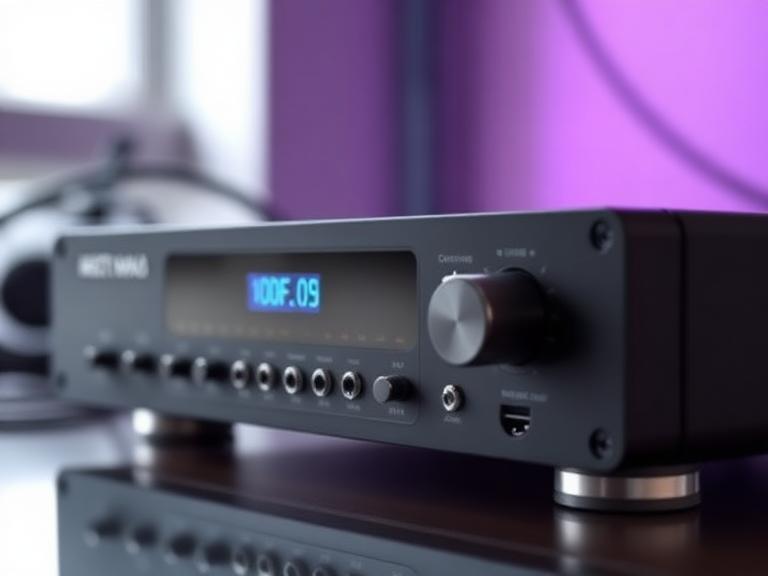
The digital optical audio port, often recognized by its distinct square shape and the faint red glow emanating from within, has been a cornerstone of home entertainment systems for decades. Formally known as the Toslink interface, this connection type revolutionized how we transmit high-quality sound between devices by utilizing light pulses rather than traditional electrical signals. Despite the emergence of newer technologies like HDMI, the optical port remains a vital component for audiophiles and home theater enthusiasts who demand reliability and isolation from electrical interference. Understanding the nuances of this technology is essential for anyone looking to optimize their sound system or integrate legacy audio equipment with modern television sets.
The history of the optical audio port dates back to the early 1980s when Toshiba developed the system to connect their CD players to receivers. By adopting fiber optic technology, Toshiba created a method of data transmission that was immune to the electromagnetic interference (EMI) and radio frequency interference (RFI) that often plagued copper-based cables. This innovation allowed for a cleaner signal path, ensuring that the digital data representing the audio remained bit-perfect from the source to the digital-to-analog converter (DAC). Today, while it may not support the massive bandwidth required for uncompressed high-resolution surround sound formats like Dolby Atmos, it remains the gold standard for standard 5.1 surround sound and high-fidelity stereo playback.
When you look at the back of a modern television, game console, or Blu-ray player, the optical port usually stands out due to its protective “shutter” door or a small plastic plug. This port is the gateway to the S/PDIF (Sony/Philips Digital Interface) protocol, which is the underlying language used to transmit digital audio over the fiber optic medium. Because the signal is converted from electricity to light at the output and then back to electricity at the input, there is no physical metal connection between the two devices. This “galvanic isolation” is one of the most significant benefits of using optical connections, as it prevents ground loops—those annoying humming or buzzing sounds often heard in complex audio setups where multiple devices share a common ground.
To fully appreciate the capabilities of the digital optical port, it is necessary to examine the physics of how it functions. Unlike standard RCA cables that push a voltage through a wire, an optical cable uses a core made of high-quality plastic or glass fibers. When an audio signal is sent, a tiny LED or laser diode inside the output port flashes at incredibly high speeds. These flashes represent the binary “ones” and “zeros” of the digital audio stream. The light travels through the cable, bouncing off the internal walls of the fiber in a process called total internal reflection, until it reaches the receiving end. A photodetector then translates these light pulses back into an electrical signal that the receiver’s processor can interpret.
One common misconception is that all optical cables are the same. While the basic Toslink standard is universal, the quality of the fiber material can vary significantly. Low-cost cables often use a heavy plastic fiber (POF) which is durable but can suffer from signal attenuation over long distances. High-end audiophile cables might utilize hundreds of tiny glass strands, which offer much lower jitter—a type of timing error that can subtly degrade the clarity of the sound. However, for the average home theater setup, a well-constructed plastic fiber cable is more than sufficient to deliver crisp, high-definition audio without the signal loss associated with analog alternatives.
The versatility of the optical port is also seen in its different physical forms. While the standard square Toslink connector is the most common, many portable devices and laptops use a “Mini-Toslink” connector. This looks almost identical to a standard 3.5mm headphone jack but has an optical transmitter at the tip. This dual-purpose design allows manufacturers to save space while still providing a high-quality digital output. For users with these devices, simple adapters or specialized cables are available to bridge the gap between a Mini-Toslink output and a standard Toslink input on a soundbar or receiver.
A frequent point of comparison in the modern era is the choice between Optical and HDMI. While HDMI has largely taken over as the primary connection for home theaters because it carries both video and audio, the optical port still holds a competitive edge in specific scenarios. HDMI ARC (Audio Return Channel) and the newer eARC (Enhanced Audio Return Channel) allow audio to flow from the TV back to a soundbar, but they often suffer from handshake issues or compatibility quirks between different brands. Optical, by contrast, is a “dumb” connection in the best possible way—it simply sends the signal without requiring a complex digital handshake, making it much more reliable for users who want a “set it and forget it” experience.
However, users must be aware of the bandwidth limitations inherent in the S/PDIF standard used by optical ports. The maximum bandwidth of an optical connection is approximately 384 kilobits per second for compressed surround sound or 1.5 megabits per second for uncompressed stereo. This means that while it can easily handle standard Dolby Digital and DTS 5.1 surround sound, it cannot support high-definition formats such as Dolby TrueHD, DTS-HD Master Audio, or the object-based audio of Dolby Atmos. For those with a high-end 7.1 or 9.1 speaker configuration, HDMI is the mandatory choice, but for 2.1 or 5.1 setups, the optical port remains a perfectly capable and high-fidelity option.
Another area where the optical port shines is in the realm of legacy hardware. Many high-end audio receivers from the late 1990s and early 2000s lack HDMI ports but feature exceptional amplification and sound processing. By using the optical output on a modern 4K TV, owners of these classic receivers can continue to enjoy high-quality sound without having to upgrade their entire system. This sustainability aspect makes the optical port a favorite among enthusiasts who prefer the “warmth” or power of older analog-heavy receivers paired with the digital precision of modern sources.
Setting up an optical audio connection is a straightforward process, but there are several technical nuances to ensure you are getting the best possible sound. Follow this comprehensive guide to ensure a perfect installation:
- Inspect and Clean the Connectors: Before plugging in your cable, remove the small plastic protective caps from both ends. These caps are often transparent or black and are easily missed. Additionally, ensure the port on your TV or receiver is free of dust; even a small particle can disrupt the light path and cause audio dropouts or static.
- Check for Proper Orientation: Toslink connectors are notched and can only be inserted in one direction. The connector has two rounded corners and two squared-off corners. Align the shape of the cable tip with the shape of the port before applying gentle pressure. You should hear or feel a “click” when the cable is securely seated.
- Configure the Source Device Settings: Simply plugging in the cable is often not enough. You must go into your TV or game console’s audio settings and change the “Digital Audio Output” or “Sound Output” to “Optical” or “Digital Out.” If you are using a soundbar that doesn’t support DTS, ensure your TV is set to output “PCM” or “Dolby Digital” to avoid getting no sound at all.
- Manage Cable Tension and Bends: Because optical cables use light, they are sensitive to extreme bends. Avoid kinking the cable or pulling it tight around sharp corners behind your entertainment center. A sharp bend can cause “light leakage” or even crack the internal fiber, leading to a complete loss of signal.
- Enable Bitstream for Surround Sound: If you are connecting to a 5.1 receiver, look for a setting called “Bitstream” in your source device’s menu. This tells the device to send the raw, encoded audio data to the receiver for decoding. If you select “PCM,” the source device will downmix the audio to stereo, and you will lose the surround sound effect.
When it comes to troubleshooting an optical audio connection, the most common issue is a lack of sound. This is frequently caused by a mismatch in audio formats. For instance, if you are playing a movie with a DTS soundtrack but your soundbar only supports Dolby Digital, you will hear nothing but silence. In this case, navigating to the “Expert Settings” or “Advanced Audio” menu on your television and switching the output format to “PCM” (Pulse Code Modulation) will solve the problem. PCM is an uncompressed stereo signal that is compatible with virtually every device that has an optical port, serving as a reliable universal fallback.
Another unique troubleshooting step involves the visual confirmation of the signal. Because the port uses visible red light, you can actually see if the source device is working. If you unplug the cable from the receiving end (the soundbar or receiver) while the TV is on and playing sound, you should see a bright red glow at the end of the cable. If there is no light, the problem lies with the source device or the cable itself. If there is light but no sound, the issue is likely with the input settings on the receiver or a format incompatibility. This simple visual check is one of the easiest ways to isolate hardware failure in a home theater chain.
Longevity is another factor to consider with optical ports. Unlike HDMI ports, which can become loose after repeated plugging and unplugging, the optical port’s shutter mechanism is quite robust. However, the cables themselves can be fragile if stepped on. If you notice “popping” sounds or intermittent audio, it is often a sign that the internal fiber has been damaged. Replacing the cable is usually the first and cheapest step in troubleshooting. Fortunately, because the signal is digital, you do not need to spend hundreds of dollars on “premium” optical cables; a standard, well-shielded cable from a reputable brand will provide the exact same audio quality as an expensive one, provided the connectors are of good build quality.
Current Market Prices and Deals
The market for optical audio components is mature, meaning prices are stable and products are widely available. For cables, prices generally range from $6 to $15 for standard lengths (3 to 6 feet). Brands like Amazon Basics, Cable Matters, and UGREEN offer highly-rated options that provide excellent performance for most consumers. If you require longer runs, such as 25 to 50 feet, you may see prices rise to $20 or $30, as higher-quality shielding and more robust fibers are needed to maintain signal integrity over those distances.
For those needing to bridge different technologies, optical-to-analog converters (DACs) are a popular purchase. These small boxes allow you to connect a modern TV with an optical output to an old stereo system with red and white RCA inputs. These converters typically cost between $12 and $25. On the higher end, audiophile-grade DACs that process optical signals can range from $100 to over $1,000, depending on the quality of the internal chips and power supply. Deals are frequently found during major holiday sales, but since these items are already affordable, the discounts usually amount to a few dollars.
Pros and Cons of Optical Audio
- Pro: Complete Electrical Isolation. By using light instead of electricity, optical cables eliminate the possibility of ground loops and hum, making them ideal for complex setups with many power sources.
- Pro: High Compatibility with Legacy Gear. The optical port allows you to keep using high-quality vintage amplifiers and receivers with the latest 4K and 8K televisions.
- Pro: Simplified Setup. There are no complex CEC (Consumer Electronics Control) commands or HDCP (High-bandwidth Digital Content Protection) handshakes to fail, ensuring a more stable connection than HDMI ARC in some cases.
- Con: Limited Bandwidth. You cannot transmit uncompressed high-def audio like Dolby Atmos or DTS-X, which limits its use in top-tier modern home theaters.
- Con: Physical Fragility. The fiber optic core can be damaged by sharp bends or heavy pressure, unlike copper wires which are more flexible and resilient.
- Con: Distance Limitations. While sufficient for home use, plastic optical fibers can lose signal quality over very long distances (exceeding 15-20 meters) without specialized repeaters.
Pro Tips for Optical Audio Success
To get the most out of your optical audio setup, consider these expert tips. First, always keep the protective caps that come with your cables. If you ever move or disconnect your system, putting these caps back on prevents the fiber ends from getting scratched or dusty. A single scratch on the tip of the fiber can diffuse the light and lead to significant signal degradation. If you do find your cable tips are dirty, use a lint-free microfiber cloth and a tiny amount of isopropyl alcohol to gently clean the tip, being careful not to leave any residue.
Second, if you are running out of optical ports on your receiver but have multiple devices (like a game console, a Blu-ray player, and a cable box), you can purchase an “Optical Audio Switcher.” These devices allow you to connect multiple optical cables to one input and switch between them using a remote or a button. Unlike HDMI splitters, which can be hit-or-miss, optical switchers are generally very reliable because they are simply redirecting a light path. This is a great way to expand the capabilities of an older receiver without needing to replace it.
Finally, pay attention to the “Sync” or “Audio Delay” settings in your TV menu. Because digital audio processing takes time, you may sometimes notice that the sound doesn’t perfectly match the actors’ lip movements. This is called a lip-sync error. Most modern TVs and receivers have a “Lip Sync” or “Audio Offset” feature that allows you to delay the audio by a few milliseconds to perfectly align it with the video. This is particularly important when using optical audio, as the TV may be processing the video and audio at different speeds before sending the sound out through the port.
Frequently Asked Questions
Can I use an optical cable for a 7.1 surround sound system?
Technically, you can connect it, but you will not get true 7.1 discrete channels. The optical standard (S/PDIF) is limited to 5.1 channels of compressed audio. If you try to play 7.1 audio, your source device will usually downmix it to 5.1 or even 2.0 stereo to fit through the connection. For a true 7.1 or higher experience, HDMI is required.
Is there a difference between “Toslink” and “Digital Optical”?
No, they are the same thing. Toslink is the name of the connector standard developed by Toshiba, while “Digital Optical” is the descriptive term for the technology. They are used interchangeably in manuals and on device labels.
Does the length of the optical cable affect sound quality?
In most home environments (under 15 feet), there is no audible difference. However, for very long runs, light signal attenuation can occur. If you must run a cable over 30 feet, it is recommended to buy a cable with a glass fiber core rather than plastic, as glass has a much lower rate of signal loss.
Why is my optical cable glowing but I still have no sound?
The glow indicates that light is reaching the end of the cable, but it doesn’t mean the data is in a format the receiver understands. Ensure your TV is set to “PCM” if your receiver is old, or “Dolby Digital” if it supports surround sound. Also, check that you have selected the correct “Optical” or “Digital” input on your receiver’s source selector.
Can I convert an optical signal to HDMI?
Yes, there are converters available, but they are usually designed to take an optical signal and inject it into an HDMI stream. This is common for older PCs or consoles. However, you cannot “upgrade” the quality; converting optical to HDMI will not suddenly give you Dolby Atmos if the source was only providing a 5.1 optical signal.
Is it okay to leave the red light on all the time?
Yes, the LED or laser diode used in optical ports is designed for long-term use and consumes a negligible amount of power. It will not “burn out” under normal conditions, though most devices turn the light off when the device enters standby mode.
In conclusion, the digital optical audio port remains an essential tool in the world of home entertainment. By providing a clean, noise-free, and highly compatible way to transmit digital sound, it bridges the gap between different generations of technology. While it may not offer the massive bandwidth of HDMI eARC, its ability to eliminate ground loops and its straightforward “plug-and-play” nature make it a favorite for many. Whether you are connecting a modern OLED TV to a classic stereo system or simply want a reliable way to get 5.1 surround sound to your soundbar, the Toslink port is a testament to the enduring power of well-designed engineering. By choosing the right cables, configuring your settings correctly, and understanding its limitations, you can ensure that your home theater provides the highest quality audio experience possible for years to come.
