

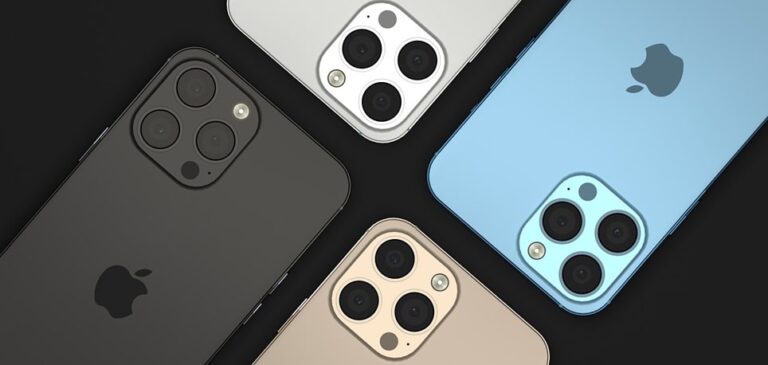
The iPhone 13 remains one of the most popular smartphones globally, and a primary concern for owners is its ability to withstand exposure to liquids. Whether it is an accidental drop in a swimming pool, a spill at the dinner table, or usage during a heavy rainstorm, understanding the technical limits of your device is essential for maintaining its longevity. While Apple markets these devices as water-resistant, there is a significant difference between being waterproof and being water-resistant. This distinction is governed by international standards and specific hardware engineering choices that determine how much pressure and depth the device can actually handle before the internal components are compromised.
To understand the iPhone 13’s capabilities, we must look at the International Protection (IP) rating system. The iPhone 13, including the Mini, Pro, and Pro Max models, is rated IP68 under IEC standard 60529. This rating provides a standardized measurement of a device’s resistance to both solids and liquids. The “6” in the rating indicates the highest possible protection against dust and solid particles, meaning the device is essentially dust-tight. The “8” refers to its liquid resistance, which is the more complex aspect of the device’s durability. While the standard IP68 rating usually guarantees protection at depths greater than one meter, Apple has pushed the engineering of the iPhone 13 series to exceed the basic requirements of the standard.
According to Apple’s official technical specifications, the iPhone 13 can withstand submersion in water up to a maximum depth of 6 meters (approximately 19.7 feet) for a duration of up to 30 minutes. This is a remarkable feat for a consumer electronics device and offers a significant safety net for most everyday accidents. However, users should be aware that these ratings are achieved under controlled laboratory conditions using stationary fresh water. Real-world scenarios often involve moving water, chemicals, or salt, all of which can drastically change how the phone reacts to liquid exposure. Understanding the nuances of these conditions is the first step in preventing permanent damage to your high-end mobile device.
The physical construction of the iPhone 13 plays a vital role in its water resistance. Apple utilizes a combination of precision-machined stainless steel or aerospace-grade aluminum frames, coupled with specialized adhesives and gaskets. These gaskets are placed around critical entry points such as the SIM tray, the Lightning charging port, the speaker grilles, and the physical buttons. Furthermore, the glass panels on the front and back are bonded to the frame using a high-strength industrial adhesive that creates a pressurized seal. This seal is designed to prevent water molecules from entering the delicate interior, where they could cause short circuits on the logic board or corrode the battery terminals.
It is important to note that water resistance is not a permanent condition. Over time, the seals and gaskets that protect the iPhone 13 can degrade due to normal wear and tear. Factors such as exposure to extreme temperatures, drops that cause micro-fractures in the frame, or contact with corrosive substances like detergents and oils can weaken the adhesive bonds. This means that a two-year-old iPhone 13 may not be as water-resistant as a brand-new unit fresh out of the box. Users should always treat their devices with care, even if they have been successful in submerging them in the past without incident.
When discussing liquid resistance, the type of liquid matters just as much as the depth and duration. The IP68 rating specifically covers fresh water. Other liquids, such as salt water from the ocean, chlorinated water from swimming pools, and sugary beverages like soda or coffee, pose a much higher risk. Salt water is particularly dangerous because it is highly corrosive; as the water evaporates, it leaves behind salt crystals that can eat away at the metal components and the rubber seals. Similarly, the chemicals in pool water can accelerate the breakdown of the adhesive seals. If your iPhone 13 comes into contact with any liquid other than fresh water, it is critical to rinse it off with clean tap water and dry it thoroughly according to recommended protocols.
If your iPhone 13 does get wet, there are several immediate steps you should take to minimize the risk of damage. First, if any liquid other than water splashes on the phone, rinse the affected area with tap water. Afterward, wipe the phone down with a soft, lint-free cloth—a microfiber cloth is ideal for this purpose. Ensure the phone is completely dry before opening the SIM tray or attempting to charge the device. To remove water from the speaker grilles and the Lightning port, hold the iPhone with the connector facing down and gently tap it against your hand. This helps use gravity to dislodge any trapped droplets. Allow the device to air dry in a well-ventilated area for several hours.
One of the most common mistakes users make after a liquid spill is attempting to charge the device immediately. If there is moisture in the Lightning port, the iPhone 13 will typically display a “Liquid Detected” warning on the screen. This is a safety feature designed to prevent an electrical short that could permanently fry the charging pins or the internal circuitry. If you see this warning, you must disconnect the cable and wait until the port is completely dry. This process can take anywhere from 30 minutes to several hours. Do not use external heat sources like hair dryers or compressed air, as these can force moisture deeper into the device or melt the internal adhesives.
Another popular myth is the “rice trick,” where a wet phone is placed in a bowl of dry rice to draw out moisture. Experts and Apple themselves strongly advise against this. Rice is not an effective desiccant for modern smartphones and can actually introduce small particles of dust and starch into the internal components, potentially causing more harm than good. Instead, the best course of action is patience and airflow. Placing the phone in front of a cool fan can help speed up the evaporation process without the risks associated with heat or foreign particles. If you suspect that water has bypassed the seals, it is best to power the device down completely until you are certain it is dry.
Critical Maintenance and Care for Water Resistance
Maintaining the integrity of your iPhone 13’s liquid protection requires proactive care. While the hardware is robust, certain habits can compromise the seals without the user even realizing it. Below are the primary factors that influence the longevity of your device’s water resistance:
- Avoid High-Pressure Water Exposure: Do not subject your iPhone 13 to high-velocity water, such as while showering, water skiing, or surfing. The force of the water can exceed the pressure limits of the gaskets, forcing liquid past the seals even if the depth is shallow.
- Chemical Sensitivity: Keep your device away from soaps, detergents, acids, or acidic foods. These substances can chemically break down the adhesives used to bond the glass to the frame, eventually creating gaps where water can enter.
- Temperature Management: Avoid using your phone in extreme environments like saunas or steam rooms. High heat and humidity can cause the seals to expand and contract, which may lead to seal failure over time.
- Physical Integrity: If your iPhone has a cracked screen or a dented frame, the water resistance is likely compromised. Even a small hairline fracture provides a pathway for liquid to reach the internal electronics, making the IP68 rating effectively void.
- Proper Cleaning Techniques: When cleaning your phone, use only water or specific electronic cleaners. Avoid using compressed air, which can push debris and moisture into the speaker mesh or the microphone ports.
- SIM Tray Security: Always ensure the SIM tray is fully inserted and flush with the frame. The SIM tray includes a tiny rubber O-ring that is the only thing standing between liquid and the logic board in that area.
In the event that water damage does occur, it is important to understand Apple’s warranty policy. Standard Apple limited warranties do not cover liquid damage. Every iPhone 13 contains Liquid Contact Indicators (LCIs) located inside the device, typically visible through the SIM card slot. These indicators are normally white or silver but turn bright red when they come into contact with water or a liquid containing water. If an Apple technician sees a triggered LCI, the repair will not be covered under the standard warranty, and you will be responsible for out-of-warranty repair costs. However, if you have AppleCare+, liquid damage is covered, though a service fee or deductible will still apply.
For those who frequently take their phones near water—such as hikers, sailors, or beachgoers—relying solely on the built-in water resistance is often not enough. For these environments, investing in a specialized waterproof case is highly recommended. These cases provide an additional mechanical barrier, often using heavy-duty latches and thick silicone seals. Many of these cases are rated for depths much greater than the iPhone 13’s native 6-meter limit. Furthermore, they offer impact protection, which is crucial because a drop onto a hard surface is the most common way a phone’s internal water seals are broken.
Technological advancements in the iPhone 13 also include software-level protections. Beyond the liquid detection in the charging port, the device uses sophisticated algorithms to manage power if it detects anomalies in the circuitry. If the phone becomes submerged, the speaker output might sound muffled for a short period. This is because water is trapped in the speaker cavities. As the water evaporates or is shaken out, the sound quality will return to normal. Some third-party apps and Siri shortcuts exist that play specific low-frequency tones to “eject” water from the speakers using vibrations, similar to the feature found on the Apple Watch.
Current Market Price and Deals
As the iPhone 13 is now a few generations behind the current flagship, the pricing has become much more accessible, making it a high-value option for those seeking a durable, water-resistant device without the premium price tag of the latest models. Prices vary significantly based on whether you are buying new, refurbished, or used.
- Brand New (Authorized Retailers): You can typically find the iPhone 13 128GB starting at approximately $549 to $599. Major carriers often offer this model for “free” with specific 24-month or 36-month service contracts and trade-ins.
- Certified Refurbished (Apple Store): Apple occasionally stocks the iPhone 13 in its refurbished section. These units are inspected, come with a new battery and outer shell, and include a one-year warranty. Prices usually hover around $469 to $499.
- Refurbished (Third-Party e.g., Amazon, Back Market): High-quality refurbished units (graded “Excellent”) generally range from $380 to $430 depending on the storage capacity. These are often the best deals for budget-conscious buyers.
- Used Market (Individual Sellers): On platforms like Swappa or eBay, used iPhone 13 units can be found for as low as $300 to $350. However, buyers should exercise caution regarding the battery health and whether the water seals are still intact.
Pros and Cons of the iPhone 13 Durability
When evaluating the iPhone 13 specifically for its resilience and water-resistant features, it is helpful to weigh the advantages against the inherent limitations of the technology.
- Pros:
- Industry-Leading IP68 Depth: The 6-meter depth rating is superior to many competitors in the same price bracket.
- Ceramic Shield: The front glass is infused with nano-ceramic crystals, making it tougher against drops that could otherwise break water seals.
- Stainless Steel/Aluminum Build: High-quality materials resist corrosion better than cheaper plastics found in entry-level phones.
- Reliable Software Alerts: The liquid detection system effectively prevents users from causing electrical damage while the port is wet.
- Cons:
- Seal Degradation: Water resistance is not permanent and diminishes with age and usage.
- No Warranty Coverage: Despite the IP68 marketing, Apple does not cover water damage under the standard one-year warranty.
- Repair Complexity: Once the phone is opened for a battery replacement or screen repair, it is difficult to restore the original factory-grade water seal without specialized equipment.
Pro Tips for iPhone 13 Water Safety
Check the SIM Tray Gasket: If you ever swap your SIM card, take a moment to inspect the tiny rubber gasket on the tray. If it looks torn or flattened, consider replacing the tray. This is one of the most common points of failure for water ingress.
Post-Submersion Rinsing: Always rinse your phone with fresh water after it has been in a pool or the ocean. This prevents chlorine or salt from drying on the device and causing long-term damage to the finish and the seals.
Use Wireless Charging: If your phone is wet and you need to charge it, avoid the Lightning port entirely. Use a MagSafe or Qi-certified wireless charger. This allows you to power up the device without worrying about moisture-related short circuits in the charging port.
Beware of Steam: Remember that steam consists of much smaller water droplets than liquid water and can penetrate seals more easily. Keep your iPhone out of the bathroom while taking a hot, steamy shower.
Frequently Asked Questions
Can I take photos underwater with my iPhone 13?
While the iPhone 13 can survive being underwater, it is not designed for underwater photography. The touch screen will not function correctly when submerged, and the pressure changes can stress the seals. If you want to take underwater photos, use a dedicated waterproof housing.
Does the iPhone 13 warranty cover water damage?
No, Apple’s standard one-year warranty does not cover liquid damage. Only AppleCare+ provides coverage for liquid-related incidents, subject to a service fee.
How can I tell if my iPhone 13 has water damage?
Check the Liquid Contact Indicator (LCI). On the iPhone 13, remove the SIM tray and look inside the slot using a magnifying glass or a bright light. If the indicator is red, the phone has had significant liquid contact. Other signs include foggy camera lenses or erratic screen behavior.
Is the iPhone 13 Mini just as waterproof as the Pro Max?
Yes, the entire iPhone 13 lineup—including the Mini, the standard 13, the Pro, and the Pro Max—shares the same IP68 rating of 6 meters for up to 30 minutes.
What should I do if my speakers sound muffled after getting wet?
This is normal. Water is likely trapped in the speaker mesh. Simply place the phone at a slight angle with the speakers facing down and wait for the water to evaporate. You can also play a “water eject” tone to help clear the ports.
Conclusion
The iPhone 13 is a remarkably durable device, engineered to withstand significant exposure to water through its advanced IP68-rated construction. With the ability to survive depths of up to 6 meters for 30 minutes, it provides peace of mind for users in a variety of environments. However, it is vital to remember that water resistance is a protective feature against accidents, not a permanent waterproof guarantee. Over time, physical wear, chemical exposure, and environmental factors can weaken the seals that protect the internal electronics. By understanding the limits of the technology, following proper drying procedures, and avoiding high-risk situations like high-pressure water or corrosive liquids, owners can ensure their iPhone 13 remains functional for years to come. Whether you are buying one new or refurbished, the iPhone 13 remains a top-tier choice for those who value a blend of performance and rugged liquid protection.


