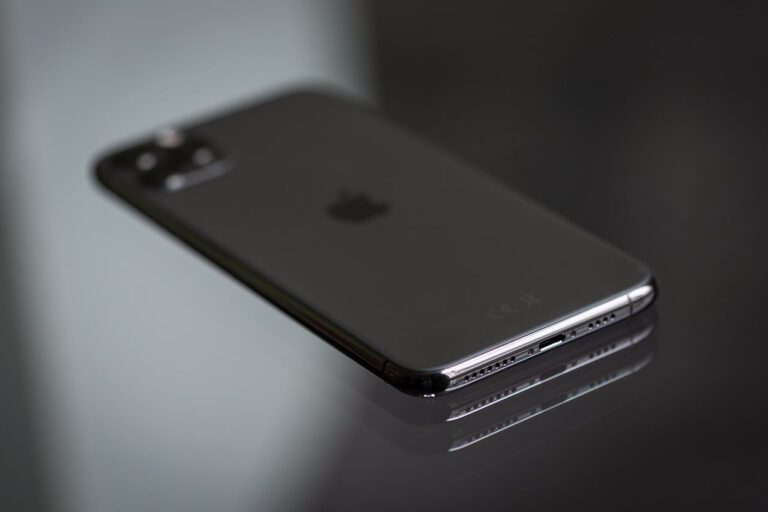
The iPad 10th Generation (2022) is a popular choice for users seeking a balance of performance, portability, and affordability. However, one of the most frequently asked questions about this model is whether it includes Face ID, Apple’s advanced facial recognition technology. Unlike the iPad Pro and iPad Air, which feature Face ID or Touch ID, the 10th Generation iPad relies exclusively on Touch ID for biometric authentication.
This article provides a detailed breakdown of the iPad 10th Generation’s security features, compares it to other iPad models, and explains why Apple chose Touch ID over Face ID for this device. We’ll also explore the implications for users and offer practical advice for those considering an upgrade or purchase.
What Is Face ID and How Does It Work?
Face ID is Apple’s facial recognition system, introduced with the iPhone X in 2017. It uses a TrueDepth camera to map and recognize a user’s face, enabling secure authentication for unlocking the device, authorizing purchases, and accessing sensitive data. Face ID is considered one of the most secure biometric authentication methods available, thanks to its use of infrared imaging and machine learning algorithms.
The TrueDepth camera projects over 30,000 invisible dots to create a precise depth map of the user’s face, which is then compared to the stored facial data. This process happens almost instantaneously, making Face ID both secure and convenient.
Face ID is available on the following iPad models:
- iPad Pro (11-inch, 3rd Generation and later)The 11-inch iPad Pro introduced Face ID in 2018, replacing the Home button and Touch ID. The TrueDepth camera is embedded in the top bezel, allowing for seamless unlocking in both portrait and landscape modes.
- iPad Pro (12.9-inch, 3rd Generation and later)The larger 12.9-inch iPad Pro also features Face ID, offering the same advanced security and convenience as its smaller counterpart.
- iPad Air (4th Generation and later)The iPad Air 4th Generation and later models include Touch ID integrated into the top button, but do not support Face ID. This design choice helps maintain a slim profile while offering secure biometric authentication.
Does the iPad 10th Generation (2022) Have Face ID?
No, the iPad 10th Generation (2022) does not have Face ID. Instead, it features Touch ID, which is integrated into the top button (previously known as the power button). This design allows the iPad to maintain a modern, bezel-less display without the need for a TrueDepth camera system.
The decision to exclude Face ID from the 10th Generation iPad is likely due to several factors:
- Cost EfficiencyFace ID requires a TrueDepth camera system, which is more expensive to manufacture than Touch ID. By using Touch ID, Apple can offer the iPad 10th Generation at a more affordable price point.
- Design SimplicityThe iPad 10th Generation features a slim, lightweight design. Integrating Face ID would require additional hardware, potentially increasing the device’s thickness and weight.
- Market PositioningThe 10th Generation iPad is positioned as an entry-level device, making it accessible to a broader audience. Touch ID provides sufficient security for most users while keeping costs down.
How Does Touch ID Work on the iPad 10th Generation?
Touch ID uses a fingerprint sensor embedded in the top button to authenticate users. When you press the button, the sensor reads your fingerprint and compares it to the stored data. If the fingerprint matches, the device unlocks, and you can access apps, make purchases, and authenticate sensitive actions.
Touch ID is known for its speed and reliability. It works well in most conditions, although it may struggle with wet or dirty fingers. The iPad 10th Generation’s Touch ID sensor is second-generation, offering improved accuracy and responsiveness compared to earlier versions.
To set up Touch ID on your iPad 10th Generation:
- Go to Settings > Touch ID & Passcode.
- Enter your passcode if prompted.
- Tap Add a Fingerprint and follow the on-screen instructions.
- Place your finger on the top button repeatedly until the sensor captures a complete fingerprint.
Comparison: iPad 10th Generation vs. iPad Pro vs. iPad Air
To help you decide which iPad is right for you, here’s a comparison of the biometric security features across Apple’s iPad lineup:
- iPad 10th Generation (2022)Touch ID (Top Button) – No Face ID. Ideal for users who prioritize affordability and simplicity.
- iPad Pro (11-inch & 12.9-inch, 3rd Generation and later)Face ID (TrueDepth Camera) – No Touch ID. Best for users who want the most advanced security and a premium experience.
- iPad Air (4th Generation and later)Touch ID (Top Button) – No Face ID. A middle-ground option with a sleek design and strong performance.
If Face ID is a must-have feature, the iPad Pro is the only option. However, if you prefer a more budget-friendly device with reliable security, the iPad 10th Generation or iPad Air are excellent choices.
Pros and Cons of Touch ID vs. Face ID
Both Touch ID and Face ID offer secure and convenient ways to unlock your iPad, but each has its own advantages and limitations.
Touch ID Pros:
- Works in Any Orientation – Unlike Face ID, which requires the device to be in portrait mode for optimal recognition, Touch ID works regardless of how you hold your iPad.
- More Affordable – Devices with Touch ID are generally less expensive than those with Face ID.
- Reliable in Various Conditions – Touch ID is less affected by lighting conditions or facial changes (e.g., wearing a mask or glasses).
Touch ID Cons:
- Requires Physical Contact – You must touch the button, which may be less convenient than simply looking at your device.
- Less Secure Than Face ID – While still secure, Touch ID is considered slightly less advanced than Face ID’s 3D mapping technology.
Face ID Pros:
- More Secure – Face ID uses advanced 3D mapping, making it harder to spoof than a fingerprint.
- Convenient and Fast – Unlocking your device with a glance is quicker and more intuitive for many users.
- Works with Apps and Payments – Face ID integrates seamlessly with Apple Pay, App Store purchases, and third-party apps.
Face ID Cons:
- Requires Direct Line of Sight – Face ID may not work if you’re lying down, wearing a mask, or in poor lighting.
- More Expensive – Devices with Face ID are typically priced higher due to the advanced hardware required.
Current Market Price and Deals
As of December 2025, the iPad 10th Generation (2022) is available at the following price points:
- 128GB Wi-Fi Model: $449
- 256GB Wi-Fi Model: $599
- 128GB Wi-Fi + Cellular Model: $599
- 256GB Wi-Fi + Cellular Model: $749
Deals and discounts are frequently available through Apple’s official refurbished store, as well as retailers like Amazon, Best Buy, and Walmart. Black Friday and holiday sales often provide significant savings, so it’s worth keeping an eye out for promotions.
Pro Tips for Using Touch ID on the iPad 10th Generation
- Register Multiple FingerprintsYou can register up to five fingerprints, making it easier to unlock your iPad with either hand or share access with trusted family members.
- Use Touch ID for App Store PurchasesEnable Touch ID for the App Store to streamline purchases and reduce the need to enter your Apple ID password.
- Keep Your Fingerprint Sensor CleanDirt or moisture can interfere with Touch ID’s accuracy. Regularly clean the top button with a soft, dry cloth.
- Enable “Erase Data” for SecurityIn Settings > Touch ID & Passcode, you can enable the option to erase all data after 10 failed passcode attempts, adding an extra layer of security.
Frequently Asked Questions (FAQs)
1. Can I Add Face ID to My iPad 10th Generation?
No, the iPad 10th Generation does not support Face ID. The hardware required for Face ID (TrueDepth camera) is not present in this model.
2. Is Touch ID Secure Enough for Banking and Payments?
Yes, Touch ID is considered secure for most applications, including banking and Apple Pay. However, Face ID is generally regarded as more secure due to its advanced 3D mapping technology.
3. Does the iPad 10th Generation Support Apple Pay?
Yes, the iPad 10th Generation supports Apple Pay, and you can authenticate payments using Touch ID.
4. Can I Use Touch ID with Third-Party Apps?
Yes, many third-party apps support Touch ID for authentication, including banking apps, password managers, and note-taking apps.
5. What Should I Do If Touch ID Stops Working?
If Touch ID is not working, try the following steps:
- Clean the top button and your finger.
- Restart your iPad.
- Re-register your fingerprint in Settings > Touch ID & Passcode.
- Update your iPad to the latest version of iPadOS.
Conclusion
The iPad 10th Generation (2022) does not include Face ID, but its Touch ID integration offers a secure and convenient alternative. While Face ID is available on the iPad Pro and offers advanced security, the 10th Generation iPad’s Touch ID is more than sufficient for most users, especially those seeking a budget-friendly option.
When choosing between iPad models, consider your priorities: if you value cutting-edge security and a premium experience, the iPad Pro with Face ID is the best choice. However, if affordability and simplicity are more important, the iPad 10th Generation or iPad Air with Touch ID are excellent alternatives.