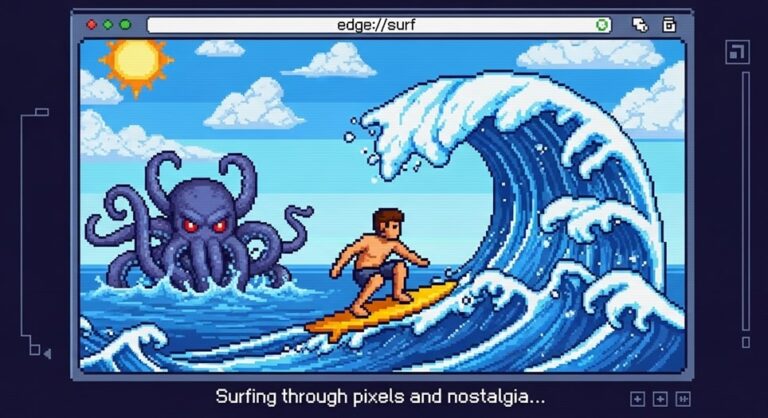
Microsoft Edge has a built-in surfing game that most users never find. Type edge://surf into the address bar and press Enter — the game loads instantly, works completely offline, and has four modes, multiple playable characters, hidden cheat codes, and controller support. This guide covers everything you need to start playing, improve your score, and unlock secrets most players miss.
What Is the Microsoft Edge Surf Game?
Edge Surf is a free arcade-style game built directly into the Microsoft Edge browser. It does not require a download, an account, or an internet connection. The game puts you in control of a surfer navigating through ocean obstacles — rocks, islands, sea creatures, and the Kraken — while collecting power-ups and racking up distance. It works on Windows, macOS, Linux, Android, and iOS, as long as you are running Microsoft Edge version 83 or newer.
The game was first introduced in 2020 as an offline Easter egg — something to do when your internet goes down — but it has since grown into a fully featured browser game with multiple modes, accessibility options, character customization, and cheat codes. A major update in February 2025 added remastered graphics, a new game mode, a character creator, and a themes menu. It is widely compared to Google Chrome’s dinosaur game, but Edge Surf offers significantly more depth. Just like Google’s Easter eggs are hidden in plain sight, Microsoft buried this one in the browser itself.
How to Access the Edge Surf Game
Open Microsoft Edge on any device and type edge://surf into the address bar, then press Enter. The game loads in a new tab immediately. You do not need to be connected to the internet — this address is an internal page built into the browser itself, not a website.
If the game does not load, check your Edge version. Go to edge://settings/help and confirm you are running version 83 or higher. If you are on an older version, update Edge through the same settings page. On Android and iOS, open Edge, tap the address bar, type edge://surf, and tap Go. The mobile version uses touch controls and works just as well offline as the desktop version.
Some organizations disable the Surf game through group policy. If you are on a work or school device and the game does not load, your administrator may have restricted it using the AllowSurfGame registry policy. On personal devices this is not a concern.
Full Controls Guide
Edge Surf supports four input methods: keyboard, mouse, touchscreen, and game controllers. You can check the full control layout any time by pressing the hamburger menu in the top-right corner of the game and selecting How to Play.
Keyboard controls: Use the Left and Right arrow keys to move your surfer. The Up arrow key stops your surfer completely. The Down arrow key resumes surfing after stopping. Press the F key to activate a speed boost when one is available — boosts appear as green lightning bolts near the start of a run. Press Spacebar to pause or resume the game. Press Ctrl + R to instantly restart a run without navigating any menus, which is useful when you want a quick reset after a bad start.
Mouse and touchpad controls: Move your cursor left and right to steer your surfer. Double-click to activate the speed boost. On a touchpad, drag left and right to steer, and double-tap to boost.
Touchscreen controls: Swipe left and right to steer your surfer. This works on both Android and iOS in Microsoft Edge’s mobile browser.
Controller controls: Edge Surf supports Xbox, PlayStation, Switch Pro, and the Xbox Adaptive Controller. Connect your controller via Bluetooth or USB — Edge detects it automatically. Use the left stick or D-pad to steer. The A button on Xbox (or X on PlayStation) pauses the game. The right trigger activates your speed boost. The controller also uses vibration to signal incoming obstacles, which adds a layer of feedback not available on keyboard.
All Four Game Modes Explained
Edge Surf has four distinct modes, each requiring a different strategy. You can switch between them from the main menu before starting a game, or from the settings icon during a session.
Let’s Surf (Endless Mode) is the default mode. You surf as far as possible while avoiding obstacles and the Kraken. You start with three lives, losing one each time you collide with an obstacle. The game speeds up as you progress, and the Kraken eventually appears and pursues you relentlessly. Your score is measured in meters traveled. This mode is the best starting point for new players and the mode most people use for high score runs.
Time Trial Mode replaces the endless run with a fixed course that ends at a finish line. Your goal is to reach the end as fast as possible. Collecting coins along the route shaves seconds off your time. The course layout is always the same, which means you can memorize shortcuts and optimal paths after multiple runs. This mode rewards route knowledge more than pure reaction speed.
Zig Zag Mode replaces obstacles with gates — pairs of buoys you must pass through in sequence. Your streak increases with each gate you thread successfully. Missing a gate resets your streak but does not end your run — you keep playing until your lives run out. This mode focuses on precision and rhythm rather than obstacle avoidance, and it is the best mode for practicing fine steering control.
Collector Mode was added in the February 2025 update. Your goal is to collect as many coins as possible without colliding with anything. Every coin adds to your score, and the risk-reward decision of going for coins in tight spots is what defines this mode. It is the most score-focused mode in the game and suits players who prefer a pure points challenge over distance or time.
Accessibility Features
Edge Surf includes two accessibility options accessible from the settings icon in the upper-right corner of the game.
High Visibility Mode adds visible collision outlines around all obstacles, making it significantly easier to judge safe gaps and time your movements. This is useful for younger players, anyone new to the game, or players using smaller screens where obstacles can be harder to read.
Reduced Speed Mode slows down the overall pace of the game. This makes the experience more manageable for casual players or anyone who finds the default speed difficult to keep up with. Both modes can be toggled on or off at any time from the settings menu without restarting your run.
Characters, Customization, and Themes
The February 2025 update replaced the old character selector with a full Character Creator. You can now customize your surfer’s outfit, hairstyle, and accessories including hats and sunglasses. The character you build is purely cosmetic and does not affect gameplay speed, obstacle frequency, or any other mechanic.
The same update added a Themes menu. If you prefer the original pixel-art look over the remastered graphics, you can switch back to the classic theme at any time from the themes menu without restarting the game. Both themes are fully supported across all modes.
Cheat Codes and Hidden Secrets
Edge Surf contains several hidden codes and Easter eggs that most players never discover. Note that activating most cheat codes disables scoring for that run — they are intended for experimentation and practice rather than leaderboard attempts.
Ninjacat skin: On the character selection or game mode screen, enter the Konami code: Up, Up, Down, Down, Left, Right, Left, Right, B, A. Your surfer immediately transforms into Microsoft’s iconic Ninjacat character for that session.
Become the Kraken: Start a run in Endless Mode and steer as far left as possible for approximately 800 meters. You will eventually encounter a circle of Krakens. Entering the circle transforms your character into the Kraken itself, letting you destroy obstacles for a limited time. This is one of the most satisfying secrets in the game and is entirely reproducible once you know the trick.
MICROSOFT: Type this word at the start screen or during the game. This activates infinite lives, though scoring is disabled for the run. Use it to explore later sections of the Endless map without restarting.
EDGE: Type this word to activate infinite boost energy. Useful for practicing high-speed routes and sections you struggle with under normal conditions.
BIG: Type this word to increase the size of your surfer character on screen.
SAFE: Type this word to remove the Kraken from the run entirely. Combined with MICROSOFT for infinite lives, this effectively creates a stress-free practice mode for learning the obstacle layouts.
Zoom-out cheat: Before starting a run, hold Ctrl and scroll your mouse wheel down to zoom the browser to 50%. The game renders the same but the visible play area becomes much wider, giving you more reaction time to spot and dodge obstacles. This is a legitimate browser trick rather than a built-in code, and it works consistently.
Tips to Improve Your Score
The keyboard is the most precise input method for high score runs. Mouse steering introduces a small lag between cursor movement and surfer response that becomes noticeable at higher speeds. Learn the keyboard controls first and stick with them for competitive play.
Collect hearts and shields early in each run before focusing on distance. Extra lives give you more runway to push past your previous best, and losing your buffer early is the most common reason runs end prematurely.
Save your speed boosts for two scenarios: escaping the Kraken when it closes in, and navigating dense obstacle clusters where slowing down would cause a collision. Using boosts aggressively in open water wastes them when you need them most.
In Time Trial mode, memorize where coins appear on the course layout. Strategic coin collection reduces your final time, and the course never changes, so each run builds on the last. In Zig Zag mode, focus on establishing a consistent rhythm rather than rushing. Missed gates reset your streak but do not end the run, so composure after a miss matters more than perfection. In Collector mode, treat every coin as a calculated risk — the ones placed near obstacles are worth more attention than aggressive chasing across open water.
Use the High Visibility Mode and Reduced Speed Mode together when first learning the game. Once you are comfortable with the obstacle patterns, turn both off and your real scores will reflect genuine skill rather than assisted gameplay.
Edge Surf vs Chrome Dinosaur Game
The Chrome dinosaur game is simpler — one button, one mode, one character, no secrets. Edge Surf is considerably more developed: four modes, a character creator, controller support, cheat codes, accessibility options, and a persistent high score tracker. The core comparison matters if you are deciding which browser to use as your daily driver. Beyond gaming, a broader comparison of Microsoft Edge and Google Chrome for power users covers performance, privacy, and features across the full scope of both browsers.
Both games share the same origin: they exist to give users something to do when offline. Edge Surf was directly inspired by Microsoft’s own SkiFree from the 1990s, replacing the yeti with the Kraken and the ski slope with ocean waves. The nostalgia factor for anyone who grew up with Windows 95 is significant.
Playing Edge Surf on Mobile
Edge Surf works fully on Android and iOS through the Microsoft Edge mobile browser. Open Edge on your phone or tablet, type edge://surf in the address bar, and tap Go. The game loads with touch controls enabled automatically. Swipe left and right to steer. The mobile version supports all four game modes and includes the same cheat codes as the desktop version, though controller support is more limited on mobile. The offline functionality works identically — no internet connection required once Edge is installed.
Troubleshooting Edge Surf
If the game loads but runs with lag or stuttering, disable hardware acceleration in Edge. Go to edge://settings/system and toggle off the hardware acceleration option, then restart the browser. This resolves performance issues on most affected systems.
If controls feel unresponsive, check whether a browser extension is intercepting keyboard input. Disabling extensions from the toolbar puzzle icon often resolves this immediately. You can also review and manage installed plugins and extensions in any browser if the issue persists across multiple browser-based games.
If the game page loads but shows an error or blank screen, verify your Edge version at edge://settings/help. Version 83 or higher is required. On mobile, check for pending app updates in the Play Store or App Store, as Edge Surf improvements roll out through browser updates rather than separate game patches.
Frequently Asked Questions
Is the Microsoft Edge surf game still available?
Yes. Edge Surf is actively maintained and available in all current versions of Microsoft Edge. Type edge://surf in the address bar to access it instantly. In February 2025, the game received a major update adding remastered graphics, a new Collector mode, a character creator, and a themes menu. It is available on Windows, macOS, Linux, Android, and iOS.
How do you play surf on Microsoft Edge?
Open Microsoft Edge, type edge://surf in the address bar, and press Enter. Use the Left and Right arrow keys to steer your surfer, F to boost, and Spacebar to pause. The game works offline — no internet connection required.
Can you play Edge Surf without Microsoft Edge?
The full version of Edge Surf requires Microsoft Edge. A limited browser-based version is available on third-party sites like nointernetgame.com, but it lacks the modes, characters, and features of the built-in version. For the full experience, Microsoft Edge is required.
How do you hack the Edge surf game?
The most accessible tricks are the typed cheat codes. Type MICROSOFT during gameplay for infinite lives, EDGE for infinite boost, SAFE to remove the Kraken, and BIG to enlarge your character. For the Ninjacat skin, enter Up, Up, Down, Down, Left, Right, Left, Right, B, A on the mode selection screen. Zoom the browser to 50% using Ctrl + scroll wheel for a wider field of view. Note that most codes disable scoring for that run.
Does Edge Surf work offline?
Yes. Edge Surf works completely offline. It is an internal browser page, not a hosted website, so no internet connection is required once Edge is installed on your device. This is by design — the game was originally created as an offline entertainment feature.
What is the Kraken in Edge Surf?
The Kraken is the main enemy in Endless Mode. It appears after you travel a significant distance and pursues your surfer relentlessly. Colliding with the Kraken costs a life. You can escape it temporarily using a speed boost. You can also type SAFE to remove it entirely, or trigger the secret transformation by steering far left for about 800 meters to find the Kraken circle and become it yourself.
How many game modes does Edge Surf have?
Edge Surf has four game modes: Let’s Surf (Endless), Time Trial, Zig Zag, and Collector. The Collector mode was added in the February 2025 update and challenges you to collect as many coins as possible without crashing.