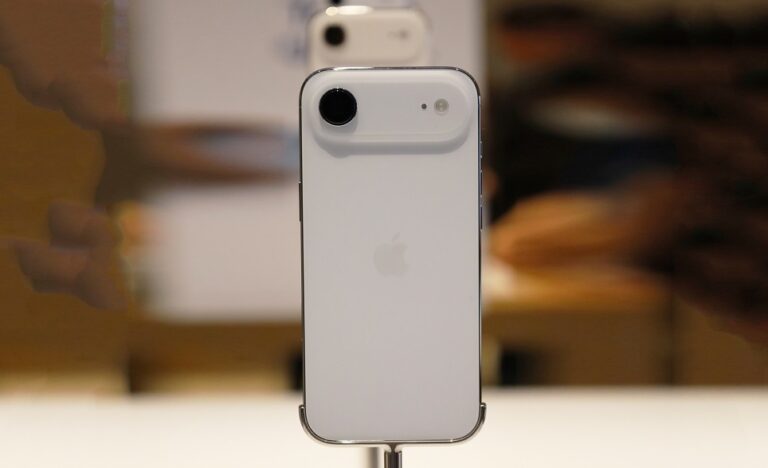
Losing an iPhone is a stressful experience, especially when it appears to be switched off, out of battery, or deliberately powered down. Many users assume that once an iPhone is off, tracking it becomes impossible. In reality, Apple has built multiple recovery layers into iOS that significantly improve your chances of locating a missing device, even when it is offline.
This guide explains every legitimate, verified method available to locate a lost iPhone when it is turned off, unreachable, or disconnected from the internet. It covers built-in Apple tools, offline tracking technology, recovery precautions, and practical steps to protect your data while increasing the odds of getting your device back.
Whether your iPhone was misplaced at home, stolen in public, or lost while traveling, understanding how Apple’s tracking systems work will help you respond calmly and effectively instead of panicking or taking irreversible actions.
How iPhone Tracking Works When a Device Is Off
Modern iPhones do not rely on a single tracking method. Apple combines GPS, Bluetooth, encrypted network signals, and account-level security to create a layered recovery system. Even when an iPhone appears off, certain hardware components can remain active for limited tracking functions.
When an iPhone is powered down or the battery is critically low, it may still broadcast a secure Bluetooth signal that can be detected by nearby Apple devices. This allows Apple’s network to update its last known location without revealing personal data.
The ability to locate an offline iPhone depends heavily on prior setup. Features such as Find My, location services, and network participation must be enabled before the device is lost.
Essential Settings That Must Be Enabled Before Loss
Before discussing recovery steps, it is important to understand which features must already be active on your iPhone. Without these settings enabled, tracking options become severely limited.
Find My iPhone
This feature links your iPhone to your Apple ID and allows remote location tracking, locking, and erasing. It is the foundation of all recovery methods.
Find My Network
This option allows your iPhone to be located even when offline by leveraging nearby Apple devices. It works silently and securely in the background.
Send Last Location
This automatically transmits your iPhone’s last known location to Apple when the battery is critically low, preserving a location snapshot.
- Find My iPhone enabled: Allows location tracking, Lost Mode, and remote erase. Without it, recovery options are extremely limited.
- Find My Network enabled: Uses Bluetooth signals to communicate with nearby Apple devices even when offline.
- Location Services active: Allows precise location data instead of approximate estimates.
- Apple ID signed in: Ensures device ownership verification and prevents unauthorized access.
- Two-factor authentication enabled: Protects account access during recovery attempts.
- Internet access allowed for system services: Ensures location updates can be transmitted when briefly connected.
Using Find My to Locate an iPhone That Is Off
The Find My app is the primary tool for locating a missing iPhone. Even when the device is turned off, Find My can display its last recorded location and sometimes update it through the network.
You can access Find My from another Apple device or through a web browser on any computer. Logging in requires your Apple ID credentials.
Viewing the Last Known Location
If your iPhone is offline, Find My will display the last known location along with a timestamp. This information is crucial for narrowing down search areas.
Understanding Offline Status
An “offline” status does not mean tracking has ended. It indicates the iPhone is not actively connected to the internet but may still update its location when detected by nearby Apple devices.
How Find My Network Tracks an Offline iPhone
The Find My network is one of Apple’s most powerful recovery features. It allows offline devices to be located anonymously using nearby Apple hardware.
When your iPhone is off or has no internet connection, it emits a rotating, encrypted Bluetooth identifier. Nearby Apple devices detect this signal and relay its location to Apple’s servers.
Your Apple ID then decrypts this information so only you can see the location. Neither Apple nor other device owners can identify your iPhone or access its data.
- Bluetooth beacon transmission: The iPhone emits a low-energy encrypted signal even when powered down.
- Nearby Apple devices: iPhones, iPads, and Macs detect the signal automatically.
- Anonymous relay: Location data is transmitted without revealing identities.
- End-to-end encryption: Only your Apple ID can decrypt the location.
- Battery-efficient design: The process does not significantly drain remaining power.
Activating Lost Mode for Additional Protection
Lost Mode is a critical step when your iPhone is missing. It locks the device, disables Apple Pay, and displays a custom message on the screen.
Even if your iPhone is currently off, Lost Mode activates automatically the next time it powers on or connects to a network.
What Lost Mode Does
Lost Mode prevents unauthorized access and increases the likelihood of recovery by encouraging honest finders to contact you.
Custom Message Best Practices
Keep your message simple and non-threatening. Include an alternate phone number or email address.
What to Do If the iPhone Was Stolen
If theft is suspected, recovery efforts should prioritize personal safety and data protection over physical retrieval.
Do not attempt to confront suspected thieves. Instead, document location data and report the theft to local authorities.
- Enable Lost Mode immediately: Locks the device and prevents misuse.
- Monitor location changes: Take screenshots of updates for documentation.
- Report to law enforcement: Provide serial number and location history.
- Notify your carrier: Request IMEI blocking to prevent network use.
- Avoid third-party tracking tools: Many are scams or security risks.
When and How to Erase a Lost iPhone Remotely
Remote erase is a last-resort option designed to protect sensitive data when recovery seems unlikely.
Once an erase command is issued, all data is removed the next time the iPhone connects to the internet. After erasure, tracking may become limited.
Risks of Erasing Too Early
Erasing the device removes the ability to track it in some scenarios, so this decision should be made carefully.
When Erasing Is Appropriate
If sensitive work files, financial apps, or personal data are at risk, erasing the device may be the safest option.
Pro Tips for Maximizing iPhone Recovery Success
- Check location history regularly: Offline devices may update sporadically as they pass near other Apple users.
- Keep Lost Mode active: This ensures tracking resumes automatically when the device reconnects.
- Use another Apple device: The Find My app provides more detailed updates than the web version.
- Secure your Apple ID: Change your password if theft is suspected.
- Document everything: Save timestamps, screenshots, and serial numbers.
- Stay patient: Some recoveries occur days or weeks after loss.
Frequently Asked Questions
Can I find my iPhone if it is completely powered off?
You may be able to see its last known location or receive updates through the Find My network if nearby Apple devices detect it.
Does Find My work without the internet?
Yes, offline tracking works through Bluetooth signals relayed by other Apple devices.
Can someone reset my iPhone if it is stolen?
Activation Lock prevents reuse without your Apple ID credentials.
How long does offline tracking last?
Offline tracking can function for several hours after power-off, depending on battery state and device model.
Should I erase my iPhone immediately?
Only erase if recovery seems impossible and sensitive data is at risk.
Conclusion
Finding a lost iPhone, even when it is turned off, is far more achievable than most people realize. Apple’s layered tracking systems, especially Find My and the Find My network, provide powerful recovery tools when properly configured.
The key to success lies in preparation, calm decision-making, and understanding how each recovery option works. By enabling the right settings in advance and following the correct steps after loss, you dramatically improve your chances of recovering your iPhone while keeping your personal data secure.

Full-stack developer at Scylla Technologies (USA), working remotely from Bangladesh. Adobe Certified Magento Developer.