Access to clean and available public restrooms is a practical necessity that affects daily routines, travel comfort, health needs, and accessibility. Whether navigating an unfamiliar city, managing a medical condition, traveling with children, or simply spending long hours outdoors, knowing how to quickly locate nearby restrooms can significantly reduce stress and wasted time.
Google Maps has evolved far beyond basic navigation. It now functions as a real-time local discovery platform that helps users identify essential amenities, including public restrooms, with remarkable accuracy. By combining business listings, user-generated data, accessibility information, and live location services, Google Maps offers one of the most reliable methods for finding restrooms almost anywhere in the world.
This guide explains how to find public restrooms near your location using Google Maps efficiently and accurately. It covers mobile and desktop usage, filtering techniques, accessibility considerations, offline use, and advanced features that many users overlook. Each section is designed to help you locate restrooms faster while avoiding common mistakes.
Understanding How Google Maps Identifies Public Restrooms
Before using Google Maps effectively, it is helpful to understand how restroom data appears on the platform. Google Maps does not maintain a single universal database labeled “public restrooms.” Instead, restroom availability is integrated into places, businesses, and public facilities through multiple data sources.
Restroom information typically comes from verified business listings, government or municipal data, user-submitted edits, photos, reviews, and accessibility tags. Locations such as parks, transit stations, shopping centers, restaurants, and large retail stores often list restroom availability as part of their place details.
Because the information is dynamic and community-driven, availability may vary by time of day, business hours, or access restrictions. Understanding this helps users verify results quickly and avoid relying on outdated or misleading listings.
What Counts as a Public Restroom on Google Maps
Public restrooms on Google Maps generally fall into several categories. These include standalone municipal restrooms, restrooms inside public buildings, and customer-accessible restrooms within private businesses.
While some facilities are fully public and free to use, others may require entering a business, purchasing an item, or following posted usage rules. Google Maps often reflects this distinction through reviews, photos, and user comments rather than explicit labels.
How to Find Public Restrooms Using Google Maps on Mobile
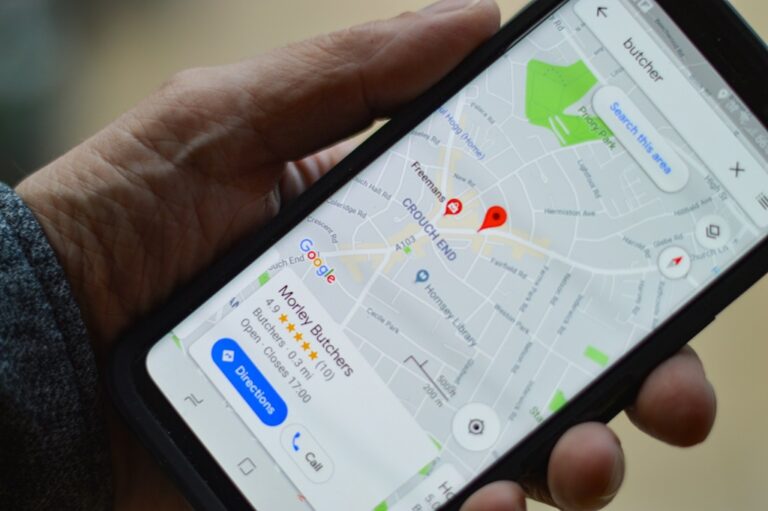
The Google Maps mobile app is the most practical tool for locating nearby restrooms while on the move. It uses your real-time GPS location and provides immediate results based on proximity, popularity, and relevance.
To begin, open the Google Maps app on your Android or iOS device and ensure that location services are enabled. This allows the app to show results closest to your current position rather than a general area.
In the search bar, type phrases such as public restroom, public bathroom, or restroom near me. Google Maps will display nearby locations on the map along with a scrollable list.
Refining Results for Accuracy
Once results appear, tap on individual locations to open their place details. Look for indicators such as restroom icons, accessibility information, business descriptions, and user-uploaded photos that show signage or facilities.
Reading recent reviews is one of the most reliable ways to confirm restroom availability. Users often mention whether restrooms are open to the public, require a purchase, or are temporarily unavailable.
If results seem limited, zooming in or out slightly can refresh nearby options. Google Maps adjusts search results based on map scale, so small changes can reveal additional locations.
Using Voice Search When Time Is Critical
Voice search can be particularly useful in urgent situations. Tap the microphone icon and say phrases like “public restroom near me” or “bathroom nearby.” Google Maps will immediately display relevant locations without requiring typing.
This feature is especially helpful when walking, driving, or carrying items, as it reduces the need for manual interaction with the device.
Finding Public Restrooms on Google Maps Desktop
While mobile usage is more common, the desktop version of Google Maps is useful for planning routes, travel itineraries, or long outings in advance. It allows users to identify restroom locations along a route before leaving.
To use Google Maps on desktop, open the website in a browser and sign in to your Google account for personalized results. Enter a city, address, or landmark in the search bar to center the map.
Then search for public restroom or bathroom within that area. Results appear as map pins and a list on the left side of the screen.
Planning Routes With Restroom Stops
One advantage of desktop use is the ability to plan routes and visually identify restrooms along the way. This is especially useful for road trips, walking tours, or public transit journeys.
By dragging the route line or adding stops, users can check whether restrooms are available near transit hubs, parks, or commercial areas before starting their trip.
This proactive approach reduces uncertainty and helps manage time more effectively.
Using Filters and Place Types to Locate Restrooms
Google Maps does not always label places explicitly as “public restrooms,” but many locations reliably provide restroom access. Using place types strategically can uncover more options.
Common place types that frequently offer restrooms include shopping malls, grocery stores, fast-food restaurants, coffee shops, libraries, museums, and large retail chains.
Searching for these place types and checking their details often yields faster results than relying solely on restroom-specific searches.
Leveraging Accessibility Filters
For users who require accessible facilities, Google Maps includes accessibility information such as wheelchair-accessible entrances and restrooms.
When viewing a place, look for accessibility icons or descriptions. Reviews often provide additional context about space, cleanliness, and ease of access.
This feature is particularly important for travelers with mobility needs or caregivers assisting others.
Interpreting Reviews, Photos, and User Contributions
User-generated content is one of the most valuable aspects of Google Maps for restroom discovery. Reviews and photos often provide details that official listings omit.
Photos may show restroom signage, entry locations, or cleanliness conditions. Reviews often mention whether restrooms are open to non-customers or restricted during certain hours.
Prioritize recent reviews, as restroom availability can change due to renovations, policy updates, or temporary closures.
Contributing Accurate Information
Users can help improve accuracy by submitting edits, adding photos, or answering questions about restroom availability. These contributions benefit the wider community and improve future search results.
When submitting information, ensure it is accurate, current, and clearly stated. Avoid assumptions or outdated details.
Offline and Low-Connectivity Strategies
In areas with limited internet access, Google Maps can still be useful if prepared in advance. Offline maps allow users to view saved areas without an active connection.
Before traveling, download maps for the area and mark known restroom locations as saved places. While real-time updates will be unavailable, saved locations remain visible.
This approach is especially helpful for international travel, remote locations, or areas with unreliable mobile coverage.
Pro Tips for Finding Public Restrooms Faster
- Search during business hours
Restrooms inside businesses are typically only available when the location is open. Checking operating hours prevents wasted trips and frustration. - Zoom in for better results
Adjusting the map zoom level can reveal smaller or less prominent locations that do not appear at wider scales. - Use transit hubs as anchors
Train stations, bus terminals, and airports almost always provide restrooms, making them reliable reference points. - Check multiple listings nearby
Having a backup option is useful in case a restroom is temporarily closed or restricted. - Read recent reviews first
Recent user feedback is the most accurate indicator of current availability and conditions. - Save trusted locations
Saving known restroom-friendly locations helps with future planning and repeat visits.
Frequently Asked Questions
Does Google Maps show all public restrooms?
No. Google Maps shows restrooms based on available data from businesses, public facilities, and user contributions. Some restrooms may not be listed, especially in smaller or less-documented areas.
Are restrooms inside businesses always free to use?
Not always. Some businesses require a purchase or restrict restroom use to customers. Reviews usually mention these conditions.
How accurate is restroom information on Google Maps?
Accuracy is generally high in well-populated areas but can vary. Verifying through reviews, photos, and recent updates improves reliability.
Can I report incorrect restroom information?
Yes. Users can suggest edits, report closures, or update details directly within Google Maps to improve accuracy.
Is there a dedicated restroom filter in Google Maps?
Currently, there is no universal restroom-only filter. Searches rely on keywords and place details rather than a single toggle.
Conclusion
Finding public restrooms quickly and reliably is an essential part of modern navigation, and Google Maps provides one of the most effective solutions available. By understanding how restroom data is integrated, using targeted search terms, interpreting reviews carefully, and leveraging both mobile and desktop features, users can locate nearby facilities with minimal effort.
Whether planning ahead or responding to an immediate need, the strategies outlined in this guide help reduce uncertainty and save time. With thoughtful use and community contributions, Google Maps continues to improve as a dependable tool for locating public restrooms wherever you go.

Full-stack developer at Scylla Technologies (USA), working remotely from Bangladesh. Adobe Certified Magento Developer.