

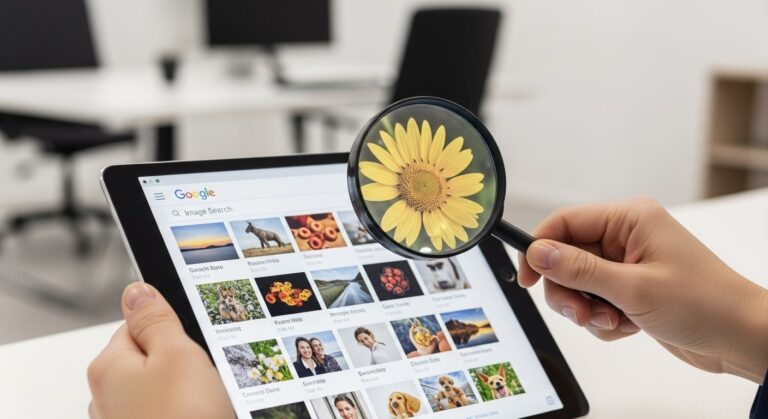
Google Search Can Now Help Verify an Image’s Origins
Google’s “About this image” feature, rolled out globally in 2025, empowers users to verify the origins and context of images directly within Search, combating misinformation in an era of AI-generated content. By clicking the three-dot menu on an image result, users access details like creation date, first indexing time, and metadata from the source website. For example, a user in Dhaka querying a viral photo of a natural disaster can see if it was fact-checked or altered, helping discern real events from fakes. Compared to tools like TinEye’s reverse search, Google’s integration provides richer context, including AI descriptions and usage history across news sites. This advancement is crucial for journalists, researchers, and everyday users facing deepfakes. Guidance: Always cross-check multiple sources when verifying, combining “About this image” with manual searches for comprehensive validation. Google’s image tool explains the feature.
The feature leverages Google’s vast indexing capabilities to show an image’s history, such as when it first appeared online and how it has been described by creators or news outlets. In real-world applications, educators use it to teach digital literacy, analyzing a historical photo’s authenticity in class. Compared to Photoshop’s metadata, Google’s tool aggregates web-wide data, offering a broader view. Users in regions with high misinformation rates, like during elections, benefit from quick checks. Guidance: Enable the feature in Google Search settings and practice on familiar images to build familiarity.
AI-powered summaries within the tool describe image sources, noting if generated by tools like Midjourney or edited. This helps users spot manipulations, such as altered political images spreading on social media. Guidance: Report suspicious images to platforms for further review.
How “About This Image” Works in Practice
To use “About this image,” perform a Google Image Search or use Google Lens on a photo, then tap the three dots for details. The panel displays metadata like file name, creation date, and location if available, plus links to where the image has appeared. For instance, a user in Sylhet verifying a celebrity photo can see its first upload on a news site in 2024, confirming authenticity. Compared to reverse image search results, this feature adds contextual layers, like fact-check labels from independent organizations. Journalists rely on it for story verification, saving time. Guidance: Combine with Google Fact Check Explorer for deeper analysis, especially for news-related images.
The tool’s integration with Google Lens allows scanning physical photos or screenshots, providing origins even for offline content. A student researching historical events can scan a textbook image to find its digital history and related articles. Compared to standalone apps like Veracity, Google’s version is free and built-in. Guidance: Update the Google app to the latest version for optimal performance.
Privacy considerations ensure metadata is only shown if publicly available, protecting user data. Guidance: Avoid sharing sensitive images online to prevent unwanted tracking.
Benefits of Image Origin Verification
Verifying image origins combats misinformation, essential in 2025 with rising AI deepfakes. Users can discern manipulated content, like altered protest photos spreading on social media. For example, during elections, voters use the tool to check campaign images’ authenticity, promoting informed decisions. Compared to manual fact-checking, Google’s feature speeds the process, accessible via mobile. Educators incorporate it into curricula for digital literacy. Guidance: Teach family members to use the tool for everyday online safety.
The feature enhances research, allowing academics to trace image histories for studies. A historian verifying archival photos can confirm dates and sources quickly. Compared to library databases, it’s instant and global. Guidance: Bookmark verified sources for future reference.
It supports content creators by crediting originals, reducing plagiarism. Guidance: Cite sources when sharing images online.
Limitations and Future Improvements
While powerful, the feature relies on available metadata, which may be absent for older or private images. Users encountering “no details available” must use reverse search as fallback. For instance, a vintage photo might lack indexing, requiring manual verification. Compared to blockchain-based tools, Google’s is more accessible but less tamper-proof. Guidance: Combine with multiple tools for thorough checks.
AI-generated images sometimes lack clear markers, though Google plans enhancements in 2026. Guidance: Look for AI disclaimers in descriptions.
Language limitations exist, with English primary, but expansions are underway. Guidance: Use translation tools for non-English results.
Practical Tips for Using Google’s Image Verification
Start by uploading an image to Google Search or using Lens to access “About this image.” The panel shows history and metadata. For example, verifying a meme’s origin helps spot alterations. Guidance: Practice on known images to understand outputs.
Check fact-check labels for debunked content. Guidance: Follow links to full reports.
Use for shopping by verifying product images. Guidance: Avoid scams with manipulated photos.
Key Benefits of Image Verification
- Misinformation Combat: Identifies fakes quickly. Essential for news. Promotes truth online.
- Research Enhancement: Traces origins efficiently. Useful for academics. Saves time in studies.
- Creator Protection: Credits originals. Reduces theft. Encourages proper attribution.
- Digital Literacy: Teaches verification skills. Builds critical thinking. Empowers users.
- Scam Prevention: Spots manipulated ads. Protects consumers. Avoids fraudulent purchases.
Image Verification Tools Comparison Table
| Tool | Features | Accessibility | Limitations |
|---|---|---|---|
| Google’s About this image | Metadata, history, AI summaries. Integrated in Search. | Free, global. Mobile and desktop. | Relies on available data. English primary. |
| TinEye | Reverse search, matches. Upload or URL. | Free basic. Web-based. | No context details. Limited to visuals. |
| Veracity | Manipulation detection. App-based. | Mobile only. Free with ads. | Less comprehensive. Focuses on edits. |
| Fact Check Explorer | News fact-checks. Google tool. | Free, web. Search-integrated. | Text-focused. Image support limited. |
Real-World Applications of Image Verification
Journalists use the tool to authenticate photos in stories, ensuring credibility. For instance, verifying a protest image prevents spreading fakes. Guidance: Cross-reference with news sources.
Educators teach students to verify online images, fostering critical thinking. Guidance: Assign projects analyzing viral photos.
Consumers check product images for scams. Guidance: Verify seller claims with origins.
Conclusion: Google’s Role in Image Verification
Google’s “About this image” feature in 2025 marks a significant step in combating misinformation, providing users with tools to verify origins and context. By integrating metadata and AI, it empowers informed online navigation.


