

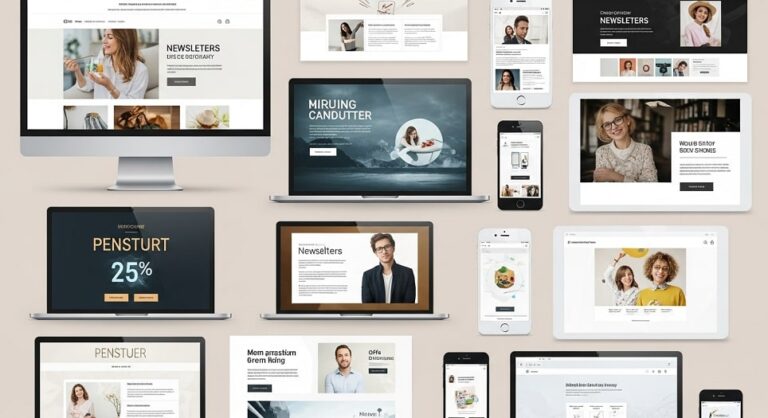
Email marketing continues to dominate as one of the most effective digital marketing channels, delivering an impressive return on investment of up to forty dollars for every dollar spent. At the heart of successful email campaigns lies a critical component that many marketers overlook: responsive HTML email templates that perform flawlessly across all devices and email clients. As mobile devices now account for over forty-four percent of all email opens, creating emails that adapt seamlessly to various screen sizes is no longer optional but essential for campaign success.
The landscape of email design has evolved dramatically over the past decade. What once required extensive coding knowledge and countless hours of development can now be accomplished through intuitive drag and drop email builders and sophisticated template libraries. However, understanding the fundamentals of HTML email coding remains invaluable for marketers who want to create truly exceptional campaigns that stand out in crowded inboxes. This comprehensive guide will walk you through everything you need to know about creating, customizing, and optimizing responsive HTML email templates for maximum engagement and conversion.
Understanding HTML Email Templates and Their Importance
An HTML email template is a pre-designed email layout created using HyperText Markup Language that allows marketers to send visually formatted messages with images, colors, custom fonts, and interactive elements. Unlike plain text emails that display only unformatted text, HTML emails enable designers to create engaging, branded messages that capture attention and drive action. The difference between a plain text message and a professionally designed HTML email is comparable to the distinction between a typed letter and a glossy, professionally designed brochure.
The technical foundation of HTML emails differs significantly from modern web development practices. While contemporary websites utilize advanced CSS frameworks and flexible layouts, email templates must rely on table-based structures and inline CSS to ensure consistent rendering across diverse email clients. This requirement stems from the fact that email clients like Microsoft Outlook, Gmail, and Apple Mail each interpret HTML and CSS differently, with some clients using outdated rendering engines that don’t support modern web standards. Email developers must account for these limitations by employing coding techniques that were state-of-the-art in the late nineteen nineties but remain necessary for email compatibility today.
The Critical Role of Mobile Optimization
Mobile responsiveness has become the cornerstone of effective email design. Research from multiple industry sources reveals that between twenty-six and seventy-eight percent of email opens occur on mobile devices, depending on target audience demographics, product type, and email category. When subscribers encounter emails that aren’t optimized for mobile viewing, the consequences are severe and immediate. Studies indicate that fifty-two percent of users are less likely to engage with a brand after experiencing a poor mobile email experience, and remarkably, it takes only three seconds for recipients to decide to delete an improperly formatted email viewed on a smartphone.
The importance of mobile-friendly email design extends beyond mere aesthetics. Emails that fail to render correctly on mobile devices suffer from numerous usability issues including tiny, unclickable call-to-action buttons, text that requires constant zooming to read, images that extend beyond screen boundaries causing horizontal scrolling, and layout structures that become completely unusable on smaller displays. These problems directly impact conversion rates, with research showing that responsive email designs can increase unique mobile clicks by fifteen percent compared to non-responsive alternatives. Furthermore, consistent mobile optimization helps maintain brand credibility and strengthens customer relationships by demonstrating attention to user experience details.
Essential Components of Responsive Email Design
Creating truly responsive HTML email templates requires understanding and implementing several core technical components that work together to ensure optimal display across all devices and email clients. The foundation of responsive email design rests on three primary techniques: scalable design, fluid layouts, and media query-based responsive approaches.
Scalable Design Architecture
Scalable email design, also known as mobile-first or mobile-friendly design, works effectively across both desktop and mobile platforms without requiring complex code adjustments. This approach utilizes a grid system for alignment and proportion, single-column layouts that naturally adapt to different screen widths, and generously sized buttons that remain easily clickable on touchscreens. The primary advantage of scalable design lies in its simplicity and reliability. Since it doesn’t depend on media queries or conditional styling, scalable templates render consistently even in email clients with limited CSS support.
The scalable approach prioritizes content hierarchy and ensures that the most important information appears prominently regardless of viewing device. Designers implementing this method typically work with maximum email widths between six hundred and eight hundred pixels, which displays comfortably on desktop clients while remaining manageable on mobile devices. This technique proves particularly valuable for organizations with limited development resources or those targeting audiences that use email clients known for poor CSS support.
Fluid Layout Implementation
Fluid design takes responsiveness a step further by using percentage-based sizing to make table and image widths adapt dynamically to available screen space. Rather than setting fixed pixel widths, fluid layouts employ relative measurements that allow content to expand or contract based on the viewport dimensions. This approach, similar to liquid layouts in web design, provides greater flexibility than purely scalable designs while maintaining compatibility with a wide range of email clients.
Implementing fluid layouts requires careful attention to table structure and image handling. Tables must be coded with width attributes set to percentages rather than absolute pixel values, and images need max-width properties to prevent them from exceeding container boundaries. The code for a basic fluid container typically includes inline styles that specify width percentages and table attributes that enforce box-model structure. This combination ensures predictable rendering even in email clients that strip out certain CSS properties or modify HTML structure during processing.
Media Query-Based Responsive Design
The most sophisticated approach to responsive email design utilizes CSS media queries to apply different styling rules based on device characteristics, particularly screen width. Media queries function as conditional statements within email HTML that detect the viewing environment and activate appropriate styles accordingly. This technique allows designers to create dramatically different layouts for mobile versus desktop viewing, including changing multi-column layouts to single columns, adjusting font sizes for improved readability, hiding or showing specific content elements, and resizing images and buttons for optimal interaction on touchscreens.
A typical media query for email design targets devices with screen widths of four hundred eighty pixels or less, which represents the standard width of mobile phone screens in landscape orientation. The media query is placed within style tags in the email’s head section and applies its rules only when the specified conditions are met. For example, a media query might increase body text from fourteen pixels to sixteen pixels on mobile devices to ensure comfortable reading without zooming, or it might transform a three-column product showcase into a single-column stack for easier mobile navigation.
However, media query implementation comes with important caveats. Not all email clients support media queries equally. While modern webmail clients like Gmail and Apple Mail handle them reliably, certain mobile email apps and older email client versions either ignore or partially support media queries. This inconsistency requires developers to code defensive base styles that function acceptably even when media queries fail to execute. The base email should be structured to work on mobile devices using fluid or scalable techniques, with media queries added as progressive enhancements for clients that support them.
Table-Based HTML Email Structure
One of the most challenging aspects of HTML email development for developers accustomed to modern web design is the necessary reliance on table-based layouts. While tables have been largely replaced by CSS flexbox and grid layouts in contemporary web development, they remain the most reliable method for structuring email content due to inconsistent CSS support across email clients. Tables provide predictable box-model behavior and structural integrity that CSS positioning cannot guarantee in the email environment.
Building Foundation Tables
The basic structure of an HTML email begins with a container table that acts as the email’s true body element, necessary because some email clients strip or modify the actual body tag. This container table typically includes attributes such as role equals presentation to improve accessibility, border-collapse set to collapse to prevent unwanted spacing, and explicit width, border, and border-spacing attributes all set to zero or appropriate values. These attributes leverage HTML’s attribute system, which email clients support more consistently than CSS properties.
Within the container table, developers nest additional tables to create sections, columns, and content blocks. Each nested table functions as a discrete layout element, containing table rows and table data cells that hold actual content. This nesting approach allows for complex layouts while maintaining the structural predictability that email clients require. For instance, a two-column layout on desktop can be achieved by creating a table row containing two table data cells, each with specified widths that sum to the total desired width. On mobile devices, these columns can be made to stack vertically through media queries that change the table data cells to display block and width one hundred percent.
Inline CSS and Styling Best Practices
Email development requires extensive use of inline CSS because many email clients remove or ignore style tags in the head section. Every stylistic element from font properties to colors to spacing must be applied directly to HTML elements through the style attribute. While this approach results in more verbose code compared to external stylesheets, it ensures maximum compatibility across email clients.
However, developers should maintain a balance between inline styles and style tag declarations. Best practice involves using inline styles for critical presentation elements while placing media queries and client-specific overrides in the head section’s style tags. Tools exist to automate the process of converting CSS from style tags to inline styles, though the selection of these tools depends on existing technology stacks and development workflows. The key principle is avoiding JavaScript-based inlining tools, as JavaScript has no place in HTML email code.
Leading HTML Email Template Builders and Tools
The evolution of email template builders has democratized professional email design, making it accessible to marketers without coding expertise while still providing powerful customization options for developers. Understanding the strengths and capabilities of different email template builders helps organizations select the right tools for their specific needs and technical capabilities.
Top Drag-and-Drop Email Builders
Tabular has emerged as a leading choice for modern email template creation, earning recognition for generating remarkably clean, optimized HTML code. The platform’s no-code drag-and-drop interface simplifies email creation while its underlying engine produces table-based HTML with minimal compressed class names and specific workarounds for common rendering issues. Tabular handles the delicate balance between style block CSS and inline styles automatically, includes precise Microsoft Office-specific styling for Outlook compatibility, and generates code that renders correctly across more than fifty email clients including problematic older Outlook versions. The platform offers direct integrations with over twenty email service providers including HubSpot, Mailchimp, and Klaviyo, and provides device-specific mobile editing capabilities that allow designers to create substantially different mobile versions of templates.
Stripo commands attention with its vast library of over fifteen hundred free HTML email templates and an extensive collection of pre-built content modules. The platform combines an intuitive drag-and-drop editor with direct HTML code editing capabilities, allowing users to work visually while maintaining access to underlying code for advanced customization. Stripo’s template library is thoughtfully categorized by type, e-commerce vertical, industry, and season, making it easy to locate appropriate starting points for various campaign types. The builder supports interactive email elements including image rollover effects, CSS-animated buttons, and countdown timers, all created within the editor interface. Stripo integrates with more than seventy email service providers and offers both free and premium tiers, with the free plan providing surprisingly robust functionality for individuals and small teams.
Beefree distinguishes itself through its massive template catalog and enterprise-grade collaboration features. The platform markets itself as having the largest collection of professionally designed templates in the industry, with over fifteen hundred free templates available to users. Beefree’s strength lies in its team-oriented features including real-time co-editing where multiple users can work simultaneously on the same template, design-specific feedback systems, and integrated approval workflows that eliminate the need for juggling multiple tools. The platform’s mobile design mode allows specific customization of how emails appear on mobile devices, giving designers granular control over responsive behavior. Beefree exports seamlessly to major email platforms and offers both free and paid plans with the free tier allowing up to six email exports monthly.
Specialized Email Development Tools
Postcards by Designmodo has gained popularity among designers for its Figma-like interface that leverages familiar design tools and shortcuts. The platform’s component-based approach allows designers to build emails by dragging and dropping pre-made modules onto a canvas, then customizing those modules to match brand requirements. Postcards excels in speed, with users reporting average time savings enabling them to design email templates significantly faster than traditional methods. The platform provides both preset design systems for quick application of fonts, buttons, colors, and styling, and collaborative editing features that display multiple users’ cursors in real time. Postcards exports clean, production-ready HTML code and integrates with all major email marketing platforms including Mailchimp, HubSpot, Klaviyo, and others.
Unlayer serves a different market segment as an embeddable email builder designed for integration into existing software products. Rather than functioning as a standalone tool for end-user email creation, Unlayer provides a white-label builder that software companies can incorporate into their own platforms. This approach has made Unlayer popular among SaaS companies, marketing automation platforms, and enterprise applications that want to offer email creation capabilities without investing in building and maintaining their own editor. The platform features comprehensive documentation, TypeScript support, and enterprise-grade security including SOC 2 compliance, making it suitable for applications with stringent security and reliability requirements.
Platform-Integrated Editors
Many email marketing platforms include native template editors as part of their core functionality. HubSpot’s email builder, while not as feature-rich as standalone specialized tools, integrates seamlessly with the platform’s CRM, marketing automation, and analytics systems. This integration enables powerful personalization based on contact properties, automated email workflows, and comprehensive performance tracking all within a single interface. Similarly, SendGrid’s email editor allows users to design and send campaigns directly without requiring separate tools, though advanced users often choose to design in specialized builders like Tabular and export the HTML to SendGrid for sending.
Mailchimp’s template editor has evolved significantly over the years and now offers both a simplified drag-and-drop interface for beginners and advanced HTML editing capabilities for developers. The platform provides hundreds of pre-designed templates across various categories and includes built-in image editing tools, product recommendation blocks for e-commerce, and comprehensive preview and testing features. Mailchimp automatically inlines CSS and handles many technical optimizations behind the scenes, making it easier for non-technical users to create functional responsive emails.
Step-by-Step Guide to Creating Responsive HTML Email Templates
Building effective responsive HTML email templates from scratch requires a methodical approach that addresses structure, styling, and testing in sequence. This step-by-step process applies whether you’re hand-coding templates or using visual builders with HTML customization capabilities.
Step One: Establishing Proper HTML Structure
Begin with the correct doctype declaration and HTML element configuration. While modern websites use the simple HTML5 doctype, email templates benefit from including XML and Microsoft Office namespaces that ensure proper rendering in Outlook and other problematic clients. The opening HTML tag should specify the language attribute, typically set to English, and include xmlns declarations that Outlook’s Word-based rendering engine requires for processing certain elements correctly.
The head section requires several critical meta tags including charset specification set to UTF-8 for proper character encoding, viewport meta tags that control scaling on mobile devices with width set to device-width and initial-scale set to one point zero, and format-detection meta tags that prevent iOS from automatically detecting and converting phone numbers and other data types into links. Many email developers also include a meta tag that prevents Microsoft Office from adjusting text sizes unexpectedly. These meta tags form the minimum foundation necessary for predictable email rendering across diverse clients and devices.
Step Two: Building the Container Structure
Create a body element with margin and padding set to zero through inline styles to eliminate unexpected whitespace. Inside the body, construct a full-width table with width set to one hundred percent that serves as the true body container. This outer table should include a background color that will be visible on wider displays where the email content doesn’t extend to full screen width. Set the table’s role attribute to presentation for accessibility, and apply border-collapse collapse with border and border-spacing all set to zero.
Within this container table, add a table row and table data cell that will hold the actual email content table. This inner content table should have a maximum width of six hundred to six hundred fifty pixels for optimal desktop display, though some designers use seven hundred or eight hundred pixels depending on their design requirements. Center this content table using align equals center and apply any desired background colors or borders. This nested table structure provides the foundation that all subsequent content sections will build upon.
Step Three: Developing Content Sections
Organize email content into distinct sections, each contained within its own table row and table data cell structure. A typical email might include a header section with logo and navigation elements, a hero section featuring a large image and headline, body sections containing the main message content, and a footer section with contact information, social media links, and unsubscribe options. Each section should be coded as a separate table nested within the main content table, maintaining the overall six hundred to six hundred fifty pixel width constraint.
For images, always specify width using HTML attributes rather than CSS, such as width equals three hundred, because Microsoft Outlook for Windows displays images at their physical size if width isn’t specified via attributes. Set image height to auto to prevent distortion and display to block to eliminate gaps that appear beneath images in some email clients. Include descriptive alt text for accessibility, but remember that any crucial information should appear as live text rather than being embedded solely in images, since images don’t always load and alt text isn’t consistently displayed visually across all email clients.
Step Four: Implementing Responsive Media Queries
Add a style section in the head containing media queries that activate at appropriate breakpoints. The standard breakpoint for mobile email design is four hundred eighty pixels, representing typical smartphone screen widths. Within the media query, define styles that override inline declarations for improved mobile display. Common adjustments include forcing tables and images to full width with width one hundred percent and important flag, increasing text sizes from fourteen pixels desktop baseline to sixteen or eighteen pixels for improved mobile readability, changing display properties to stack elements vertically that appear side by side on desktop, adjusting padding and spacing to optimize for smaller screens, and hiding non-essential content elements that would clutter mobile displays.
Ensure that media query selectors target classes added to HTML elements rather than relying solely on element selectors. This specificity helps override inline styles effectively and provides granular control over which elements receive mobile-specific treatments. Test that base styles without media queries create an acceptable mobile experience, so that clients which don’t support media queries still deliver usable emails. The media queries should enhance the experience progressively rather than being required for basic functionality.
Step Five: Comprehensive Testing Across Clients
Testing represents one of the most critical phases of email template development due to the enormous variability in how different email clients render HTML and CSS. Professional email developers use specialized testing tools like Litmus, Email on Acid, or similar services that provide screenshots showing exactly how emails appear across dozens of email clients, devices, and operating systems. These tools test not just visual rendering but also functionality of links, tracking pixels, and interactive elements.
Testing should cover major email client categories including webmail clients like Gmail, Outlook.com, and Yahoo Mail across multiple browsers, desktop applications like Microsoft Outlook across multiple versions particularly legacy versions known for rendering issues, and mobile email apps on both iOS and Android including native mail apps and third-party clients like Gmail mobile. Each email client presents unique challenges, from Outlook’s Microsoft Word rendering engine that mangles modern CSS to Gmail’s automatic resizing and modification of HTML structure. Iterative testing at each development stage catches issues early when they’re easier to fix than discovering multiple problems only after completing the entire template.
Advanced Techniques for Professional HTML Emails
Beyond basic responsive functionality, professional email developers employ several advanced techniques that elevate template quality and ensure optimal performance across challenging email environments.
Outlook-Specific Conditional Code
Microsoft Outlook’s use of Microsoft Word as its rendering engine creates unique challenges that require special handling. Developers address these issues using conditional comments that Outlook recognizes while other clients ignore. These comments allow insertion of Outlook-specific HTML and CSS that fixes rendering problems without affecting other clients. Common applications include using Vector Markup Language to create buttons and shapes that Outlook otherwise displays incorrectly, adding MSO-specific CSS properties that control line height, text spacing, and other elements, and wrapping certain sections with Outlook-only tables that enforce proper spacing and alignment.
Dark Mode Optimization
With the increasing adoption of dark mode across email clients, particularly Apple Mail on iOS and macOS, email developers must now consider how templates appear in both light and dark color schemes. Email clients that support dark mode typically invert colors automatically, which can produce unintended results including logos becoming invisible when their background changes from white to dark, text colors becoming illegible when inverted, and brand colors shifting to unrecognizable shades. Developers address these issues using special media queries that detect dark mode and apply appropriate overrides, ensuring logos include transparent backgrounds or providing alternate dark mode versions, and carefully selecting color palettes that remain legible and on-brand in both light and dark modes.
Interactive Email Elements
Modern email clients increasingly support interactive elements that engage recipients without requiring them to leave their inbox. These advanced features include countdown timers that create urgency for time-sensitive offers, image carousels and galleries that let users browse multiple products or images, accordion menus that reveal additional content on click or hover, embedded video players in clients that support them, and interactive forms and surveys using AMP for Email technology. While these features aren’t universally supported, they can significantly boost engagement among recipients using compatible email clients. Best practice involves designing fallbacks that display for users whose email clients don’t support the interactive features, ensuring no one receives a broken experience.
Pro Tips for HTML Email Template Development
Experienced email developers have accumulated numerous insights and best practices that improve template quality and streamline the development process. Implementing these professional tips can help you avoid common pitfalls and create more effective email campaigns.
- Start with proven frameworks and boilerplates. Rather than building email templates from scratch each time, leverage established frameworks like Cerberus or MJML that provide tested foundation code handling common compatibility issues. These frameworks encapsulate years of collective email development experience and receive regular updates addressing new client-specific bugs and features. Using a framework doesn’t mean sacrificing creativity or customization; it simply provides a solid technical foundation that you can build upon with confidence, knowing the underlying structure handles cross-client compatibility challenges.
- Maintain a comprehensive snippet library. Develop a personal collection of code snippets for frequently used components including button styles that work across all email clients, header and footer structures formatted for your brand, responsive image code with proper attributes and alt text, and social media icon sets with reliable linking. This library becomes increasingly valuable over time as you refine snippets to handle edge cases and client-specific quirks. Many developers organize their snippet libraries using tools like GitHub repositories, Notion databases, or dedicated code snippet managers that enable quick search and retrieval during active development.
- Implement version control for email templates. Treat email templates with the same rigor as application code by using version control systems like Git to track changes, maintain template history, and enable collaboration among team members. Version control proves particularly valuable when templates require updates or bug fixes, allowing developers to see exactly what changed between versions and revert problematic modifications quickly. This practice also facilitates A/B testing by making it easy to maintain multiple template variations and document differences between them.
- Optimize image assets meticulously. Email images serve two critical purposes: visual appeal and conveying information. Optimize images to balance quality and file size, targeting maximum individual image sizes of two hundred kilobytes or less for faster loading, especially on mobile networks. Use appropriate image formats with JPEG for photographs, PNG for images requiring transparency, and GIF for simple graphics or animations. Implement lazy loading where possible and provide fallback background colors that display while images load, preventing jarring layout shifts.
- Establish clear naming conventions and documentation. Large organizations or agencies managing multiple email templates benefit enormously from consistent naming conventions for templates, classes, and image assets. Documentation should explain template structure, identify sections suitable for customization, and note any client-specific workarounds or limitations. This investment in organization and documentation pays dividends when team members need to update templates created by others or when onboarding new developers to email projects.
Frequently Asked Questions About HTML Email Templates
Do I need to know HTML and CSS to create email templates?
No coding knowledge is required to create professional email templates if you use modern drag-and-drop email builders like Tabular, Stripo, or Beefree. These visual editors allow you to design fully functional responsive emails without writing any code. However, understanding HTML and CSS fundamentals provides significant advantages including ability to troubleshoot rendering issues, customize templates beyond builder limitations, optimize code for better performance, and implement advanced features that visual editors may not support. Many email marketers start with visual builders and gradually learn coding as they encounter situations requiring more control or customization than their builder provides.
Why do email templates use tables instead of modern CSS layouts?
Email templates rely on table-based layouts because email clients have inconsistent and often limited CSS support compared to modern web browsers. Microsoft Outlook, which accounts for a significant percentage of business email opens, uses Microsoft Word’s rendering engine rather than a proper HTML engine, resulting in extremely poor support for CSS positioning, flexbox, and grid layouts. Tables provide predictable box-model behavior that works consistently across even the most problematic email clients. While this coding approach feels outdated compared to modern web development, it remains the most reliable method for ensuring emails display correctly everywhere.
How can I test my email templates across different email clients?
Professional testing requires specialized tools that render emails across dozens of actual email clients and devices. Services like Litmus and Email on Acid provide comprehensive testing by capturing screenshots of how your email appears in Gmail, Outlook, Apple Mail, Yahoo, and many others across desktop and mobile platforms. These tools typically cost between eighty and one hundred fifty dollars monthly but are essential for serious email marketing programs. Free alternatives include sending test emails to multiple accounts you control across different providers and viewing them on various devices, though this approach is time-consuming and doesn’t provide the coverage that professional testing tools offer.
What’s the ideal width for HTML email templates?
Most email developers use maximum widths between six hundred and six hundred fifty pixels for email content, with some extending to eight hundred pixels for more spacious designs. This width displays well on desktop email clients while remaining manageable on tablets and, with responsive techniques, adapts appropriately to smartphone screens. The six hundred pixel width has become a de facto standard because it fits comfortably within most email client preview panes without requiring horizontal scrolling, and it’s narrow enough that mobile adaptations work naturally. However, the specific width you choose should consider your design needs, typical content types, and target audience device preferences.
How do I ensure my emails work with dark mode?
Dark mode support requires using CSS media queries that detect when dark mode is active and apply appropriate style overrides. The prefers-color-scheme media query with dark value allows you to specify alternate colors for text, backgrounds, and other elements that should change in dark mode. Key considerations include using transparent backgrounds on logos or providing separate dark mode logo versions, selecting text colors with sufficient contrast in both light and dark themes, avoiding pure black or pure white colors that clients often invert automatically, and testing thoroughly in actual dark mode environments since email client implementations vary. Some clients handle dark mode transformation automatically while others require explicit developer guidance through media queries.
Can I use web fonts in email templates?
Web font support in email clients is inconsistent and unreliable. While some email clients including Apple Mail and newer versions of Outlook support web fonts loaded via standard methods, many major clients including Gmail completely ignore web font declarations. Best practice involves implementing web fonts with comprehensive fallback font stacks that ensure acceptable rendering even when web fonts don’t load. Specify system fonts as fallbacks that closely match your web font’s characteristics, and accept that some recipients will see your carefully chosen typography while others will see the fallback fonts. For critical branding elements where specific typography is essential, consider using text rendered as images, though this approach has accessibility implications and should be used sparingly.
Conclusion
Creating effective responsive HTML email templates represents both an art and a science, requiring equal attention to visual design appeal and technical implementation precision. As email marketing continues to evolve with changing technologies and user behaviors, the fundamental principles of responsive design, cross-client compatibility, and mobile optimization remain constant. Whether you choose to hand-code templates from scratch using best practices and proven frameworks, leverage sophisticated drag-and-drop builders that handle technical complexities automatically, or employ a hybrid approach combining visual tools with custom code, success depends on understanding the unique constraints and possibilities of the email medium.
The investment in learning proper HTML email development techniques and selecting appropriate tools pays substantial dividends through improved campaign performance, higher engagement rates, and stronger brand presentation across all devices and email clients. As mobile usage continues to grow and email clients introduce new features and rendering quirks, staying current with best practices and testing methodologies ensures your email templates deliver exceptional experiences that drive measurable business results. Remember that even the most beautifully designed template fails if it doesn’t render correctly for recipients, making technical excellence not merely an option but a fundamental requirement for email marketing success.

