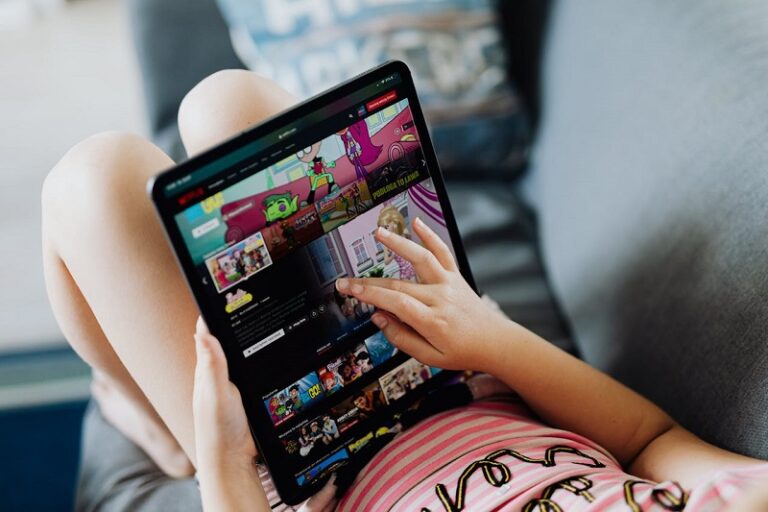
Netflix has transformed from a simple streaming service into a comprehensive entertainment platform that now offers subscribers unlimited access to over 120 exclusive mobile games at no additional cost. This remarkable expansion into the gaming industry provides Netflix members with a diverse library of high-quality titles spanning multiple genres, all completely free of advertisements, in-app purchases, and hidden fees. Whether you own an Android device or an iPhone, Netflix Games delivers premium gaming experiences that rival paid mobile games while being included with your existing Netflix subscription.
The Netflix Games platform launched in November 2021 and has since grown exponentially, featuring everything from critically acclaimed indie titles to blockbuster franchises. Unlike traditional mobile games that bombard players with advertisements and microtransactions, Netflix Games offers a refreshing alternative where entertainment value takes precedence over monetization tactics. This comprehensive guide will walk you through everything you need to know about accessing, downloading, and enjoying Netflix mobile games on your smartphone or tablet.
Understanding Netflix Games: What Makes This Platform Unique
Netflix Games represents a significant shift in how streaming platforms approach entertainment. The service provides subscribers with access to an extensive library of mobile games that can be downloaded and played on compatible Android and iOS devices. What distinguishes Netflix Games from other mobile gaming platforms is its commitment to delivering premium gaming experiences without the typical annoyances associated with free-to-play mobile titles.
Every game available through Netflix Games is completely free of advertisements, meaning players can enjoy uninterrupted gameplay sessions without being forced to watch video ads or encounter banner advertisements. Additionally, there are no in-app purchases or paywalls that restrict access to content or create pay-to-win scenarios. This approach ensures that all players have equal access to the full gaming experience regardless of how much money they spend beyond their Netflix subscription.
The gaming library includes more than 120 titles as of January 2025, with new games being added regularly. These games span numerous genres including action, adventure, arcade, card games, educational titles, puzzle games, racing, role-playing games, simulation, sports, strategy, and tabletop games. Notable titles in the collection include critically acclaimed games like Hades, Dead Cells, Into the Breach, TMNT Shredder’s Revenge, and mobile versions of console classics such as Red Dead Redemption and Grand Theft Auto San Andreas.
Device Requirements and Compatibility for Netflix Mobile Games
Before diving into the world of Netflix Games, it is essential to ensure your device meets the necessary requirements. Netflix Games are designed to work on both Android and iOS platforms, but specific minimum operating system versions are required for compatibility. Understanding these requirements will help you determine whether your current device can support the gaming platform.
For Android users, your smartphone or tablet must be running Android version 8.0 or later to access Netflix Games. This operating system requirement ensures that games run smoothly and that all security features are up to date. Most Android devices manufactured within the past five years should meet this requirement, though older devices may need an operating system update to become compatible.
iOS device owners need to have iPhone models running iOS 15 or later, while iPad users require iPadOS 15 or later. The iPod touch is also supported provided it meets the iOS 15 minimum requirement. Apple typically provides software updates for devices for several years after their release, so many iPhone and iPad models from recent generations should be compatible with Netflix Games.
Beyond operating system requirements, you will need sufficient storage space on your device to download and install games. Game file sizes vary considerably, with some lightweight puzzle games requiring only a few hundred megabytes while more complex titles like Red Dead Redemption or WWE 2K25 may require several gigabytes of storage space. It is advisable to check available storage before attempting to download larger games to avoid installation failures.
How to Access Netflix Games on Android Devices
Accessing Netflix Games on Android smartphones and tablets is a straightforward process that can be accomplished through either the Netflix app or the Google Play Store. The Netflix app provides the most integrated experience, allowing users to browse the gaming library alongside their favorite shows and movies. To begin, ensure you have the latest version of the Netflix app installed on your Android device, as older versions may not display the games section properly.
Once you open the updated Netflix app, you will find two primary ways to access games. The first is through the Mobile Games row that appears on the home screen when you scroll down. This curated row showcases featured games and new releases, making it easy to discover popular titles. The second method involves tapping the Games tab located at the bottom of the screen alongside the Home and other navigation options. This dedicated Games section provides a complete view of the entire gaming library organized by categories and genres.
When you select a game that interests you, the app will display detailed information including the game’s description, age rating, file size, and whether an internet connection is required for gameplay. Tapping the Get Game button will redirect you to the Google Play Store where the actual download takes place. In the Play Store, locate the game with Netflix branding and tap Install to begin downloading. Depending on your device settings, you may need to accept permission requests before the installation proceeds.
After the game finishes downloading and installing, you can open it directly from the Play Store by tapping Open, or you can return to the Netflix app where the game will now appear in your Mobile Games row. Additionally, the game icon will be available on your device’s home screen or app drawer just like any other installed application. When you launch a Netflix game for the first time, you will be prompted to select which Netflix profile you want to use for gameplay, allowing multiple household members to maintain separate game progress.
How to Download Netflix Games on iPhone and iPad
iPhone and iPad users can access Netflix Games through a similar process, though there are slight differences compared to the Android experience. Begin by opening the Netflix app on your iOS device and ensuring it is updated to the latest version available. If you do not see the Mobile Games row on your home screen, check the App Store for any pending Netflix app updates and install them.
On iOS devices, the Mobile Games row appears on the Netflix home screen when you scroll down, displaying featured titles and new releases. Unlike Android devices which have a dedicated Games tab, iOS users primarily navigate through the Mobile Games row to discover available titles. Tap on any game that catches your interest to view its detailed information page within the Netflix app.
When you are ready to download a game, tap the Get Game button or Play Game button displayed on the game’s information page. This action will present an App Store banner at the bottom of your screen. Tap Get or the cloud download icon on this banner to initiate the download process. Depending on your device settings, you may need to authenticate using Face ID, Touch ID, or your Apple ID password to authorize the download.
Once the game downloads and installs on your device, you can tap Open on the App Store banner to launch it immediately. Alternatively, you can find the game icon on your home screen or in your app library and launch it from there. Netflix Games can also be opened from within the Netflix app’s Mobile Games row even after installation. Upon first launch, the game will prompt you to select a Netflix profile to associate with your gameplay, ensuring that game progress and achievements are saved to the correct account.
Alternative Method: Downloading Games Directly from App Stores
While the Netflix app provides the most streamlined experience for discovering and downloading games, users can also access Netflix Games directly through their device’s app store. This method is particularly useful if you already know the specific game you want to download or if you prefer browsing through the app store interface. Both the Google Play Store and Apple App Store have dedicated Netflix Games sections that showcase the complete library of available titles.
For Android users, open the Google Play Store and search for the specific game by name, making sure to include Netflix in your search query for more accurate results. Alternatively, you can visit the Netflix Inc developer page in the Play Store to see all games published by Netflix in one convenient location. This developer page provides a comprehensive view of every Netflix game available for Android, organized in a scrollable list that makes browsing simple.
On iOS devices, the process is nearly identical. Open the App Store and search for your desired game by name, or navigate to the Netflix Inc developer page to browse the complete collection. Games available through Netflix will clearly display Netflix branding and will be marked as free downloads. However, it is important to note that even though the games show as free in the app store, you still need an active Netflix subscription to play them.
When you download a game directly from an app store without first accessing it through the Netflix app, you will be required to log in with your Netflix account credentials when you launch the game for the first time. Enter your Netflix email address and password, then select which profile you want to use for gaming. This authentication process verifies your subscription status and ensures that only paying Netflix members can access the games.
Playing Netflix Games on Smart TVs and Web Browsers
In addition to mobile gaming, Netflix has been expanding its gaming platform to include select smart TVs and web browsers through a beta program. This feature represents a significant evolution in Netflix’s gaming strategy, allowing subscribers to enjoy games on larger screens using their mobile devices as controllers. The TV and web gaming experience is currently available in select countries and on compatible devices, with plans to expand availability over time.
To determine if your smart TV supports Netflix Games, open the Netflix app on your television and look for a Games option in the menu at the top of the screen. If this option appears, your device is compatible with the gaming beta program. When you select a game to play on your TV, you will need to connect your smartphone or tablet as a controller by scanning a QR code displayed on the television screen.
The process of connecting your phone as a controller is remarkably simple. Using your mobile device’s camera app, scan the QR code shown on your TV screen. This will prompt you to open or download the Netflix app on your phone if you do not already have it installed. Once the Netflix app is open, your phone will automatically pair with your television, transforming it into a game controller. The gaming session begins immediately after the connection is established, with your TV displaying the game and your phone serving as the input device.
For computer users, Netflix Games can be accessed through web browsers on Netflix.com, specifically using Google Chrome or Microsoft Edge. When you visit Netflix.com on a compatible browser, look for the Games section in the menu. Clicking on a game will allow you to play using either your keyboard and mouse or by connecting your mobile device as a controller through the same QR code scanning process used for smart TVs. This flexibility in control options makes Netflix Games accessible across multiple platforms and play styles.
Notable Games Available on Netflix: Action and Adventure Titles
The action and adventure categories within Netflix Games feature some of the platform’s most popular and highly-rated titles. These games offer exciting gameplay experiences ranging from intense combat scenarios to exploration-focused adventures. One of the most significant additions to the Netflix Games library is Red Dead Redemption, the acclaimed Western adventure from Rockstar Games that was originally released on consoles in 2010. This mobile version marks the first time this beloved title has been available on smartphones, allowing players to experience the epic story of John Marston as he navigates the American frontier.
Another standout action title is Squid Game Unleashed, a multiplayer action game inspired by the hit Netflix series. Players compete in twisted competitions that test both skill and survival instincts, recreating the tense atmosphere of the show in an interactive format. The game supports multiplayer gameplay, allowing friends to compete against each other in various challenges inspired by the series.
TMNT Shredder’s Revenge brings classic arcade-style beat-em-up action to mobile devices with vibrant pixel art graphics and nostalgic gameplay reminiscent of 1980s and 1990s arcade games. Players can choose from multiple playable characters including Leonardo, Raphael, Donatello, and Michelangelo, each with unique abilities and fighting styles. The game supports both solo play and cooperative multiplayer, making it perfect for fans of the Teenage Mutant Ninja Turtles franchise.
Dead Cells offers a challenging roguelike experience where players control an undead creature attempting to escape a deserted castle. The game features responsive combat mechanics, procedurally generated levels, and a permadeath system that requires players to restart from the beginning each time they die. Despite its difficulty, Dead Cells has garnered critical acclaim for its tight gameplay and rewarding progression system.
Other notable action and adventure games include Into the Dead 2 Unleashed, a zombie survival shooter where players must protect their family during an apocalypse, and Tomb Raider Reloaded, which reimagines the iconic Lara Croft adventure for mobile platforms with arcade-style gameplay and treasure hunting missions.
Top Puzzle, Strategy, and Simulation Games on Netflix
Netflix Games offers an impressive selection of puzzle, strategy, and simulation titles that appeal to players who prefer cerebral challenges and methodical gameplay. Hades, developed by Supergiant Games, stands as one of the most critically acclaimed titles in the entire Netflix Games library. This roguelike dungeon crawler combines fast-paced combat with a compelling narrative as players control Zagreus, son of the god of death, attempting to escape the underworld. Each run through the game’s procedurally generated levels offers unique challenges and story developments, making it highly replayable.
Into the Breach provides tactical turn-based strategy gameplay where players command giant mechs to defend humanity from alien invaders. Developed by Subset Games, the creators of FTL Faster Than Light, Into the Breach requires careful planning and strategic thinking as every move has significant consequences. The game’s chess-like combat system and time-travel mechanics create unique puzzle scenarios that challenge players to think several turns ahead.
For simulation enthusiasts, Spiritfarer offers an emotionally resonant experience where players act as a ferrymaster guiding spirits to the afterlife. This cozy management game combines resource gathering, boat building, and relationship development as players care for spirits before helping them move on. The beautiful hand-drawn art style and touching narrative make Spiritfarer a standout title that demonstrates games can be both entertaining and emotionally meaningful.
Netflix Puzzled provides daily brain-training challenges with word puzzles, logic games, and visual puzzles inspired by popular Netflix shows including Stranger Things, Squid Game, and Emily in Paris. This collection of puzzle games is perfect for players who enjoy short gaming sessions and want to develop their problem-solving skills through regular practice.
Other notable simulation and strategy titles include Terra Nil, an environmental restoration game where players transform barren wastelands into thriving ecosystems; Football Manager 26 Mobile, which allows players to manage professional soccer teams; and Game Dev Tycoon, a business simulation where players build their own video game development studio from the ground up.
Family-Friendly and Educational Games on Netflix
Netflix Games includes a robust selection of family-friendly and educational titles suitable for younger players. These games provide entertainment while often incorporating learning elements that help children develop cognitive skills, creativity, and problem-solving abilities. Parents appreciate that all Netflix Games are completely free of advertisements and in-app purchases, eliminating concerns about children encountering inappropriate content or accidentally making purchases.
World of Peppa Pig allows young children to explore, learn, and play alongside the beloved character Peppa Pig. The game features numerous activities, puzzles, and full episodes that teach children about numbers, shapes, letters, and social skills. The colorful graphics and familiar characters make it an excellent choice for preschool-aged children who are just beginning to explore digital gaming.
PAW Patrol games on Netflix allow children to join their favorite rescue dogs on adventures that teach problem-solving and cooperation. These games incorporate educational elements related to numbers, shapes, and the alphabet while maintaining the fun and adventurous spirit of the popular television series. Young players can explore Adventure Bay and complete missions alongside Chase, Marshall, Skye, and the rest of the PAW Patrol team.
LEGO Duplo provides open-ended creative play for toddlers and young children. The game features building activities using virtual LEGO Duplo bricks, allowing children to construct various structures and scenes. Learning activities integrated into the gameplay help develop fine motor skills, spatial reasoning, and creativity in a safe digital environment.
Barbie Color Creations offers children the opportunity to customize and decorate Barbie dolls, friends, and pets with endless coloring options and fashion choices. The game encourages creativity and self-expression while providing hours of entertainment through dress-up activities, scene creation, and imaginative play scenarios.
For older children and families, games like Exploding Kittens provide accessible card game experiences that are easy to learn but offer strategic depth. The Queen’s Gambit Chess teaches chess fundamentals through lessons, puzzles, and matches, making the classic strategy game approachable for beginners while providing challenges for experienced players.
Sports and Racing Games Available Through Netflix
Sports enthusiasts will find several compelling titles in the Netflix Games library that cater to various athletic interests. WWE 2K25 Netflix Edition brings the spectacle of professional wrestling to mobile devices, allowing players to step into the ring with WWE’s most popular superstars. The game features broadcast-style matches, extensive character customization options, and multiple gameplay modes including career mode and online multiplayer.
Football Manager 26 Mobile provides an incredibly detailed soccer management simulation where players take control of professional clubs and guide them to championship glory. The game includes real players, authentic team rosters, and comprehensive management features covering tactics, transfers, training, scouting, and more. Football fans who enjoy the strategic and analytical aspects of the sport will find hundreds of hours of engaging gameplay.
For racing enthusiasts, Asphalt Xtreme delivers high-octane off-road racing action across diverse environments including canyons, deserts, and mountains. Players can choose from various vehicles and compete in intense races that emphasize speed, drifting, and fearless driving. The game features both single-player campaigns and multiplayer modes where racers can compete against opponents from around the world.
Street Fighter IV CE brings the iconic fighting game franchise to mobile platforms with its full roster of world warriors and competitive fighting mechanics. Players can engage in one-on-one battles using touch controls or connected controllers, experiencing the same intense combat that made Street Fighter a household name in arcades and on consoles.
Games Based on Popular Netflix Shows and Movies
One of the unique aspects of Netflix Games is the inclusion of titles directly tied to popular Netflix original series and films. These games allow fans to explore their favorite fictional universes in interactive ways that extend the storytelling beyond passive viewing. Stranger Things games represent some of the earliest Netflix gaming offerings, with titles like Stranger Things 1984 and Stranger Things 3 The Game providing retro-styled adventures set in the show’s universe.
Money Heist Ultimate Choice places players within the world of the Spanish heist series La Casa de Papel, allowing them to join the Professor’s crew for an interactive narrative experience. Players make crucial decisions that affect the outcome of heists and character relationships, creating personalized storylines within the Money Heist universe.
Too Hot to Handle games bring the reality dating show concept to interactive gaming, where players create custom characters and navigate romantic scenarios while deciding between forming genuine connections or giving in to temptation. Multiple seasons of the game are available, each offering different cast members and scenarios inspired by the television series.
The Ultimatum Choices and Love is Blind games similarly adapt popular Netflix reality shows into interactive story experiences where player choices determine relationship outcomes. These narrative-driven games appeal to fans of the shows while also functioning as standalone entertainment for players interested in romance and drama-focused gameplay.
Shadow and Bone Enter the Fold transports players into the Grishaverse, the fantasy world created by author Leigh Bardugo and adapted into a Netflix series. This interactive adventure allows players to travel through war-torn Ravka and make decisions that influence which powers prevail in the ongoing conflicts depicted in the show.
Understanding Netflix Games Subscription Requirements
Access to Netflix Games requires an active Netflix subscription, but no additional payment beyond your standard membership fee is necessary. All games are included with every Netflix subscription tier, meaning subscribers on the most affordable plans have the same access to the complete gaming library as those on premium plans. This inclusive approach ensures that all members can enjoy Netflix Games regardless of their subscription level.
It is important to note that Netflix Games are not available on profiles designated for children. Kids profiles, which have content restrictions and simplified interfaces designed for younger viewers, do not display or provide access to the games library. This restriction applies even to games with low age ratings that would typically be considered appropriate for children. Parents who want their children to play Netflix Games will need to create standard profiles with appropriate maturity settings rather than using Kids profiles.
For standard profiles, games are filtered based on the maturity rating settings configured for that profile. If a profile has a maturity rating set to allow only content appropriate for ages 13 and under, games rated for ages 16 and above will not appear in the games library for that profile. This automatic filtering helps parents control which games their children can access based on age-appropriate content ratings.
Multiple people in a household can play Netflix Games simultaneously across different devices, subject to the same device limits that apply to video streaming. Game progress and save data are stored separately for each profile, meaning family members can play the same game without interfering with each other’s progress. Most games support cloud saving, which synchronizes progress across devices so players can continue their games on different smartphones or tablets.
Game Save Systems and Progress Tracking
Netflix Games utilize two primary methods for saving player progress: cloud saves and local device storage. Understanding how these save systems work helps players avoid losing progress and ensures smooth gameplay experiences across multiple devices. Cloud saves represent the preferred method as they automatically synchronize game progress to Netflix’s servers, allowing players to switch between devices seamlessly.
When a game supports cloud saving, progress is automatically uploaded to Netflix’s cloud storage at regular intervals or when significant milestones are reached. This means players can start a game on their smartphone during a commute, then continue playing on their tablet at home without manually transferring save files. The synchronization happens automatically in the background when an internet connection is available.
Some games utilize local device storage instead of or in addition to cloud saves. These games store save data directly on the smartphone or tablet where the game is installed. While this method works well for players who consistently use the same device, it creates challenges when switching between devices as progress does not automatically transfer. Players relying on local saves should be cautious about uninstalling games or clearing app data, as these actions will delete save files permanently.
It is crucial to understand that progress or save data from standalone versions of games previously released outside Netflix cannot be transferred to Netflix versions. For example, if a player previously purchased and played a game on Steam or through a console, their progress from those platforms cannot be imported into the Netflix mobile version. Each Netflix game begins fresh with no existing save data, regardless of whether players have experience with the game on other platforms.
Game progress is associated with the specific Netflix profile used when launching the game. If household members share a device but use different Netflix profiles for gaming, each profile maintains separate save data. This profile-based system prevents progress from being overwritten and allows multiple people to play the same game independently while using the same device.
Internet Connection Requirements for Netflix Games
Understanding internet connection requirements for Netflix Games helps players plan when and where they can enjoy their favorite titles. Different games have varying connectivity needs, with some functioning completely offline while others require constant internet access. Checking these requirements before downloading ensures players avoid frustration from discovering a game needs internet connectivity when they planned to play offline.
Many single-player Netflix Games support offline gameplay after the initial download and installation. These games can be played during flights, commutes, or in any situation where internet access is unavailable or unreliable. Puzzle games, story-driven adventures, and most simulation titles typically fall into this category, making them ideal for travelers or players with limited data plans. However, even offline-capable games require an internet connection during the initial download and when verifying your Netflix subscription status.
Multiplayer games inherently require internet connections to function as they need to communicate with game servers and connect players with opponents or teammates. Titles like Squid Game Unleashed, Best Guess Live, and other competitive or cooperative games fall into this category. These games cannot be played offline as their core functionality depends on real-time online interactions.
Some games require periodic internet check-ins even if they are primarily single-player experiences. These check-ins verify that your Netflix subscription remains active and may also download updates or sync cloud saves. The frequency of these verification checks varies by game, but they typically occur when launching the game or after extended play sessions.
Cloud saving functionality requires internet connectivity to upload and synchronize game progress. While you can play cloud-save-enabled games offline, any progress made during offline sessions will only be saved to the cloud once an internet connection is reestablished. Players should be aware that if significant time passes between cloud syncs, there is a small risk of save conflicts if the game is played on multiple devices during that period.
Troubleshooting Common Netflix Games Issues
Despite the generally smooth experience Netflix Games provides, players may occasionally encounter technical difficulties. Understanding common issues and their solutions helps resolve problems quickly so gaming sessions can continue uninterrupted. Most problems can be addressed through simple troubleshooting steps that do not require technical expertise.
Game crashes, freezes, or unresponsive applications represent the most frequently reported issues. When a game stops working properly, the first troubleshooting step is to close the game completely and then relaunch it. On both Android and iOS devices, fully closing apps requires accessing the recent apps menu and swiping away the problematic game. After closing the game, wait a few seconds before relaunching to allow the system to clear any temporary data or processes that may have caused the crash.
If closing and reopening the game does not resolve the issue, restarting your device often provides a more comprehensive solution. Device restarts clear system memory, close background processes, and can resolve conflicts between applications that may be affecting game performance. After restarting, try launching the game again to see if the problem persists.
Performance issues such as lag, stuttering, or visual glitches can often be addressed by checking for game updates. Developers regularly release patches that fix bugs and optimize performance. To check for updates on Android, open the Google Play Store, search for the game, and tap Update if available. On iOS devices, open the App Store, tap your profile icon, and scroll down to see pending updates. Installing available updates often resolves performance problems.
Sound or volume issues typically stem from device settings rather than game problems. Begin troubleshooting audio issues by checking your device’s overall volume settings and ensuring that mute, silent, or Do Not Disturb modes are disabled. Many games also include their own audio settings within game menus, so verify that in-game sound options are enabled and volume levels are appropriate. If using Bluetooth headphones or external speakers, try disconnecting and reconnecting the Bluetooth connection to resolve any wireless audio glitches.
Storage Management for Netflix Games
Managing storage space efficiently becomes increasingly important as you download multiple Netflix Games to your device. Game file sizes vary dramatically, with simple puzzle games occupying only a few hundred megabytes while graphically intensive titles like Red Dead Redemption or WWE 2K25 can require several gigabytes of storage. Implementing smart storage management practices ensures you can maintain a diverse game library without constantly running out of space.
Before downloading a large game, check your device’s available storage to confirm sufficient space exists for both the initial download and any additional data the game may need during installation. On Android devices, navigate to Settings then Storage to view detailed information about space usage. iOS users can check storage by opening Settings, selecting General, and then tapping iPhone Storage or iPad Storage.
When storage space becomes limited, consider uninstalling games you have completed or no longer play regularly. Both Android and iOS make uninstalling applications straightforward. On Android, long-press the game icon on your home screen or in the app drawer, then select Uninstall. iPhone and iPad users can long-press an app icon and select Remove App, then choose Delete App. Remember that uninstalling games will delete local save data, though games using cloud saves will retain your progress for future reinstallation.
Some mobile operating systems offer features to automatically offload unused applications while preserving their data. iOS includes an Offload Unused Apps feature that removes app files when storage runs low but keeps associated data and documents. This allows quick reinstallation of offloaded apps with save data intact. Consider enabling this feature if you frequently encounter storage limitations.
Clearing cache data for games can also free up storage space without losing save progress. Many games accumulate temporary files and cached data during gameplay that can be safely deleted. On Android, access cache clearing through Settings, Apps, select the specific game, then Storage and finally Clear Cache. iOS does not provide direct cache clearing options, so freeing space typically requires uninstalling and reinstalling apps.
Privacy and Data Collection in Netflix Games
Understanding how Netflix Games handle privacy and data collection helps players make informed decisions about their gaming activities. Netflix maintains specific privacy practices for its gaming platform that extend beyond those governing its video streaming services. When players use Netflix Games, the platform automatically collects certain information related to gameplay, device specifications, and account details.
Netflix collects information about the games players download, play, and how much time they spend in each title. This usage data helps Netflix understand which games are popular, how players engage with different genres, and where improvements might be needed. Additionally, Netflix tracks technical data about devices used for gaming, including device models, operating system versions, and performance metrics to ensure games function properly across different hardware configurations.
For games played on televisions or through web browsers, additional data collection occurs. When players use mobile devices as controllers for TV or web gaming, gameplay information is linked to the Netflix account running the game rather than to the mobile device serving as the controller. This means players do not need to sign into Netflix on their phone specifically to use it as a controller, and no Netflix account data from the controller device is shared with the TV or browser gaming session.
Netflix Games do not include third-party tracking or advertising technologies, which distinguishes them from most free-to-play mobile games. Players will not encounter behavioral advertising, data brokers, or other privacy concerns commonly associated with ad-supported mobile games. This commitment to privacy represents one of the significant advantages of the Netflix Games platform over traditional free-to-play alternatives.
Players concerned about privacy can review Netflix’s complete privacy statement and gaming-specific policies through the Netflix Help Center. The platform also provides transparency reports and allows users to download their personal data upon request. These privacy protections align with Netflix’s broader commitment to user privacy across all its services.
Future of Netflix Games: Upcoming Titles and Platform Expansion
Netflix continues to invest heavily in expanding its gaming portfolio with ambitious upcoming titles and platform enhancements. The announcement of a FIFA World Cup 2026 game represents one of the most significant additions to the Netflix Games library. Developed by Delphi Interactive in partnership with FIFA, this exclusive football simulation game will launch ahead of the FIFA World Cup 2026 tournament, allowing players to experience the excitement of the world’s premier football competition.
The FIFA game exemplifies Netflix’s strategy of securing high-profile partnerships and exclusive content that differentiates its gaming platform from competitors. By offering a reimagined FIFA experience exclusively to Netflix members, the company aims to provide value that extends beyond traditional streaming content. The game will be available on select smart TVs initially, with expanded platform availability planned over time.
Netflix has also announced partnerships with major gaming studios and publishers to bring more iconic franchises to its platform. Ubisoft’s collaboration with Netflix will bring titles from the Assassin’s Creed franchise to mobile devices through Netflix Games. These partnerships demonstrate Netflix’s commitment to offering premium gaming experiences featuring recognizable intellectual properties that appeal to broad audiences.
The expansion of Netflix Games to smart TVs and web browsers represents another significant development in the platform’s evolution. While currently in beta testing with limited availability, this initiative has the potential to transform Netflix Games from a purely mobile experience into a comprehensive gaming service accessible across multiple devices. As Netflix continues to refine this technology and expand compatibility to more devices, the distinction between mobile games and console-style experiences may become increasingly blurred.
Original game development through Netflix’s owned studios like Night School Studio also features prominently in future plans. These first-party studios create exclusive titles unavailable on other platforms, providing unique experiences that can only be enjoyed through Netflix. Games like Oxenfree and its sequel demonstrate the quality and creativity Netflix brings to original game development.
Comparing Netflix Games to Other Gaming Subscription Services
Netflix Games exists within a competitive landscape of gaming subscription services, each offering different value propositions and gaming experiences. Understanding how Netflix Games compares to alternatives helps potential subscribers evaluate whether the service meets their gaming needs. Apple Arcade, Xbox Game Pass, PlayStation Plus, and Google Play Pass represent the primary competitors in the gaming subscription space.
Apple Arcade costs $6.99 per month as a standalone subscription and provides access to over 200 exclusive games playable across iPhone, iPad, Mac, and Apple TV. Like Netflix Games, Apple Arcade features no advertisements or in-app purchases. However, Apple Arcade requires a separate subscription beyond any other Apple services, whereas Netflix Games comes included with Netflix subscriptions many people already maintain for video streaming.
Xbox Game Pass offers extensive game libraries across console and PC platforms with monthly subscription fees ranging from $9.99 to $16.99 depending on the tier selected. While Xbox Game Pass provides access to hundreds of high-quality titles including major AAA releases, it focuses primarily on console and PC gaming rather than mobile experiences. The service does include cloud gaming options that allow streaming to mobile devices, but this differs fundamentally from the native mobile games Netflix provides.
PlayStation Plus operates similarly to Xbox Game Pass with tiered subscription options ranging from $9.99 to $17.99 per month. The service emphasizes PlayStation console gaming with monthly free games and access to extensive back catalogs. Like Xbox Game Pass, PlayStation Plus offers cloud streaming to mobile devices but does not provide the native mobile gaming experience that Netflix Games delivers.
Google Play Pass costs $4.99 per month and grants access to hundreds of Android games and applications without advertisements or in-app purchases. This service competes more directly with Netflix Games in the mobile space, offering many quality titles at a lower price point than standalone Netflix subscriptions. However, Google Play Pass requires a separate subscription and lacks the integration with streaming video content that Netflix provides.
The key advantage Netflix Games holds over competitors is its bundled nature. Subscribers paying for Netflix streaming automatically receive access to the complete games library without additional costs. For households already subscribing to Netflix for movies and television shows, the gaming platform represents added value at no extra charge. This bundling makes Netflix Games cost-effective compared to services requiring separate gaming-specific subscriptions.
Maturity Ratings and Parental Controls for Netflix Games
Every game available through Netflix includes a maturity rating that helps parents and players make informed decisions about age-appropriate content. These ratings follow standardized systems used throughout the gaming industry, including ESRB ratings in North America and PEGI ratings in Europe. Understanding these rating systems and how Netflix implements them helps families navigate the gaming library safely.
Maturity ratings range from games suitable for all ages to mature titles intended only for adult players. Ratings consider various content factors including violence, language, sexual content, drug references, and frightening imagery. Each game’s information page within the Netflix app displays its maturity rating prominently, allowing users to quickly assess whether a title is appropriate before downloading.
Netflix automatically filters games based on the maturity settings configured for each profile. If a profile has viewing restrictions set to only allow content rated for ages 12 and under, games with higher maturity ratings will not appear in that profile’s games library. This automatic filtering prevents younger users from accidentally encountering inappropriate content while browsing the games section.
Parents can adjust maturity settings for individual profiles by accessing account settings through the Netflix website. Navigate to the profile management section and select the profile you want to configure. Maturity level settings allow you to specify the maximum rating of content that profile can access, with options to restrict content to specific age ranges or maturity levels. Changes to these settings apply to both streaming video content and games.
Kids profiles, which feature simplified interfaces designed for young children, do not provide any access to Netflix Games regardless of maturity ratings. Even games rated as suitable for all ages will not appear for Kids profiles. Parents wanting their children to play Netflix Games must create standard profiles with appropriate maturity restrictions rather than using Kids profiles. This approach ensures parents actively choose to enable gaming access for their children rather than it being available by default.
Pro Tips for Getting the Most from Netflix Games
Maximizing your Netflix Games experience involves understanding platform features and implementing smart gaming habits. These professional tips help players discover hidden gems, manage their gaming library effectively, and enhance overall enjoyment of the platform.
- Explore beyond popular titles: While high-profile games like Red Dead Redemption and Grand Theft Auto attract significant attention, the Netflix Games library contains numerous excellent indie titles that deserve recognition. Games like Hades, Spiritfarer, and Into the Breach offer exceptional gameplay experiences that rival or exceed many mainstream releases. Take time to browse different categories and try games you might not ordinarily consider. Many players discover their favorite Netflix games by experimenting with unfamiliar genres or lesser-known titles.
- Download games over WiFi to conserve data: Many Netflix games have substantial file sizes that can quickly consume mobile data allowances if downloaded over cellular connections. Configure your device to only download games and updates when connected to WiFi networks. On Android devices, access Google Play Store settings and select Network Preferences to restrict downloads to WiFi only. iPhone users can manage these settings through the App Store section of iOS Settings by disabling automatic downloads over cellular data.
- Use multiple profiles strategically: Each Netflix profile maintains separate game progress and save data. Create dedicated gaming profiles if you want to experience games from the beginning without affecting save data on your primary profile. This approach is particularly useful for games with permadeath mechanics or limited save slots where you might want to maintain multiple playthrough attempts simultaneously.
- Check for new releases regularly: Netflix adds new games to its platform monthly, with major releases often occurring at the beginning of each month. Games added recently may not immediately appear prominently in the mobile apps, so check the complete games library periodically to discover new additions. Following Netflix Games on social media or subscribing to Netflix announcements ensures you stay informed about upcoming releases.
- Utilize cloud saves for multi-device play: For games supporting cloud saving, take advantage of the ability to switch between devices seamlessly. Start playing during your commute on your smartphone, then continue the same game on your tablet when you arrive home. Ensure your devices maintain internet connectivity periodically to allow cloud saves to synchronize properly and avoid save conflicts.
- Manage notifications to avoid disruptions: Some Netflix games may send notifications about daily challenges, special events, or limited-time content. While these notifications can be helpful reminders, they can also become intrusive. Review notification settings for each game individually through your device’s system settings. Disable notifications for games you play casually while keeping them enabled for titles you engage with daily.
- Try controller support for compatible games: Several Netflix games support external Bluetooth controllers, which can significantly improve gameplay experiences for action-oriented titles. If you own a PlayStation, Xbox, or third-party mobile gaming controller, pair it with your smartphone or tablet and test it with compatible games. Controller support transforms many mobile games into console-like experiences with more precise control and better ergonomics during extended play sessions.
- Read game descriptions thoroughly before downloading: Each game’s information page provides valuable details about gameplay mechanics, internet connectivity requirements, and estimated file sizes. Reading these descriptions before downloading helps set appropriate expectations and prevents disappointment from discovering a game requires constant internet connectivity when you planned to play offline or that it occupies more storage space than you have available.
Frequently Asked Questions About Netflix Games
Can I play Netflix games without a Netflix subscription?
No, an active Netflix subscription is required to access and play Netflix games. While the games themselves appear as free downloads in the Google Play Store and Apple App Store, launching them requires authentication with a valid Netflix account. When you attempt to open a Netflix game without an active subscription, you will be prompted to sign up for Netflix or sign in with existing credentials. The subscription verification occurs each time you launch a game to ensure continued access eligibility.
Do Netflix games work offline?
Many Netflix games support offline gameplay after the initial download and installation, though requirements vary by title. Single-player games like puzzle titles, adventure games, and most story-driven experiences typically function without internet connectivity once installed. However, multiplayer games inherently require internet connections to facilitate online play. Additionally, even offline-capable games need periodic internet access to verify your Netflix subscription status and sync cloud saves. Check individual game descriptions for specific offline capabilities before downloading if offline play is essential for your needs.
How many devices can play Netflix games simultaneously?
Netflix games follow the same device limits as video streaming, meaning the number of devices that can play games simultaneously depends on your subscription tier. However, unlike video streaming where concurrent streams are limited, games can typically be downloaded and played on multiple devices as long as they are signed into profiles on the same Netflix account. Each device operates independently, so family members can play different games on separate devices without interfering with each other’s gameplay.
Why can’t I see Netflix games on my Kids profile?
Netflix games are not available on Kids profiles regardless of the game’s maturity rating. This restriction exists by design to ensure parents maintain control over when and how their children access gaming content. If you want children to play Netflix games, create a standard profile with appropriate maturity level restrictions instead of using a Kids profile. Standard profiles allow you to specify which content ratings are accessible, providing granular control over available games while still enabling access to the gaming platform.
Can I transfer game progress from other platforms to Netflix versions?
No, save data and game progress from standalone versions of games cannot be transferred to Netflix versions. If you previously played a game on Steam, console platforms, or through direct purchase on mobile app stores, that progress will not carry over to the Netflix version of the same game. Each Netflix game starts fresh without existing save data. This limitation exists because Netflix versions of games are separate builds with their own save systems that are incompatible with other platform versions.
Are there microtransactions or in-app purchases in Netflix games?
Absolutely not. One of the defining features of Netflix games is the complete absence of microtransactions, in-app purchases, and pay-to-win mechanics. Every game available through Netflix provides the full experience without prompting players to spend additional money on virtual currency, cosmetic items, gameplay advantages, or premium content. This approach contrasts sharply with most free-to-play mobile games that generate revenue through in-app purchases. Netflix games monetize through subscriptions rather than individual transactions.
What happens to my game progress if I cancel my Netflix subscription?
If you cancel your Netflix subscription, you will lose access to all Netflix games immediately upon cancellation. Games installed on your device will no longer launch as they require active subscription verification. However, cloud-saved game progress is typically retained on Netflix’s servers for a reasonable period after cancellation. If you resubscribe to Netflix within this retention window, your saved games should be available to continue where you left off. Local saves stored on your device may persist longer but will be inaccessible without an active subscription to launch the games.
Can I play Netflix games on Android TV or Fire TV devices?
Netflix games on television platforms are currently in beta testing with limited availability on select smart TV models. The TV gaming experience requires using your smartphone or tablet as a controller rather than playing games directly on Android TV or Fire TV devices. When available, you launch games through the Netflix app on your smart TV and connect your mobile device as a controller by scanning a QR code. This feature is gradually expanding to more devices, but full availability varies by region and TV model.
Conclusion
Netflix Games represents a significant evolution in how streaming platforms deliver entertainment value to subscribers. By providing unlimited access to over 120 premium mobile games without advertisements, in-app purchases, or additional fees, Netflix has created a gaming platform that prioritizes player experience over aggressive monetization. The diverse library spans numerous genres and includes critically acclaimed titles, blockbuster franchises, family-friendly experiences, and games based on popular Netflix shows and movies.
Accessing Netflix Games is straightforward whether you use Android or iOS devices, with downloads available through both the Netflix app and device-specific app stores. The platform’s commitment to quality extends beyond game selection to include robust cloud saving, profile-based progress tracking, and parental controls that help families manage age-appropriate content. Unlike traditional free-to-play mobile games, Netflix Games eliminates the frustration of constant advertisements and paywalls, delivering complete gaming experiences to all subscribers regardless of their Netflix subscription tier.
As Netflix continues expanding its gaming offerings with upcoming major releases, platform expansion to smart TVs and web browsers, and partnerships with leading game developers, the service demonstrates its long-term commitment to gaming as a core component of its entertainment ecosystem. For subscribers already paying for Netflix streaming services, the gaming platform represents substantial added value at no extra cost. For potential subscribers evaluating Netflix, the combination of extensive streaming content and a growing library of premium games creates a compelling entertainment package that few competitors can match.
Whether you are a casual player seeking quick puzzle games during commutes, a dedicated gamer wanting deep experiences like Hades or Red Dead Redemption, or a parent looking for safe, ad-free entertainment for children, Netflix Games offers something for everyone. The platform’s continued growth and improvement suggest that Netflix Games will become an increasingly important part of the company’s overall value proposition, making now an excellent time to explore what this innovative gaming service has to offer.