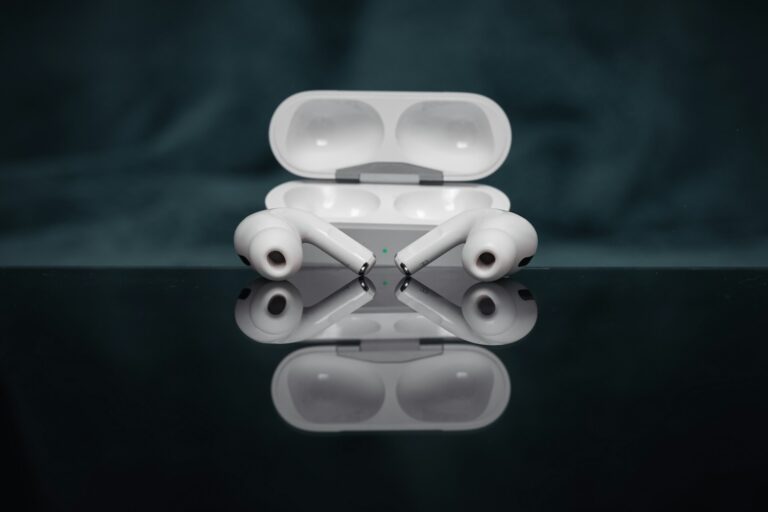
Apple’s AirPods have become one of the most iconic wireless earbuds in the world, setting the standard for convenience, seamless connectivity, and integration with the Apple ecosystem. With the release of the second-generation AirPods, many users began asking whether the upgrade was worth it compared to the original model. This comprehensive guide explores the differences between AirPods 1 and AirPods 2, covering design, performance, connectivity, battery life, and overall usability to help you make an informed decision.
Design and Build Quality
At first glance, both generations look nearly identical. Apple retained the same sleek, minimalist design that has become instantly recognizable. The earbuds are lightweight, comfortable, and designed to fit most ear shapes without additional ear tips. The charging case also maintains the same compact form factor, making it easy to carry in a pocket or bag.
Physical Differences
While the external design remains unchanged, the second-generation AirPods introduced subtle internal improvements. The biggest difference lies in the upgraded chip inside, which enhances performance and connectivity. However, in terms of durability, portability, and aesthetics, both models are virtually indistinguishable.
Performance and Sound Quality
Sound quality is a critical factor when comparing earbuds. Both AirPods 1 and AirPods 2 deliver clear audio with balanced mids and highs, though they are not designed for heavy bass enthusiasts. The second-generation AirPods, however, benefit from the new H1 chip, which provides better audio synchronization and improved latency, especially noticeable when watching videos or playing games.
Call Quality
One of the most significant improvements in AirPods 2 is call quality. The H1 chip enhances microphone performance, reducing background noise and making conversations clearer. Users report fewer interruptions and better voice transmission compared to the first-generation model.
Connectivity and Features
Connectivity is where AirPods 2 truly shine. The first-generation AirPods use Apple’s W1 chip, which already offered seamless pairing with Apple devices. However, the H1 chip in AirPods 2 improves connection speed, stability, and efficiency. Switching between devices is faster, and the earbuds maintain a stronger Bluetooth connection.
Siri Integration
AirPods 1 required a double-tap gesture to activate Siri, while AirPods 2 introduced hands-free “Hey Siri” functionality. This allows users to control music, adjust volume, or make calls without touching the earbuds, adding convenience and accessibility.
Battery Life and Charging
Battery life is another area where AirPods 2 outperform their predecessor. Both models offer around 5 hours of listening time per charge, but AirPods 2 provide longer talk time—up to 3 hours compared to 2 hours on AirPods 1. The charging case delivers multiple recharges, extending total usage to over 24 hours.
Wireless Charging Case
Apple introduced an optional wireless charging case with AirPods 2, compatible with Qi-certified chargers. This feature adds convenience for users who prefer cable-free charging. AirPods 1 only came with a standard Lightning charging case.
Current Market Price and Deals
As of now, AirPods 1 are harder to find since Apple discontinued them, but refurbished models may still be available at lower prices. AirPods 2 remain widely available, often bundled with the wireless charging case. Prices vary depending on retailers, but AirPods 2 typically range between $120–$150, while refurbished AirPods 1 can be found for under $100.
Pros and Cons
- AirPods 1 Pros: Lower cost, same iconic design, seamless Apple integration. However, they lack hands-free Siri and have shorter talk time.
- AirPods 1 Cons: Outdated chip, slower connectivity, weaker call quality, no wireless charging option.
- AirPods 2 Pros: Improved connectivity with H1 chip, hands-free Siri, better call quality, optional wireless charging case.
- AirPods 2 Cons: Slightly higher price, design unchanged, still no noise cancellation or customizable fit.
Pro Tips
- Consider whether you need hands-free Siri. If voice activation is important, AirPods 2 are the better choice.
- If you frequently make calls, AirPods 2 provide clearer audio and longer talk time.
- For budget-conscious buyers, refurbished AirPods 1 may still be a good option if found at a significant discount.
- Pair AirPods with Apple devices for the best experience. While they work with Android, features like Siri are exclusive to iOS.
- Invest in a wireless charging pad if you choose AirPods 2 with the wireless case for added convenience.
Frequently Asked Questions
Do AirPods 2 sound better than AirPods 1?
While both offer similar audio quality, AirPods 2 benefit from improved synchronization and reduced latency, making them slightly better for video and gaming.
Can AirPods 1 use a wireless charging case?
No, the wireless charging case was introduced with AirPods 2 and is not compatible with AirPods 1.
Are AirPods 2 worth the upgrade?
Yes, if you value hands-free Siri, better call quality, and faster connectivity. Otherwise, AirPods 1 still provide a solid experience for casual listening.
Do AirPods 2 work with Android phones?
Yes, they can connect via Bluetooth, but advanced features like Siri integration are exclusive to Apple devices.
Conclusion
Both AirPods 1 and AirPods 2 deliver the signature Apple experience of seamless connectivity and ease of use. However, AirPods 2 stand out with their upgraded H1 chip, hands-free Siri, improved call quality, and wireless charging option. For users seeking the latest features and better performance, AirPods 2 are the clear choice. Those on a tighter budget may still find value in AirPods 1 if available at discounted prices, but overall, AirPods 2 represent the more future-proof investment.

Full-stack developer at Scylla Technologies (USA), working remotely from Bangladesh. Adobe Certified Magento Developer.