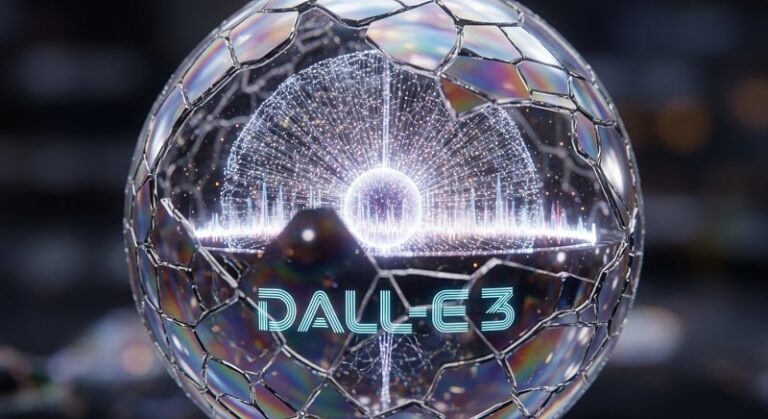
The landscape of digital creativity underwent a seismic shift with the introduction of OpenAI’s DALL-E series. What began as a novel experiment in translating text into low-resolution imagery has evolved into DALL-E 3, a sophisticated neural network capable of understanding nuanced instructions and rendering complex visual concepts with unprecedented accuracy. This evolution represents more than just a technological milestone; it is a fundamental change in how designers, marketers, and hobbyists approach visual storytelling. By integrating directly with ChatGPT, DALL-E 3 has lowered the barrier to entry, allowing users to converse with the AI to refine their visions rather than struggling with technical syntax.
To master DALL-E 3, one must understand that the system operates on a transformer-based architecture similar to the language models that power ChatGPT. Unlike its predecessors, which often required a specific “prompting language” filled with commas and technical jargon, DALL-E 3 is designed to follow natural language. This means the AI can interpret context, spatial relationships, and specific artistic styles with a level of fidelity that rivals professional digital artistry. Whether you are looking to create photorealistic portraits, intricate architectural blueprints, or whimsical illustrations, the key lies in understanding the underlying logic of the model.
As we delve into this comprehensive guide, we will explore the technical foundations of generative AI, the practical steps for accessing DALL-E 3 through various platforms, and the advanced prompt engineering techniques that separate amateur results from professional-grade assets. We will also address the ethical considerations and copyright nuances that come with AI-generated content, ensuring you are equipped to use this tool responsibly and effectively in a professional environment.
Getting Started with DALL-E 3: Access and Interface Mastery
Before generating your first image, it is essential to know where and how to access DALL-E 3. Currently, the most robust way to interact with the model is through OpenAI’s ChatGPT Plus, Team, or Enterprise subscriptions. This integration allows for a conversational workflow where the LLM (Large Language Model) acts as a creative partner, expanding your short ideas into detailed prompts that the image generator can execute with precision. Users can also access DALL-E 3 through Microsoft Designer (formerly Bing Image Creator), which provides a free, albeit more limited, gateway into the technology.
Navigating the interface is straightforward but requires an understanding of the available settings. In ChatGPT, users can select the DALL-E 3 model from the GPT-4o or GPT-4 selector. Once active, the interface transitions into a multimodal workspace. You can provide a prompt, and the AI will typically generate two to four variations of the image. A critical feature of the modern DALL-E interface is the Image Editor tool. This allows users to highlight specific areas of a generated image and request changes—such as adding an object, changing a color, or altering a character’s expression—without regenerating the entire composition from scratch.
Furthermore, the Aspect Ratio settings are vital for professional output. By default, many systems generate square images (1024×1024 pixels), but DALL-E 3 supports Wide (1792×1024) and Tall (1024×1792) formats. Specifying the aspect ratio at the start of your prompt is crucial for projects intended for social media headers, cinematic presentations, or mobile wallpapers. Understanding these technical parameters ensures that your creative output fits the intended medium without losing detail during cropping.
Advanced Prompt Engineering: The Anatomy of a Perfect Prompt
Prompt engineering for DALL-E 3 is less about “hacking” the system and more about providing clear, descriptive, and contextual information. While the AI is excellent at filling in gaps, providing a structured prompt ensures the output aligns with your creative vision. A high-performing prompt generally consists of four main components: the Subject, the Medium/Style, the Composition/Lighting, and the Mood/Atmosphere. By addressing each of these pillars, you provide the neural network with a comprehensive roadmap for the final render.
When defining the Subject, avoid vague terms. Instead of saying “a cat,” specify “a fluffy Maine Coon cat with amber eyes.” For the Medium, you can specify anything from “a 35mm film photograph” to “a 19th-century oil painting” or “a 3D isometric render.” Lighting is perhaps the most underrated aspect of prompting; using terms like “golden hour,” “volumetric lighting,” or “harsh neon cinematic lighting” can completely transform the professionalism of the image. Finally, the Atmosphere sets the emotional tone, whether it is “melancholic and misty” or “vibrant and energetic.”
To maximize the quality of your DALL-E 3 generations, consider the following structural elements in your prompts:
- Specific Character Descriptions: Instead of general descriptions, include details about clothing textures, facial expressions, and specific poses to give the AI a concrete target. This prevents the “generic” look often associated with AI art and adds a layer of unique storytelling to your images.
- Defined Color Palettes: Explicitly mention color schemes, such as “a muted pastel palette,” “monochromatic shades of deep blue,” or “vibrant complementary orange and teal.” This ensures visual harmony and aligns the output with your specific branding or aesthetic requirements.
- Environmental Context: Describe the background with as much detail as the foreground. Specifying “a bustling cyberpunk street market with wet pavement reflecting neon signs” provides much more depth than simply “a futuristic city.”
- Technical Camera Settings: Borrow terminology from photography, such as “shallow depth of field,” “wide-angle lens,” or “macro photography.” These keywords signal the AI to simulate specific optical effects, such as background blur or expansive perspectives.
- Artistic Influences: While avoiding specific living artists’ names is often a best practice for ethics, you can reference historical movements like “Art Deco,” “Minimalism,” “Surrealism,” or “Baroque” to guide the overall aesthetic direction of the piece.
Harnessing DALL-E 3 for Professional Use Cases
DALL-E 3 is not merely a tool for artistic exploration; it has become a powerful asset in the professional world. In Marketing and Advertising, the ability to rapidly prototype visual concepts allows teams to visualize campaigns before committing to expensive photoshoots. Brands can generate “mood boards” that convey a specific feeling or aesthetic, ensuring all stakeholders are aligned on the creative direction. This speed of iteration is a competitive advantage in an industry where trends change weekly.
For Web Designers and Content Creators, DALL-E 3 solves the problem of generic stock photography. Instead of using a photo that hundreds of other websites already feature, creators can generate bespoke illustrations that perfectly match their brand colors and article topics. This includes creating custom icons, hero images for landing pages, and unique thumbnails for YouTube or blog posts. The integration of text rendering in DALL-E 3—a significant improvement over DALL-E 2—means that basic signage, labels, and titles can now be included directly within the generated images with high accuracy.
In the realm of Product Design and Concept Art, DALL-E 3 acts as a powerful brainstorming partner. Industrial designers can prompt the AI for “innovative ergonomic chair designs using sustainable materials” to see hundreds of variations in minutes. Game developers and filmmakers use it for “world-building,” generating concept art for characters, environments, and props. This phase of the creative process, often called “blue-sky thinking,” is significantly accelerated by the AI’s ability to synthesize disparate ideas into a singular visual representation.
Refining and Editing: The Iterative Process
The first image DALL-E 3 produces is rarely the final version. Professional results come from iteration and refinement. Within the ChatGPT interface, you can give follow-up instructions like “Make the lighting warmer,” “Change the character’s hat to a crown,” or “Move the house to the left side of the frame.” This conversational editing is what makes DALL-E 3 superior to other models that require the user to start from scratch if one detail is wrong. The AI remembers the context of the previous image and attempts to maintain consistency while applying your requested changes.
Another powerful technique is the use of the Inpainting feature. By clicking on a generated image and selecting the edit tool, you can “paint” over a specific area you want to modify. For example, if you have a perfect landscape but don’t like a particular tree, you can erase the tree and tell the AI to “replace the tree with a small wooden cabin.” This level of granular control allows for the creation of complex, multi-layered compositions that would be difficult to achieve through a single prompt. It bridges the gap between AI generation and traditional digital photo manipulation.
For those looking for the highest possible resolution, Upscaling is an external step often required. While DALL-E 3 produces clear images, they are capped at specific resolutions. Professional designers often take their DALL-E outputs into third-party AI upscalers to increase the pixel density for print media or high-definition displays. This ensures that the intricate details captured by the AI remain sharp even when blown up to large formats, such as posters or billboards.
Ethical Considerations, Safety, and Copyright
As AI image generation becomes mainstream, understanding the ethical and legal landscape is paramount. OpenAI has implemented strict safety guidelines for DALL-E 3 to prevent the generation of harmful content. This includes blocks on creating “deepfakes” of real people, generating sexually explicit material, or producing violent imagery. The model is also trained to decline requests that ask for art in the style of living artists, protecting their intellectual property and creative identity while still allowing for broader stylistic requests.
From a Copyright perspective, the laws are still evolving. In many jurisdictions, including the United States, current rulings suggest that AI-generated images without significant human intervention cannot be copyrighted. However, OpenAI’s terms of service state that you own the images you create with DALL-E 3, giving you the right to use them commercially. It is important for professionals to stay informed about local regulations, especially if the generated images are intended for trademarked logos or high-stakes commercial ventures. Using AI as a “base” and then significantly modifying it with human artistry often provides a stronger legal standing for copyright claims.
Moreover, the rise of Provenance and Digital Watermarking is an important trend. OpenAI has begun implementing C2PA metadata in images generated by DALL-E 3. This hidden metadata provides information about the image’s origin, helping to distinguish between human-captured photography and AI-generated content. As transparency becomes a key value in digital media, being honest about the use of AI in your creative workflow is not just an ethical choice but a professional necessity to maintain trust with your audience.
Pro Tips for DALL-E 3 Mastery
- Use Negative Constraints via Instruction: While DALL-E 3 doesn’t have a dedicated “negative prompt” box like Stable Diffusion, you can tell ChatGPT, “Generate an image of a forest but ensure there are no animals or people in the frame.” This effectively filters out unwanted elements.
- Leverage ChatGPT for Descriptive Expansion: If you have a simple idea, ask ChatGPT first: “Help me write a highly detailed, 100-word prompt for an image of a futuristic library.” Use the resulting descriptive text as your DALL-E input for much richer results.
- Maintain Character Consistency: To keep a character similar across multiple images, describe them with very specific, unique traits (e.g., “a girl with neon-green hexagonal glasses and a silver jumpsuit”). Repeating these exact details in subsequent prompts helps the AI maintain a consistent visual identity.
- Experiment with “Seed” Logic: While DALL-E 3 hides seeds by default, you can ask ChatGPT for the “Gen_ID” of an image you like. You can then reference that ID in future prompts to maintain a similar composition or style in a new generation.
- Focus on Textures: To achieve realism, use keywords like “tactile textures,” “micro-details,” “skin pores,” or “weathered wood.” Specifying the physical feel of surfaces helps the AI render more believable materials.
- Batch Your Requests: If you are looking for the perfect version of an idea, ask for four variations at once with slight differences in lighting or angle. This saves time and provides a broader range of options to choose from.
Frequently Asked Questions (FAQ)
Can DALL-E 3 generate text accurately?
Yes, DALL-E 3 is significantly better at rendering text than previous versions. However, it can still make spelling errors, especially with long sentences. For the best results, keep the requested text short (1-3 words) and put the text in quotation marks within your prompt.
Is there a limit to how many images I can generate?
Yes, OpenAI imposes “usage caps” depending on your subscription plan. ChatGPT Plus users typically have a limit on the number of messages (and thus images) they can send every three hours. These limits are subject to change based on server demand.
Can I use DALL-E 3 for logo design?
Absolutely. DALL-E 3 is excellent for generating logo concepts. Use prompts like “Minimalist vector logo for a coffee shop, flat design, white background” to get clean results. Keep in mind that you may need to use a tool like Adobe Illustrator to vectorize the final image for professional use.
Does DALL-E 3 understand complex spatial relationships?
Yes, one of the biggest upgrades in DALL-E 3 is its ability to understand instructions like “a small red ball on top of a large blue cube to the left of a green pyramid.” It is much more reliable at placing objects exactly where you want them compared to older models.
What is the best way to get photorealistic results?
To achieve photorealism, avoid words like “photorealistic” or “ultra-detailed.” Instead, use technical terms that imply a photo was taken, such as “shot on 35mm lens,” “f/1.8 aperture,” “raw photo,” and “natural sunlight.” This triggers the model to emulate the characteristics of a real camera.
Conclusion
DALL-E 3 represents a transformative leap in the accessibility and quality of AI-generated imagery. By combining the power of deep learning with the intuitive nature of conversational AI, it has turned the act of creation into a dialogue. Whether you are using it for professional marketing assets, creative brainstorming, or personal artistic expression, the potential of this tool is limited only by the clarity of your vision and the precision of your prompts. As the technology continues to evolve, the integration of image editing and improved text rendering ensures that DALL-E 3 remains at the forefront of the generative revolution. By mastering the techniques outlined in this guide—from the anatomy of a perfect prompt to the nuances of iterative editing—you are now equipped to navigate this new creative frontier and produce high-quality, impactful visuals that stand out in the digital age.