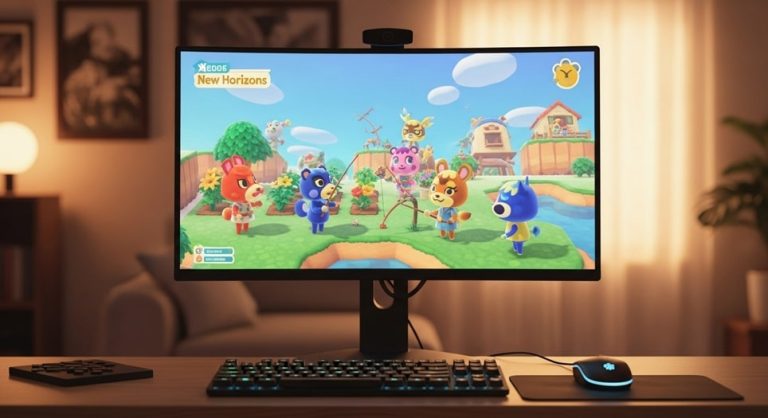
Understanding the Digital Menagerie: A Deep Dive into Desktop Companions
The concept of a desktop pet, a small animated character that resides on a computer screen, evokes a sense of nostalgia for many who experienced the early days of personal computing. These digital creatures, often whimsical and interactive, were more than just pixels on a screen; they were companions, distractions, and marvels of their time. The journey of the desktop pet from a simple, scripted animation to a potential application powered by complex artificial intelligence represents a fascinating evolution in human-computer interaction. This exploration delves into the history, technology, and future potential of these virtual beings, examining how they have captured our imagination and what their continued development could mean for our digital lives.
The allure of a digital companion lies in its ability to break the monotony of a static interface. In an environment dominated by folders, files, and productivity applications, a living, moving entity provides a spark of personality. Early iterations were simple, responding to basic mouse clicks or following the cursor, yet they fostered a surprising degree of attachment. Today, the underlying technology has advanced exponentially. Modern interpretations could leverage machine learning to learn user habits, respond to voice commands, or even simulate emotional states, transforming them from passive animations into interactive partners.
This progression raises intriguing questions about the role of software in our daily lives. Is the purpose of a desktop companion purely entertainment, or can it serve functional roles, such as managing notifications, providing company during long work sessions, or even offering rudimentary wellness reminders? The intersection of entertainment and utility is where the next generation of desktop pets is likely to flourish, blending the charm of the past with the intelligent capabilities of the present.
The Historical Pixels: From Tamagotchi to Windows
The genesis of the digital pet phenomenon can be traced back to the mid-1990s with the global craze of the Tamagotchi. This handheld device, created by Bandai, tasked users with raising a virtual creature from an egg to adulthood by feeding, cleaning, and playing with it. Its immense popularity demonstrated a universal appeal for nurturing a digital life, a concept that quickly migrated to the personal computer. Software developers saw an opportunity to bring a similar experience to the desktop, leading to the creation of programs that allowed users to care for a virtual pet directly on their monitors.
Concurrently, operating systems began to incorporate their own forms of interactive entertainment. A pivotal moment came with the release of Microsoft Plus! for Windows 95, which included the infamous Microsoft Agent characters, such as a cartoon dog named Rover. More famously, an animated character named BonziBUDDY, a purple gorilla, became widely known, though it later became notorious for its adware and spyware components. These early examples, despite their technical limitations and sometimes malicious intent, cemented the idea of an animated assistant or pet as a staple of the desktop experience.
Other platforms also embraced the trend. Early versions of macOS featured a “Stickies” application, and while not a pet, it showed a move towards more personalized desktop elements. Third-party software flourished, offering users a wide array of creatures to choose from, including fish, cats, dragons, and abstract beings. These programs varied in complexity, with some offering simple animations and others featuring complex needs and interactive games.
The key technological underpinning of these early pets was simple scripting and animation loops. They operated on a set of predetermined rules and responses. A click might result in a happy animation, while neglect might lead to a sad state. This simplicity was part of their charm, but it also limited their longevity. Once a user had seen all the animations and interactions, the novelty could wear off. Nevertheless, their impact was significant, creating a fondly remembered subgenre of software that paved the way for future innovations.
The Core Mechanics of a Virtual Companion
At its heart, a desktop pet, or a “crossing animal” as it might be colloquially known, is a program that runs in the background of a computer’s operating system. Its primary purpose is to display a graphical sprite—the pet itself—that behaves in ways that are independent of the user’s other activities. The creature can walk, sleep, play, or react to stimuli without interfering with open windows or active software, creating the illusion of sharing the digital space with the user.
The behavior of these pets is governed by a combination of algorithms and user input. Key mechanics often include:
- Autonomous Behavior: The pet performs actions on its own, such as walking across the screen, falling asleep, or playing with an object. This is typically managed by a state machine that cycles through different pre-programmed “moods” or activities based on timers or random number generators.
- User Interaction: The pet responds to direct user actions. Clicking or dragging the pet might trigger a specific animation, like a purr, a bark, or a dance. More advanced pets might respond to voice commands or keyboard shortcuts.
- Need Systems: In more complex simulations, the pet may have virtual needs such as hunger, happiness, or energy. The user must perform actions to fulfill these needs, such as “feeding” the pet by clicking on a food icon or “playing” with it by engaging in a mini-game.
- Desktop Integration: The pet exists on the desktop layer, meaning it is always visible “on top” of other applications unless specifically minimized or closed. This is achieved through specific programming calls that manage the window properties of the pet’s display.
The creation of such a program involves several layers of software development. The graphical assets—the sprites and animations—are created using graphic design tools. The logic is then coded using a programming language like Python, C++, or Java, which handles the pet’s behavior, interaction with the operating system, and management of its internal state. For a pet to be truly engaging, it must strike a balance between being noticeable enough to be charming and unobtrusive enough to not hinder productivity.
From Novelty to Necessity: The Functional Potential of Desktop Pets
While the entertainment value of desktop pets is undeniable, their potential extends far beyond mere diversion. The same characteristics that make them engaging—their persistent presence and ability to command attention—can be harnessed for practical applications. By integrating with a system’s core functions, a desktop pet can evolve from a digital toy into a useful digital assistant.
One of the most straightforward applications is in the realm of notification and alert management. Instead of a generic pop-up from the system tray, a desktop pet could physically deliver a notification. For instance, a bird pet could fly in with a letter in its beak when a new email arrives, or a dog could bark to alert the user of an upcoming calendar event. This method is less intrusive and more contextually integrated than standard alerts, making the flow of information feel more natural.
Another promising area is digital wellness and productivity. A desktop pet could be programmed to encourage healthy computer habits. It could remind the user to take breaks by stretching and yawning after a period of inactivity, prompt them to drink water, or even guide them through a short breathing exercise. In this role, the pet becomes a gentle, non-judgmental coach for maintaining well-being during long work sessions.
The potential functionalities of an advanced desktop companion are vast and can be categorized as follows:
- System Monitoring: The pet’s appearance or behavior could change to reflect system status. It could look tired when CPU usage is high, or shiver if the network connection is lost, providing an at-a-glance understanding of the computer’s health.
- Interactive Assistance: Beyond notifications, the pet could serve as a voice-activated interface for simple tasks. A user could say, “Hey, buddy, open my music player,” and the pet would execute the command, providing a more personal alternative to standard voice assistants.
- Learning and Adaptation: With integrated AI, the pet could learn the user’s work patterns. It could learn to be quiet during frequent video calls or become more active during typical break times, adapting its behavior to fit seamlessly into the user’s routine.
- Emotional Feedback: The pet could analyze typing speed, application usage, or even webcam data (with permission) to infer the user’s stress levels and respond accordingly, perhaps by displaying a calming animation or playing soothing sounds.
- File Management: A simple but effective feature could allow users to drag and drop files onto the pet to have them moved to a pre-defined folder, adding a layer of fun to organization.
This evolution from passive entertainment to active utility represents the mature future of the desktop pet. By providing tangible benefits, these digital companions can justify their permanent residence on the screen, becoming an integral part of the personal computing experience rather than a temporary amusement.
The Technical Architecture Behind a Modern Digital Companion
Building a sophisticated desktop pet in the modern era requires a robust and multi-layered technical architecture. Unlike their simpler predecessors, which were often monolithic applications, today’s versions can leverage modular design, cloud services, and artificial intelligence to create a much more dynamic and engaging experience. The core system can be broken down into several key components that work in concert.
The foundation is the Application Core. This is the main executable file, typically built using a framework like .NET, Electron, or a native language such as C++ or Python. This core is responsible for the application’s lifecycle: launching, running, and closing. It manages the primary game loop, which is a continuous cycle that updates the pet’s state, checks for user input, and renders the graphics to the screen dozens of times per second to create smooth animation.
Sitting on top of the core is the Rendering Engine. This component handles all the visuals. While early pets used simple bitmap sprites, modern implementations can utilize vector graphics or even 3D models, allowing for smoother animations and more detailed characters. The engine takes the pet’s current state—”sleeping,” “eating,” “happy”—and displays the corresponding animation sequence on the screen, ensuring it is always visible on the desktop layer.
The Behavior and AI Module is the brain of the operation. This is where the pet’s personality is defined. At a basic level, it uses a finite state machine to transition between different behaviors. For a more advanced pet, this module could include:
- Machine Learning Models: These could be used to personalize the pet’s behavior over time based on user interaction patterns. For example, if a user frequently interacts with the pet in the morning, the AI could learn to be more active during that time.
- Natural Language Processing (NLP): To enable voice commands, an NLP sub-module would process spoken words, convert them to text, and interpret the intent to trigger the appropriate action within the application.
- Decision Trees and Personality Matrices: These programming structures define how the pet reacts to different stimuli, creating a consistent and believable personality, whether it’s curious, lazy, or playful.
Finally, the System Integration Layer is the component that allows the pet to interact with the host computer. This layer uses operating system APIs (Application Programming Interfaces) to monitor system events, such as new emails, calendar alerts, or changes in CPU usage. It also manages the pet’s interaction with hardware, like the microphone for voice input or the webcam for simple computer vision tasks. This layer is crucial for transforming the pet from an isolated animation into a truly integrated desktop companion.
Ethical Considerations and User Privacy
As desktop pets become more advanced, integrating deeper with our operating systems and potentially utilizing data to personalize their behavior, a host of ethical and privacy considerations emerge. The charming digital creature on your screen could, in theory, have access to a significant amount of personal information. It is therefore paramount to establish clear guidelines and transparent practices for their development and use.
The most immediate concern is data collection and usage. An AI-powered pet that learns from your habits must necessarily process data about your computer usage. The key questions are: what data is collected, where is it processed, and how is it stored? Reputable developers must be transparent about their data policies. Ideally, data processing should occur locally on the user’s machine whenever possible to prevent sensitive information from being transmitted over the internet. If cloud services are used for more complex AI tasks, the data must be anonymized and encrypted.
Another critical issue is user consent. The installation and setup process for a desktop pet must explicitly ask for permissions. If the pet requires access to notifications, emails, or microphone input, the user must grant these permissions knowingly. The software should not stealthily enable these features. Furthermore, the pet should include easy-to-access settings that allow the user to see what data is being used and to revoke permissions at any time.
The potential for these tools to become distracting or addictive also warrants consideration. While a pet is meant to be a pleasant companion, a poorly designed one could constantly demand attention, disrupting workflow and reducing productivity. Developers have a responsibility to design pets that can operate in a “quiet” mode or whose level of interactivity can be calibrated by the user to suit their focus needs.
Key principles for ethical desktop pet development include:
- Transparency: Clearly document all data collection and processing activities in an easy-to-understand privacy policy.
- Minimal Data Collection: Only collect data that is absolutely essential for the core functionality of the pet. Avoid the temptation to gather extraneous information for secondary purposes like marketing.
- Local Processing Priority: Design the architecture to prioritize on-device data processing to enhance user privacy and security.
- User Control: Provide users with robust settings to control the pet’s behavior, data usage, and permissions, putting them in charge of their own digital space.
By adhering to these principles, developers can ensure that the next generation of desktop pets remains a source of joy and utility without compromising the trust and security of the user.
The Future Horizon: AI and the Truly Intelligent Companion
The future of desktop pets is inextricably linked to the rapid advancement of artificial intelligence. The simple, scripted creatures of the past are poised to evolve into sophisticated digital beings capable of genuine interaction and adaptation. The integration of large language models and generative AI could transform them from pre-programmed novelties into unique personalities that grow and learn from their interactions with the user.
Imagine a desktop pet powered by a localized, lightweight large language model. Instead of a limited set of canned responses, you could hold a conversation with it. You could ask it about its day, and it would generate a unique story based on the activities it “experienced” on your desktop. It could offer opinions on topics you’re researching or simply engage in witty banter to provide a mental break. This level of conversational depth would create a much stronger bond between the user and the digital companion, making it feel less like a program and more like a presence.
Another revolutionary possibility is proactive and contextual assistance. An AI-driven pet could analyze the content you are working on. If it detects you are writing a report and repeatedly searching for certain statistics, it could proactively fetch the information and present it, perhaps by showing a little thought bubble with the data. If it notices you are struggling with a piece of code, it could suggest relevant documentation. This moves the pet’s role from reactive to proactive, making it a genuine partner in productivity.
The concept of procedural personality generation is also on the horizon. Rather than every user having the same dog or cat, the AI could generate a completely unique creature at installation. Its initial personality—curious, grumpy, adventurous—could be randomly seeded and then shaped over time by how the user treats it. Positive reinforcement would encourage certain behaviors, while neglect might lead to others, creating a truly personalized companion that is different for every user.
These advancements are not without their technical challenges. Running complex AI models locally requires significant processing power, and managing the memory footprint of such an application is crucial to avoid slowing down the host computer. However, as hardware continues to improve and AI models become more efficient, these barriers will likely diminish, opening the door for a new era of rich, interactive, and intelligent digital life on our desktops.
Implementing Your Own Basic Digital Companion
For those with an interest in software development, creating a simple desktop pet can be a rewarding project that demystifies the concepts discussed. Using a beginner-friendly language like Python, along with a library such as Pygame or Tkinter for the graphical interface, one can build a basic version that embodies the core principles of autonomous behavior and user interaction.
The first step is to set up the development environment. This involves installing Python and the chosen graphics library. Once the environment is ready, the developer can create a window that will serve as the pet’s home. The key is to set the window properties to be “always on top,” have no title bar, and have a transparent background, so only the pet’s sprite is visible against the desktop.
The next phase involves creating the pet’s visual representation. This can be a simple sprite sheet—a single image file containing multiple frames of animation for different actions like walking, sleeping, and idling. The program will then cycle through the appropriate frames based on the pet’s current state. The logic for state management is central to the project. A simple state machine can be implemented, where the pet transitions between states like “idle,” “moving,” and “sleeping” based on timers or random chance.
User interaction is what brings the pet to life. By programming event listeners, the application can detect when the user clicks on the pet’s sprite. This click event can trigger a specific animation, such as a happy jump, or it could initiate a “drag” mode, allowing the user to move the pet around the screen. More advanced features, like a hunger meter that decreases over time and is refilled by clicking on a food icon, can be added to create a more engaging simulation.
While this basic implementation is a far cry from an AI-powered assistant, it encapsulates the fundamental magic of a desktop pet: a seemingly living entity sharing your digital workspace. It provides a hands-on understanding of the rendering loops, state management, and system integration that form the foundation of all such applications, from the simplest to the most complex.
Conclusion: The Enduring Appeal of a Digital Friend
The journey of the desktop pet from a pixelated diversion to a potential AI-powered assistant illustrates a persistent human desire to inject life and personality into our tools. These digital companions serve a unique role at the intersection of technology and psychology, offering not just entertainment but also comfort, company, and increasingly, functional utility. The nostalgia for early programs is a testament to their impact, proving that even simple digital interactions can forge meaningful connections. As we spend more of our lives in front of screens, the value of a benign, interactive presence should not be underestimated.
Looking forward, the convergence of advanced graphics, sophisticated AI, and a strong ethical framework promises a new generation of desktop pets that are more engaging and helpful than ever before. They have the potential to evolve from being mere ornaments on our desktops to becoming integrated digital partners that assist with tasks, promote well-being, and provide a unique form of interaction. The core appeal remains unchanged: the simple, joyful experience of sharing our digital space with a friendly, responsive entity. The technology may become vastly more complex, but the heart of the desktop pet will always be its ability to make the cold, logical environment of a computer feel a little more warm, a little more whimsical, and a little more alive.