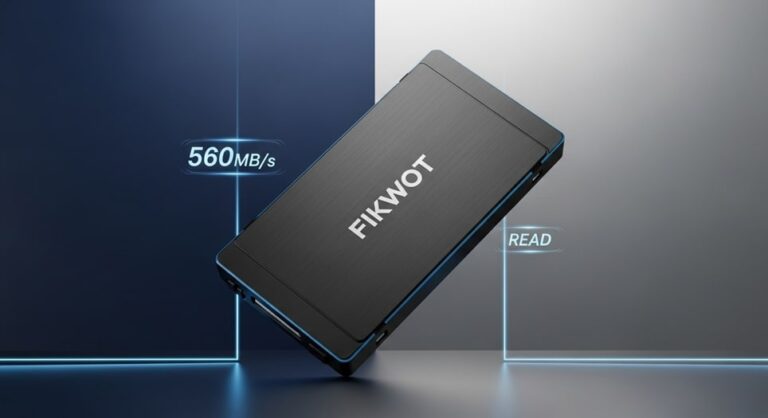
The Fikwot FS810 is a 2.5-inch SATA III SSD available in capacities from 128GB to 4TB. It uses 3D NAND TLC flash and delivers read speeds up to 560MB/s — making it a practical, budget-friendly upgrade for laptops and desktops still running mechanical hard drives. This review covers everything you need to know before buying in 2026 including real benchmark numbers, compatibility, and how it compares to the Crucial BX500 and Samsung 870 EVO.
Fikwot FS810 Key Specifications
| Specification | Detail |
|---|---|
| Form Factor | 2.5-inch |
| Interface | SATA III 6Gb/s (backward compatible with SATA II) |
| Capacities Available | 128GB, 256GB, 512GB, 1TB, 2TB, 4TB |
| Sequential Read | Up to 560MB/s |
| Sequential Write | Up to 500MB/s (higher capacity models) |
| Flash Type | 3D NAND TLC |
| Endurance (1TB) | 300TBW |
| MTBF | 1.5 million hours |
| Operating Temperature | 0°C to 70°C |
| Dimensions | 100mm x 69.85mm x 7mm |
| Weight | Under 50 grams |
| Power (active) | 2W under load |
| Power (idle) | Under 0.5mW (DEVSLP mode) |
| OS Compatibility | Windows 7/8/8.1/10/11, macOS 10.4+, Linux 2.6.33+ |
| Warranty | 3 years |
| Error Correction | LDPC (Low-Density Parity-Check) |
| Features | TRIM support, S.M.A.R.T. monitoring, AHCI compliance |
Design and Build Quality
The FS810 uses a black anodized aluminum casing that measures 100mm x 69.85mm x 7mm — a standard 2.5-inch form factor that fits directly into laptops, desktops, and NAS enclosures without adapters. The aluminum shell handles heat better than plastic alternatives, keeping surface temperatures below 45°C during sustained transfers. At under 50 grams it is light enough to handle during upgrades without feeling cheap.
The drive meets MIL-STD-810G standards for vibration and shock resistance — tested under rigorous conditions for up to 80 hours. There are no moving parts which means zero noise in operation, a significant improvement over the 20-30dB hum of a mechanical hard drive. Universal mounting holes make retrofitting straightforward in most chassis.
Performance — Real Benchmark Numbers
In CrystalDiskMark tests on the 512GB model the FS810 averages 545MB/s sequential reads and 465MB/s sequential writes. Random I/O hits approximately 85K IOPS which is solid for a SATA drive and translates directly to fast application launches and OS responsiveness.
| Test | FS810 512GB Result |
|---|---|
| Sequential Read (CrystalDiskMark) | 545MB/s |
| Sequential Write | 465MB/s |
| Random Read IOPS | ~85K |
| Windows 11 boot time | Under 15 seconds |
| 50GB file transfer time | ~95 seconds |
| Boot time improvement vs HDD | ~70% faster |
Under sustained loads the SLC cache maintains peak speeds for 20-30GB before settling to around 400MB/s — which is respectable for a TLC drive at this price point. Thermal throttling was not observed even after 2 hours of continuous 4K video encoding. Power draw during reads is 1.8W versus 5W for a typical HDD — a meaningful battery life difference in laptops.
Who Is the Fikwot FS810 Best For?
| Use Case | Recommended Capacity | Expected Benefit |
|---|---|---|
| OS upgrade from HDD | 256GB or 512GB | 70% faster boot times, instant app launches |
| General productivity (Office, browser, email) | 512GB | Noticeable speed improvement in daily tasks |
| Photo and video storage | 2TB or 4TB | Fast access to large libraries without NVMe cost |
| Gaming secondary drive | 1TB or 2TB | Faster game load times vs HDD, preserves primary NVMe for OS |
| NAS or home server | 2TB or 4TB | Plug-and-play with Synology and most NAS enclosures |
| Old laptop revival | 512GB or 1TB | Single upgrade that transforms an aging system |
Installation Guide
Installing the FS810 is straightforward. You need a Phillips screwdriver, a SATA data cable (for desktops), and about 15 minutes.
Desktop Installation
- Power down and unplug the system — ground yourself to prevent static damage
- Remove the side panel and locate the 2.5-inch or 3.5-inch drive bay — use a conversion bracket for 3.5-inch bays
- Slide the FS810 into the caddy and secure with the provided screws
- Connect the SATA data cable to the motherboard (SATA 0-5 port) and the power cable from the PSU
- Boot into BIOS and confirm the drive is detected — ensure AHCI mode is enabled
- Boot into Windows and use Disk Management to initialize and format the drive
Laptop Installation
- Power off completely and remove the battery if possible
- Consult your laptop’s service manual for bottom panel disassembly — most require a Phillips screwdriver
- Locate the 2.5-inch drive slot and slide the FS810 in until it clicks into the connector
- Secure with the retaining screw
- Reassemble and power on — the drive should be detected automatically
- Use Disk Management (Windows) or Disk Utility (macOS) to initialize
If migrating from an existing HDD use a free cloning tool like Macrium Reflect to copy your existing Windows installation to the FS810 before replacing the original drive. This avoids reinstalling Windows from scratch.
Post-Installation Optimization
- Enable TRIM via command prompt:
fsutil behavior set DisableDeleteNotify 0 - Confirm AHCI is enabled in BIOS — not IDE mode
- Run CrystalDiskMark to verify speeds match advertised specs
- Leave 10% of the drive unallocated for wear leveling if using for sustained writes
Compatibility
The FS810 works across Windows 7 through 11, macOS 10.4 and later, and Linux 2.6.33 and later. The SATA III interface is backward compatible with SATA II ports — it auto-negotiates to 3Gb/s on older boards without any configuration. It works plug-and-play in Synology NAS devices and most NAS enclosures. In VMware ESXi and virtualized environments I/O latency stays under 0.1ms.
For SATA II systems the FS810 still provides a major upgrade over mechanical drives — sequential speeds drop from 560MB/s to around 280MB/s but random I/O improvements remain the same, meaning boot times and application launches still improve dramatically.
Fikwot FS810 vs Competitors
| Drive | Seq. Read | Seq. Write | Endurance (1TB) | Warranty | Price/GB |
|---|---|---|---|---|---|
| Fikwot FS810 | 560MB/s | 500MB/s | 300TBW | 3 years | ~$0.05/GB |
| Crucial BX500 | 540MB/s | 500MB/s | 360TBW | 3 years | ~$0.07/GB |
| Samsung 870 EVO | 560MB/s | 530MB/s | 600TBW | 5 years | ~$0.10/GB |
| Kingston A400 | 500MB/s | 450MB/s | 160TBW | 3 years | ~$0.05/GB |
| WD Blue SA510 | 560MB/s | 510MB/s | 400TBW | 5 years | ~$0.08/GB |
The FS810 undercuts most competitors on price per GB while matching peak sequential speeds. The Samsung 870 EVO has better endurance and a longer warranty but costs roughly double. For users who want reliable SATA performance without paying a premium the FS810 is a strong choice. The Kingston A400 is similarly priced but has lower sustained write speeds — dropping to 300MB/s post-SLC cache versus the FS810’s 400MB/s, which matters for large backups and transfers.
Reliability and Warranty
The FS810 carries a 3-year warranty with RMA handled through Fikwot’s portal. MTBF is rated at 1.5 million hours. The LDPC error correction provides bit-flip resistance for long-term data preservation. S.M.A.R.T. monitoring lets you track drive health via tools like CrystalDiskInfo and get early warning before any failure occurs.
Fikwot was founded in 2018 in China with a core team of over 10 years experience in storage product development. The 4TB model has over 2,000 Amazon reviews with an adjusted rating that filters out unnatural reviews — real-world user feedback highlights easy installation and noticeable speed improvements in older systems as the most common praise.
Pros and Cons
| Pros | Cons |
|---|---|
| Competitive price per GB — among the cheapest SATA SSDs available | SATA ceiling limits maximum speeds vs NVMe |
| Available up to 4TB — rare for SATA at this price | No bundled cloning software |
| 3D NAND TLC with LDPC error correction | 128GB too small for modern Windows installations |
| MIL-STD-810G vibration and shock compliance | Less endurance than Samsung 870 EVO at same capacity |
| Works across Windows, macOS, and Linux | Fikwot is a newer brand with less track record than Samsung or WD |
| Low power draw — good for laptop battery life | |
| 3-year warranty |
Verdict — Is the Fikwot FS810 Worth Buying in 2026?
Yes — for the specific use case it is designed for. If you are upgrading a laptop or desktop that still runs a mechanical hard drive the FS810 delivers a dramatic improvement in boot times, application launches, and overall responsiveness at a lower price than most established brands. The 4TB model in particular offers exceptional value for photo and video storage where large capacity at a low cost per GB matters more than peak NVMe speeds.
If you need maximum performance for tasks like video editing workflows or running multiple virtual machines simultaneously an NVMe drive will serve you better. But if your system has a 2.5-inch SATA bay and you want the most cost-effective upgrade available in 2026, the FS810 is a sensible choice backed by a 3-year warranty and solid user reviews.
Frequently Asked Questions
Is the Fikwot FS810 a good SSD?
Yes — the Fikwot FS810 is a reliable budget SATA SSD that delivers read speeds up to 560MB/s and write speeds up to 500MB/s. It uses 3D NAND TLC flash with LDPC error correction and carries a 3-year warranty. For upgrading older laptops and desktops from mechanical hard drives it offers excellent value per GB compared to more established brands like Crucial and Samsung.
What is the difference between Fikwot FS810 and FX815?
The FS810 is a 2.5-inch SATA III SSD while the FX815 is a newer model with higher performance specifications. The FX815 retails at a higher price point and targets users needing faster sustained transfer speeds. For standard laptop and desktop upgrades the FS810 provides sufficient performance at a lower cost.
Does the Fikwot FS810 work on Windows 11?
Yes — the Fikwot FS810 is fully compatible with Windows 11 as well as Windows 7, 8, 8.1, and 10. It also works with macOS 10.4 and later and Linux kernel 2.6.33 and later. No additional drivers are required — the drive is recognized automatically after installation.
How long will the Fikwot FS810 last?
The FS810 is rated for a MTBF of 1.5 million hours with a 3-year manufacturer warranty. The 1TB model carries a 300TBW endurance rating. For typical home and office use — OS boot drive, document storage, and application installs — the drive should last 5 to 7 years comfortably within its rated write endurance.
Is the Fikwot FS810 better than the Crucial BX500?
The Fikwot FS810 is cheaper per GB than the Crucial BX500 and has lower sustained write speed after cache exhaustion. The BX500 has slightly better endurance ratings at the 1TB level. For most everyday uses the two drives perform similarly — choose the FS810 if price per GB is the priority, choose the BX500 if you prefer a more established brand name.