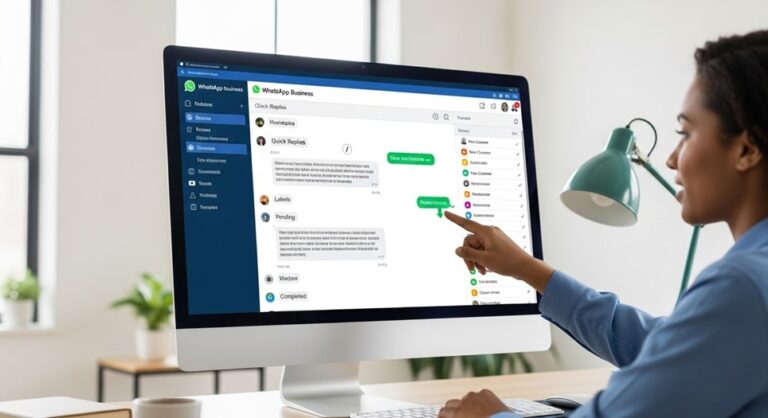
In the age of instant communication, the ability to automate timely messages is crucial for both personal convenience and professional efficiency. While platforms like email and traditional SMS have offered scheduling features for years, the world’s most popular messaging application, WhatsApp, currently lacks this functionality as a standard, native feature within its consumer application. This absence means users cannot simply compose a message and select a future date and time for automatic delivery directly within the chat interface.
However, the demand for timed messaging is immense, driven by the need to respect time zones, ensure birthday wishes are sent exactly at midnight, or maintain consistent customer communication outside of working hours. Because of this pressing need, various resourceful workarounds and professional solutions have emerged, transforming WhatsApp message scheduling from a wish list item into an accessible reality. These methods range from leveraging built-in smartphone automation tools to utilizing robust third-party applications and integrating with the powerful WhatsApp Business API.
Mastering these different scheduling techniques allows individuals and businesses to put their communication on autopilot, ensuring punctuality and professionalism without requiring constant manual oversight. This comprehensive guide dissects the specific, verified, and up-to-date methods available for scheduling WhatsApp messages across the four main platforms: Android, iPhone (iOS), WhatsApp Web, and the official Business API. We will detail the step-by-step processes for each, weighing the respective benefits, security implications, and limitations.
The core challenge stems from WhatsApp’s design philosophy, which generally prioritizes real-time, end-to-end encrypted conversations. True, fully autonomous scheduling requires deep integration with a device’s operating system or official access to WhatsApp’s messaging infrastructure, which the personal app intentionally restricts. Therefore, successfully implementing message scheduling requires bypassing these limitations using validated, external tools and carefully managed permissions.
Initial Assessment: Why WhatsApp Lacks Native Scheduling
Understanding why native scheduling is absent helps users choose the most appropriate workaround. The consumer version of WhatsApp is designed to mimic face-to-face conversation. Messages are expected to be sent in the moment, reflecting the user’s current availability. Allowing automated, scheduled messages could potentially clash with the platform’s security model, as third-party applications often require broad Accessibility permissions on the device to function. Granting such permissions essentially allows an external app to “see” and “control” what the user does on the screen, posing a risk that WhatsApp seeks to avoid by not building the feature internally.
Despite this, WhatsApp has addressed the business requirement for automation through its official solutions. The WhatsApp Business App and the WhatsApp Business API (Application Programming Interface) offer limited and highly scalable automation, respectively. These tools provide the verified pathways necessary for professional scheduling, albeit designed for specific use cases like customer service and marketing broadcasts, rather than personal chat management.
Method 1: Scheduling on Android Devices (Third-Party Apps)
The Android operating system offers greater flexibility in terms of permissions and third-party app integration compared to iOS, making it the most straightforward platform for installing dedicated scheduling applications. These apps operate by leveraging Android’s Accessibility services to compose and click the “Send” button on your behalf at the designated time.
The most popular and established tool for this purpose is SKEDit: Auto Message Scheduler. While this method is effective for personal and small-scale scheduling, it requires the user to understand and accept the security trade-offs involved with granting sweeping permissions.
Step-by-Step Guide Using SKEDit (or Similar Android Schedulers)
To implement this method, the screen must typically be unlocked and the app must have full access to your phone’s functionality. This is a crucial distinction from server-side scheduling.
- Installation and Setup: Download a reliable scheduling app like SKEDit from the Google Play Store.
- Grant Required Permissions: Upon launching, the app will prompt you to grant Accessibility permission. This is non-negotiable for the app to function. Navigate to your phone’s Settings, find Accessibility, locate the scheduling app, and enable the service. This allows the app to perform automated screen interactions.
- Select Communication Channel: In the app, select WhatsApp or WhatsApp Business as your desired communication platform.
- Compose the Message: Tap the plus icon (+) to create a new scheduled message. Select the specific contact or group you wish to message. Type the content of your message. You can also choose to attach media or files, depending on the app’s features.
- Set Timing and Repetition: Define the exact date and time for the message delivery. You can often set up recurring schedules (daily, weekly, monthly) for reminders or routine communications.
- Final Review and Automation Setting: Crucially, select whether the app should Ask me before sending or Auto-Send. For true automation, you must choose Auto-Send, which often requires disabling the phone’s screen lock or battery optimization settings to prevent the system from interfering with the scheduled action.
The primary advantage of the Android third-party app method is its ease of use and its ability to schedule messages to any personal contact or group. However, users must be mindful of the security implications associated with granting deep system access to a non-Meta application.
Method 2: Scheduling on iPhone (iOS Shortcuts App)
Apple’s restrictive security model, prioritizing user privacy, prevents third-party apps from gaining the same level of control over other applications that is common on Android. As a result, dedicated third-party schedulers are usually ineffective for full automation on iOS. The only verified method for non-business users involves leveraging the iPhone’s powerful, built-in Shortcuts automation feature (available on iOS 13 and later).
Step-by-Step Guide Using iOS Shortcuts Automation
The Shortcuts method uses time as a trigger to run a pre-defined script, but it is not a silent, background automation. It requires the user to interact with a notification at the time of sending.
- Open the Shortcuts App: Launch the app, which is pre-installed on modern iPhones.
- Create a Personal Automation: Navigate to the Automation tab at the bottom and tap the plus icon (+) in the upper right corner, selecting Create Personal Automation.
- Set the Time Trigger: Choose Time of Day as the trigger. Set the specific hour and minute you want the message to be sent. You can choose to repeat this daily, weekly, or monthly. Tap Next.
- Add the Text Action: Tap Add Action. Search for and select the Text action. In the provided text box, type the message you want to schedule.
- Add the WhatsApp Action: Tap the plus icon (+) below the text box. Search for and select the Send Message via WhatsApp action. Choose the specific recipient(s) from your contact list.
- Finalize Automation: Tap Next. On the final review screen, it is essential to toggle off the setting that asks for confirmation before running (often labeled “Ask Before Running”). If this setting is enabled, the message will not send automatically; you will simply receive a notification prompting you to tap “Run” to complete the send action.
While the iOS Shortcuts method is generally considered more secure as it uses a native Apple application, it suffers from a significant limitation: the message often only pre-fills the text in the WhatsApp chat window, still requiring the user to manually hit the final send button. Achieving true, unattended, automatic sending on iPhone without using an official API remains extremely difficult due to the operating system’s strict security protocols.
Method 3: Scheduling on WhatsApp Web (Browser Extensions)
For users who primarily rely on their desktop or laptop for WhatsApp communication, browser extensions provide a convenient, albeit less secure, third scheduling method. These extensions act similarly to Android third-party apps, manipulating the WhatsApp Web interface to initiate the send action at a scheduled time.
The most widely recognized tool for this function is the Blueticks Chrome extension. These tools integrate directly into the WhatsApp Web user interface, providing a scheduling clock icon next to the message field.
Step-by-Step Guide Using a Chrome Extension (Blueticks Example)
- Install the Extension: Navigate to the Chrome Web Store and install the desired scheduling extension, such as Blueticks. Ensure you are using the Chrome browser.
- Log into WhatsApp Web: Open WhatsApp Web (web.whatsapp.com) and log into your account by scanning the QR code with your mobile device.
- Access the Scheduler: The extension will integrate a new scheduling icon (often a clock) into the chat interface, usually next to the message composition box.
- Create the Scheduled Message: Select the contact or group, click the scheduling icon, and a scheduling menu will appear. Type your message into the text field.
- Define Delivery Parameters: Set the precise date, time, and timezone for the delivery. Many extensions also offer options for recurring messages.
- Schedule Send: Click the Schedule Send button to finalize. Crucially, your computer must be powered on, connected to the internet, and WhatsApp Web must be open in the browser at the exact time of delivery for the message to be successfully dispatched.
This method is excellent for desk-bound professionals but is entirely dependent on the continuous operation of the desktop environment and the browser tab. If the computer is asleep, shut down, or the internet connection is lost, the message will fail to send at the scheduled time. This lack of reliability makes it unsuitable for critical, large-scale business communications.
Method 4: Official Business Scheduling (WhatsApp Business Solutions)
For small businesses, mid-sized enterprises, and large corporations, relying on third-party apps or device-dependent workarounds is insufficient. Official solutions are necessary to ensure security, compliance, scalability, and robust message delivery tracking. WhatsApp offers two verified pathways for business automation, which include scheduling capabilities.
1. The WhatsApp Business App (Limited Automation)
The free WhatsApp Business App, designed for small and medium-sized businesses (SMEs), does not support traditional outbound scheduling for individual messages. However, it provides two key automation features that act as a form of scheduled communication:
- Away Message: This feature allows businesses to set a specific message that is automatically sent to customers who initiate contact outside of the defined business hours. The message can inform customers of the current closure and the expected time of response. The scheduling aspect is based on a custom time window or when the account is Outside of business hours, ensuring communication consistency even when staff are unavailable. This ensures the customer receives an immediate response, which is critical for maintaining engagement and setting expectations, even if the actual response is delayed.
- Greeting Message: This is an automated welcome message sent to customers who message the business for the first time or after a period of 14 days of inactivity. While not scheduled by date, it is scheduled by event (the customer initiating contact). It helps in instant engagement and can be used to direct customers to resources or prompt them for more information needed for a timely response. The automatic nature of the greeting message ensures new inquiries are immediately recognized and valued, improving the initial user experience.
These features are reliable and safe but are extremely limited, focused on inbound customer response rather than proactive, outbound broadcast scheduling or drip campaigns.
2. The WhatsApp Business API / Platform (Advanced & Scalable)
The WhatsApp Business API (also known as the WhatsApp Business Platform or Cloud API) is the definitive, official solution for professional and scaled scheduling. This platform is designed for medium-to-large enterprises and works by allowing businesses to integrate WhatsApp messaging into their own CRM, marketing software, or third-party Business Solution Provider (BSP) dashboard.
Since the messages are routed through Meta’s secure cloud servers, scheduling is server-side and entirely independent of the sender’s mobile device, guaranteeing delivery and providing robust tracking and analytics. Key features include:
- Broadcast Scheduling: The ability to schedule bulk messages (often called “broadcasts” or “campaigns”) to thousands of contacts simultaneously for specific dates and times, perfect for promotions, product launches, or event reminders.
- Templated Messages: Messages sent outside of the 24-hour customer service window must use pre-approved Message Templates (often used for notifications, alerts, and marketing). This ensures compliance with WhatsApp’s strict quality and policy standards.
- Workflow Automation: Scheduling can be based not only on date and time but also on triggers from customer actions (e.g., scheduling a follow-up message 24 hours after a customer abandons their cart, or sending an appointment reminder 48 hours before a booking).
- Personalization: Templates and scheduled messages can include dynamic variables like {name}, {order_number}, or {appointment_time}, allowing for hyper-personalized communication at scale, which significantly boosts engagement.
The implementation of the WhatsApp Business API requires partnering with a Business Solution Provider (BSP) like WATI, Gallabox, Twilio, or Trengo, who handle the technical complexities of integration and template submission.
Advanced Scheduling: Use Cases and Best Practices
Effective scheduling moves beyond mere technical setup; it requires strategic implementation to maximize engagement and minimize the risk of being blocked or reported as spam. Businesses leverage scheduling for highly specialized scenarios:
- E-commerce Cart Abandonment Reminders: Scheduling a personalized template message to follow up with a customer 30 minutes to an hour after they leave items in their shopping cart. This approach capitalizes on the urgency and high engagement rates of WhatsApp to recover lost sales. The timing is crucial, as too long a delay can render the reminder ineffective, while immediate sending might appear intrusive.
- Appointment and Booking Reminders: Automating messages 24 or 48 hours before a scheduled appointment drastically reduces no-show rates. These messages are utility-focused, often using buttons for quick confirmation or rescheduling, making them highly appreciated by customers. The use of template messages for this ensures compliance and rapid delivery, benefiting high-volume service providers like clinics or salons.
- Global Market Communication: For companies with international clientele, scheduling messages to align precisely with a recipient’s local timezone (e.g., 9:00 AM in Tokyo, 9:00 AM in London) is non-negotiable. The Business API handles this complexity seamlessly, ensuring the message arrives at the optimal time for maximum visibility, preventing late-night disturbances or missed opportunities.
- Post-Purchase Customer Surveys (CSAT/NPS): Scheduling a quick, templated message 2 days after a product delivery to request a customer satisfaction (CSAT) score or Net Promoter Score (NPS) helps gather crucial feedback while the experience is fresh. This provides valuable data for service improvement and uses WhatsApp’s high open rates for feedback collection.
- Internal Team Updates: For large organizations, scheduling internal broadcast messages to teams or regional managers with weekly sales reports, meeting reminders, or urgent policy updates ensures that critical information reaches everyone simultaneously at the start of their workday, regardless of their physical location or time zone.
Critical Comparison: Personal Workaround vs. Official API
The choice of scheduling method must align with the user’s requirements regarding Scale, Reliability, and Security. The two main categories of solutions offer fundamentally different capabilities.
Personal Workarounds (SKEDit, Shortcuts, Blueticks):
This category excels in convenience and cost for individual users. They are designed for one-off reminders, personal greetings, or low-volume, non-critical communications. Their primary limitation is their dependency on the user’s device and the unreliability of automation. The phone must be on, unlocked, and sometimes the app must be running in the foreground at the exact moment of delivery. Furthermore, the reliance on Accessibility services carries inherent security and privacy risks, as the app gains extensive control over the device. They are not recommended for any form of professional customer communication that requires a guarantee of delivery.
Official WhatsApp Business API (BSPs):
This is the necessary path for any business. It provides absolute reliability and security because messages are sent from Meta’s servers, not the user’s phone, requiring no device-side permissions. The API supports massive scale, allowing for personalized broadcasts to thousands of users and integration with CRM systems. While it involves a setup cost and template approval process, the benefits—guaranteed delivery, detailed analytics, compliance, and multi-user access—far outweigh the complexity for any growing organization. The API is the only solution that enables true, rules-based automation and advanced customer journeys.
Troubleshooting Common Scheduling Failures
Even with the correct setup, scheduled messages can fail. Understanding the root causes for each method is essential for troubleshooting and ensuring timely delivery.
- Android (SKEDit, Auto Text): Failure often occurs due to system interference.
- Battery Optimization: Android’s power-saving features often kill background apps. Ensure the scheduling app is whitelisted and exempted from all battery optimization restrictions in the device settings.
- Screen Lock: If Auto-Send is enabled, but the screen is locked, the app cannot interact with the screen to press the final “Send” button. The solution is often to disable the screen lock requirement, which poses a security risk, or accept the manual confirmation requirement.
- iPhone (Shortcuts): Failures stem from strict automation rules.
- “Ask Before Running” Toggle: If this is enabled, the message cannot be sent automatically. The user must tap the notification to proceed, often leading to missed timings if the phone is unattended.
- Recipient Issue: Ensure the recipient is selected correctly within the “Send Message via WhatsApp” action. Incorrectly configured shortcuts often fail silently or open WhatsApp to the wrong screen.
- WhatsApp Web (Blueticks): Failure is purely environmental.
- Browser/Computer Status: The primary cause is the computer being asleep, shut down, or losing internet connection. The WhatsApp Web tab must be actively loaded and running in the background for the extension to work.
- Session Timeout: The WhatsApp Web session might expire or be disconnected if the phone goes offline or loses charge, necessitating a re-scan of the QR code.
- WhatsApp Business API: Failures are typically related to policy or configuration.
- Template Status: If the message being sent is outside the 24-hour window but is not a pre-approved template, it will be rejected by Meta’s system. Ensure all outbound messages are approved templates.
- Opt-in Status: For marketing and promotional messages, the user must have explicitly opted into receiving messages via WhatsApp. Sending messages to contacts without proper opt-in can lead to high block rates and eventual suspension of the business account.
By focusing on these structural and policy-related checks, users can significantly improve the success rate of their scheduled messages across all platforms, transforming scheduling from a frustrating workaround into a seamless communication strategy.
Conclusion: Leveraging Automation for Efficient Communication
While the personal WhatsApp app remains steadfast in its lack of a built-in scheduling feature, a variety of powerful and dependable workarounds exist to satisfy the demand for timed messaging. For personal and individual use, Android devices offer the most direct path via third-party apps like SKEDit, though users must proceed cautiously with security permissions. iPhone users can employ the native Shortcuts app for near-automatic reminders, accepting the necessity of manual confirmation due to iOS’s robust security architecture. Crucially, for businesses and large-scale operations, the WhatsApp Business API is the only fully reliable, secure, and scalable solution. By integrating with a Business Solution Provider, organizations gain access to server-side automation, broadcast capabilities, and workflow triggers that ensure timely, personalized communication globally. Mastering these distinct scheduling methodologies empowers users to manage their digital interactions strategically, transforming reactive messaging into proactive, highly efficient, and professional communication.