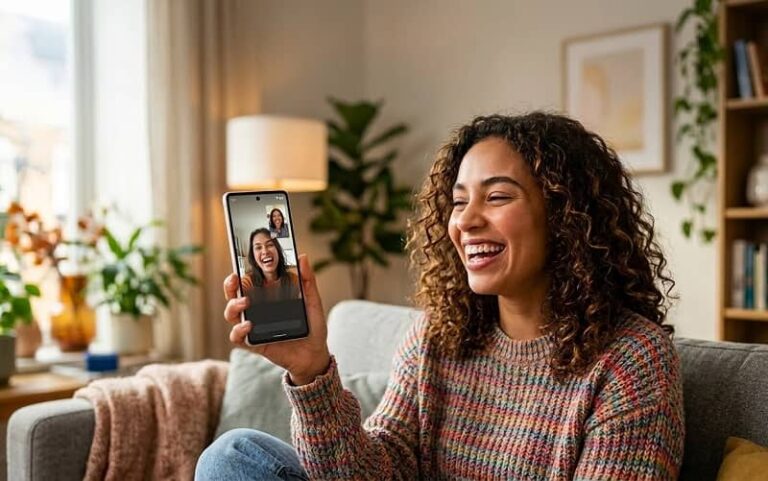
Finding the best video chat app for Android comes down to what you actually need it for. Some people want a free, reliable app to call family. Others want to meet new people through random video chat. And plenty of users need something that handles both personal and work calls without switching between multiple apps. The good news is Android has more strong options in this space than any other mobile platform — the challenge is knowing which ones are worth installing.
This guide covers 21 video chat apps that are actively maintained, free to download, and genuinely useful in different situations — from encrypted private calls to large group meetings to spontaneous conversations with strangers. Apps that have been shut down or no longer receive updates have been excluded regardless of their historical popularity.
The 21 Best Video Chat Apps for Android
1. Google Meet
Google Meet is the most accessible video call app for Android users because it requires nothing beyond a Google account, which most Android users already have. It supports up to 100 participants on the free plan with no time limit on one-to-one calls, making it genuinely useful for both personal and light professional use. Call quality holds up well even on slower mobile connections thanks to Google’s adaptive bitrate technology. It is pre-installed on many Android devices and integrates directly with Google Calendar for scheduled calls.
2. Zoom
Zoom remains the dominant video conferencing app for work and education, with a free tier that supports up to 100 participants for 40 minutes per group meeting. Its Android app is well-optimised and handles unstable connections better than most competitors through its proprietary network protocol. Virtual backgrounds, screen sharing, and in-meeting chat work reliably on mid-range Android hardware. For anyone attending business meetings or online classes from a phone, Zoom is effectively the standard.
3. WhatsApp
WhatsApp is the most widely used video call app for personal use globally, with over 2 billion active users as of the latest figures from Meta. Its end-to-end encryption is enabled by default on all calls and messages, which puts it ahead of many competitors on privacy for everyday use. Group video calls support up to 32 participants, and the interface requires no learning curve for anyone already using WhatsApp for messaging. For users looking beyond WhatsApp, there are over 50 WhatsApp alternative apps worth considering depending on your specific needs.
4. Microsoft Teams
Microsoft Teams targets business and education users who work within the Microsoft 365 ecosystem, and its Android app delivers a near-complete version of the desktop experience. Free accounts get unlimited chat, file sharing, and one-to-one video calls with up to 60 minutes per group meeting. The app integrates with Outlook, OneDrive, and SharePoint, which makes it practical for remote workers who need more than just video calling. Teams is the right choice when your organisation already uses Microsoft products and you need seamless calendar and file integration on mobile.
5. Signal
Signal is the gold standard for private video calls on Android. It uses the Signal Protocol for end-to-end encryption on all calls, messages, and file transfers — the same protocol that WhatsApp and others have adopted for their own encryption. Unlike WhatsApp, Signal is open-source and operated by a non-profit foundation with no advertising business model, which means your call metadata is not being used to build an advertising profile. Group video calls support up to 40 participants, and the app works on any Android device running Android 5.0 or higher.
6. Telegram
Telegram supports video calls for up to 1,000 viewers through its Video Chats feature within group channels, which makes it unique among messaging apps for large-audience broadcasting alongside private calls. Standard one-to-one and group video calls support up to 30 participants. Its speed advantage over WhatsApp on file transfers and message delivery is well-documented, and the Android app is consistently faster to load than most competitors. Telegram’s video calls use end-to-end encryption on one-to-one calls but not on group calls by default, which is worth knowing if privacy is a priority.
7. Discord
Discord started as a gaming communication platform but has grown into one of the most versatile video chat apps for Android across gaming communities, hobby groups, and remote teams. Its Server structure allows persistent communities with dedicated voice and video channels that members can drop in and out of freely. Video calls support up to 25 participants on the free plan, and screen sharing is available on mobile. If you are new to the platform, understanding how to log in to Discord with a QR code is the fastest way to get started on Android.
8. Skype
Skype pioneered internet video calling and remains a solid option for cross-platform calls between Android, iOS, Windows, Mac, and Linux users. The free tier supports group video calls with up to 100 participants and includes screen sharing, live captions, and background blur. Skype to Skype calls are end-to-end encrypted, and the app supports calling regular phone numbers at low per-minute rates for international calls — a feature most competitors do not offer. Its user base has declined relative to WhatsApp and Zoom, but it remains widely installed globally and is a reliable fallback for reaching contacts on any device.
9. Viber
Viber is particularly strong in Eastern Europe, the Middle East, and Southeast Asia, where it holds significant market share as a default messaging and calling app. All Viber-to-Viber calls are end-to-end encrypted, and group video calls support up to 20 participants. The app includes a Communities feature for large public groups and offers international calling to non-Viber numbers at competitive rates through Viber Out. Its Android performance is optimised for mid-range devices, which makes it a practical choice in markets where flagship hardware is less common.
10. Facebook Messenger
Facebook Messenger supports group video calls with up to 50 participants and includes AR effects, backgrounds, and Watch Together for co-viewing video content during a call. The Messenger Rooms feature allows calls of up to 50 people without requiring a Facebook account to join. Its deep integration with the Facebook social graph makes it easy to call any Facebook contact without exchanging phone numbers first. Privacy-conscious users should note that end-to-end encryption on Messenger video calls requires enabling Secret Conversations mode manually rather than being on by default.
11. Google Chat
Google Chat is distinct from Google Meet — it is the messaging-first app that integrates video calls through Meet, designed for workspace collaboration within Google’s ecosystem. It is the direct replacement for Google Hangouts and comes pre-installed on Android devices with Google services. For teams using Google Workspace, Chat provides threaded conversations, file sharing from Google Drive, and one-click video meetings that make it a more complete communication tool than a standalone video app. Personal Google account holders can use it free with full functionality.
12. Cisco Webex
Cisco Webex is an enterprise-grade video conferencing platform that offers a surprisingly capable free tier — unlimited meetings with up to 100 participants, 10GB of cloud storage, and end-to-end encryption. It is the preferred choice for large organisations in regulated industries like finance, healthcare, and government because of its compliance certifications and security architecture. The Android app handles large meetings well and includes features like noise cancellation and real-time translation that most consumer apps lack. For business users who need more than Zoom’s free tier, Webex is worth serious consideration.
13. Tango
Tango is one of the few video chat apps specifically designed for meeting new people rather than calling existing contacts. It combines live streaming, random video chat, and social discovery features in a single app, with a large active user base particularly in the United States and Middle East. Group video calls, virtual gifts, and a social feed make it feel closer to a social platform than a pure communication tool. For users specifically searching for a video chat app to connect with strangers, Tango is one of the most established options currently available on Android.
14. Line
Line dominates mobile communication in Japan, Thailand, and Taiwan, and its Android app provides free voice and video calls, messaging, and a timeline social feed in a single platform. Group video calls support up to 500 participants, which is one of the highest limits available on any free app. Line’s OpenChat feature allows joining topic-based communities without revealing your personal contact information, and its sticker marketplace has grown into a significant cultural feature in its core markets. For users with contacts in East or Southeast Asia, Line is often the expected communication platform.
15. WeChat
WeChat is the dominant super-app in China with over 1.3 billion monthly active users, combining messaging, video calls, mobile payments, and mini-programs in a single app. Group video calls support up to 9 participants in the standard interface. Outside China its user base is smaller but significant among Chinese diaspora communities globally. Users outside China should be aware that WeChat’s data practices and government compliance obligations differ from Western apps — it is not recommended for sensitive communications.
16. Snapchat
Snapchat’s video calling feature is built around its ephemeral content model — video snaps disappear after viewing, and calls feel more casual and immediate than scheduled meeting apps. It supports one-to-one and group video calls with up to 16 participants, with AR lenses and filters available during calls in real time. Snapchat’s user base skews younger, and its strength is spontaneous, low-pressure video interaction rather than structured calls. The Android app requires a reasonably modern device to run smoothly due to its AR processing demands.
17. Instagram
Instagram video calls are accessed through Direct Messages and support up to 6 participants in a group call. The feature is most useful for people who are already active Instagram users and want to move a conversation from comments or DMs into a live video without switching apps. Call quality is reliable on stable connections, and the integration with Instagram’s social graph makes it easy to reach followers and mutual contacts. It is not designed as a standalone video calling app but as a natural extension of the platform’s messaging functionality.
18. Jitsi Meet
Jitsi Meet is the best open-source video conferencing option available on Android, requiring no account or registration to start or join a meeting. It supports unlimited participants, end-to-end encryption, and self-hosting for organisations that need complete control over their video infrastructure. The Android app is lightweight and performs well on older devices. Privacy advocates and technically-minded users favour Jitsi because its entire codebase is publicly auditable — there are no proprietary components and no advertising model behind it.
19. Azar
Azar is a random video chat app that matches users with strangers around the world for face-to-face video conversations. It uses real-time face recognition and AR filters during calls and supports language translation to bridge communication between users who do not share a language. The app has a strong user base in South Korea, Turkey, and the Middle East, with millions of daily active users. It is one of the more polished options in the random video chat category, with better moderation and reporting tools than most competitors in the same space.
20. Whereby
Whereby is a browser-based video meeting platform with an Android app that allows joining meetings through a simple room URL without downloading anything for guests. The free plan supports rooms with up to 100 participants and includes screen sharing, YouTube together, and custom room URLs that never expire. Its simplicity is its strongest feature — sharing a Whereby room link is the easiest way to get a non-technical contact into a video call without walking them through an app installation. It is popular with freelancers, tutors, and small business owners who need a reliable meeting link they can share repeatedly.
21. Zoom for Personal Use (vs. Business)
While Zoom appears earlier in this list as a business tool, it deserves separate mention for personal use because many users do not realise the free tier is fully functional for one-to-one calls with no time limit and no account required for guests. For calling a relative who is comfortable with technology, sending a Zoom link that opens in a browser without requiring an app download makes it one of the most friction-free options for personal video calls. Understanding how video calling works on Android across different apps helps clarify which platform will cause the least friction for the person on the other end of the call.
Which Video Chat App Is Best for Personal Use on Android?
For personal use, WhatsApp and Google Meet are the two strongest recommendations for most Android users. WhatsApp wins on simplicity and global reach — if the person you want to call already has it installed, the call quality and privacy are both excellent. Google Meet wins when you need to call someone who may not have any app installed, since guests can join through a browser link on any device. Signal is the right choice when privacy is the primary concern, particularly for calls where you do not want any metadata collected by the platform.
What Is the Best Free Video Call App for Android?
Every app on this list is free to download and offers free video calls. The meaningful distinction is what each free tier limits. WhatsApp, Signal, Google Meet, and Jitsi Meet offer fully free unlimited video calls with no paywalled features for personal use. Zoom limits group calls to 40 minutes on the free tier. Microsoft Teams limits group calls to 60 minutes. For completely unrestricted free calling with no time limits and no account required, Jitsi Meet is technically the most open option, though WhatsApp’s combination of ease of use and call quality makes it the practical winner for most people.
Which Video Chat Apps Are Safest for Private Calls?
Signal offers the strongest privacy protections of any app on this list — open-source code, non-profit ownership, end-to-end encryption by default on all calls and messages, and minimal metadata collection. WhatsApp uses the same Signal Protocol for encryption but is owned by Meta, which collects metadata including who you call, when, and how often. Telegram encrypts one-to-one calls end-to-end but not group calls by default, which is a significant limitation. Facebook Messenger requires manually enabling Secret Conversations for encrypted calls. For users concerned about managing privacy settings on Facebook, understanding what Messenger collects by default is worth reviewing before using it for sensitive calls.
How to Choose the Right Video Chat App for Android
The first question is who you are calling. If your contacts already use a specific app, that is your answer — the best video chat app is the one the other person has installed. Trying to persuade family members to switch platforms for a better technical specification is rarely worth the friction. Start with what is already there and only change if it is consistently failing you.
For calling strangers or meeting new people, the mainstream messaging apps are not designed for that use case. Tango, Azar, and similar platforms are built specifically for social discovery through video and have the moderation infrastructure that random matching requires. Using WhatsApp or Telegram for stranger video chat is not what those platforms are optimised for.
Data usage matters significantly on mobile, particularly for users on limited data plans. Google Meet and Zoom both offer data-saving modes that reduce video quality to extend usage on restricted plans. WhatsApp video calls are notably efficient on bandwidth compared to most competitors. If you regularly make calls on your Android phone and want to manage data consumption, checking each app’s video quality settings before your first call saves significant data over time.
For business use, the decision should follow your organisation’s existing software stack. Teams users should use Microsoft Teams. Google Workspace users should use Google Meet. Everyone else should evaluate Zoom and Webex on the basis of participant limits, security requirements, and integration needs rather than personal preference.
Frequently Asked Questions
Which video chat app works best on a slow internet connection?
Zoom and Google Meet both have the most sophisticated adaptive quality systems that maintain call stability on poor connections by dynamically reducing resolution and frame rate. WhatsApp also performs well on weak signals. Jitsi Meet and Signal tend to struggle more noticeably when bandwidth drops below 1 Mbps. If you regularly call on a weak mobile connection, Zoom or WhatsApp are the most reliable choices.
Can I use video chat apps on Android without a SIM card?
Yes. All apps on this list work over Wi-Fi without a SIM card or active phone plan. You need an internet connection but not a cellular subscription. This makes them practical for tablet users, older phones repurposed as Wi-Fi devices, and users in areas with Wi-Fi but limited mobile coverage.
Is there a video chat app for Android that does not require an account?
Jitsi Meet allows you to create and join meetings without any account or registration — just open the app, enter a room name, and start a call. Whereby allows guests to join meetings through a browser link without an account. These are the two strongest options for completely account-free video calling on Android.
Which video chat app is best for international calls?
WhatsApp is the most practical for international video calls because of its global user base — it is the default messaging app in over 100 countries. Viber and Line are stronger choices in specific regions. Skype remains useful for calling international phone numbers directly at low per-minute rates when the other person does not have a smartphone app. Signal works well internationally but has a smaller user base outside North America and Europe.
Do video chat apps drain the Android battery faster?
Video calls are among the most battery-intensive activities on any smartphone because they simultaneously use the processor, camera, display, microphone, and network radio at high intensity. Calls over Wi-Fi drain the battery significantly less than calls over mobile data. Reducing screen brightness during a call and using earphones instead of the loudspeaker are the two most effective ways to extend battery life during long video calls on Android.
References
- WhatsApp End-to-End Encryption Overview — WhatsApp Security
- Signal Protocol Technical Documentation — Signal Foundation
- Zoom Free Plan Features and Limits — Zoom Support
- Google Meet Privacy and Security Overview — Google Safety Center