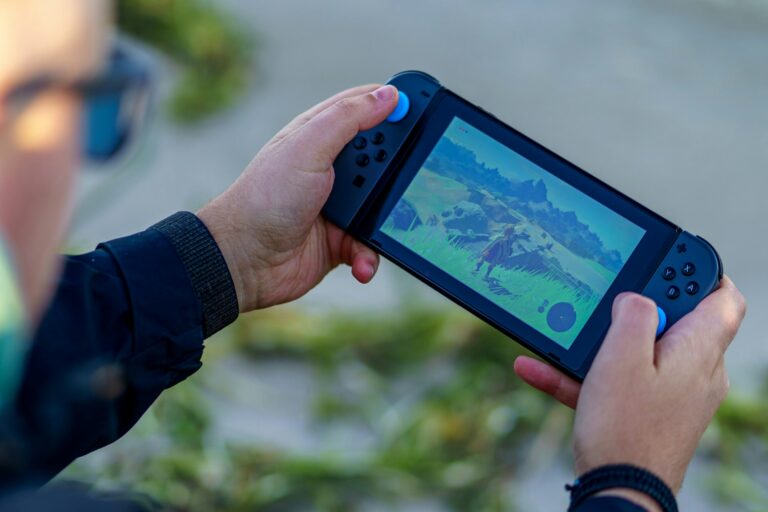
The Google Play Store is full of fake PS2 emulators designed to serve ads and take your money. The apps with the most downloads are often the worst performers. The best PS2 emulator for Android isn’t even on the Play Store. If you want to actually play PlayStation 2 games on your phone, this guide tells you exactly what to install, what to avoid, and how to get everything running correctly.
The PlayStation 2 remains one of the most beloved consoles in gaming history, and running its library on a modern Android device is genuinely achievable with the right setup. PS2 hardware was complex — the Emotion Engine CPU combined with the Graphics Synthesizer created an architecture that took years for emulators to replicate accurately. Today, that problem is largely solved on desktop, and the best Android emulators bring that same accuracy to your pocket.
Why Most PS2 Emulators on the Play Store Are Not Worth Your Time
Search “PS2 emulator” on the Google Play Store and you’ll find dozens of results — DamonPS2, Golden PS2, Pro PPSS2, and countless others. The emulation community on Reddit is unambiguous about these: the majority are scams, clones, or ad-driven apps with minimal actual emulation quality. Some are outright repackaged open-source code with aggressive monetization and no meaningful development behind them.
DamonPS2 Pro, which charges $9.99, was widely accused of using PCSX2’s open-source code in violation of its GPL license without attribution. Its compatibility claims have been disputed by community testing. Golden PS2 and similar free-with-ads alternatives deliver inconsistent results at best.
The community consensus from r/EmulationOnAndroid is clear: aside from Play!, the PS2 emulators on the Play Store are not recommended. The one emulator worth using requires sideloading on Android, and the minor extra effort is absolutely worth it.
The Best PS2 Emulators for Android
NetherSX2 — The Best PS2 Emulator for Android
NetherSX2 is the definitive PS2 emulator for Android in 2026. It is a community-maintained fork of AetherSX2, which itself was built directly on the PCSX2 codebase — the most accurate PS2 emulator ever developed. When AetherSX2’s original developer discontinued the project in 2023 following sustained harassment and the proliferation of copycat monetized apps, the community picked up the source and continued development under the NetherSX2 name.
What makes NetherSX2 stand apart from everything else is accuracy. Because it traces directly back to PCSX2, it handles the PS2’s complex Emotion Engine architecture with a precision that ad-supported Play Store clones simply cannot match. On a Snapdragon 8 Gen 2 or Gen 3 device, demanding titles like God of War, Shadow of the Colossus, Gran Turismo 4, and Metal Gear Solid 3 run at full speed with resolution upscaling applied. On a mid-range Snapdragon 7-series chip, lighter RPGs and 2D games run without issues.
The feature set is comprehensive. NetherSX2 supports resolution upscaling up to 4x native, widescreen patches for titles that support them, per-game configuration profiles so you can optimize settings for individual games, save states with thumbnail previews, RetroAchievements integration, and both Vulkan and OpenGL rendering backends. Vulkan delivers better performance on most modern Android hardware and should be your first choice unless a specific title shows graphical glitches.
NetherSX2 requires a PS2 BIOS file to operate, which must be dumped from a PlayStation 2 console you personally own. It is not available on the Play Store and requires sideloading — download the APK from the official NetherSX2 repository, enable installation from unknown sources in your Android settings, and install it manually. The process takes under five minutes.
- Price: Free
- Platform: Sideload only (APK from official repository)
- Requires: PS2 BIOS from your own console
- Best for: Flagship and upper mid-range Android devices
- Compatibility: 85%+ of the PS2 library on capable hardware
ARMSX2 — A Promising New Open-Source Alternative
ARMSX2 is a newer open-source PS2 emulator for Android, also based on the PCSX2 emulator, developed specifically to push PS2 emulation further on ARM-based mobile processors. Available at armsx2.net, it aims to become a cross-platform solution with an emphasis on accuracy and long-term maintainability.
As a newer project, ARMSX2’s compatibility list is still growing. It performs well on well-documented titles but may struggle with edge cases that NetherSX2 handles through years of community patches and per-game fixes. That said, its open-source foundation and active development make it worth watching closely — particularly for users who want to contribute to testing and improvement.
ARMSX2 also requires a PS2 BIOS file and is installed via sideload. Think of it as the future of Android PS2 emulation rather than the current gold standard — it’s where serious development energy is going.
- Price: Free and open-source
- Platform: armsx2.net
- Requires: PS2 BIOS from your own console
- Best for: Users who want to support cutting-edge development
Play! — The Best Option Without a BIOS File
Play! is the only PS2 emulator on the Google Play Store that the emulation community genuinely endorses. It is fully free, completely open-source, and — critically — does not require a PS2 BIOS file to operate. This makes it the most legally and technically straightforward PS2 emulator to set up on Android.
The tradeoff is compatibility and performance. Play! handles approximately 60% of the PS2 library, and its accuracy on graphically complex 3D titles falls behind NetherSX2. Simpler games, 2D titles, and RPGs with lighter rendering demands tend to run well. Flagship action titles with heavy geometry and effects are where Play! struggles most.
Active development continues and compatibility improves with each release. For users who cannot or prefer not to sideload apps, or who don’t have access to a PS2 console to dump a BIOS from, Play! is the honest recommendation. Set expectations appropriately for your target games and it delivers a worthwhile experience for much of the PS2 library.
- Price: Free
- Platform: Google Play Store
- Requires: No BIOS file needed
- Best for: Casual users, mid-range devices, simpler PS2 titles
- Compatibility: ~60% of PS2 library
How to Set Up NetherSX2 on Android
- Enable sideloading. Go to Settings → Apps → Special App Access → Install Unknown Apps on your Android device and enable it for your browser or file manager. This allows you to install APKs outside the Play Store.
- Download NetherSX2. Visit the official NetherSX2 repository and download the latest stable APK. Avoid third-party sites — download only from the official source to ensure you get a clean, unmodified build.
- Dump your PS2 BIOS. Using a PlayStation 2 you own, boot uLaunchELF from a disc or memory card and use the built-in BIOS dumping tool. Transfer the resulting file to your Android device. Never download BIOS files from the internet.
- Configure the BIOS in NetherSX2. Open the emulator, go to Settings → BIOS, and point it to the BIOS file you dumped. The emulator will confirm the file is valid.
- Add your game library. Create ISO backups of your PS2 discs using a DVD drive and software like ImgBurn on a PC. Transfer the ISO files to your Android device and add the folder in NetherSX2’s game library settings.
- Set your graphics backend. Go to Settings → Graphics and select Vulkan if your device supports it. Set internal resolution to 2x as a starting point — this doubles the visual quality over original hardware without demanding full 4x upscaling.
- Pair a controller. Connect a Bluetooth gamepad — a DualSense or DualShock 4 pairs seamlessly with Android and maps accurately to PS2’s button layout in NetherSX2.
Performance Tips for PS2 Emulation on Android
Vulkan is almost always faster than OpenGL on modern Android hardware. Switch to OpenGL only if you encounter graphical glitches or crashes on a specific title — some older games render incorrectly under Vulkan due to edge cases in the original PS2 rendering pipeline.
Per-game settings are essential for a good experience across a varied library. NetherSX2 lets you save a separate configuration profile for each game. A title that stutters at 2x resolution often runs perfectly at 1.5x. Spend five minutes dialling in settings per game rather than fighting a one-size-fits-all global configuration.
Close all background applications before launching demanding titles. PS2 emulation is CPU and GPU intensive, and background processes compete for the same resources. On devices without aggressive background app management, this single step can improve frame rates noticeably.
Monitor your device’s temperature during extended sessions. Modern Android flagships throttle CPU and GPU performance when they overheat, which causes frame rate drops mid-session. A phone cooling fan accessory — the kind that clips onto the back of your device — maintains consistent performance during longer play sessions. The cooling pad accessories listed below address exactly this issue.
For game-specific issues, the NetherSX2 compatibility wiki and r/EmulationOnAndroid subreddit are invaluable. Community members document per-game settings that resolve common problems, and many games that appear broken with default settings run perfectly with one or two targeted adjustments. This is the same collaborative knowledge-sharing principle that makes PC game mod communities so effective at solving compatibility problems.
What Android Hardware Do You Need for PS2 Emulation?
PS2 emulation on Android is hardware-dependent more than almost any other emulation category. The Snapdragon 845 is the practical minimum for consistent results — devices below this threshold will struggle with most PS2 titles beyond the simplest 2D games. The Snapdragon 865, 888, and 8 Gen series chips deliver progressively better results, with the 8 Gen 2 and 8 Gen 3 handling the full PS2 library at 2x resolution reliably.
MediaTek Dimensity processors in the 9000 series and above also perform well with NetherSX2, though community testing is less extensive than with Snapdragon hardware. Mali GPU devices — particularly older Exynos chips — have historically delivered inconsistent PS2 emulation results and may require OpenGL instead of Vulkan for certain titles.
RAM matters less than processor architecture for PS2 emulation, but 6GB is a comfortable minimum. 8GB ensures the emulator can hold game data in memory without constant reloading during open-world titles with large environments. Storage speed also affects loading times — games stored on UFS 3.1 or faster internal storage load noticeably faster than those on slow external SD cards.
Legal and Ethical Considerations
PS2 emulator software is legal in most countries including the United States and European Union. The legal question surrounds game files and BIOS data, not the emulator applications themselves. Creating ISO backups from PS2 discs you personally own and dumping BIOS data from your own console are considered personal use in most jurisdictions. Downloading ISOs or BIOS files from the internet for games or hardware you do not own constitutes copyright infringement.
Sony has not pursued active legal action against PS2 emulator developers in recent years, but the underlying legal principles remain unchanged. The emulation community’s strong ethical stance on legal sourcing protects the hobby long-term and respects the developers of the original games. The PlayStation 2’s position in video game console history means its library has genuine cultural significance worth preserving correctly.
Some PS2 titles are available through official modern re-releases on PS4, PS5, and PC via the PlayStation Store. Purchasing these where available supports the original developers and provides the most legally clean path to playing those specific games.
Frequently Asked Questions
Can I emulate PS2 games on Android?
Yes, PS2 emulation on Android works well on mid-range to flagship devices. NetherSX2 delivers the best results, handling the majority of the PS2 library on Snapdragon 8-series hardware. Lighter titles run acceptably on mid-range processors. The experience is genuinely impressive on modern flagship phones with a Bluetooth controller paired.
Is AetherSX2 still available for Android?
AetherSX2 was officially discontinued by its original developer in 2023. The APK still circulates online but receives no updates or bug fixes, making it increasingly incompatible with newer Android versions and games. NetherSX2 is the recommended replacement — a direct community fork of AetherSX2 that continues active development on the same PCSX2-based codebase.
Is using a PS2 emulator legal?
The emulator software itself is legal in most countries. Legality depends on the source of your game files and BIOS. Both must come from physical hardware and discs you personally own. Creating backups of games you own is generally treated as personal use. Downloading ROMs or BIOS files from the internet without owning the originals is copyright infringement in most jurisdictions.
What is the best free PS2 emulator for Android?
NetherSX2 is both the best and free — it costs nothing and outperforms every paid alternative. For users who prefer a Play Store option without sideloading, Play! is the best free choice and requires no BIOS file. Avoid paid emulators on the Play Store — they do not outperform the free community-developed options.
Conclusion
NetherSX2 is the best PS2 emulator for Android by a significant margin. Its PCSX2 foundation, active community development, comprehensive feature set, and zero cost make it the only serious recommendation for anyone who wants to play the PS2 library properly on Android. The sideloading requirement is a five-minute process that opens access to the best PS2 emulation available on mobile.
For users who want a simpler setup without sideloading or BIOS files, Play! is the legitimate Play Store alternative. Everything else in the category — particularly paid options — does not deliver value commensurate with what free community tools already provide.
Get the hardware right, source your games and BIOS legally from your own collection, pair a Bluetooth controller, and the PlayStation 2’s extraordinary library becomes fully playable on your Android device. Few retro gaming setups deliver this level of quality and breadth from a device that fits in your pocket.

Full-stack developer at Scylla Technologies (USA), working remotely from Bangladesh. Adobe Certified Magento Developer.