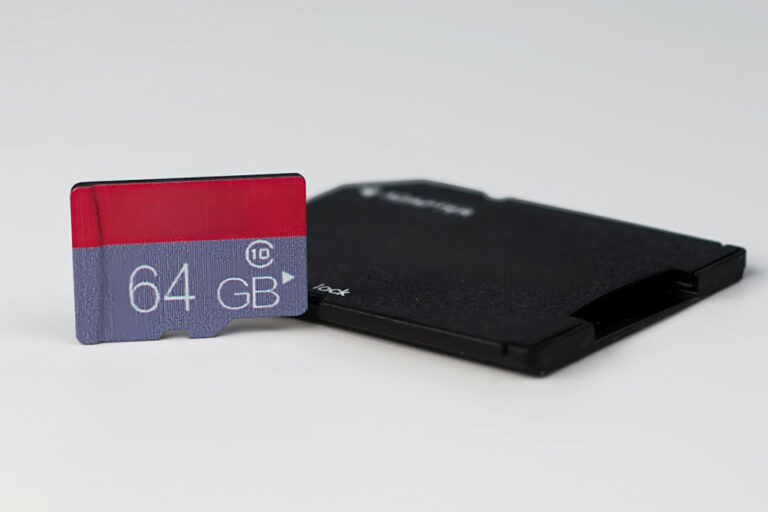
Running out of storage on an Android phone is one of the most avoidable frustrations in tech. A micro SD card fixes it instantly — but only if the right one lands in the slot. The wrong card means sluggish app performance, stuttering 4K footage, and corrupted files. This guide covers every micro SD card worth buying for Android in 2026, explains exactly what all the speed ratings mean, and tells when to spend more and when the cheaper option is the smarter buy.
Which Android Phones Still Support Micro SD Cards
Fewer flagship Android phones include a micro SD slot in 2026 than ever before. Samsung removed the slot from the Galaxy S series starting with the S21, and it has not returned. Google Pixel phones have never supported expandable storage. Despite this, the mid-range and budget Android segments still offer micro SD support widely.
Current phones with micro SD card slots include the Samsung Galaxy A-series — specifically the Galaxy A17 5G and Galaxy A26, both of which support up to 2TB of expandable storage. The Motorola Moto G 5G (2026) supports micro SD and starts at $199. The Moto G Stylus supports up to 1TB of additional storage on top of its built-in 128GB or 256GB. Samsung Galaxy Tab tablets also continue to include micro SD slots. For anyone buying a new Android device specifically because expandable storage matters, the Samsung Galaxy A-series and Motorola Moto G lineup are the two strongest families to evaluate.
Keeping an Android device running smoothly after adding storage — from clearing cached data to managing background processes — is handled differently depending on the OS version. The latest Android 15 update introduced new storage management improvements that interact with adoptable storage and micro SD behavior on supported devices.
Micro SD Card Speed Ratings Explained
Micro SD card packaging is covered in letters and numbers that seem designed to confuse. Here is what each rating actually means for Android use.
UHS Speed Class (U1 and U3)
UHS stands for Ultra High Speed. U1 guarantees a minimum sequential write speed of 10 MB/s. U3 guarantees a minimum of 30 MB/s. For any Android use case involving 4K video recording, U3 is the minimum. For storing photos, music, and documents, U1 is sufficient. The U-rating is a minimum floor — actual performance is usually significantly higher.
Video Speed Class (V30, V60, V90)
The V-rating specifies minimum write speed for video recording. V30 guarantees 30 MB/s sustained write — enough for 4K video at standard bitrates. V60 and V90 are designed for professional cameras shooting 8K or high-bitrate RAW video. For Android smartphones, V30 covers every current use case including high-bitrate 4K. V60 and V90 are unnecessary and significantly more expensive for phone users.
Application Performance Class (A1 and A2)
This is the most important rating for Android users who run apps from their card. The A-rating measures random read and write IOPS — Input/Output Operations Per Second — which determines how quickly apps can load and respond. A1 provides a minimum of 1,500 random read IOPS and 500 write IOPS. A2 requires 4,000 random read IOPS and 2,000 write IOPS. If the card is used only for photos, videos, and music files, the A-rating is irrelevant. If apps are being moved to the card or Android’s Adoptable Storage is enabled, A2 makes a measurable difference — testing on a Samsung Galaxy S24 showed 12–15% faster app launch times on A2-rated cards compared to Class 10 alternatives.
Capacity Tiers (SDHC vs SDXC)
SDHC cards cover 2GB to 32GB. SDXC covers 64GB to 2TB. Nearly all modern Android phones that accept micro SD cards support SDXC. For most users, 128GB to 256GB is the practical sweet spot — large enough to store thousands of photos, hours of 4K video, and a library of offline content, but not so large that a single card failure becomes catastrophic. 512GB makes sense for heavy photographers or videographers. 1TB is now available at reasonable prices (around $80–100) and covers virtually any use case. 2TB cards exist but carry price premiums that rarely justify themselves — multiple 512GB cards provide the same total capacity with built-in redundancy.
Best Micro SD Cards for Android in 2026
Samsung PRO Plus — Best Overall for Android
The Samsung PRO Plus is the most consistently recommended micro SD card for Android smartphones and tablets across independent testing in 2026. It carries U3, V30, A2, and Class 10 ratings, covers full HD and 4K UHD recording, and delivers read speeds up to 180 MB/s with write speeds up to 130 MB/s. Real-world testing confirms performance close to these specs — StorageReview recorded 158.7 MB/s read and 124 MB/s write in Blackmagic benchmarks, which is among the best for any UHS-I card.
The A2 rating makes it genuinely useful for running Android apps from the card, not just media storage. Samsung backs it with a 10-year limited warranty and six-proof protection: waterproof, temperature-proof (operating range -25°C to 85°C), X-ray proof, drop-proof from 5 meters, magnetic-proof, and wear-proof. The card is available in 128GB, 256GB, and 512GB capacities and bundles with an SD adapter for compatibility with laptops and cameras. Pricing sits around $20–$35 depending on capacity and sale cycles, making it excellent value for its performance class.
Samsung EVO Select — Best Budget Micro SD for Android
The EVO Select is the right card for users who need reliable everyday expansion without paying for speeds they will never use. Read speeds reach 160 MB/s with an A2 rating, which handles photo storage, offline video, and app data without stuttering. Write speed is more modest — not ideal for sustained 4K recording — but perfectly adequate for everything else.
Long-term testing of the 256GB EVO Select in a 2.7K dash cam ran flawlessly for over a year, hitting Samsung’s advertised speeds consistently. Available in capacities from 64GB to 1TB, the EVO Select is the most popular micro SD card on Amazon by review volume — the 1TB model has crossed 100,000 reviews with minimal failure complaints from authorized-retailer purchases. It is the pragmatic choice for anyone adding storage to a Samsung Galaxy A-series phone, a budget Motorola device, or an Android tablet primarily used for streaming.
SanDisk Extreme — Best for 4K Video Recording on Android
The SanDisk Extreme leads all UHS-I micro SD cards at 190 MB/s read and up to 90 MB/s write, with U3, V30, A2 ratings across 256GB, 512GB, and 1TB capacities. For Android users who shoot a significant volume of 4K footage — travel vloggers, content creators using their phone as their primary camera — the Extreme’s write headroom over the Samsung PRO Plus means fewer dropped frames during high-bitrate continuous recording.
The SanDisk Extreme consistently matches or slightly exceeds the Samsung PRO Plus in sequential read benchmarks and outperforms it in write speeds. The trade-off is price: in 2026 the Extreme typically costs more per gigabyte than the PRO Plus at equivalent capacities, which makes it harder to recommend categorically. When prices are similar, the Extreme is worth the slight premium for video-heavy workflows. When it is significantly more expensive, the PRO Plus covers 95% of the same use cases for less money.
Lexar Professional Silver Plus — Fastest UHS-I Option
The Lexar Professional Silver Plus holds the top sequential read and write performance position in independent UHS-I micro SD testing for 2026, carrying U3, V30, A2, and Class 10 ratings with speeds up to 200 MB/s read and 150 MB/s write. Available in 128GB, 256GB, 512GB, and 1TB capacities with a 10-year limited warranty.
The caveat is pricing. Recent price increases have pushed the Silver Plus above the Samsung PRO Plus by $20–$30 at the 256GB tier and considerably more at 1TB. When the two cards are similarly priced, the Silver Plus is the better performer. When it commands a significant premium, the PRO Plus delivers competitive performance at a lower cost. The Lexar PLAY variant, targeted at gaming, reaches 205 MB/s read speeds at the 1TB level and is often better priced than the Silver Plus — worth checking side by side.
PNY PRO Elite Prime — Best for App-Heavy Android Use
The PNY PRO Elite Prime is rated at 200 MB/s read and 150 MB/s write with full U3, V30, A2, Class 10 credentials. It consistently lives up to its A2 rating in app-loading tests, making it a strong performer for Android users who use Adoptable Storage to install games and productivity apps directly onto the card. The 256GB version is typically priced competitively with the Samsung PRO Plus and regularly undercuts the SanDisk Extreme.
An SD card adapter is included, which matters for users who transfer files to a computer or DSLR camera regularly. One important caveat: independent testing has found that the PRO Elite Prime’s performance at very high capacities (512GB and above) is less consistent than the 128GB and 256GB models. For 256GB and below, it is one of the best value A2 cards available. For 512GB and above, the Samsung PRO Plus or SanDisk Extreme are more reliable choices.
Kingston Canvas Go! Plus — Best for Durability
The Kingston Canvas Go! Plus is built for demanding conditions — designed explicitly for use in action cameras, drones, and outdoor mobile setups where the card faces temperature extremes, vibration, and physical stress. It carries U3, V30, A2 ratings with read speeds up to 170 MB/s and write speeds up to 90 MB/s. Available in 64GB, 128GB, 256GB, 512GB, and 1TB.
For Android users who spend significant time outdoors — hiking, cycling, or in environments where a phone takes real abuse — the Canvas Go! Plus handles temperature ranges and physical conditions that consumer-grade cards are not rated for. Kingston backs it with a lifetime warranty, which is stronger than the 10-year warranties offered by Samsung and SanDisk on comparable cards. The price point is competitive with the SanDisk Extreme, making it a legitimate alternative for users who prioritize durability alongside speed.
Samsung High Endurance — Best for Continuous Recording
Standard micro SD cards are not designed for continuous loop recording — the kind of sustained writes that dash cams, security cameras, and always-on monitoring apps perform. The Samsung High Endurance is purpose-built for this use case, rated for up to 140,000 hours of 4K recording and playback. It carries U3, V30 ratings with read speeds up to 100 MB/s.
For Android users running dashcam apps, body camera apps, or security monitoring apps on a permanently recording device, the High Endurance card’s write endurance is significantly higher than any consumer-grade card in this list. Using a standard EVO Select or PRO Plus in a continuously recording setup will wear the card out far faster than the warranty period suggests. Available in 32GB, 64GB, 128GB, and 256GB. The 128GB model at around $20–$25 is the most practical choice for most dashcam and loop-recording setups.
How to Choose the Right Capacity
Capacity choice depends entirely on what the card will store. For users keeping only photos, music, and downloaded streaming content for offline playback, 128GB handles everything comfortably and leaves room to grow. 256GB is the recommended floor for active photographers shooting in RAW format or anyone running regular 4K video. For users moving apps to the card using Adoptable Storage, where Android treats the micro SD as internal storage, 256GB to 512GB is recommended — apps take up more space than most users expect once a full library is moved.
The 1TB tier has become genuinely affordable in 2026, sitting around $80–100 from major brands. It makes sense for users with extensive offline media libraries, game collectors, or anyone who wants to set up storage once and not think about it again. Beyond 1TB, the value proposition weakens — the price per gigabyte increases steeply, and the risk profile of a single large-capacity card failure becomes more significant.
When moving apps or managing large storage on Android, clearing Android cache periodically prevents performance degradation that often gets misattributed to the card itself. A full cache on internal storage creates read/write bottlenecks that slow down even the fastest micro SD card.
Adoptable Storage vs Portable Storage on Android
Android offers two distinct modes for using a micro SD card. Portable Storage treats the card as external storage — photos, videos, and files can be saved to it, but apps stay on internal storage. This is the default mode and works with any micro SD card regardless of speed. Adoptable Storage formats the card as encrypted internal storage, merging it with the phone’s built-in memory and allowing apps and games to install directly onto the card.
Adoptable Storage requires an A2-rated card to perform acceptably. Using a U1 or A1 card in Adoptable Storage mode will result in sluggish app launches, delayed notifications, and occasional crashes — not because the card is defective, but because the random IOPS performance is insufficient for the type of read/write operations apps constantly perform. Every card listed in this guide is A2-rated except the Samsung High Endurance, which is designed for sequential write endurance rather than app performance.
One important note: enabling Adoptable Storage on Android requires formatting the card, which erases all existing data. Sideloading apps on Android is an alternative workflow for managing app installation that does not require reformatting the micro SD card or enabling Adoptable Storage at the system level.
How to Format a Micro SD Card for Android
New micro SD cards almost always come pre-formatted as exFAT, which is compatible with Android out of the box for portable storage use. No reformatting is required in most cases — insert the card, allow Android to mount it, and it is immediately usable for saving photos and files.
For Adoptable Storage, Android handles the formatting process automatically when the option is selected in Settings → Storage → SD Card → Format as Internal. The card is reformatted to ext4 with full encryption tied to the device. This card cannot be read in any other device without reformatting it again, which means all data on it is erased when the card is moved to a new phone.
Understanding the technical differences between FAT32, exFAT, and NTFS file systems is useful context for anyone managing storage across Android, Windows, and Mac environments, particularly when transferring files between a micro SD card and a computer.
Avoiding Counterfeit Micro SD Cards
Counterfeit micro SD cards are one of the most prevalent scams in consumer electronics. Fake cards appear identical to genuine SanDisk, Samsung, and Lexar products in packaging and labeling. They typically report a capacity they do not have — a counterfeit claiming 512GB might actually have 8GB of real storage, with the remaining space appearing usable until it silently overwrites data. Videos recorded onto counterfeit cards are frequently corrupted or unplayable.
Buy exclusively from Amazon sold and fulfilled by Amazon, Best Buy, B&H Photo, or directly from manufacturer websites. Never buy from a third-party Amazon marketplace seller offering a price that is significantly below the going rate. Even on Amazon, some users have received counterfeits when the fulfillment chain becomes muddled. If a card arrives and speeds feel wrong, test it immediately with the free H2testw tool on Windows or F3 on Linux/Mac, both of which write and verify data across the full claimed capacity to confirm it is genuine. Android’s storage diagnostics can also surface read speed information that looks suspicious on a counterfeit card.
Micro SD Card Comparison at a Glance
The Samsung PRO Plus delivers the best balance of speed, A2 app performance, durability, and price for the majority of Android users. The EVO Select is the right call for anyone who primarily stores media and wants to minimize spend. The SanDisk Extreme edges ahead for sustained 4K video recording where write speed consistency matters most. The Kingston Canvas Go! Plus wins on durability for outdoor and action-camera users. The Samsung High Endurance is the only correct choice for continuous-recording applications like dashcams and security monitoring apps.
For users running Adoptable Storage — merging the micro SD with internal Android storage to run apps — any A2 card from this list will perform acceptably, but the Samsung PRO Plus and PNY PRO Elite Prime offer the best random IOPS at their respective price points. A2 performance matters more than sequential read/write speeds for this specific use case.
FAQ: Micro SD Cards for Android
What is the best micro SD card for a Samsung Galaxy A-series phone?
The Samsung PRO Plus is the strongest match for Samsung Galaxy A-series phones including the A17 5G and A26. Its A2 rating handles Adoptable Storage smoothly, the 10-year warranty exceeds most competitors, and Samsung’s own testing verifies compatibility across its phone and tablet lineup. The EVO Select is the better choice if the card will be used only for photos and video rather than app storage, as it provides equivalent media performance at a lower price.
Does a faster micro SD card improve Android performance?
Yes, but only for specific use cases. A faster card speeds up file transfers to and from the card, reduces app launch times when using Adoptable Storage, and improves recording reliability for high-bitrate video. A faster card does not improve the performance of apps stored on internal memory, system responsiveness, or anything that does not directly involve reading or writing to the card itself. The A2 rating for random IOPS performance matters far more for app use than raw sequential read/write speed.
Can micro SD cards wear out on Android?
All NAND flash storage — micro SD cards included — has a finite number of write cycles. For normal Android usage involving photos, streaming downloads, and occasional app storage, a quality card from a major brand will outlast the useful life of the phone it is in. Continuous write-heavy applications — recording dashcam footage 24/7, running a security camera app in a loop — will wear out a standard card much faster. For those use cases, the Samsung High Endurance card is purpose-rated for extended continuous recording and carries a substantially higher write endurance specification than consumer-grade cards.
Conclusion
The micro SD card market in 2026 offers more capacity at lower prices than ever before, but also more counterfeit risk and more spec confusion. For the overwhelming majority of Android users, the Samsung PRO Plus in 256GB or 512GB covers every practical need — fast enough for 4K video, A2-rated for app storage, durable, and backed by a 10-year warranty at a price that makes the SanDisk Extreme hard to justify unless write speed consistency for sustained recording is the primary requirement.
Buy from authorized retailers only, check the speed rating against the actual use case rather than the marketing copy, and format the card in the device after purchase for maximum compatibility. A card that matches the phone’s supported interface — UHS-I for mid-range Android devices, and potentially SDXC for tablets with 2TB support — will outperform an over-specced card in a device that cannot take advantage of it. Capacity between 128GB and 512GB remains the sweet spot for price-per-gigabyte in 2026, with 1TB now viable at reasonable pricing for users who need it.