

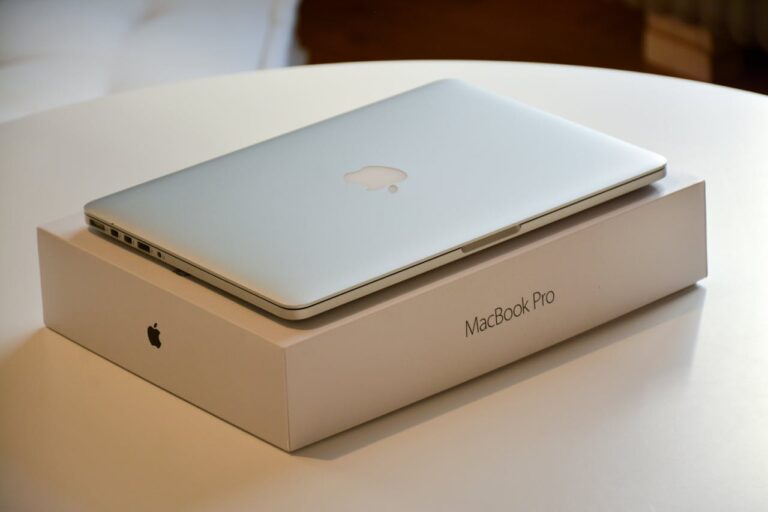
Apple’s MacBook lineup continues to dominate the premium laptop market in 2025, blending cutting-edge performance with sleek design and exceptional battery life. Whether you’re a student juggling assignments, a creative professional editing videos, or a business user needing reliable portability, there’s a MacBook tailored to your demands. This guide dives deep into the latest models, helping you navigate the options to find the perfect fit without overspending.
The evolution of Apple’s silicon chips, now in the M4 and M5 generations, has elevated MacBooks beyond mere productivity tools. They handle intensive tasks like 4K video rendering and AI-driven workflows with ease, all while maintaining fanless efficiency in the Air series. As we approach the end of 2025, updated pricing and holiday promotions make this an ideal time to invest in a device that will serve you for years.
Key factors like display quality, processor power, and ecosystem integration set MacBooks apart from competitors. With macOS Sequoia optimized for these machines, seamless connectivity to iPhones and iPads enhances everyday use. Let’s explore how to match a MacBook to your lifestyle before highlighting the standout choices.
Assessing Your MacBook Requirements
Selecting the right MacBook starts with evaluating your daily workflow. For light tasks such as web browsing, document editing, and streaming, a base model suffices without unnecessary extras. Consider your mobility needs: if you’re constantly on the move, prioritize lightweight designs under three pounds.
Budget plays a crucial role, with entry-level options dipping below $1,000 during sales, while high-end configurations exceed $3,000 for maximum specs. Storage and memory are non-upgradable, so opt for at least 16GB RAM and 512GB SSD to future-proof against growing file sizes from photos and apps.
Display size influences productivity; 13-inch screens suit compact setups, while 15- or 16-inch variants offer immersive viewing for multitasking. Battery life remains a MacBook hallmark, often exceeding 15 hours, but verify real-world endurance for your usage like video calls or coding sessions.
Specific user groups benefit from targeted features. Students thrive with affordable, durable models supporting note-taking apps and virtual classes. Professionals in graphic design or software development require robust GPUs for rendering and simulations.
Top MacBook Recommendations for 2025
The MacBook Air series excels in everyday versatility, powered by the efficient M4 chip that balances speed and power consumption. Its fanless design ensures silent operation, ideal for quiet environments like libraries or offices. Recent updates include enhanced Neural Engines for AI tasks, making it smarter for photo editing and voice transcription.
MacBook Air 13-inch (M4): Best for Students and Casual Users
This compact powerhouse starts with a 13.6-inch Liquid Retina display at 500 nits brightness, delivering vibrant colors for reading and media. The M4 chip features a 10-core CPU and GPU, handling multiple browser tabs and light creative work effortlessly. At just 2.7 pounds, it’s perfect for backpack commuters.
Connectivity includes two Thunderbolt 4 ports, an HDMI outlet, and SDXC slot, covering most peripherals without adapters. The 12MP Center Stage camera shines in online meetings, automatically framing you dynamically. Battery lasts up to 18 hours of video playback, outpacing many rivals.
For upgrades, configure with 24GB memory to manage larger datasets in spreadsheets or basic video exports. It’s also the most affordable entry into Apple’s ecosystem, syncing seamlessly with other devices via iCloud and Continuity features.
MacBook Air 15-inch (M4): Ideal for Productivity on the Go
Stepping up to a 15.3-inch screen provides more real estate for side-by-side app windows, enhancing workflow efficiency. The same M4 processor powers through document formatting and casual photo retouching, with 120GB/s memory bandwidth for smooth multitasking. Weighing only 3.3 pounds, it remains highly portable despite the larger form.
Audio upgrades to a six-speaker system with Spatial Audio create an immersive experience for podcasts and music production. The MagSafe charging option adds convenience, magnetically snapping into place to free up ports. True Tone adjusts display warmth based on ambient light, reducing eye strain during long sessions.
This model appeals to hybrid workers needing a bigger canvas without Pro-level bulk. It supports up to two external displays when closed, extending your workspace to monitors for home setups.
MacBook Pro 14-inch (M5): Top All-Rounder for Professionals
The 14.2-inch Liquid Retina XDR display boasts 1600 nits peak brightness for HDR content, making it stellar for color-accurate editing. The base M5 chip offers a 10-core CPU with enhanced Neural Accelerators, accelerating machine learning tasks by up to 45% over previous generations. ProMotion enables 120Hz refresh rates for fluid scrolling and animations.
Three Thunderbolt 4 ports and HDMI 2.1 support daisy-chaining displays and high-speed transfers. The six-speaker setup with force-canceling woofers delivers studio-quality sound, rivaling dedicated monitors. Up to 24 hours of battery life handles full workdays plus evenings of light gaming.
For developers, the increased GPU cores handle code compilation and virtual machines swiftly. It’s the sweet spot for those upgrading from older Intel models, offering a tangible leap in efficiency.
MacBook Pro 14-inch (M5 Pro): Powerhouse for Creative Workloads
Escalating to the M5 Pro variant introduces 14-core CPU and 20-core GPU configurations, ideal for 3D modeling and effects-heavy videos. Memory options reach 48GB, managing massive Photoshop files or Final Cut Pro timelines without lag. The display’s nano-texture option minimizes glare in bright studios.
Ports expand to include an SDXC card reader for direct media imports from cameras. The high-impedance headphone jack supports professional audio interfaces. Cooling fans maintain sustained performance during prolonged renders, preventing thermal throttling.
This configuration shines in collaborative environments, where fast file sharing via AirDrop keeps teams in sync. It’s future-proof for emerging AI tools in design software.
MacBook Pro 16-inch (M5 Max): Ultimate for Demanding Pros
The largest screen at 16.2 inches with XDR technology provides unparalleled detail for immersive editing sessions. The M5 Max chip packs 16-core CPU and up to 40-core GPU, excelling in ray-traced rendering and multi-layer compositions. Bandwidth hits 546GB/s, slashing export times dramatically.
Battery still impresses at 22 hours, thanks to optimized power management. The keyboard’s tactile feedback aids long typing marathons, with Touch ID securing sensitive projects. Wi-Fi 6E ensures stable connections for cloud-based collaborations.
For gamers dipping into Mac-compatible titles like Cyberpunk 2077, it delivers smooth frame rates at native resolution. Though heavier at 4.7 pounds, the build quality justifies it for desk-bound power users.
Comparing these models reveals clear tiers: Air for efficiency, base Pro for balance, and higher Pros for peak output. Benchmarks show the M5 series outperforming M4 by 15-50% in graphics, closing the gap with Windows high-ends.
Air models prioritize thinness at 0.44 inches, while Pros add 0.61 inches for better thermals. All share aluminum unibodies for durability, passing MIL-STD drop tests.
MacBook Air vs. MacBook Pro: Key Differences in 2025
The Air lineup focuses on ultraportability, with no active cooling for whisper-quiet use, suitable for 90% of users. Pros incorporate fans for consistent high loads, essential for pros but overkill for browsing. Display tech differentiates sharply: Air’s Liquid Retina at 500 nits vs. Pro’s XDR at 1600 nits for superior contrast.
Performance gaps widen under stress; Air sustains 80% of peak for short bursts, while Pro holds 95% longer. Ports favor Pro with extras like SD slots, reducing dongle dependency. Battery edges to Pro at 24 hours vs. Air’s 18, but both charge to 50% in 30 minutes.
Pricing reflects capabilities: Air starts $200-400 lower, but Pro’s resale value retains 70% after two years. For students, Air’s simplicity wins; for creators, Pro’s expandability prevails.
In head-to-head tests, Air handles 20 Chrome tabs plus Spotify fluidly, but Pro multitasks 50 with VMs. Ecosystem perks like Handoff work identically across both.
Current Market Prices and Deals
As of December 2025, holiday promotions slash prices across retailers like Amazon, Best Buy, and Apple’s site. The 13-inch Air M4 (16GB/256GB) dips to $749, a $250 savings, ideal for budget buyers. 15-inch variants hit $999, saving $200 on the larger screen.
Pro models see aggressive cuts: 14-inch M5 base at $1,349 ($250 off), while M5 Pro configs reach $1,749 for 24GB/512GB. 16-inch M5 Max starts at $2,499 during sales, down $300 from launch.
Education discounts add $100-150 off for verified students, stacking with trade-ins up to $600 credit. Bundles with AppleCare+ reduce long-term costs by 20%. Watch for flash sales ending mid-December, potentially dropping Airs to $699.
Refurbished options from Apple offer 15% savings with full warranty, like M4 Air at $849. Third-party sites like Expercom provide up to $514 off customized Pros.
Pros and Cons of Top Models
Evaluating strengths and weaknesses ensures informed choices. Here’s a breakdown:
- MacBook Air 13-inch (M4): Exceptional battery life allows all-day use without recharging, making it reliable for travel. The lightweight build enhances comfort during extended carry, but limited ports may require occasional adapters for full setups. Overall, its value shines for entry-level needs.
- MacBook Air 15-inch (M4): Larger display boosts productivity for split-screen work, reducing eye fatigue over hours. Enhanced speakers deliver rich audio for media consumption, though the slight weight increase might deter ultra-light packers. It strikes a great balance for mid-range users.
- MacBook Pro 14-inch (M5): Superior XDR screen excels in color grading tasks, with ProMotion smoothing interactions. Robust port selection simplifies connectivity to externals, but the premium price positions it for serious workloads only. Performance consistency sets it apart in demanding scenarios.
- MacBook Pro 14-inch (M5 Pro): Amplified GPU handles complex simulations swiftly, accelerating project timelines. Expandable storage options future-proof data hoarding, yet fan noise under load could distract in quiet spaces. It’s a pro favorite for intensive creativity.
- MacBook Pro 16-inch (M5 Max): Massive canvas aids detailed editing, immersing users fully. Top-tier thermals sustain peaks without compromise, though bulk limits on-the-go appeal. For stationary powerhouses, it delivers unmatched capability.
- Budget Pick: M1 MacBook Air: Affordable entry retains solid speed for basics, with proven longevity. Excellent resale holds value over time, but lacks latest AI features for modern apps. A smart thrift choice for tight budgets.
- Gaming Angle: M5 Pro Config: Ray tracing support elevates visuals in compatible titles, surprising for a productivity laptop. Efficient cooling prevents drops during sessions, however game library remains smaller than PC ecosystems. It bridges work and play effectively.
- Student Special: Air with Education Discount: Tailored pricing eases financial strain, including free accessories. Long battery supports campus life fully, but base storage fills quickly with files. Versatile for academics across majors.
Pro Tips for MacBook Optimization
Maximize your investment with these expert strategies. Regularly update macOS to unlock security patches and performance tweaks, ensuring smooth operation year-round. Customize energy settings via System Preferences to extend battery by 20%, toggling low-power mode for idle periods.
Utilize built-in tools like Screen Time for focused work blocks, minimizing distractions from notifications. For storage management, enable Optimize Storage to offload unused files to iCloud automatically. Pair with a quality external keyboard for ergonomic typing during long drafts.
Explore Apple Intelligence features for smarter workflows, such as auto-summarizing notes or enhancing photos. Back up via Time Machine weekly to safeguard against data loss. When traveling, pack a compact hub for expanded ports without bulk.
Frequently Asked Questions
What’s the best MacBook for students in 2025? The 13-inch M4 Air stands out for its affordability, portability, and endurance, handling essays, research, and light coding with ease. Education pricing drops it further, including perks like free AirPods.
Can MacBooks handle gaming well now? Yes, M5 Pros run demanding titles at 60fps with tweaks, thanks to improved GPUs. Optimize via Game Mode in macOS for better frame stability.
Air or Pro: Which for video editing? Pro models with M5 chips excel due to faster exports and brighter screens, but Air suffices for hobbyists under 4K resolutions.
How long do MacBooks last? Expect 5-7 years of solid use, with batteries holding 80% capacity after 1,000 cycles. Proper care extends this further.
Are deals worth waiting for? December promotions offer the deepest cuts, but stock sells fast—act soon for holiday bundles.
Conclusion
In 2025, MacBooks redefine laptop excellence, from the versatile Air series for daily essentials to powerhouse Pros for professional demands. By aligning your choice with specific needs—be it student budgets, creative horsepower, or all-day mobility—you’ll secure a device that boosts efficiency and creativity alike. With current deals amplifying value, now’s the moment to upgrade to Apple’s ecosystem of seamless innovation.
