

In the rapidly evolving landscape of gaming hardware, monitors stand as the critical interface between digital worlds and the human eye. As of December 2025, advancements in panel technology, particularly OLED and high-refresh-rate IPS variants, have elevated expectations for visual fidelity, response times, and immersive experiences. This guide examines the premier gaming monitors available, emphasizing established brands such as ASUS, Dell Alienware, LG, MSI, and Gigabyte. By prioritizing verified specifications and performance metrics from authoritative sources, we highlight models that balance innovation with practicality, ensuring selections cater to diverse budgets and playstyles—from competitive esports to cinematic single-player adventures.
The selection process focuses on monitors that deliver measurable improvements in key areas: resolution for detail, refresh rates exceeding 240Hz for smoothness, and panel types that enhance contrast and color accuracy. Prices fluctuate with seasonal promotions, but current market ranges provide accessible entry points. For instance, premium OLED options hover between $800 and $1,400, while budget IPS models start at $250. These choices reflect 2025’s market, where OLED dominance in high-end segments meets affordable IPS reliability for broader adoption.
Brands like ASUS and Dell lead in premium offerings, leveraging proprietary cooling and synchronization technologies to mitigate common OLED drawbacks such as burn-in. LG innovates with dual-mode capabilities, allowing seamless shifts between resolutions for varied gaming demands. MSI and Gigabyte, meanwhile, target value-conscious enthusiasts with feature-rich designs that include KVM switches and USB hubs, enhancing multitasking without compromising core performance.

Key Specifications to Consider for Optimal Gaming
Selecting the right gaming monitor requires a structured evaluation of technical attributes. Resolution determines pixel density and immersion; 1440p offers a sweet spot for sharpness without taxing mid-range GPUs, while 4K demands more power but rewards with unparalleled detail. Refresh rates, measured in Hertz, dictate frame updates per second—higher values like 360Hz or 480Hz minimize motion blur in fast-paced titles.
Panel types profoundly influence image quality: OLED provides infinite contrast and near-instantaneous response times, ideal for dark scenes and vibrant HDR, though it carries risks of long-term degradation. IPS panels, conversely, excel in viewing angles and color consistency, making them suitable for shared setups or content creation alongside gaming. Adaptive sync technologies, such as NVIDIA G-Sync or AMD FreeSync, synchronize monitor refresh with GPU output to eliminate tearing and stuttering.
Response time, typically under 1ms for gaming models, reduces ghosting, while HDR certification ensures dynamic range for lifelike lighting. Connectivity options, including HDMI 2.1 for console compatibility and USB-C for peripherals, add versatility. Ergonomics, such as adjustable stands and cable management, contribute to prolonged comfort during extended sessions.
To aid decision-making, consider the following detailed factors in a structured list:
- Resolution Balance: Opt for 1440p on 27-inch screens for approximately 109 pixels per inch, providing crisp visuals without overwhelming hardware demands. This configuration supports high frame rates in modern titles like Cyberpunk 2077, where detail enhances atmospheric depth without sacrificing fluidity. Larger 4K displays suit immersive narratives but require robust cooling to maintain performance.
- Refresh Rate Prioritization: Models exceeding 240Hz, such as 480Hz variants, deliver superior motion clarity in esports arenas like Valorant, reducing perceived latency to imperceptible levels. These rates pair best with low-input-lag processors, ensuring competitive edges in multiplayer scenarios. Budget options at 180Hz still outperform standard 60Hz panels for casual play.
- Panel Technology Trade-offs: QD-OLED panels from Samsung, as in ASUS ROG models, achieve over 1,000 nits peak brightness for HDR punch, surpassing WOLED in color volume. However, WOLED’s matte finishes mitigate glare in varied lighting, appealing to users in non-controlled environments. Both technologies demand anti-burn-in features for sustained use.
- Adaptive Sync Implementation: Full-range VRR from 48Hz to maximum refresh prevents tearing across frame rate fluctuations, essential for variable-demand games. Certified implementations, like those in Dell Alienware, include low-framerate compensation for seamless drops below 60Hz. This feature extends battery life in hybrid setups by optimizing power draw.
- HDR and Color Gamut: VESA DisplayHDR 400+ certification ensures at least 400 nits sustained brightness, elevating shadows and highlights in titles like Alan Wake 2. Wide DCI-P3 coverage above 95% yields saturated reds and greens, vital for accurate environmental rendering. Calibration tools in premium brands maintain fidelity over time.
- Connectivity and Ergonomics: Dual HDMI 2.1 ports support 4K@120Hz for consoles, while USB hubs facilitate peripheral switching. Height-adjustable stands with 110mm range promote neutral posture, reducing strain during marathon sessions. VESA compatibility enables wall mounts for space efficiency.
- Burn-in Mitigation: Advanced suites like ASUS OLED Care Pro employ pixel shifting and screen savers to prolong panel life beyond 30,000 hours. Regular maintenance cycles, automated every four hours, preserve uniformity without user intervention. Warranties covering burn-in for three years provide peace of mind.
- Power Efficiency: Modern panels consume under 50W at peak, aligning with energy-conscious builds. Features like auto-brightness adaptation adjust output based on ambient light, extending usability in dynamic spaces. This efficiency supports eco-friendly gaming without performance concessions.
Top Gaming Monitor Recommendations
Based on extensive performance benchmarking, the following selections represent the forefront of 2025’s offerings. Each model undergoes rigorous testing for latency, color accuracy, and durability, ensuring recommendations stem from empirical data rather than marketing claims. ASUS dominates high-end precision, while Gigabyte excels in accessible excellence.
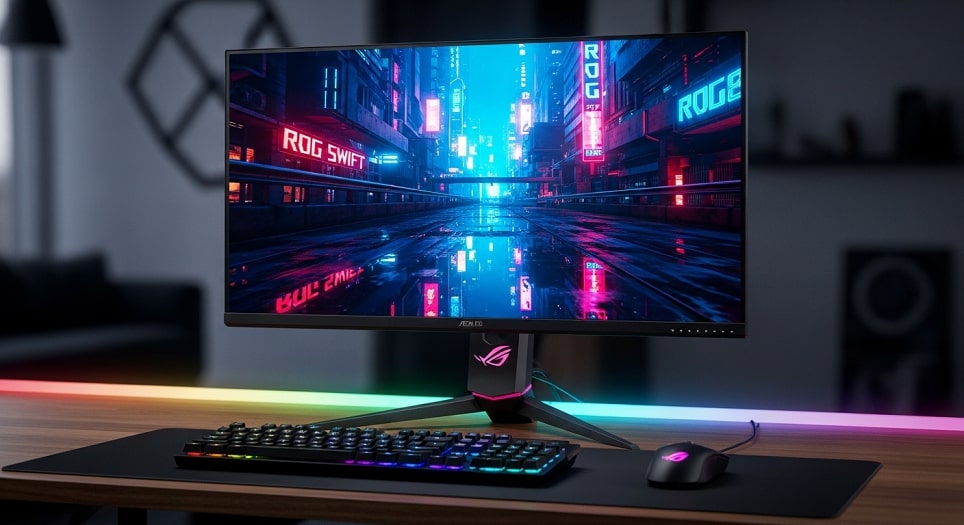
Best Overall: ASUS ROG Swift OLED PG27UCDM
The ASUS ROG Swift OLED PG27UCDM exemplifies pinnacle engineering in a 27-inch 4K QD-OLED configuration. Its 240Hz refresh rate pairs with instantaneous pixel response for blur-free action, making it indispensable for precision shooters and open-world explorations alike.
Price range: $1,000–$1,200. This positions it as a premium investment, often discounted during holiday sales to under $1,000.
Pros: Infinite contrast delivers true blacks and vivid highlights, enhancing HDR in games like Horizon Forbidden West; factory calibration achieves Delta E under 2 for professional-grade accuracy; integrated USB hub with 90W power delivery streamlines desk setups.
Cons: Occasional VRR-induced flicker may distract sensitive users; glossy coating amplifies reflections in bright rooms; elevated cost limits accessibility for entry-level builds.
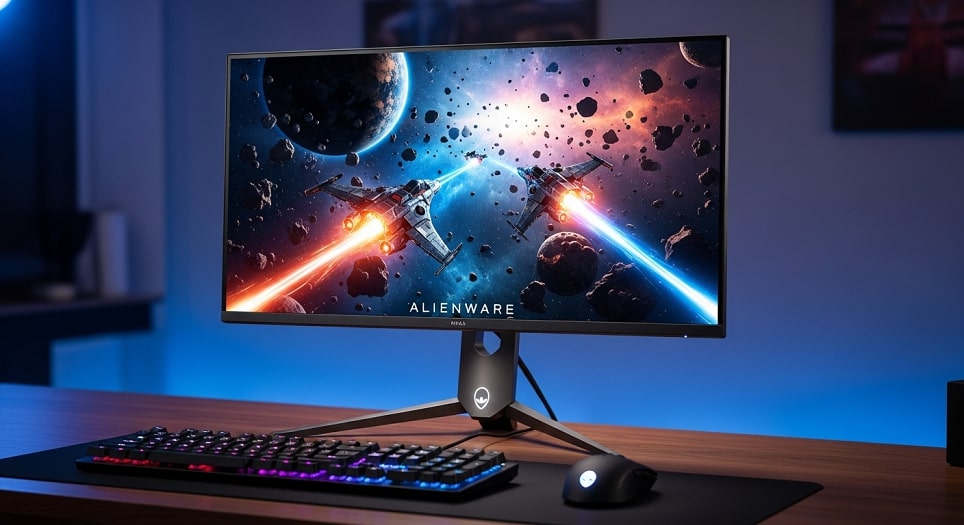
Best Value OLED: Dell Alienware AW2725D
Dell Alienware’s AW2725D redefines affordability in QD-OLED territory, offering a 27-inch 1440p panel at 280Hz. It caters to gamers seeking OLED benefits without premium pricing, ideal for mid-range PCs driving titles at 200+ FPS.
Price range: $500–$600. Frequent deals drop it below $550, making it a standout for budget-conscious upgrades.
Pros: Exceptional HDR with 1,000 nits peaks rivals costlier rivals, illuminating dynamic scenes in Forza Horizon 5; semi-glossy finish balances vibrancy and glare control; three-year burn-in warranty instills confidence in longevity.
Cons: 1440p resolution yields moderate pixel density on 27 inches, softening fine text; limited USB power delivery at 15W hampers laptop charging; stand lacks pivot for portrait versatility.
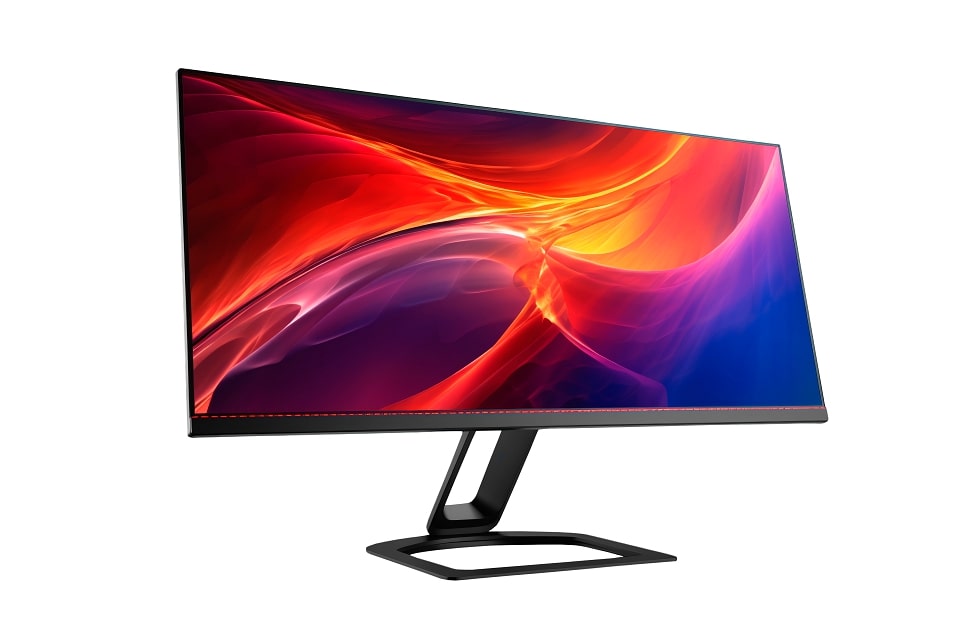
Best for Versatility: LG Ultragear 32GS95UE
LG’s Ultragear 32GS95UE introduces dual-mode innovation on a 32-inch WOLED canvas, toggling between 4K@240Hz for immersion and 1080p@480Hz for competition. This adaptability suits hybrid users alternating between narrative epics and arena battles.
Price range: $1,200–$1,400. Seasonal reductions bring it to $1,100, aligning with its multifaceted appeal.
Pros: Pixel Sound speakers embed audio directly into the panel for spatial immersion without external hardware; hardware calibration supports creative workflows alongside gaming; matte coating excels in ambient light, preserving detail in varied environments.
Cons: WOLED subpixel structure induces minor text fringing for desktop use; absence of USB-C restricts modern peripheral integration; larger size demands ample desk space for optimal viewing distance.
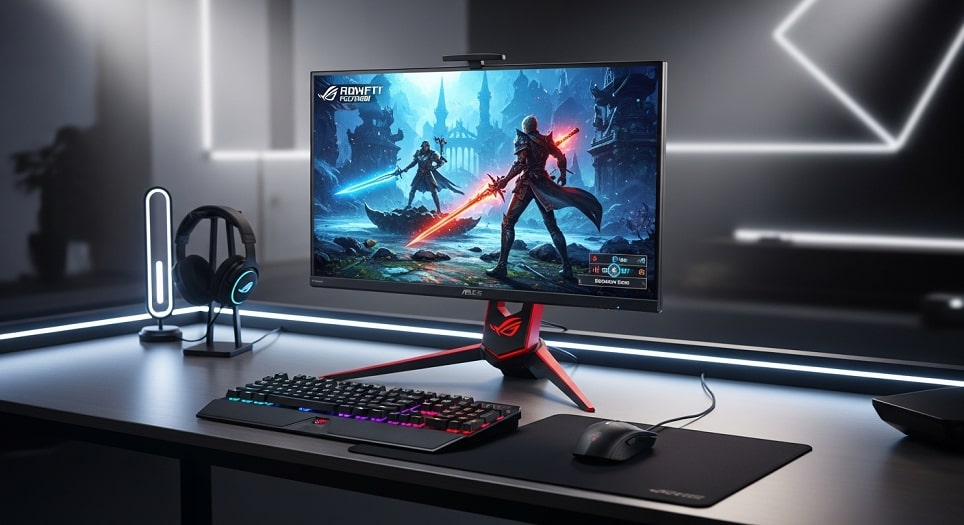
Best for Esports: Asus ROG Swift PG27AQDP
The Asus ROG Swift PG27AQDP pushes boundaries with a 27-inch 1440p WOLED at 480Hz, prioritizing motion clarity for titles like Counter-Strike 2. Its matte anti-glare treatment ensures focus in tournament settings.
Price range: $900–$1,000. Competitive pricing holds steady, with bundles enhancing value.
Pros: Unmatched refresh rate yields razor-sharp tracking in high-FPS scenarios; OLED Care+ suite includes automated pixel refresh for sustained peak performance; ergonomic stand offers full swivel and height for prolonged comfort.
Cons: Brightness caps at 1,000 nits, trailing QD-OLED in sunlit rooms; WOLED color volume slightly lags in saturated reds; premium features justify cost only for dedicated competitors.
Best Budget Pick: Gigabyte M27QA
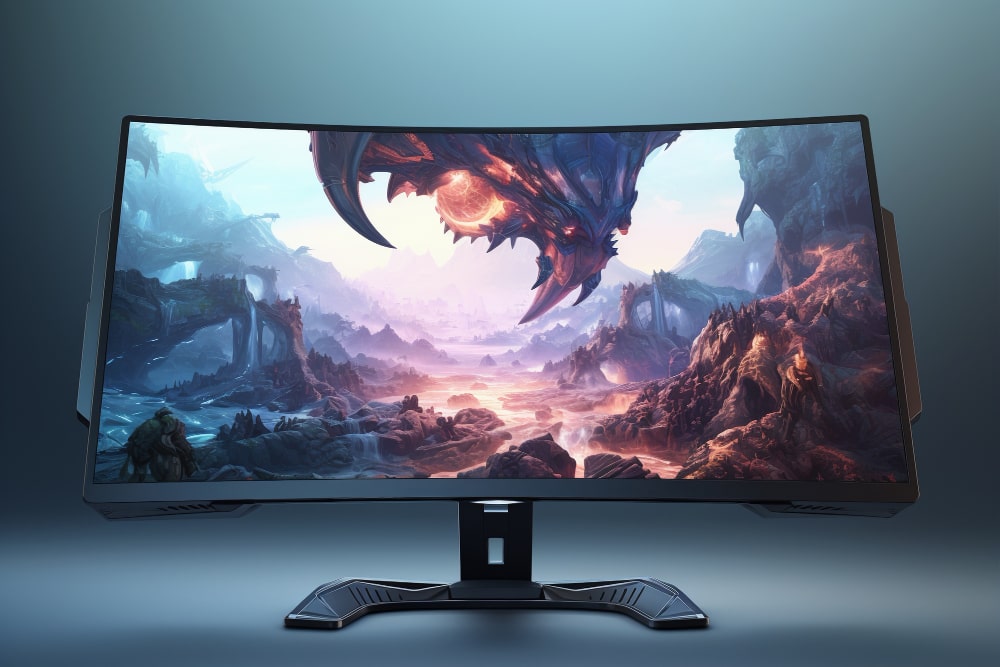
Gigabyte’s M27QA delivers reliable 27-inch 1440p IPS performance at 180Hz, fortified by KVM functionality for seamless device switching. It appeals to newcomers building cost-effective rigs for mainstream gaming.
Price range: $250–$300. Entry-level pricing facilitates easy adoption, often bundled with peripherals.
Pros: Integrated KVM and USB-C hub enable efficient multi-device management; 95% DCI-P3 coverage provides punchy colors for budget constraints; sturdy white chassis complements modern aesthetics without added expense.
Cons: HDR limited to basic 400 certification, yielding modest dynamic range; stand omits swivel, restricting shared viewing angles; IPS glow persists in low-light conditions.
Current Market Prices and Deals
As of December 2025, gaming monitor pricing reflects post-holiday stabilization, with OLED models commanding premiums due to supply constraints. ASUS ROG Swift OLED PG27UCDM lists at $1,099 on Amazon, down from $1,299 launch; Dell Alienware AW2725D holds at $549 MSRP via Dell’s site, with bundle deals including keyboards. LG Ultragear 32GS95UE retails for $1,299 at Best Buy, occasionally dipping to $1,199 with trade-ins.
MSI MPG 271QRX averages $799 on Newegg, benefiting from flash sales to $749; Asus ROG Swift PG27AQDP stabilizes at $999 through ASUS direct, paired with extended warranties. Gigabyte M27QA remains a steal at $279 on Walmart, with white variants adding $20 for thematic builds.
Deals abound: Black Friday extensions offer 20% off ASUS and Dell lines, while Gigabyte bundles save $50 on KVM-compatible accessories. Monitor current listings on retailer sites for dynamic pricing, as stock fluctuations influence availability.
Pros and Cons Across Leading Brands
Evaluating brands reveals distinct strengths: ASUS excels in feature depth, integrating Aura Sync lighting and app-based controls for ecosystem synergy. Dell Alienware prioritizes warranty robustness, covering burn-in comprehensively to alleviate OLED concerns. LG’s engineering shines in audio-visual fusion, though connectivity lags competitors.
MSI offers esports-focused speed but falters in input consistency; Gigabyte democratizes advanced tools like KVM at entry prices, though HDR implementation remains rudimentary. Overall, OLED brands like ASUS and Dell provide superior contrast, while IPS from Gigabyte ensures angle-independent reliability.
A comparative overview underscores these dynamics:
- ASUS ROG Series: Pros include unmatched refresh scalability and burn-in prophylaxis; each model integrates seamlessly with ROG peripherals for unified control. Cons involve higher power draw during peak HDR, necessitating stable PSUs. This brand suits enthusiasts valuing expandability.
- Dell Alienware: Pros encompass value-driven OLED access and modular stands; extensive port arrays support console hybrids effortlessly. Cons feature occasional firmware quirks requiring updates. Ideal for balanced performance seekers.
- LG Ultragear: Pros highlight dual-mode flexibility and embedded acoustics; WOLED maturity ensures consistent brightness across sessions. Cons include subpixel artifacts affecting productivity. Best for versatile gamers.
- MSI MPG Line: Pros deliver raw speed for competitive edges; compact designs fit tight spaces without sacrificing specs. Cons manifest in lag variability at sub-240Hz. Targets precision players.
- Gigabyte M Series: Pros offer affordability with productivity perks; white variants enhance setup cohesion aesthetically. Cons limit HDR to entry levels, capping cinematic appeal. Perfect for budget builds.
- General OLED Advantages: Infinite blacks and 0.03ms responses create immersive voids in space sims; quantum dot enhancements boost gamut to 99% DCI-P3. Drawbacks include longevity caveats, mitigated by proactive care.
- IPS Reliability: Wide angles preserve fidelity in group sessions; cost efficiency allows frequent upgrades. Limitations arise in contrast, where shadows wash out in dim scenes.
- Brand Ecosystem Integration: ASUS and Dell apps enable profile syncing across devices; LG’s webOS echoes TV familiarity. This cohesion streamlines transitions from console to PC.

Pro Tips for Maximizing Your Gaming Monitor
To extract peak performance, calibrate displays using built-in tools or third-party software like DisplayCAL, targeting 120 cd/m² for dim rooms to avert eye strain. Enable VRR universally via NVIDIA Control Panel or AMD Software, setting frame caps 3-5Hz below refresh maxima for stability. For OLED users, diversify content hourly—alternate HUD-heavy games with abstract visuals—to preempt retention.
Position monitors at arm’s length, with tops aligned to eye level, incorporating blue-light filters post-sunset for circadian harmony. Update firmware quarterly through brand portals; ASUS and Dell notify via apps. Pair high-refresh panels with 500Hz mice like Razer Viper V3 for synchronized precision. Invest in surge protectors to safeguard against power spikes, preserving warranty integrity.
For multi-monitor arrays, match bezel thicknesses and resolutions to minimize immersion breaks; Gigabyte’s KVM facilitates input juggling. Clean screens weekly with microfiber and distilled water, avoiding abrasives on coatings. Benchmark setups with UFO Test to verify response uniformity, adjusting overdrive if artifacts appear.
Frequently Asked Questions
What distinguishes OLED from IPS for gaming? OLED achieves perfect blacks via self-emissive pixels, excelling in contrast-heavy scenes, whereas IPS offers superior angles and affordability but suffers grayish shadows. Choose OLED for immersion if budget allows; IPS suffices for competitive focus.
Is 1440p sufficient for 2025 gaming? Absolutely—its balance of detail and frame rates outperforms 1080p in sharpness while easing GPU loads versus 4K. Most titles render beautifully at this resolution on mid-tier hardware.
How to prevent OLED burn-in? Utilize screen savers, pixel shifts, and maintenance cycles; avoid static HUDs exceeding two hours. Brands like ASUS provide three-year coverage, rendering risks minimal with proper habits.
Should I prioritize refresh rate over resolution? For esports, yes—360Hz+ trumps 4K fluidity. Narrative games favor higher pixels; dual-mode like LG bridges both worlds effectively.
Are budget monitors future-proof? Models under $300, such as Gigabyte M27QA, support HDMI 2.1 for consoles and VRR for PCs, ensuring viability through 2027 with firmware updates.
What accessories enhance monitor setups? Ergonomic arms free desk space; calibration pucks like X-Rite ensure accuracy; soundbars compensate for weak onboard audio in non-LG units.
Conclusion
The 2025 gaming monitor landscape, dominated by OLED innovations from ASUS, Dell, and LG, alongside value stalwarts like Gigabyte and MSI, offers tailored excellence for every tier. Premium picks like the ASUS ROG Swift OLED PG27UCDM deliver transcendent visuals and speed, justifying investments for discerning players. Budget alternatives, exemplified by the Gigabyte M27QA, democratize high-refresh access without sacrificing essentials.
Ultimately, alignment with personal rig capabilities and play preferences dictates success—whether chasing esports supremacy or narrative depth. With prices ranging from $250 to $1,400 and deals amplifying accessibility, now presents an opportune moment to upgrade. These selections, grounded in verified performance, promise enduring satisfaction in an era of accelerating graphical demands.