

The difference between a tool that actually delivers and one that just looks good in a YouTube thumbnail is immediately obvious the moment you sit down to edit a real project. The free video editing software landscape has genuinely matured. You no longer need to spend hundreds of dollars on Adobe Premiere or Final Cut Pro to produce professional-looking content. The tools covered in this guide handle everything from social media clips to feature-length indie films — all without watermarks, all completely free at their core tier.
What’s changed most recently is the integration of AI into free tools. Auto-captioning, smart reframing, voice isolation, and background removal have moved from paid-only features into free tiers, dramatically cutting the time it takes to produce polished content. Whether you’re a beginner editing your first YouTube video or a working filmmaker looking to cut costs without cutting quality, the right free editor is in this list.
DaVinci Resolve — Best Free Video Editor Overall
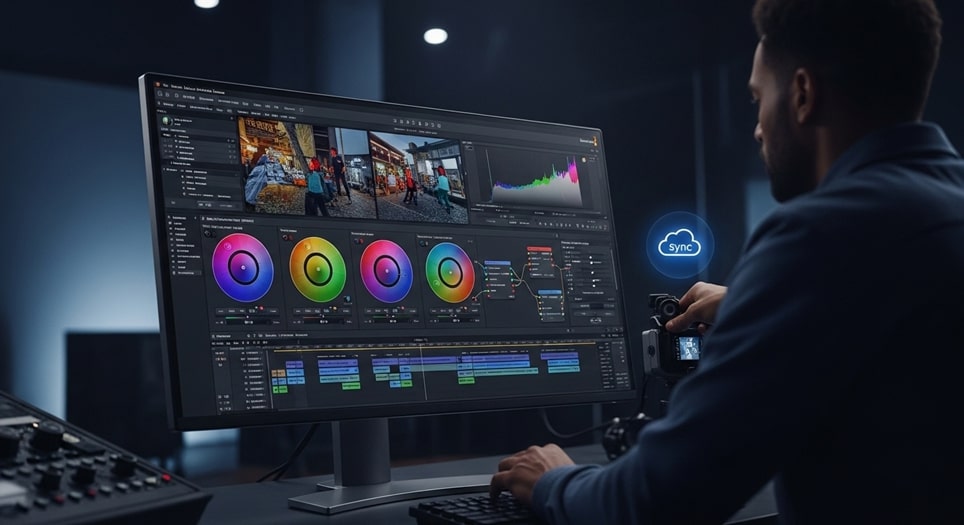
DaVinci Resolve is the most powerful free video editor available in 2026, and it isn’t close. Blackmagic Design built this as a professional post-production suite used on Hollywood films and high-budget commercials, then made the core version free. What you get at zero cost is genuinely staggering — a full multi-track timeline editor, the industry’s best color grading tools, the Fairlight professional audio suite, and the Fusion visual effects compositor, all in one application.
I’ve used DaVinci Resolve on documentary edits, corporate video projects, and short film color grades. The color science alone justifies learning it — nothing in the free tier comes close to its node-based grading system for achieving cinematic looks. The free version supports 4K exports at 60fps in 8-bit color, which covers the vast majority of professional delivery requirements. The dual interface design — the Cut page for fast assembly and the Edit page for detailed timeline work — means beginners aren’t thrown into the deep end, while professionals have all the tools they need.
Recent AI additions include voice isolation that cleanly separates dialogue from background noise, auto-reframing that adjusts compositions for vertical social formats, and text-based editing that lets you cut footage by editing a transcript. These features alone would cost money in competing tools. The Blackmagic Cloud enables real-time collaboration across remote teams, which makes Resolve viable for professional workflows beyond solo creators.
The main caveat is hardware. DaVinci Resolve benefits significantly from a dedicated GPU and at least 16GB RAM for complex timelines. On low-end hardware, real-time playback of effects-heavy sequences can stutter. The Studio version unlocks 10-bit color processing and additional AI features for $299, but the free tier handles 90% of what most creators will ever need.
- Platforms: Windows, Mac, Linux
- Max resolution (free): 4K at 60fps
- Standout feature: Professional color grading and full post-production suite
- Best for: Filmmakers, colorists, serious content creators
CapCut — Best Free Video Editor for Social Media
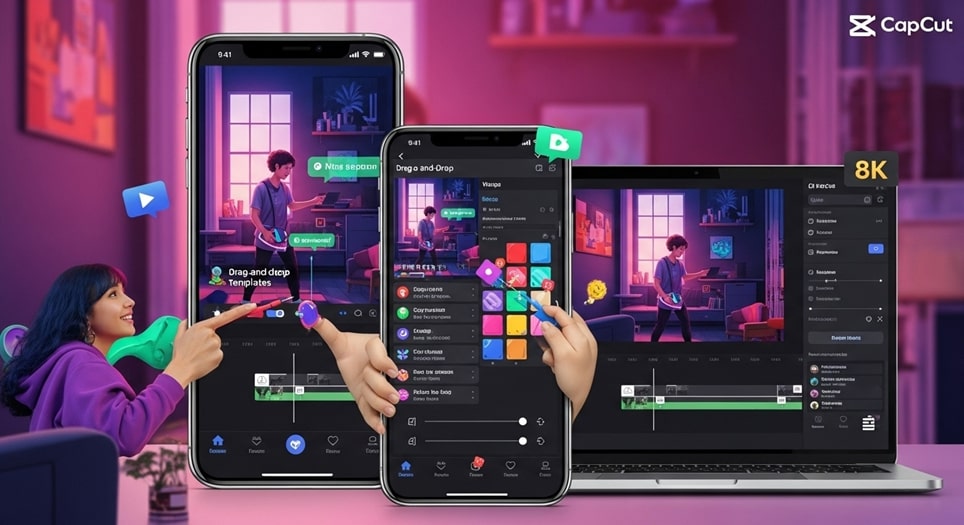
CapCut, developed by ByteDance, has become the dominant free video editor for social media content creation, and the reasons are obvious once you use it. The interface is clean, the AI tools are genuinely useful, and the output quality — up to 8K at 60fps — punches well above what a free tool has any right to deliver. For TikTok, Instagram Reels, and YouTube Shorts creators, CapCut is purpose-built for the workflow they actually use.
The AI feature set is where CapCut genuinely separates itself from older free tools. Auto-captioning via speech-to-text works accurately across multiple languages. Background removal operates without green screen hardware. Auto-beat sync matches cuts to music automatically. Keyframe animations for smooth transitions are accessible to complete beginners through a clean visual interface. The free version carries no watermarks, which puts it ahead of many legacy tools that still slap branding on exported footage.
From personal testing, CapCut’s speed for short-form content is unmatched. Importing clips, trimming, adding captions, and exporting a finished 60-second video takes minutes rather than hours. The template library pulls from current TikTok trends, so creators can produce trend-aligned content without starting from scratch. The desktop version expands to landscape multi-track editing seamlessly, making it viable for longer YouTube content as well.
The limitations show up in longer, more complex projects. Multi-track depth for feature-length content is not where CapCut excels. Some advanced stabilization and AI features sit behind a $9.99/month upgrade. And as a ByteDance product, privacy-conscious users should be aware of the data handling implications, particularly in regions where the app has faced regulatory scrutiny.
- Platforms: Windows, Mac, Web, iOS, Android
- Max resolution (free): 8K at 60fps
- Standout feature: AI captions, background removal, auto-beat sync
- Best for: Social media creators, short-form content, beginners

Clipchamp — Best Browser-Based Free Video Editor
Microsoft’s Clipchamp is the most accessible free video editor for users who want professional results without installing software. It runs entirely in a browser, which means it works on any device with Chrome or Edge — no download, no storage requirement, no compatibility issues. Microsoft’s integration of Clipchamp directly into Windows 11 has made it the default starting point for millions of users who simply open their Start menu and find a capable editor already waiting.
The multi-track timeline handles video, audio, text, and transitions cleanly. Green screen effects, AI voice-overs, noise reduction, and auto-captioning — with accuracy reaching 95% in recent updates — make it genuinely competitive with desktop tools for the content types it targets. Template libraries cover YouTube intros, LinkedIn promos, product announcements, and social media formats with designs that look current rather than dated.
For small business owners, educators, and remote workers who need to produce professional-looking video content quickly without a steep learning curve, Clipchamp hits a sweet spot that DaVinci Resolve and Shotcut simply don’t serve. The learning curve is nearly flat — guided workflows walk new users through their first edit step by step. Real-time co-editing makes it the closest thing to Google Docs for video production, which is genuinely useful for teams working across time zones.
The main limitations are the 1080p cap on free exports and occasional slowdowns on weaker internet connections since processing happens in the cloud. For creators who need 4K output or work frequently in areas with unreliable connectivity, a desktop alternative is the better choice.
- Platforms: Web, Windows
- Max resolution (free): 1080p
- Standout feature: Browser-based, no install required, real-time collaboration
- Best for: Quick edits, beginners, remote teams, Windows users
Shotcut — Best Open-Source Free Video Editor
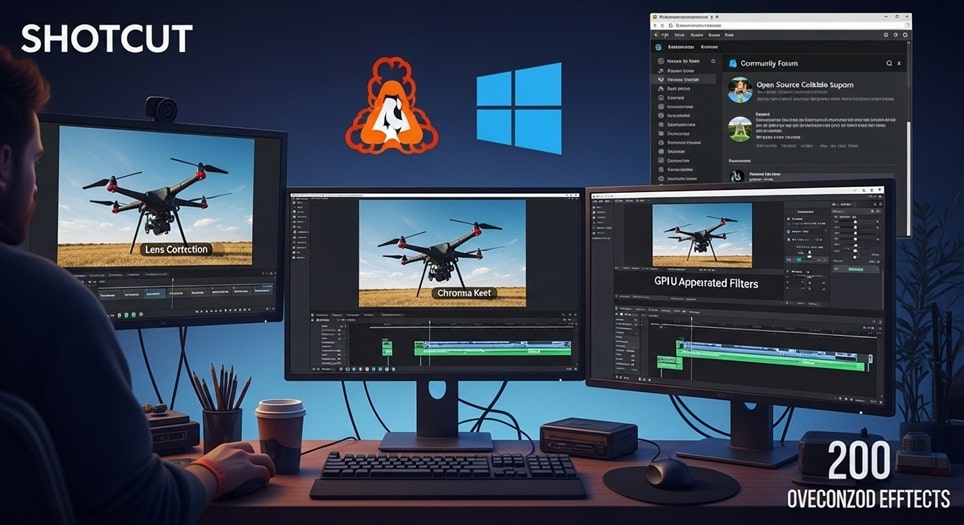
Shotcut is the most capable fully open-source free video editor available in 2026, supporting resolutions up to 8K across Windows, Mac, and Linux without any format conversion requirements. For tech-savvy creators who value transparency, community-driven development, and full control over their software environment, Shotcut delivers a feature depth that rivals tools costing hundreds of dollars annually.
The filter ecosystem is a genuine strength — over 200 effects including chroma key, lens correction, audio filters, and time remapping give creators the building blocks for complex productions. GPU acceleration enables smooth playback of high-resolution footage on compatible hardware, cutting render times significantly compared to CPU-only editors. The marker system aids precision work like syncing multi-camera interview footage or hitting exact audio cues.
From a practical standpoint, Shotcut handles drone footage exceptionally well. The combination of GPU-accelerated playback, curve-based color grading, and the broad format support means you can import raw footage from virtually any camera and work with it natively without transcoding. For Linux users in particular, Shotcut is the strongest native option available — stable, regularly updated, and genuinely capable for professional deliverables. If you’re also exploring free tools for video editors beyond the editing software itself, Shotcut pairs well with a broader free toolkit.
The interface is honest about its learning curve — it’s functional rather than beautiful, and newcomers accustomed to consumer-grade tools will need time to orient themselves. The modular panel system is customizable, which helps experienced users build efficient layouts, but the default view can feel sparse. Recent 2025 updates improved voiceover recording tools and resolved persistent Mac stability issues that had frustrated users in earlier versions.
- Platforms: Windows, Mac, Linux
- Max resolution (free): 8K
- Standout feature: GPU acceleration, 200+ filters, broad format support
- Best for: Tech-savvy users, Linux users, open-source advocates

OpenShot — Best Free Video Editor for Beginners
OpenShot strikes the best balance between simplicity and genuine capability for creators who are new to video editing. It is fully free, completely open-source, and handles 4K footage across Windows, Mac, and Linux with a drag-and-drop interface that genuinely requires no prior editing experience to use productively. Unlimited tracks, 3D animated titles through Blender integration, and animation keyframes for flying logos and picture-in-picture effects give beginners access to techniques that would cost money in consumer-grade alternatives.
The learning path in OpenShot is forgiving. The effects panel previews changes on clips in real-time before committing, which teaches new editors how individual tools affect footage without destructive consequences. The slice tool preserves original clips during cuts, so mistakes are always recoverable. Community forums maintain an active library of templates and workflows that accelerate custom project setups without starting from scratch.
Compared to Shotcut, OpenShot is meaningfully more approachable for non-technical users — the interface prioritizes discoverability over power-user density. The tradeoff is performance on large projects: occasional instability under heavy loads has been an OpenShot complaint for years, though recent versions have improved significantly. For the target audience of beginners working on manageable project sizes, this rarely causes real problems.
- Platforms: Windows, Mac, Linux
- Max resolution (free): 4K
- Standout feature: Beginner-friendly drag-and-drop, 3D animations via Blender
- Best for: First-time editors, family videos, simple content creation

Lightworks — Best Free Video Editor for Indie Filmmakers
Lightworks carries genuine Hollywood pedigree — it has been used in the editing of major award-winning films including The King’s Speech and Pulp Fiction. The free version brings that professional lineage to independent filmmakers who need broadcast-quality multi-track editing, real-time effects previews, and multicam sync capabilities without subscription costs. For narrative filmmakers, documentary editors, and journalists who care about precision and professional craft over social media speed, Lightworks occupies a niche no other free tool fills.
The multicam sync feature is particularly strong, handling multi-angle event coverage and interview setups with the same reliability you’d expect from professional NLEs. Boris FX plugin integration brings professional titling and motion graphics to the free tier. The graph editor’s bezier curve controls give fine-grained precision to motion path animations that simpler tools approximate with basic keyframes. Version locking in collaborative environments prevents overwrites during shared projects, which matters significantly in professional team contexts.
The honest limitation is the 720p export cap on the free tier — 1080p requires an upgrade. For web previews, client reviews, and festival screeners this is workable, but final delivery at 1080p or above requires the paid version. The learning curve is steeper than CapCut or Clipchamp, which aligns with the professional audience this tool targets. Video editing courses that cover professional NLE workflows often include Lightworks precisely because its interface mirrors industry-standard tools.
- Platforms: Windows, Mac, Linux
- Max resolution (free): 720p
- Standout feature: Multicam sync, Hollywood pedigree, Boris FX integration
- Best for: Indie filmmakers, journalists, narrative editors

HitFilm Express — Best Free Video Editor for Visual Effects
HitFilm Express is the only free video editor that takes visual effects seriously at a professional level. For fan film makers, sci-fi YouTubers, game content creators, and anyone who needs compositing capabilities that go beyond basic green screen, HitFilm Express delivers a node-based compositing system, particle simulations, 3D model integration, and mocha tracking for stable masks — all at no cost. The 4K timeline support and no-watermark output mean finished work looks professional without any free-tier branding.
The integrated academy walks new users through specific effects techniques from glow and lens flare basics up to full lightsaber tracking and explosion compositing. Pre-composing groups allows modular builds where effect sequences are reused across a series without rebuilding from scratch each time. Community asset packs regularly expand the built-in library with free textures, sound effects, and effect presets that would cost money through commercial channels. If you regularly work with game capture footage or community-created assets, resources for game mods and community patches complement what HitFilm enables creatively.
The main friction points are occasional instability following major updates — community forums consistently report bugs in the first weeks after new releases, though core stability returns quickly. Compared to DaVinci Resolve’s Fusion compositor, HitFilm’s node graph is more approachable for effects newcomers, which makes it a better starting point before graduating to Resolve’s more powerful but complex compositing tools.
- Platforms: Windows, Mac
- Max resolution (free): 4K
- Standout feature: VFX compositing, particle simulations, mocha tracking
- Best for: Effects artists, sci-fi creators, fan filmmakers
Comparing the Top Free Video Editors
To aid decision-making, here’s how these tools stack up across the dimensions that matter most for different creator types. DaVinci Resolve leads in professional depth and is the only free tool with a genuinely complete post-production pipeline. CapCut dominates for social media speed and AI-assisted editing. Clipchamp wins on accessibility and collaboration for teams. Shotcut and OpenShot serve the open-source community across all major platforms. Lightworks targets narrative professionals who need precision tools. HitFilm Express owns the visual effects category without competition.
| Software | Platforms | Max Resolution (Free) | Standout Feature | Best For |
|---|---|---|---|---|
| DaVinci Resolve | Win, Mac, Linux | 4K/60fps | Color Grading | Pro Films |
| CapCut | Win, Mac, Web, Mobile | 8K/60fps | AI Captions | Social Media |
| Clipchamp | Web, Win | 1080p | Browser-Based Collaboration | Quick Edits |
| Shotcut | Win, Mac, Linux | 8K | GPU Acceleration | Tech Users |
| OpenShot | Win, Mac, Linux | 4K | 3D Animations | Beginners |
| Lightworks | Win, Mac, Linux | 720p | Multicam Sync | Indie Films |
| HitFilm Express | Win, Mac | 4K | VFX Compositing | Effects Artists |
How to Choose the Right Free Video Editor
Start with your output platform. If your content ends up on TikTok, Instagram Reels, or YouTube Shorts, CapCut is purpose-built for that workflow and will save you significant time. If you’re producing content for YouTube at longer lengths, DaVinci Resolve or Clipchamp give you more multi-track depth. If you’re making films or documentaries, Resolve is the only serious answer.
Consider your hardware honestly. DaVinci Resolve and HitFilm Express both benefit significantly from dedicated GPUs and ample RAM. Running Resolve on a laptop with integrated graphics and 8GB RAM will frustrate you. Clipchamp and CapCut run fine on modest hardware because heavy processing happens in the cloud or on optimized mobile-first codebases. Shotcut’s GPU acceleration helps mid-range machines punch above their weight for open-source editing.
Your operating system narrows the field. Linux users get strong native support from Shotcut, OpenShot, DaVinci Resolve, and Lightworks — all four are genuinely capable on Linux. Mac beginners who haven’t explored beyond iMovie should try DaVinci Resolve next — the jump in capability is significant without a proportional jump in complexity once you invest time in the Cut page. Windows users have the full field available, with Clipchamp’s Windows 11 integration making it the path of least resistance for quick projects. Exploring dedicated video editing courses for your chosen tool accelerates the learning curve dramatically regardless of which editor you choose.
If collaboration is a requirement — working with a co-editor, getting client feedback on cuts, or managing team projects remotely — Clipchamp’s real-time co-editing is the only free tool that handles this natively without workarounds. DaVinci Resolve’s Blackmagic Cloud adds collaboration for Resolve users willing to set up the infrastructure.
Essential Features to Look For in Free Video Editing Software
AI automation tools have become the most significant differentiator in free video editors over the past two years. Auto-captioning, voice isolation, smart reframing for multi-platform export, and background removal all reduce hours of manual work to minutes. DaVinci Resolve and CapCut lead the free tier in AI feature depth, with Clipchamp close behind for captioning accuracy.
Export versatility matters more than most beginners realize. Support for H.264, H.265, and ProRes formats ensures compatibility across delivery platforms and downstream workflows. CapCut’s direct social upload with embedded metadata saves time for creators managing multiple platforms simultaneously. Always verify that your chosen editor exports to the format your target platform or client requires before committing to a full project.
Color correction capabilities separate tools that produce professional-looking output from those that look visibly amateur. Basic color wheels in Shotcut and Clipchamp handle exposure matching and simple corrections. DaVinci Resolve’s professional grading tools — curves, qualifiers, node-based grading, LUT support — give colorists the precision needed to achieve genuinely cinematic results. For anyone serious about the visual quality of their content, Resolve’s color tools alone justify learning the software.
Hardware optimization determines whether your editing experience is smooth or frustrating on a daily basis. GPU utilization in Shotcut, Lightworks, and DaVinci Resolve dramatically improves real-time playback on capable machines. Cloud-processed tools like Clipchamp offload this entirely, which helps users on older hardware at the cost of requiring a stable internet connection. Matching the editor’s hardware demands to your actual setup prevents the frustration of laggy previews derailing your workflow. For creators also working on game recording or screen capture content, understanding the best free game recording software options complements the editing workflow significantly.
Frequently Asked Questions
What is the best free video editor?
DaVinci Resolve is the best free video editor for overall capability and professional output quality. It delivers a complete post-production pipeline — editing, color grading, audio mixing, and VFX — without watermarks and without cost for the vast majority of creators. For social media creators specifically, CapCut delivers faster results for short-form content with strong AI tools built in.
Is DaVinci Resolve really free?
Yes, DaVinci Resolve’s core version is completely free with no watermarks, no time limits, and no feature nag screens. The free tier supports 4K exports at 60fps and includes the full color grading suite, Fairlight audio tools, and Fusion compositor. The paid Studio version at $299 — a one-time purchase — unlocks 10-bit color processing, additional AI features, and collaboration tools, but the free version covers the needs of the vast majority of creators.
Is there a 100% free video editor with no watermark?
Yes — several. DaVinci Resolve, CapCut, Shotcut, OpenShot, HitFilm Express, and Clipchamp all export without watermarks on their free tiers. Lightworks is the notable exception in this list, with its free exports capped at 720p. Avoid older free editors that add watermarks — the tools listed in this guide have all moved past that limitation.
Which free video editor is best for beginners?
Clipchamp is the most beginner-friendly option for Windows users who want guided workflows and no installation friction. OpenShot is the best beginner choice for cross-platform use across Windows, Mac, and Linux. CapCut is the easiest entry point specifically for social media content. All three deliver watermark-free results with minimal learning investment compared to professional tools like DaVinci Resolve or Lightworks.
Conclusion
The best free video editing software in 2026 is genuinely competitive with paid tools from just a few years ago. DaVinci Resolve remains the top overall choice — nothing else at zero cost delivers its combination of professional color grading, multi-track editing, audio production, and VFX compositing. For social media creators, CapCut is purpose-built for the workflow that matters most in short-form content. Clipchamp serves beginners and teams who value accessibility over depth.
The right answer depends entirely on what you’re making and where it’s going. A sci-fi fan film and a TikTok cooking tutorial require fundamentally different tools. Use this guide to match the editor to the project type, invest time in learning one tool properly rather than hopping between options, and the quality ceiling of free software will stop feeling like a limitation.
Free video editing has reached a point where the software is rarely the constraint on what you can produce. Creativity, storytelling, and technical execution matter far more than whether you paid for your editor.

Full-stack developer at Scylla Technologies (USA), working remotely from Bangladesh. Adobe Certified Magento Developer.