

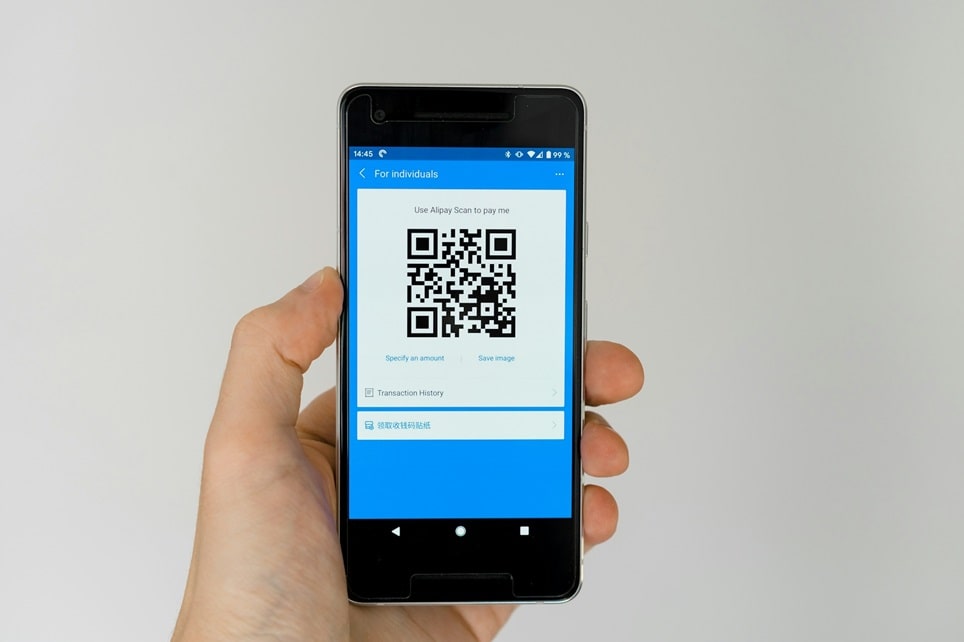
QR codes have become an essential tool in today’s digital world, bridging the gap between physical and online experiences. These square-shaped barcodes can store various types of information, from website links to contact details, and are easily scanned using smartphones. With the rise of contactless interactions, especially in marketing, payments, and information sharing, knowing how to create one opens up numerous possibilities for individuals and businesses alike.
Whether you’re a small business owner looking to enhance your promotional materials or someone wanting to share personal information quickly, generating these codes is simpler than ever. Many free online tools allow for quick creation without needing technical expertise. This guide will walk you through the entire process, ensuring you can produce functional and attractive codes tailored to your needs.
The beauty of these codes lies in their versatility. They can direct users to a specific webpage, initiate a phone call, or even connect to a Wi-Fi network instantly. As technology evolves, their applications continue to expand, making them indispensable in various sectors like retail, hospitality, and education.
Getting started requires no special software downloads in most cases, as web-based generators handle everything. You’ll learn about different options available and how to choose the one that fits your requirements. By the end, you’ll be equipped to create codes that not only work seamlessly but also align with your branding or personal style.
Understanding QR Codes
At their core, these codes are two-dimensional barcodes that store data in a matrix of black and white squares. Unlike traditional barcodes, they can hold much more information and be scanned from any angle. This design allows for quick reading by devices equipped with cameras and appropriate apps.
They were originally developed in the automotive industry for tracking parts but have since found widespread use in consumer applications. Their ability to encode text, URLs, or other data makes them highly adaptable. Most modern smartphones can scan them natively without additional software.
When scanned, the code decodes the embedded information and performs the intended action, such as opening a browser or adding a contact. This seamless interaction enhances user convenience and efficiency in information exchange.
What is a QR Code?
The term stands for Quick Response, reflecting their fast scanning capability. Each code consists of patterns that represent binary data, which devices interpret. They can store up to several thousand characters, far exceeding standard barcodes.
Their structure includes finder patterns in three corners for orientation detection, timing patterns for coordinate identification, and data modules. This robust design ensures reliability even if partially damaged.
How Do QR Codes Work?
The process begins with encoding information into the pattern using specific algorithms. When a scanner captures the image, it analyzes the modules to extract the data. Error correction features allow for accurate reading despite minor imperfections.
Devices use image processing to detect and decode the information rapidly. This technology enables instant access to linked content, making it ideal for time-sensitive applications.
Types of QR Codes
There are static versions, which contain fixed information that can’t be changed after creation. These are suitable for permanent links or unchanging data. Dynamic ones allow editing the linked content without regenerating the code itself.
Content-specific types include those for websites, which direct to URLs; vCards for contact information; Wi-Fi for network connections; and events for calendar entries. Each type optimizes the encoded data for its purpose.
Advanced variations support multimedia, such as linking to videos or audio files. Some even incorporate payment information for quick transactions in commercial settings.
Why Create Your Own QR Code?
Creating your own allows for complete control over the content and appearance. This customization can align with specific goals, whether personal or professional. It’s a cost-effective way to enhance engagement without investing in complex systems.
In business contexts, they streamline customer interactions by providing instant access to menus, websites, or promotional offers. For personal use, they simplify sharing social media profiles or contact details at events.
Their trackability, especially with dynamic versions, provides valuable insights into user behavior. This data can inform future strategies and improve effectiveness.
Benefits for Businesses
- Enhanced Marketing: Integrating these codes into advertisements allows for direct links to landing pages, increasing conversion rates. Businesses can track scans to measure campaign success. This approach bridges offline and online marketing efforts effectively.
- Improved Customer Experience: Restaurants use them for contactless menus, reducing physical contact while speeding up service. Retailers employ them for product information, helping customers make informed decisions quickly. This convenience builds customer loyalty over time.
- Cost Savings: Printing materials with codes eliminates the need for frequent updates to physical items. Changes can be made digitally with dynamic options. This flexibility reduces printing costs and waste.
- Data Collection: Scans provide analytics on location, time, and device type. This information helps refine targeting strategies. Businesses can use it to understand audience preferences better.
- Versatile Applications: From event tickets to payment systems, the uses are diverse. They facilitate quick registrations or feedback collection. This adaptability makes them valuable across industries.
- Brand Reinforcement: Custom designs incorporating logos strengthen brand identity. Consistent use across materials builds recognition. This visual element makes interactions more memorable.
- Eco-Friendly Option: Reducing paper use through digital alternatives supports sustainability goals. Codes enable paperless processes in many scenarios. This appeals to environmentally conscious consumers.
- Global Accessibility: They work universally without language barriers in many cases. This makes them ideal for international businesses. Their simplicity ensures broad adoption.
Personal Uses and Advantages
Individuals can use them for sharing portfolios or resumes at job fairs. They simplify networking by allowing quick exchange of contact information. In creative fields, they link to online galleries or music samples.
For everyday convenience, they can store medical information or emergency contacts. Pet owners use them on collars for lost animal recovery. Their compact nature makes them perfect for various personal scenarios.
Choosing the Right QR Code Generator
Selecting an appropriate tool is crucial for a smooth experience. Free options suffice for basic needs, while premium features offer advanced capabilities. Consider factors like ease of use, customization options, and data privacy.
Popular free tools include those from design platforms that integrate seamlessly with other features. Dedicated generators often provide more specialized options. Evaluate based on your specific requirements.
Look for generators that support high-resolution downloads for print quality. Some offer analytics for tracking performance. Ensure the tool is reputable to avoid security risks.
Free vs. Paid Options
Free versions typically allow basic creation and customization. They are ideal for one-time or simple uses. Limitations might include watermarks or restricted features.
Paid plans unlock dynamic editing, detailed analytics, and bulk generation. They suit businesses needing ongoing management. The investment often pays off through enhanced functionality.
Popular Tools Reviewed
One widely used option integrates with graphic design software, allowing easy incorporation into projects. It offers color customization and basic styling. Its user-friendly interface appeals to beginners.
Another dedicated platform provides extensive design options, including shapes and logos. It supports various content types and high-quality exports. Regular updates ensure compatibility with new features.
A creative tool from a major software company enables quick generation on multiple devices. It includes templates for different uses. Integration with editing suites adds value for designers.
Specialized monkey-themed generator focuses on custom appearances with vector outputs. It handles complex customizations well. Free access to premium-like features sets it apart.
Step-by-Step Guide to Creating a QR Code
This section provides a detailed walkthrough using common free tools. The process is similar across platforms, with minor variations. Follow these steps to produce your first code successfully.
Prepare the information you want to encode beforehand. This ensures accuracy during input. Have any logos or images ready if planning customization.
Step 1: Determine the Purpose and Content
Decide what action the code should trigger upon scanning. Common purposes include linking to websites, sharing contacts, or connecting to networks. Choose based on your target audience’s needs.
Select the appropriate content type to optimize functionality. For example, use vCard format for business cards. This step prevents errors in encoding.
Consider the longevity of the information. Use static for permanent data or dynamic for editable content. This choice affects future maintenance.
Step 2: Select a Reliable Generator Tool
Visit a trusted website offering free creation services. Popular choices include integrated design platforms or dedicated sites. Ensure the tool supports your desired features.
Sign up if required for advanced options, though many allow anonymous use. Familiarize yourself with the interface. Look for tutorials if needed.
Step 3: Input Your Data
Choose the content category from the available options. Enter the details accurately, such as URL or phone number. Double-check for typos to avoid broken links.
Some tools auto-detect the type based on input. Use this feature for convenience. Preview the encoded information if possible.
Step 4: Customize the Design
Adjust colors to match your branding, ensuring high contrast for scannability. Dark foreground on light background works best. Avoid inverting colors unless tested.
Add a logo or image to the center for personalization. Select from provided galleries or upload your own. Resize appropriately to maintain readability.
Modify shapes of modules or add frames with call-to-action text. Options like rounded corners can enhance aesthetics. Experiment but prioritize functionality.
Step 5: Generate and Download
Click the generate button to create the preview. Review the appearance and scan it with your phone to test. Make adjustments if necessary.
Choose the file format suitable for your use, such as PNG for digital or SVG for printing. Download in high resolution to prevent pixelation.
Step 6: Test Thoroughly
Scan with multiple devices and apps to ensure compatibility. Check from different distances and angles. Verify the linked content loads correctly.
Test in various lighting conditions. This simulates real-world usage. Address any issues by regenerating if needed.
Step 7: Implement and Distribute
Incorporate the code into your materials, maintaining minimum size requirements. For print, use at least 2cm square. Position prominently for easy access.
Track performance if using dynamic options. Analyze scans to refine placement. Update content as needed without changing the code.
Alternative Methods for Creating QR Codes
Beyond online generators, other approaches exist for specific needs. Mobile apps provide on-the-go creation. Browser extensions offer quick access from your computer.
For developers, programming libraries allow integration into applications. This is useful for automated generation. Choose based on your technical comfort level.
Using Mobile Apps
Download free apps from app stores that specialize in code creation. They often include scanning capabilities too. Input data directly on your phone for convenience.
Many apps support offline use after initial setup. This is handy for field work. Share generated codes instantly via messaging.
Browser Extensions and Built-in Features
Some browsers have native sharing options that generate codes for URLs. Install extensions for more features. These integrate seamlessly with web browsing.
Use them for quick creation without leaving your current page. Customization might be limited compared to dedicated tools.
Creating QR Codes with Programming
For those comfortable with code, libraries in languages like Python simplify the process. Install a package such as qrcode via pip. Then, write a simple script to generate.
For example, import the library and create an object with your data. Save the image file. This method allows batch creation or integration into software.
Here’s a basic example in Python: import qrcode qr = qrcode.QRCode(version=1, box_size=10, border=5) qr.add_data('https://example.com') qr.make(fit=True) img = qr.make_image(fill='black', back_color='white') img.save('example.png'). Adjust parameters for customization. This approach offers full control over output.
Advanced Customization Techniques
Go beyond basics by incorporating gradients in colors for visual appeal. Ensure scannability remains intact. Use tools that support advanced styling.
Add error correction levels to make codes more resilient. Higher levels allow for larger logos. Balance with overall size.
Experiment with artistic designs, like integrating images into the pattern. Specialized generators handle this without compromising function.
Common Mistakes to Avoid
Don’t make codes too small, as this hinders scanning. Always adhere to size guidelines. Avoid low-contrast colors that blend together.
Forget to test before widespread use. A non-functional code damages credibility. Never use expired or broken links in encoding.
Over-customize to the point of unreadability. Prioritize function over form. Ignore privacy when encoding sensitive information.
Pro Tips
- Optimize for Mobile Scanning: Design with smartphone users in mind, using large enough sizes. Place codes at eye level in physical locations. This increases successful scan rates significantly.
- Incorporate Call-to-Actions: Add text like “Scan Me” near the code to guide users. This encourages interaction. Frame designs can include this naturally.
- Use Analytics Effectively: With dynamic codes, monitor scan data regularly. Adjust content based on insights. This refines your strategy over time.
- Batch Create for Efficiency: Generate multiple codes at once for campaigns. Organize them properly. This saves time in large-scale implementations.
- Integrate with Other Tools: Combine with design software for professional looks. Export in vectors for scalability. This enhances overall quality.
- Stay Updated on Trends: Follow developments in code technology. Adopt new features early. This keeps your uses cutting-edge.
- Secure Sensitive Data: Use password protection for private links. Avoid encoding personal information directly. This protects user privacy.
Frequently Asked Questions
Do QR Codes Expire?
Static ones last indefinitely as long as the encoded data remains valid. Dynamic versions depend on the service provider’s terms. Most free tools create permanent static codes.
Can I Edit a QR Code After Creation?
Only dynamic types allow content changes without regenerating. Static ones require recreating for updates. Choose accordingly based on needs.
What is the Minimum Size for Printing?
Generally, 2cm x 2cm ensures reliable scanning from close distances. Larger sizes work better for farther viewing. Test prints to confirm.
Are There Costs Involved?
Basic creation is free on many platforms. Advanced features like tracking may require payment. Evaluate needs before committing.
How Secure Are QR Codes?
They themselves are safe, but linked content should be from trusted sources. Users should verify before scanning unknown codes. Creators must ensure secure destinations.
Can I Add a Logo?
Yes, most generators support center logos. Ensure it doesn’t cover too much data. Higher error correction helps maintain scannability.
What Devices Can Scan Them?
Most smartphones with cameras work natively. Older devices may need apps. Compatibility is broad across platforms.
Conclusion
Creating these codes is a straightforward process that offers immense value in connecting physical and digital worlds. From basic links to complex custom designs, the possibilities are vast. By following the steps outlined, you can produce effective codes tailored to your objectives.
Remember to prioritize scannability and testing for optimal results. With practice, you’ll master advanced techniques and avoid common pitfalls. Whether for business growth or personal convenience, this skill enhances your digital toolkit.
Embrace this technology to streamline interactions and gather insights. As adoption grows, staying proficient ensures you remain ahead. Start creating today and experience the benefits firsthand.
