

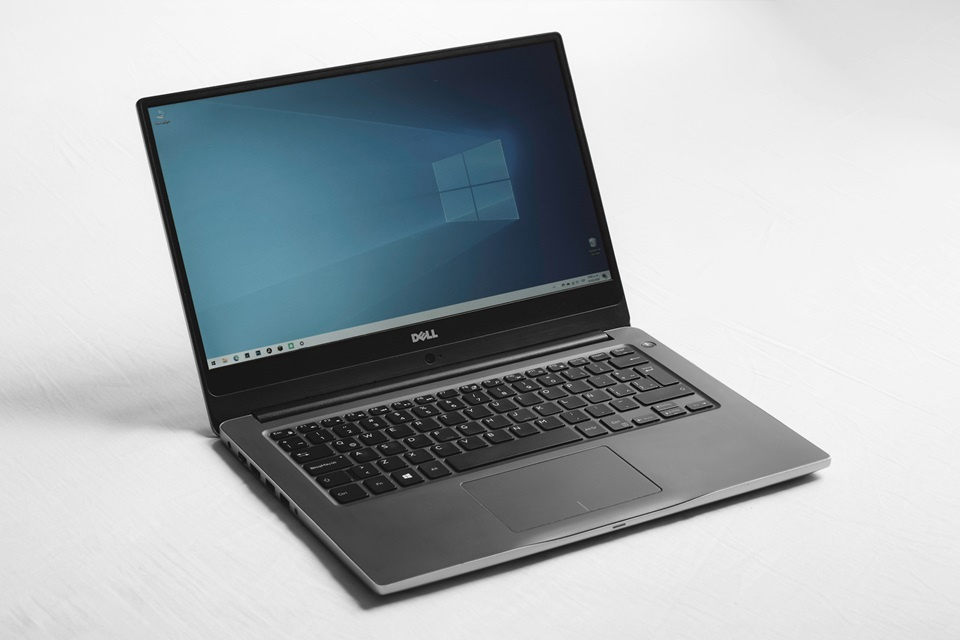
Choosing a budget-friendly laptop in 2026 feels like navigating a high-speed digital maze. With the rapid integration of AI-enhanced processors, the rollout of Wi-Fi 7, and the emergence of “Copilot+” standards, the goalposts for “value” have shifted significantly. Selecting the right laptop doesn’t have to be a gamble. In this updated guide, we explore how to evaluate affordable laptops that deliver modern performance, durability, and AI-ready longevity.
Whether you are a student, a remote professional, or a casual user, understanding the 2026 landscape will save you from buying a device that’s obsolete by next year. Let’s dive into the world of budget laptops with a practical, hands-on approach.
Understanding Budget Laptop Segments in 2026
The definition of “budget” has evolved. In 2026, even entry-level machines are gaining “AI-lite” features, while mid-range devices are starting to rival premium ultrabooks of years past. Understanding these segments helps you align expectations with the reality of 2026 technology.
- Entry-Level Laptops (Under US$500): These are no longer just “web-browsing bricks.” Most now feature efficient chips like the Intel N100 or Ryzen 3 series. While they handle basic productivity well, the 2026 standard for entry-level has shifted toward including at least 8 GB of RAM and 1080p IPS displays as the bare minimum. Examples include the Acer Aspire 3 (~$350) and ASUS Vivobook Go (~500–$850): This is currently the “sweet spot.” Here, you’ll find “Copilot+” compatible PCs and laptops featuring Intel Core Ultra 5 or Ryzen 5 processors. These devices often include OLED screen options, 16 GB of RAM, and superior battery life (12+ hours) due to more efficient silicon. Models like the HP Pavilion 14 (~$600) and Lenovo IdeaPad Slim 5 (~200–$600): Chromebooks have split into two paths: ultra-cheap educational devices and “Chromebook Plus” models. The latter offers verified performance tiers (at least 8 GB RAM and 128 GB storage) that can actually handle light photo editing and advanced multitasking via cloud-based AI tools. Popular options include the Acer Chromebook Plus 515 (~$400) and HP Dragonfly Pro Chromebook (~$600).
A slightly higher investment in the mid-range spectrum now buys significantly better longevity in an era of rapidly evolving software.
Key Specifications to Evaluate
When comparing budget laptops today, a few “invisible” specs have become just as important as the processor speed. Prioritizing the right components ensures your laptop feels smooth and capable over time.
- Processor (CPU) & NPU: Look for Intel Core Ultra, AMD Ryzen 7000/8000+, or Snapdragon X series. The inclusion of an NPU (Neural Processing Unit) is now standard for handling AI background tasks without draining the battery.
- RAM: 8 GB is the absolute minimum for Windows 11, but 16 GB is highly recommended in 2026. Many budget laptops now solder RAM, meaning you cannot upgrade it later, so buy what you need upfront.
- Storage: Ensure the device has an NVMe SSD (256 GB–512 GB). Avoid “eMMC” storage at all costs on Windows machines, as it significantly slows down system updates and file transfers.
- Display: Full HD (1920×1080) is the floor. If possible, look for “100% sRGB” color coverage or an OLED panel, which have become surprisingly affordable in the $600 range.
- Connectivity: Wi-Fi 6E is standard, but Wi-Fi 7 is preferred for future-proofing. At least one USB-C port should support “Power Delivery” (charging) and “DisplayPort” (external monitors).
- Battery Life: Efficiency has improved; don’t settle for the 5-6 hour range common in older budget models. Look for 10+ hours of real-world use.
Popular Budget Laptop Models (2026 Verified)
Here are the top-performing value laptops currently dominating the market, updated with 2026 specs and pricing:
- ASUS VivoBook 15 OLED (~$480)Pros: Stunning OLED display for the price, lightweight, decent keyboard.Cons: Mostly plastic build, battery life is average (~7–8 hours).
- Acer Aspire 16 AI (~$550)Pros: Features a dedicated NPU for AI tasks, wide 16-inch display, and excellent port selection.Cons: Bulkier than 14-inch rivals, screen brightness is only average (300 nits).
- HP Laptop 15t (~$450)Pros: Reliable daily driver, Intel Core i5 (13th/14th Gen), 16 GB RAM often included in sales.Cons: Design feels dated, webcam quality is 720p (standard is moving to 1080p).
- Lenovo IdeaPad Slim 3x (Snapdragon) (~$649)Pros: Exceptional battery life (up to 18 hours), silent fanless operation, very thin.Cons: ARM-based architecture may have minor compatibility issues with very old Windows apps.
- Acer Chromebook Plus 514 (~$399)Pros: Fast, secure, excellent for students, includes AI-powered Google Photos features.Cons: Limited to web-based applications and Android apps.
- Dell Inspiron 14 (~$500)Pros: Solid aluminum lid, comfortable typing experience, good sustainable material use.Cons: Display can look washed out compared to OLED rivals.
- Lenovo Chromebook Duet 5 (~$350)Pros: 2-in-1 detachable, OLED screen, incredible portability.Cons: Smaller keyboard can be cramped for long typing sessions.
- MSI Modern 15 (~$400)Pros: Sleek professional look, very affordable, decent number of ports.Cons: Speaker quality is poor, trackpad feels a bit “clicky.”
- Acer Nitro V 16 (~$850, Budget Gaming)Pros: RTX 4050 or 5050 graphics, high refresh rate screen, great for entry-level gaming/editing.Cons: Heavy, loud fans under load, power brick is massive.
- Gigabyte G5 (~$799, Budget Gaming)Pros: High performance-to-dollar ratio, easy to upgrade RAM and Storage.Cons: Poor battery life (~3-4 hours), generic plastic design.
Practical Tips for Buying a Budget Laptop
Even with specifications and models in mind, shopping smartly is key in the current market. Consider the following tips:
- The “Open-Box” Strategy: Check retailers like Best Buy or Amazon Warehouse for “Open-Box” Excellent condition. You can often get a $800 mid-range laptop for $550 just because someone returned it after a day.
- Check for “Copilot+” Labels: If you want the latest AI features in Windows, look for the Copilot+ PC branding. These have specific hardware requirements that guarantee a certain level of speed and battery efficiency.
- Education Discounts: Most manufacturers (Apple, Dell, HP, Lenovo) offer 5–10% discounts for students and teachers. Use your .edu email to save significantly.
- Verify “Expandable” Storage: Before buying, search “[Model Name] teardown.” If you see an extra SSD slot, you can buy a cheaper 256 GB model and add a 1 TB drive yourself later for much less than the manufacturer charges.
- Webcam & Mic Quality: With remote work becoming the norm, avoid 720p webcams. Look for 1080p (2MP) webcams with “Temporal Noise Reduction.”
- Read “Real-World” Benchmarks: Don’t just trust the box. Look for reviews that mention “sustained performance”—some budget laptops are fast for 5 minutes but slow down once they get hot.
Balancing Performance, Price, and Longevity
Choosing a laptop isn’t just about the initial purchase price; it’s about value over time. In 2026, the “cost per year” is the best metric to use. Focus on:
- Processor Longevity: A Core Ultra or Ryzen 7000 series chip will likely remain snappy for 5-6 years. An Intel Celeron or older Core i3 might feel sluggish within 24 months.
- Sustainable Build: Look for laptops with EPEAT Gold or Silver ratings. Not only is this better for the planet, but these laptops are often designed to be easier to repair.
- Software Support: Windows 11 has specific hardware requirements. Ensure your budget choice is fully compatible with future Windows “feature updates” to avoid security risks.
- Port Versatility: As more peripherals move to USB-C, having a laptop with multiple USB-C ports (specifically Thunderbolt or USB4) ensures you won’t need a drawer full of dongles in three years.
Budget Laptop Mistakes to Avoid
Even seasoned buyers sometimes make errors that undermine value. Avoid these common pitfalls:
- Buying Based on Brand Alone: Every brand makes “bad” budget laptops. A high-end Dell XPS is great, but a low-end Dell Inspiron might have a poor hinge design. Judge the specific model, not the logo.
- Ignoring the “Nits”: Screen brightness is measured in nits. Many budget laptops are 250 nits, which is nearly impossible to see near a window. Aim for 300 nits or higher.
- Underestimating 16 GB RAM: In 2026, Windows uses nearly 4 GB just to sit at the desktop. With Chrome tabs and Zoom open, 8 GB fills up instantly.
- Forgetting the “S-Mode”: Some budget Windows laptops ship in “S-Mode,” which restricts you to Microsoft Store apps. You can switch out for free, but it’s a hurdle many users find confusing.
- Neglecting Weight: A 15.6-inch “budget” laptop can often weigh over 5 lbs. If you are carrying it to class or a coffee shop, that weight becomes a major burden very quickly.
Conclusion
Finding a truly affordable laptop that delivers value in 2026 is achievable with careful research and informed decision-making. The market has shifted away from simply “cheap” parts toward high-efficiency, AI-capable silicon that offers much better longevity than the budget laptops of five years ago. Focus on the right segment for your use case—whether it’s an ultra-efficient Snapdragon machine for long days away from a plug, or a robust Chromebook Plus for streamlined work.
Prioritize 16 GB of RAM and an NPU-equipped processor to ensure your investment lasts into the late 2020s. Leverage retailers’ seasonal sales and student discounts, and don’t be afraid of “open-box” deals to stretch your dollar further. By following these guidelines, you can secure a laptop that perfectly balances performance, portability, and price, providing a reliable digital companion for years to come.

Loading comments…