

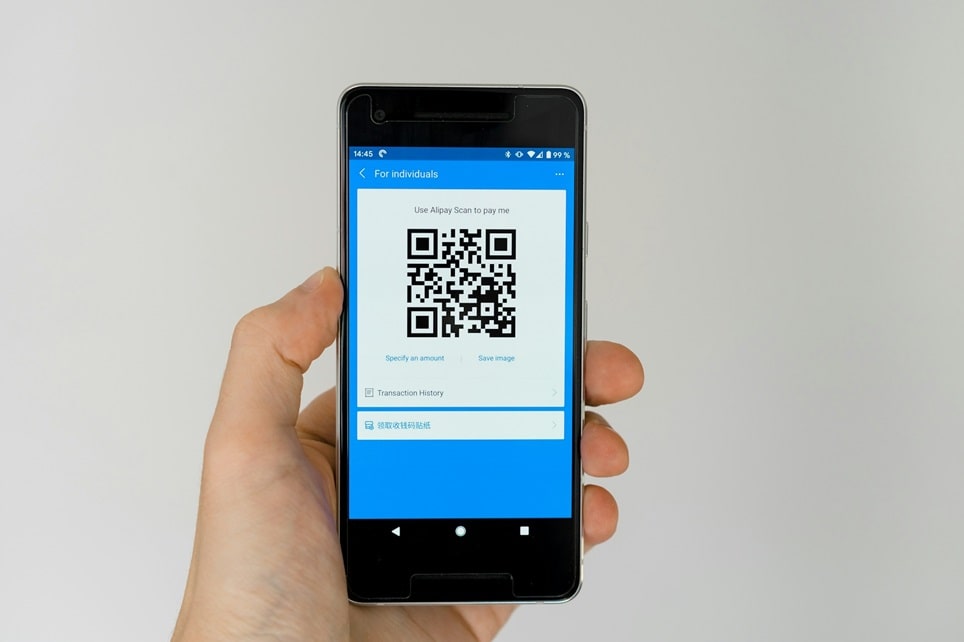
QR codes have become an indispensable tool for bridging the gap between physical and digital experiences. Whether you’re a business owner looking to streamline customer interactions or an individual wanting to share information effortlessly, creating a QR code is a straightforward process. This guide will walk you through every step—from choosing the right generator to deploying your code—while highlighting best practices for design, security, and usability.
Why Use QR Codes in 2025?
QR codes are more than just a trend; they’re a practical solution for a wide range of applications. In 2025, businesses use QR codes for:
- Marketing and promotions: Link to websites, discounts, or social media profiles.
- Contactless payments: Enable quick transactions via mobile wallets.
- Event management: Share schedules, registration forms, or feedback surveys.
- Product information: Provide detailed specs, tutorials, or customer support links.
- Networking: Replace traditional business cards with digital vCards.
- Education and training: Distribute learning materials or interactive content.
- Security and authentication: Use password-protected or time-limited codes for exclusive access.
For individuals, QR codes simplify sharing Wi-Fi passwords, personal portfolios, or contact details without typing or searching.
Step 1: Choose the Right QR Code Generator
Selecting a reliable QR code generator is the first step. The best tools offer a balance of ease of use, customization, and analytics. Here are some top options in 2025:
Free QR Code Generators
- The QR Code Generator (TQRCG): Offers free static and dynamic QR codes, custom logos, and high-resolution downloads. Ideal for small businesses and personal use.
- QRCode Monkey: Best for designers, with advanced customization options like colors, shapes, and logo embedding.
- Canva: Integrates QR code generation into its design platform, perfect for branded materials like flyers or business cards.
- QRStuff: Supports 23+ data types (URLs, PDFs, Wi-Fi, etc.) and allows bulk generation for large projects.
Paid QR Code Generators
- Uniqode (formerly Beaconstac): Best for businesses needing dynamic QR codes, analytics, and GDPR compliance. Offers password protection and custom domains.
- QRCodeChimp: Features unique shapes, landing pages, and multi-language support. Ideal for international campaigns.
- Bitly: Combines QR code generation with link shortening and advanced tracking. Great for marketing teams.
- ViralQR: Provides real-time scan tracking, access controls, and high-resolution downloads for professional use.
Step 2: Select Your QR Code Type
QR codes can encode various types of data. Choose the type that best fits your goal:
- URL: Link to a website, landing page, or online store.
- vCard: Share contact details (name, phone, email, address).
- Wi-Fi: Allow users to connect to a network without entering a password.
- Text: Display a message, instructions, or promotional copy.
- Email/SMS: Pre-fill an email or text message with a recipient and subject.
- PDF/File: Share documents, menus, or brochures.
- Social Media: Direct users to your profiles (Instagram, LinkedIn, etc.).
- Payment: Facilitate transactions via PayPal, Venmo, or crypto wallets.
For businesses, dynamic QR codes are recommended. These allow you to update the linked content without reprinting the code, and they provide scan analytics (location, device, time). Static QR codes are free but permanent—once printed, their content cannot be changed.
Step 3: Customize Your QR Code
A well-designed QR code is more likely to be scanned. Use these customization tips to make yours stand out:
Design Best Practices
- Colors: Use high-contrast colors (e.g., dark code on a light background). Avoid red/green for colorblind accessibility.
- Logo: Add your brand logo to the center, but keep it small (no more than 30% of the code’s area) to avoid scanning issues.
- Shape: Experiment with rounded corners or custom patterns, but ensure the code remains scannable.
- Frame: Add a border or call-to-action (e.g., “Scan Me”) to draw attention.
- Size: Minimum print size: 2.5 cm x 2.5 cm (1 inch). For outdoor or large-format use, scale up to 10 cm or larger.
- Quiet Zone: Leave a white border (at least 4 modules wide) around the code to improve scannability.
Tools for Customization
Most generators (like Uniqode, QRCodeChimp, or Canva) offer drag-and-drop editors. For advanced designs, use Adobe Express or hire a graphic designer to integrate the QR code into your branding.
Step 4: Generate and Test Your QR Code
Once customized, generate your QR code and test it thoroughly:
- Scan the code with multiple devices (iPhone, Android, tablet) and apps (native camera, Google Lens, third-party scanners).
- Check the landing page or content for errors, broken links, or slow loading.
- Verify the code works in different lighting conditions and from various distances.
- If using a dynamic code, test the analytics dashboard to ensure scan data is recorded.
Pro Tip: Use a QR code testing checklist to catch common issues like low contrast, incorrect URLs, or insufficient quiet zones.
Step 5: Download and Deploy Your QR Code
After testing, download your QR code in the appropriate format:
- PNG/SVG: Best for digital use (websites, emails, social media).
- PDF/EPS: Ideal for high-resolution print (posters, packaging, business cards).
- Vector: Use for scalable graphics (logos, large-format prints).
Deployment Tips
- Print: Use high-quality materials and avoid glossy finishes that cause glare.
- Digital: Embed in emails, websites, or digital ads with a clear call-to-action (e.g., “Scan to Claim Your Discount”).
- Location: Place codes at eye level in high-traffic areas. For products, include them on packaging or labels.
- Tracking: If using dynamic codes, monitor scans to measure engagement and optimize campaigns.
QR Code Security and Privacy Best Practices
QR codes are convenient but can pose security risks if misused. Follow these guidelines to protect your users and data:
For Businesses
- Use HTTPS URLs and SSL certificates to ensure secure connections.
- Enable password protection for sensitive content (e.g., internal documents, VIP offers).
- Choose generators with GDPR compliance and data encryption.
- Regularly audit and update dynamic QR codes to prevent redirecting to outdated or malicious links.
- Educate users on how to identify safe QR codes (e.g., branded designs, custom domains).
For Individuals
- Avoid scanning codes from untrusted sources (e.g., random stickers, unsolicited emails).
- Preview the URL before opening it. Most smartphones show a preview—check for typos or suspicious domains.
- Use a QR scanner app with security features (e.g., malware detection, URL preview).
- Keep your device’s OS and apps updated to protect against vulnerabilities.
Advanced QR Code Strategies for Businesses
To maximize the impact of your QR codes, consider these advanced tactics:
Dynamic Content
Use dynamic QR codes to:
- Change promotions based on time of day or user location.
- Update event details without reprinting materials.
- A/B test landing pages to optimize conversions.
Integration with Marketing Tools
- Connect QR codes to CRM systems (e.g., HubSpot, Salesforce) to track leads.
- Use UTM parameters in URLs to measure campaign performance in Google Analytics.
- Embed QR codes in email signatures or digital business cards for networking.
Creative Use Cases
- Interactive packaging: Link to videos, AR experiences, or loyalty programs.
- Contactless menus: Update offerings in real time without reprinting.
- Virtual tours: Provide property or venue walkthroughs via QR codes on signs.
- Feedback collection: Direct customers to surveys after a purchase or visit.
Common QR Code Mistakes to Avoid
Even well-intentioned QR code campaigns can fail due to avoidable errors. Steer clear of these pitfalls:
- Poor placement: Codes that are too high, too small, or in low-light areas won’t be scanned.
- No call-to-action: Users need to know why they should scan your code. Add a brief instruction (e.g., “Scan for Exclusive Content”).
- Broken links: Always double-check URLs and test the user journey.
- Over-customization: Creative designs should never compromise scannability.
- Ignoring analytics: Dynamic codes provide valuable data—use it to refine your strategy.
- Using static codes for campaigns: If the content may change, always opt for dynamic.
Conclusion
Creating a QR code is a simple yet powerful way to enhance engagement, streamline processes, and connect with your audience. By following this step-by-step guide, you can generate codes that are not only functional but also secure, visually appealing, and aligned with your goals. Remember to:
- Choose the right generator based on your needs (free vs. paid, static vs. dynamic).
- Customize your code to reflect your brand and improve scannability.
- Test thoroughly across devices and environments.
- Deploy strategically with clear calls-to-action and tracking.
- Prioritize security and user trust, especially for business applications.
